3D Printing
News Videos Newsletter Contact us
Home / News / How To Set Up A School’s 3D Print Program

How To Set Up A School’s 3D Print Program

April 20, 2022

Learn how to set up a school’s 3D print program successfully and enjoy one of the most rewarding experiences in education. Watch students get deeply engaged in their learning process – across geography, chemistry, biology and more!

Keys to set up a school’s 3D print program

To successfully set up a school’s 3D print program one does depend on a few things, of course.
Students need to enjoy success and at the same time – admins need to manage print queues without spending crazy amounts of time doing so!
These are 3 critical indicators of a school’s 3D print program success.
Indicator 1: Increased 3D Print Success

One piece of prime importance is optimizing everything for more successful prints.
On the one hand, you want students to push their own boundaries and accept that in doing so, they will sometimes fail. However, on the other hand, you want to minimize any frustration.

As an admin in an education related 3D printing program, you can guide them to use features that 3DPrinterOS has to offer: it can analyze your student’s 3D print file, and make recommendations as to whether it needs supports, if the first layer is touching the build plate and if the part needs repair.

This means that even if you are relatively new to 3D printing yourself, the students get to enjoy a high level of success in their projects.

Indicator 2: Reduce Admin Time

As schools build 3D printing into their curriculums, it becomes very important to help admins to run the program effectively.

Using 3DPrinterOS means staff or the students no longer need to run around with SD cards to print their files and keep track of them. Instead, students just go to a browser page and login via SSO to upload and slice their files wherever they are – even off campus.

This reduction in administrative time is a key tool that has allowed leading schools and universities to scale their 3D print programs by implementing 3DPrinterOS. Multiplying the number of student users or 3D printers does not have to equate into multiplying the number of staff needed to run those.

Indicator 3: Manage 3D Print Queues

And another challenge that admins run into (until they start using 3DPrinterOS!) is managing 3D print queues. When you have 60 eager students and 4 3D printers, it can get chaotic!

And that is one of the main reasons makerspaces start using 3DPrinterOS. In order to print each student’s project, staff need to be able to control what is being printed, on which 3D printer.
3DPrinterOS gives that complete line of sight into users, 3D printers, and files.

It’s important that this is easy, both for staff and students and. Staff shouldn’t have to jump through hoops to have a student’s project printed in time for a project deadline. Students should also be able to have their projects printed in a timely way.

3D Printing In Education
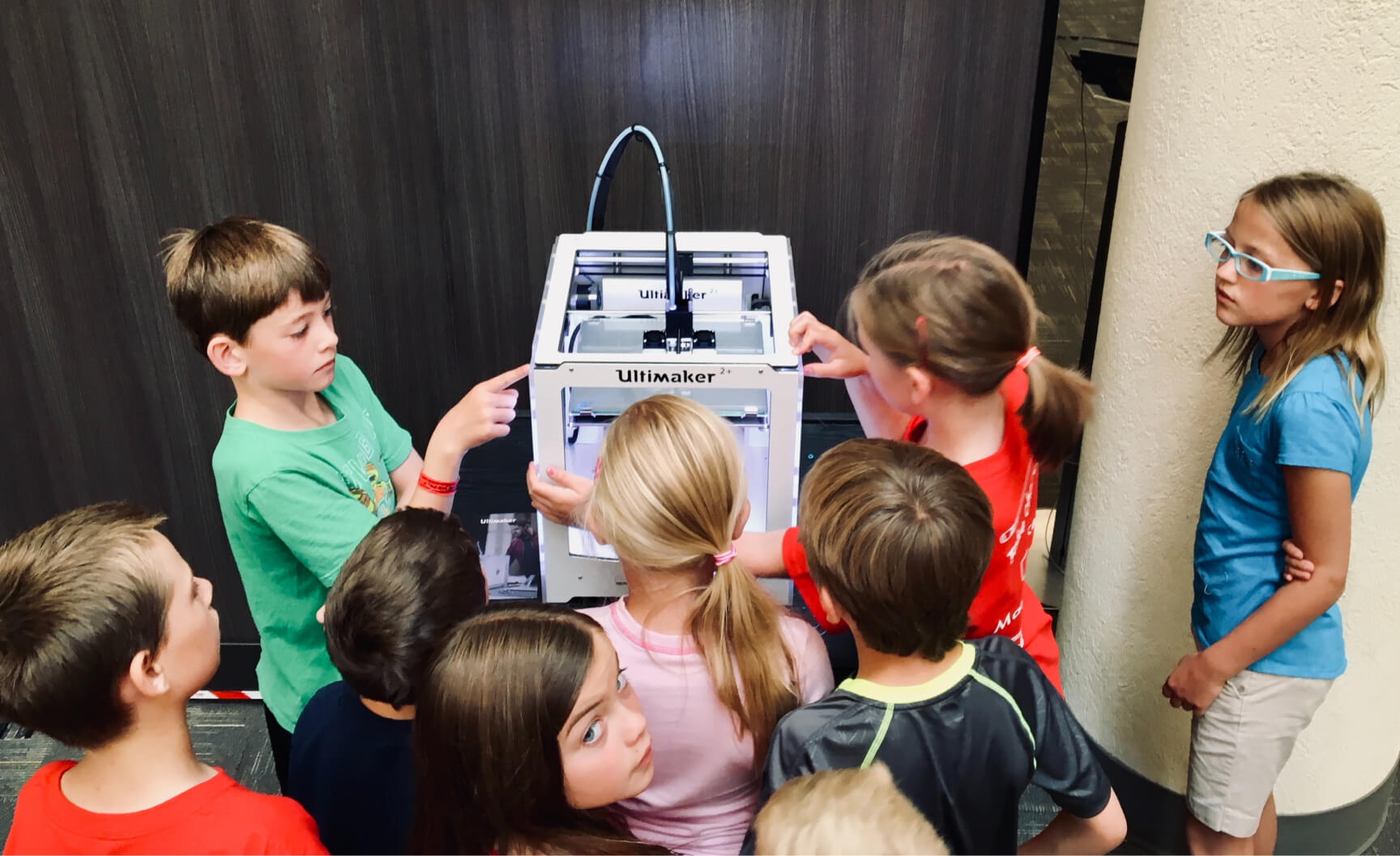
3d print program

Benefits of 3D Printing in Schools

The benefits of 3D printing for educational institutions are already well known and hardly need to be emphasized here. However, in short: students love it.
This translates into a lot of excitement and a love for learning.

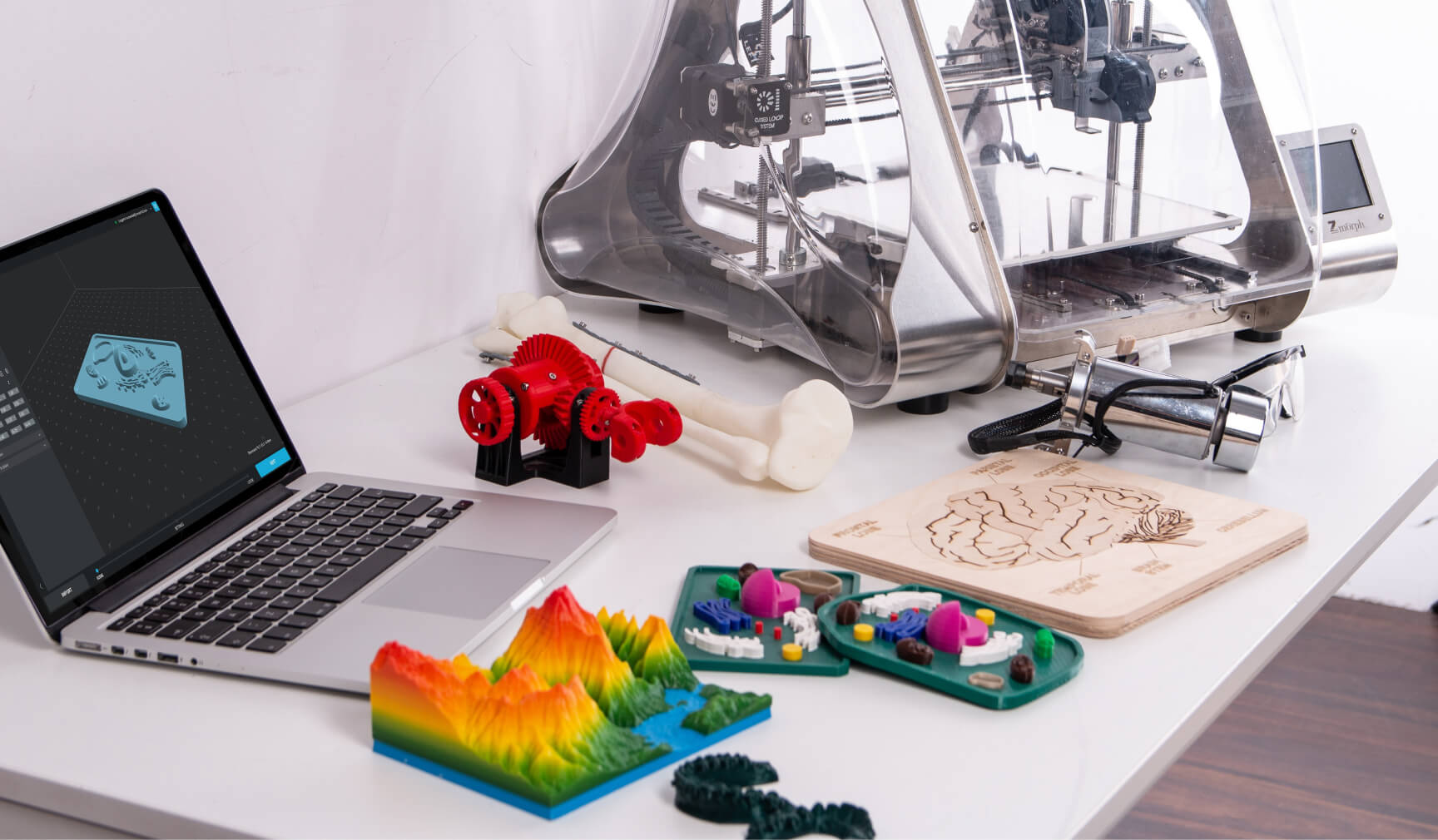
When you successfully set up a school’s 3D print program, you intentionally merge it with your existing curriculum. History, science, math, art and architecture… 3D printing is a resource for all of them. It’s a medium that promotes creativity, and puts cutting edge technology right into the hands of the people who will be tomorrow’s scientists, doctors, and space explorers.

3D printing also teaches students a new perspective – what’s ‘inside’?
What makes up a sphere, or a cone? What do you NOT see, in a bridge or a tunnel?
Students are naturally curious, and 3D printing taps into that curiosity.

Of course STEM/STEAM projects are ideal candidates for 3D printing. The potential for hands-on learning in a project-based framework is unlimited. Interestingly, it is also a safe way for students to ‘fail’, learn, adjust, and try again.

3D printing is a low-barrier entry point to other types of making. Students can often work on their projects from their own computers. They don’t need to have access to power tools to build their models or create their designs.

Next Step To Set Up A School’s 3D Print Program

Find Out More From Our Friendly Team

We absolutely love seeing the results of the dedicated teams that are, quite literally, building the future. Drop us a line on our education page when you’re ready to see the difference for yourself.
We can’t wait to hear from you!

Share:
WhatsApp Twitter Facebook LinkedIn Buffer Reddit E-mail
Join our newsletter

Our newsletter is free & you can unsubscribe any time.

Latest posts

From Prompt to Printable Mecha in 5 Minutes: Inside Hi3D’s End-to-End AI 3D Printing Workflow

This article is sponsored content. Type a sentence, wait five minutes, and walk away with a printable 3MF project file. That is the... read more »

News
Hi3D print plan screen showing automatic part placement, surface-first orientation, a print-time estimate, and one-click export to Bambu Studio, OrcaSlicer, Creality Print, and Elegoo Slicer

IU Health Opens FDA-Cleared 3D Print Studio, Cutting Model Turnaround to 24 Hours

IU Health has launched one of the country's first hospital-based, FDA-cleared 3D printing programs, allowing physicians to produce patient-specific anatomical models in-house rather... read more »

Medical
IU Health Opens FDA-Cleared 3D Print Studio, Cutting Model Turnaround to 24 Hours

Three Organizations Sign Agreement to Build Materials Research Hub in Singapore

Three organizations have agreed to establish a shared advanced materials development facility in Singapore, signing a Memorandum of Understanding on June 24, 2026.... read more »

Materials
Three Organizations Sign Agreement to Build Materials Research Hub in Singapore

Phase3D Raises $2.9M to Scale In-Situ Inspection for Metal 3D Printing

Phase3D has closed an oversubscribed $2.9 million funding round to accelerate the adoption of its Fringe Inspection technology for metal additive manufacturing. Quest... read more »

3D Printing Metal
Phase3D Raises $2.9M to Scale In-Situ Inspection for Metal 3D Printing

Newcastle University 3D prints replica of Roman Britain’s most popular board game

Newcastle University and the Vindolanda Charitable Trust have used 3D scanning and printing to create a playable replica of a 1,700-year-old Roman game... read more »

News
Newcastle University 3D prints replica of Roman Britain's most popular board game

Best TPU Filament 2026: Flexible Picks for Every Shore Hardness

Flexible filament, demystified: the best TPU of 2026 ranked by shore hardness, from easy 95A to soft 85A and high-speed grades, with the... read more »

Filament

Best ABS and ASA Filament 2026: Low-Warp Picks for Enclosed Printers

The best ABS and ASA filament for 2026: low-warp picks for enclosed printers, when to choose UV-stable ASA, and the settings that stop... read more »

Filament

Best PETG Filament 2026: Tough, Weatherproof Picks for Every Printer

The best PETG filament for 2026: tough, weatherproof picks across everyday, high-flow, Bambu, premium, translucent, and budget, with print settings and prices.

Filament

Hands-On Review: Revopoint Inspire 2 3D Scanner

We have recently got our hands on a couple of new scanners from Revopoint, and in this article we will be taking a... read more »

News
Inspire 2 on the tripod again

Best PLA Filament in 2026: Tested Picks for Every Grade

The best PLA filament for every job in 2026: everyday, value, premium, high-speed, matte, silk, and tough PLA+ picks compared, with prices and... read more »

Filament

Social

  • Facebook Facebook 3D Printing
  • Linkedin Linkedin 3D Printing
Join our newsletter

Our newsletter is free & you can unsubscribe any time.

Featured Industries

  • Automotive
  • Aerospace
  • Construction
  • Dental
  • Environmental
  • Electronics
  • Fashion
  • Medical
  • Military
  • Anycubic Kobra S1 Combo

    • - Print size: 250 x 250 x 250 mm
    • - budget multicolor printing
    More details »
    $429.00 Anycubic
    Buy Now
  • Flashforge AD5X

    • - Print size: 220 x 220 x 220 mm
    • - dual extrusion system
    More details »
    $399.00 Flashforge
    Buy Now
  • Flashforge Adventurer 5M

    • - Print size: 220 x 220 x 220 mm
    • - 600mm/s travel speed
    More details »
    $299.00 Flashforge
    Buy Now
  • Flashforge Guider 3 Ultra

    • - Print size: 330 x 330 x 600 mm
    • - dual extruder system
    More details »
    $2,999.00 Flashforge
    Buy Now
  • Snapmaker U1

    • - Print size: 270 x 270 x 270 mm
    • - multi-color printing with SnapSwap
    More details »
    $849.00 Snapmaker
    Buy Now
  • Creality K2 Plus

    • - Print size: 350 x 350 x 350 mm
    • - multi-color printing
    More details »
    $1,199.00 Creality
    Buy Now
  • Creality Hi Combo

    • - Print size: 260 x 260 x 300 mm
    • - up to 16-color printing
    More details »
    $399.00 Creality
    Buy Now
  • Anycubic Photon Mono M7

    • - Print size: 223 x 126 x 230 mm
    • - 10.1 inch 14K screen
    More details »
    $279.00 Anycubic
    Buy Now
  • Qidi Q2

    • - Print size: 270 x 270 x 256 mm
    • - enclosed heated chamber up to 65°C
    More details »
    $580.00 Qidi
    Buy Now
  • Qidi Max 4

    • - Print size: 390 x 390 x 340 mm
    • - active cooling air control
    More details »
    $1,219.00 Qidi
    Buy Now

Company Information

  • What is 3D Printing?
  • Contact us
  • Join our mailing list
  • Advertise with us
  • Media Kit
  • Nederland 3D Printing

Blog

  • Latest News
  • Use Cases
  • Reviews
  • 3D Printers
  • 3D Printing Metal

Featured Reviews

  • Anycubic Photon Mono M5s
  • Creality Ender 5 S1
  • The Mole 3D Scanner
  • Flashforge Creator 3 Pro

Featured Industries

  • Automotive
  • Aerospace
  • Construction
  • Dental
  • Environmental
  • Electronics
  • Medical
  • Military
  • Fashion
  • Art
2026 — Strikwerda en Dehue
  • Home
  • Join our mailing list
  • Contact us
Blog
  • Latest News
  • Use Cases
  • Reviews
  • 3D Printers
  • 3D Printing Metal
Featured Industries
  • Automotive
  • Aerospace
  • Construction
  • Dental
  • Environmental
  • Electronics
  • Medical
  • Military
  • Fashion
  • Art
Company Information
  • What is 3D Printing?
  • Contact us
  • Join our mailing list
  • Advertise with us
  • Media Kit
  • Nederland 3D Printing