Outsourcing your prototypes can sometimes seem like an unwelcome expense. If your company’s resources are already stretched by the costs of staffing, development and marketing, the prospect of paying another company to create your prototype is not always appealing.
But ordering a professionally made prototype doesn’t have to break the bank. Moreover, by selecting an efficient and economical prototyping partner that is able to produce excellent results, you are effectively making a sound investment in your product’s future. After all, prototyping costs can be recouped later, but losing an investor due to a poorly made prototype is a mistake that can’t be fixed.
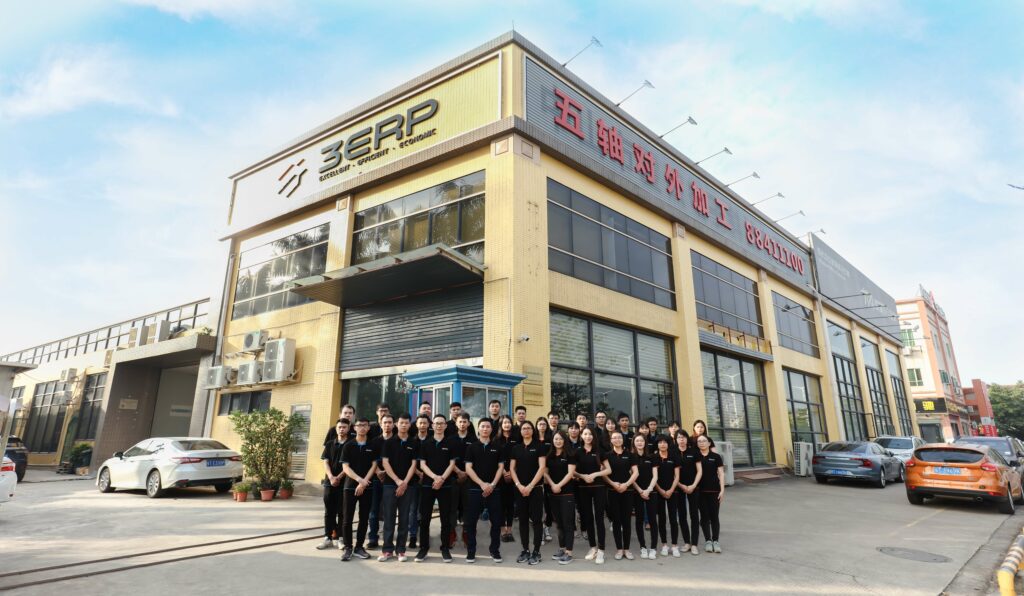
3ERP, an internationally operating prototyping specialist based in China, knows how to make prototypes of all varieties to a high standard at a low price point.
Selecting the right process
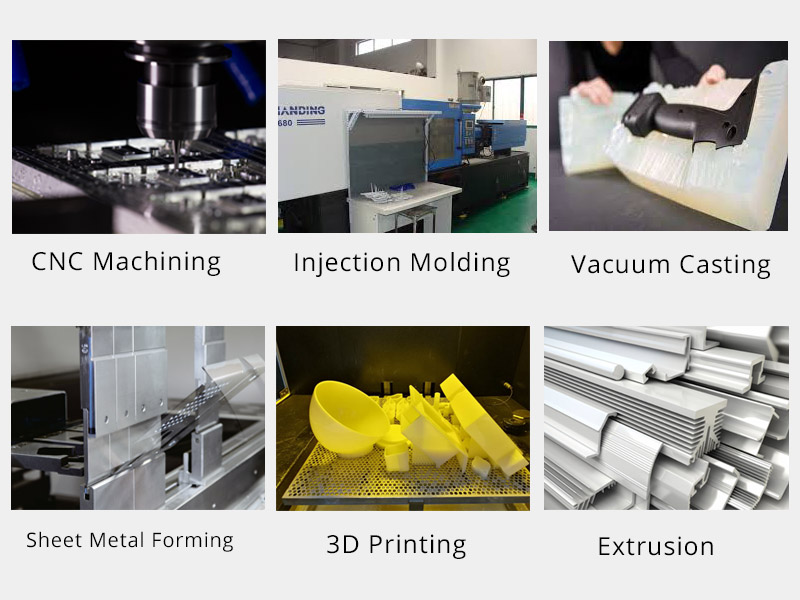
One of the first considerations when developing a prototype is figuring out how that prototype will be made. 3ERP provides a range of prototyping processes. Besides additive manufacturing, this includes CNC machining, sheet metal prototyping and several forms of casting, injection tooling and molding. Beyond that, the company has the expertise to determine which processes are suitable for which products.
3ERP also recognizes that some projects require processes that can explicitly help to reduce the overall cost of the job. If you require several copies of the prototype, for example, it will sometimes be cheaper to use a casting process instead of (or in addition to) machining, since the creation of a mold allows for low-cost duplicates. Likewise, multiple processes can sometimes be combined to reduce the cost of the prototype.
When the right process has been established, there are further steps that can be taken to reduce the cost of the prototype, including optimization of the machine programming cycle.
Material matters
Material is another significant factor in determining the cost of a prototype. If the prototype is for display only, then you can afford to use a low-cost material, even if the finished product will be made from something of a higher grade. If you require a functional prototype, then the material need only match the final chosen material in factors like strength and mass.
Of course, economizing on material costs doesn’t necessarily mean selecting the cheapest stuff going. Rather, certain materials are more conducive to certain designs and processes, and should be matched accordingly. For example, one alloy having a lower cost per kilogram doesn’t mean it will reduce the overall cost of the project. If it is less conducive to machining than a marginally more expensive alloy, then machining time may be increased and further post-processing steps may be required, both of which can increase total costs.
Ultimately, only an expert in prototyping will truly be able to discern which materials can reduce the cost of a project.
Preaching tolerance
Prototypes should give an accurate picture of your final product. However, a prototype should not be subject to exactly the same standards as a product that will end up on the market. For this reason, it can be economical to make design adjustments to a part during the prototyping stage.
Certain adjustments can help to reduce material usage. For example, hollowing out parts that would otherwise be solid can reduce material costs, while the use of internal radii over sharp edges can reduce the complexity of the machining job. However, one should remember that some material-reducing adjustments can actually increase machining time, so it is always a balancing act to keep designs cost-efficient.
One of the simplest ways of reducing prototyping costs is to relax tolerances on parts. While the specification of tight tolerances is incredibly important for end-use products, prototypes rarely need to be built to microscopic degrees of accuracy. Specifying loose tolerances for prototypes ultimately saves time and cost, since the manufacturing processes can be carried out at higher speeds.
Finishing
The finish required for a prototype ultimately depends on the prototype’s purpose. Will it be presented to potential investors or clients? If so, it is worth investing in an aesthetically pleasing finish that will mirror that of the finished product. 3ERP offers a range of surface finishing options, including polishing, anodizing, powder coating and more.
For functional prototypes, less attention is needed on the finish. In fact, beyond the basic sanding and polishing that may be needed to make a part work, you can often save money by forgoing more complex finishing options that increase the overall cost of the job.
3ERP recognizes when costs need to be curbed, and can help you decide which finishing options are suitable for your prototype.
To find out more about 3ERP’s low-cost prototyping options, get in touch directly.