
Looking for a convenient yet flashy way to add some extra life into a live event or exhibition? Look no further than Projection Mapping, because (at a base level) all you need is a projector, a surface and some software. Projection Mapping or video mapping is a great way to give some extra flair to art pieces, displays and advertisements or give an incredible range of motion to otherwise inanimate settings. It can also go hand in hand with 3D printing, producing wild, eye-catching spectacles.
What is Projection Mapping?

In simple terms, projection mapping is the use of projections to display images or animation on top of objects. These objects are usually irregularly shaped (though not always) and a projection software maps the image to conform to those irregular forms, giving them extra depth and texture. Visual techniques like this are a playground for artists to create optical illusions, holographic displays and physically-present animations. Some artists and advertisers take it further and add musical accompaniment timed to the visuals.
First, users have to designate the object and its shape for the software and then the image or animation they want to project. They have to figure out what “masking” would work best. This means adjusting and choosing opacity templates to map the exact shapes and positions of the different elements of the building or space of projection. The software does a lot of the heavy-lifting but users have to input the distance from the projector, position of the object and lens specifications along with making adjustments to best suit the environment. The software then calibrates the best way to fit the image onto that surface with these factors taken into account.
While the modern iteration of projection mapping is quite software-driven, it’s important to note it’s been around since 1969. Since then, it’s been used by companies as massive as Disney and Samsung. Advertising agencies have applied it to stands and exhibitions. Even theme park rides like Disneyland’s Haunted Mansion use it to provide an immersive experiences for attendees.
While projection software provides the images, obviously the actual objects are also an important consideration and that’s where 3D printing comes in…
3D Printed Projection Surfaces

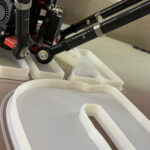
3D printing has long been an active tool for art, advertising, signage and retail. It’s only natural that it would provide a means of meshing with projection and video technologies. Just like 3D printing provides a means of actualising 3D models, it can provide figures, set-design or mannequins for projection shows. They are already being incorporated into simulations and fashion shows.
Many artists have already amalgamated the two technologies to interesting effect. One example that springs to mind is Mike Alger, Ana Mickovic, and Jenil Buria‘s art piece showcasing intimacy. The piece used a 3D scanned and then printed model of a couple sitting on a couch. The model itself was gray, but the projection gave it and its surroundings various colors. The images alternated and gave color and a dynamic feel to the art piece.
Massivit3D have been providing prints for projection mapping, manufacturing mannequins, statues and models. For example, They printed SESI man for Global Oficial, as an attraction at an innovation-focused conference. As part of the event, SESI man was there to demonstrate health care in the business environment. With the aid of projection mapping, parts of the circulatory system could appear on this 2.7m (8.8 ft) tall 3D-printed model. The projections helped deliver the message with lively, colorful graphics.
Similarly, some companies have developed 3D printing specific projection systems. FORUM8 invented a holographic projection mapping system for 3D printed objects which they call a “Projection Mapping Table”. Their whole table consists of five projectors, a monitor, a specially designed table, and an entire set of equipment and software. This system used a 360 degree projection stage that used lights to put animations on objects, which they used to simulate the functions and look of a new car design at an exhibition (among other things).
The mix of these two technologies has been applied to music videos and lives shows. Dan Sultan’s music video for “Magnetic” was created by animation studio Dropbear Digital, taking two months to animate the 60 individual 3D printed parts and projecting images onto busts and models of faces. This would have been far more laborious using traditional methods, but was a matter of weeks for 3D printing.
Advantages

The mix of 3D printed objects and projection mapped images provides an easy way to produce holograms. Hologram technology is expensive but there are low-cost versions of projection mapping. Even 3D printing a few models, depending on the user’s needs, can be fairly cheap as they don’t have to be the most in-depth designs, often being grayish and blank basic shapes.
We previously mentioned the use of projection mapping in car shows. The technology provides an easy, simple way to simulate a concept without the expense of building a functional prototype. Another similar example is in displaying fashion by projecting it onto mannequins. Ordinarily it would either require building multiple more mannequins rather than reusing fewer ones by simply altering the projection.
Projection mapping onto printed surfaces can also be easier than coloring an entire physical model. The designers at DirecTV Rio 2016 built a model of the entire city but used a projector to add effects and colors. Aside from simply illustrating the city, it allowed for motion and alternating hues that added more than just plain painting.
Both technologies together can create attractive constructs that do more than just stand there. They bring in creative and new ways to entice the viewer, adding creative uses of imagery. It opens up the avenue for what both technologies can accomplish.
Featured image courtesy of Flickr user “t-mizo”.