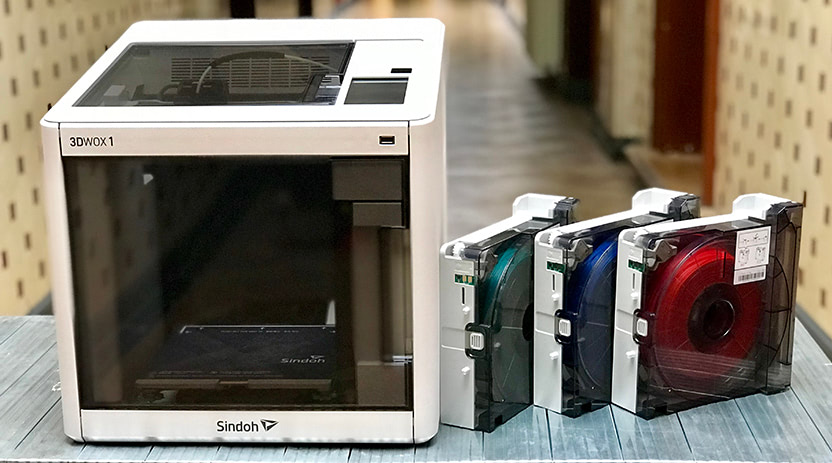
Not too long ago, Sindoh released their latest plug-and-play 3D printer. They named it ‘3DWOX 1’ and we can safely state that it is even better than Sindoh’s very successful DP200.
We were lucky enough to get our hands on the 3DWOX 1 and put it to the test. In this review you will read everything about the pros and cons of this machine.
Overview (TL;DR)
- Open filament system: can print 3rd party filaments
- From unboxing to printing in an hour
- Flexible (magnetic) print surface for easy part removal
- Automatic filament loading
- Assisted bed leveling
- Easy to use and well designed interface
- Great for printing ABS due to closed print chamber and flex build plate.
| Reliability | |
| User friendliness | |
| Print quality | |
| Print consistency | |
| Range of materials | |
| Support / helpdesk | |
| Slicer software | |
| Availability replacement parts |
Unboxing & setup
Just like its predecessors, the 3DWOX 1 is a plug-and-play machine. From unboxing to printing will only take you an hour, and that’s for inexperienced user. Because we worked with the DP200 before, it only took us a few minutes to level the bed, load the filament and start a test print (which is preloaded on the device itself).
What’s in the box
- 3DWOX 1 3D printer
- Refillable Cartridge Case
- Power cable
- Flexible, magnetic build plate cover
- USB stick
- USB cable
- Spatula
- Nozzle cleaning tool
- Spare PTFE tube
About 3DWOX 1
User Interface
The UI is clear and well thought-out. Where necessary, explanatory elements are enhanced with animated illustrations.
Control, connectivity, monitoring and notifications
First of, the touch screen is big and responsive, exactly what you expect from a high quality touch screen. You can start a print via USB drive, an app, or directly from the slicing software to the printer via your network. The built-in camera enables you to monitor a print from a distance. You can simply install the 3DWOX mobile app on your phone or tablet and monitor the progress of your print from a distance. Additionally you can setup an email notification for when your print is ready.
3rd party materials
In contrary to its predecessors, you can now use filament from any third party supplier as long as it is a material this printer can handle. It can’t handle flexible / soft materials and materials that have a melting temp above 482 °F / 250 °C.
Sindoh does recommend that you use the ‘manufacturer’s recommendation list for using non-Sindoh filament’ which can be found on their website.
Problem solving
We didn’t run into any big problems while testing the 3DWOX 1 but when you do, there are several ways of problem solving.
Built-in quick guides
The thing that stands out are the built-in quick guides that you can view via the interface. There are several quick guides that tackle the most important elements of the printer, e.g: bed leveling, filament loading, nozzle cleaning et cetera.
Print Preparation
The flexible and removable print bed makes it very easy and safe to remove an object when it’s done. Switching and loading filament is automatic when using Sindoh cartridges. You can queue print jobs via the 3DWOX software which is also your slicer. The slicer has some good and some bad elements. The built-in mesh error fixing is great but it lacks certain advanced settings, for instance settings to improve bridge quality.
Online support
While auto loading Sindoh filament via a cartridge is very easy, it took us some time to figure out how to switch to open filament mode. At first we weren’t aware about the built-in quick guides so we Googled and ended up on Sindoh’s YouTube channel.
Additionally you can take a look at the online FAQ, but to be fair, you can’t find that much information about the 3DWOX 1 there. When you can’t find what you are looking for you can always reach out to Sindoh via email.
ABS Test print
The closed print chamber, removable / flexible heated bed and excellent slicing software make the 3DWOX 1 perfect for printing ABS.
Our test case was this modular mounting system on Thingiverse made by Thingiverse user Ryan Huang.
For a functional print you want to use a material that is both strong and durable. Therefor we chose ABS.
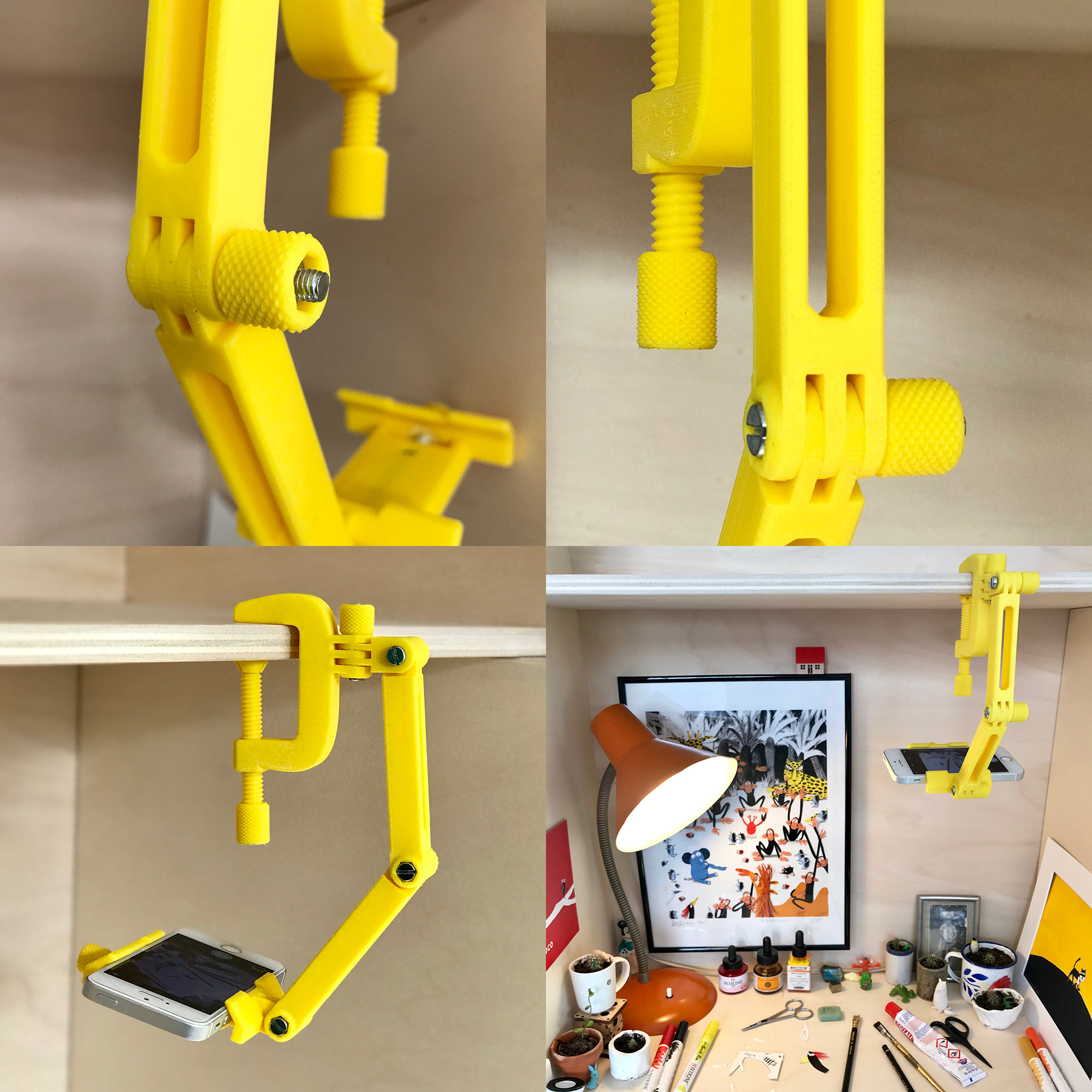
The parts were printed with default slicer settings (200 Microns layer height) (though some parts were printed with a higher infill percentage to create stronger parts). We were impressed with the level of detail, see the knobs for instance.
We never print ABS on a 3D printer with an open structure. ABS is very sensitive for temperature changes. Even the slightest breeze can make an object warp or crack. We didn’t experience any warping or cracking during our tests.
The only con is that sometimes the raft gets too stuck to the object and is difficult to remove.
Perfect 3D printer for the classroom and office
The 3DWOX 1 is safe to use, easy to use and quiet.
Low operating sound
The 3DWOX 1 is a quiet printer. The operating sound lies just below 40 DB which makes it suitable for the classroom and office.
Print queue
The print queue feature is very handy when you share the device with a group. You can queue objects via the app or directly from the slicer.
Filament runout detection
The filament sensor keeps track of the amount of filament that’s left on the spool. It pauses the print when you’re out so you can safely switch to a fresh spool. It also warns you when starting a print in case the estimated filament amount is more than what’s left on the spool.
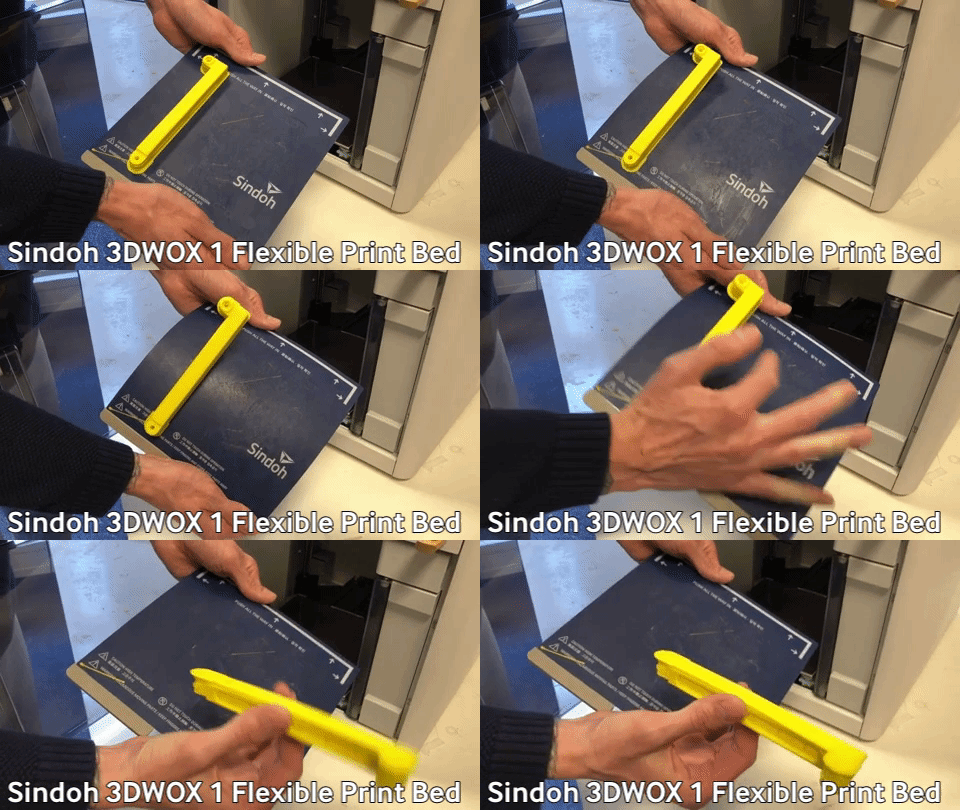
Flexible print bed
The flexible print bed makes it easy and safe to remove a part. When you bend the bed just a tad bit, the print pops right off.
Built-in HEPA filter
The built-in HEPA filter absorbs over 91% of all particles released by 3D printing. With the HEPA filter installed in this printer, the 3DWOX 1 is a good fit for both at home & in the classroom usage as a desktop 3D printer.
Sindoh 3DWOX 1 pros
- Truly plug-and-play
- Great print quality
- Easy to use
- Safe to use
Sindoh 3DWOX 1 cons
- Rafts can get too stuck
- Slicing software misses some elements
- Unable to print flexible / soft material
Conclusion
We’re impressed that Sindoh once again met our expectations. They have delivered a versatile 3D printer that can meet the demands of beginners and also experienced users. The 3DWOX 1 takes away most of the hassle you can encounter with 3D printing. From preparing prints to monitoring prints, from solving problems to swapping filament, they’ve made it as easy as can be.