
Choosing a 3D printer in 2026 is harder than it has ever been, and that is actually a good problem to have. CoreXY motion systems, active chamber heating, AI failure detection, and multi-filament printing are no longer premium features reserved for expensive machines. They are the baseline. A printer under $300 today ships with capabilities that would have cost three times as much just a few years ago, and the machines competing for your money at every price tier are genuinely close.
That closeness is exactly why this guide exists: a category-by-category ranking of the best 3D printers you can buy right now. We have tracked every significant printer launch across all major categories, weighed the specifications against real-world community results and hands-on experience with these platforms, and cross-referenced everything against the full body of available technical information. What you find below are the machines that earn their place, not the ones with the most impressive spec sheet. New to the technology? Start with our explainer on what 3D printing is, then come back to pick your machine.
Categories
Printer guides by need
This page covers the whole market. If your situation is more specific, these dedicated guides go deeper than the sections below can.
Quick comparison: top picks 2026
Jump to: Budget FDMMid-range FDMMulticolorLarge FormatProsumerResinBuying guideFAQ
▼ Quick comparison table, top 10 picks
| Printer | Category | Technology | Build volume | Max speed | Key advantage |
|---|---|---|---|---|---|
| Bambu Lab H2C | Multicolor | FDM CoreXY | 300 × 320 × 325 mm | 1,000 mm/s | Vortek 6-hotend swap, near-zero purge waste, 7 materials |
| Snapmaker U1 | Multicolor | FDM CoreXY | 270 × 270 × 270 mm | 500 mm/s | SnapSwap 4-toolhead, 80% less waste vs single-nozzle, $999 |
| Bambu Lab H2D | Prosumer | FDM CoreXY | 350 × 320 × 325 mm | 1,000 mm/s | Dual nozzle, 65°C chamber, optional laser/cutter |
| Bambu Lab P2S | Mid-range FDM | FDM CoreXY | 256 × 256 × 256 mm | 500 mm/s | DynaSense extruder, AMS 2 Pro, Active Airflow |
| Prusa CORE One+ | Mid-range FDM | FDM CoreXY | 250 × 220 × 270 mm | 600 mm/s | Open-source, 55°C chamber, Red Dot Award |
| Prusa CORE One L | Large Format | FDM CoreXY | 300 × 300 × 330 mm | 600 mm/s | 60°C chamber, AC heatbed, large-format leader |
| Creality K2 Pro Combo | Multicolor | FDM CoreXY | 300 × 300 × 300 mm | 600 mm/s | 60°C chamber + CFS 4-color, best under $1,100 |
| Elegoo Centauri Carbon | Budget FDM | FDM CoreXY | 256 × 256 × 256 mm | 500 mm/s | Enclosed CoreXY at budget price |
| Creality SparkX i7 | Budget | FDM bedslinger | 260 × 260 × 255 mm | 500 mm/s | CES 2026 winner, CFS Lite 4-color, beginner-friendly |
| Elegoo Saturn 4 Ultra 16K | Resin | Resin MSLA | 218 × 122 × 220 mm | 150 mm/h | 16K / 14-18µm XY, heated vat, tilt release |
Best budget FDM 3D printers 2026
Under $350: fast, enclosed, and ready to print out of the box
The budget FDM category has been transformed in 2026. Machines like the Elegoo Centauri Carbon now deliver fully enclosed CoreXY printing, a motion system previously reserved for mid-range machines, at under $300. The new baseline for this tier: 500 mm/s speeds, auto-leveling, direct drive, and a built-in camera. All under $350. Want the full picture on running costs? See how much 3D printing costs.
★ Top pick: Budget FDM
1. Elegoo Centauri CarbonBest value
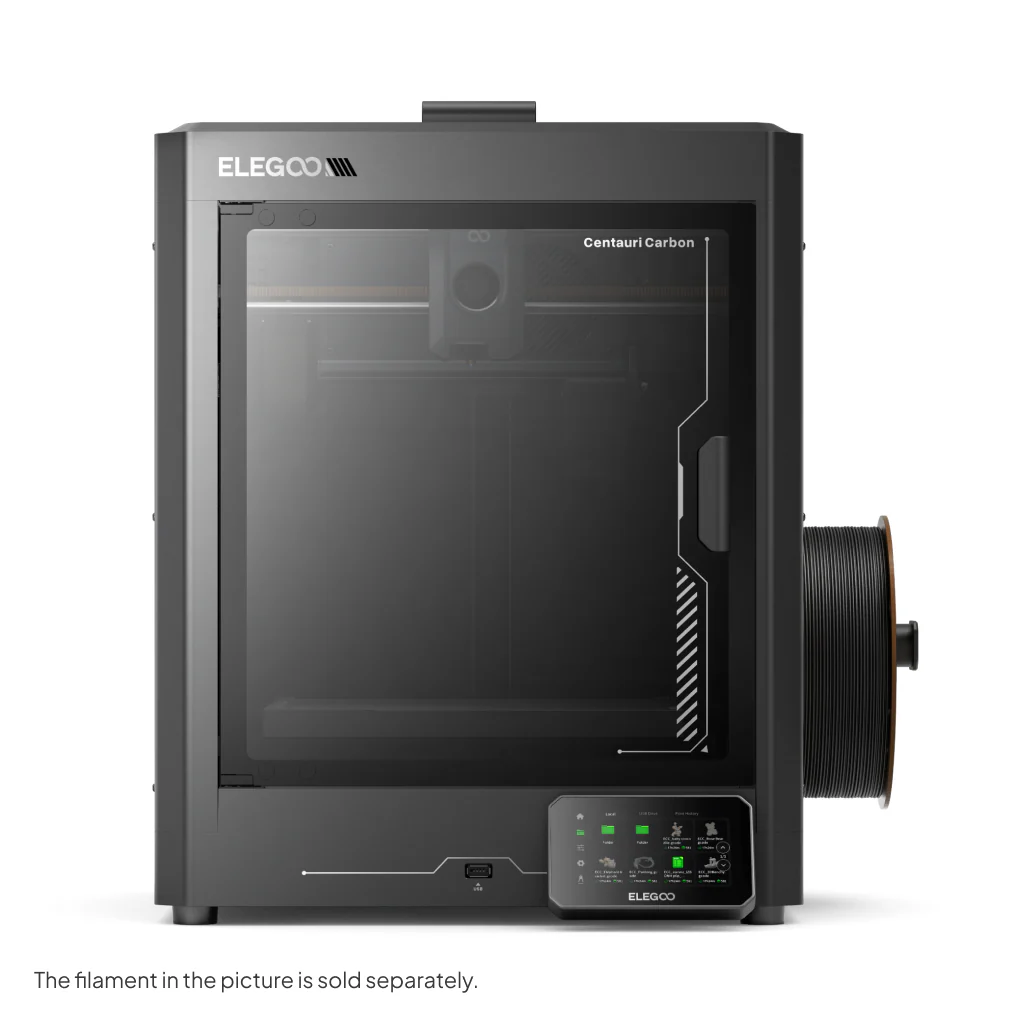
Makers who want maximum speed and print quality for their money, without paying a brand premium.
The most disruptive budget printer of 2026. A fully enclosed CoreXY machine at a price that would previously have bought you an open-frame bedslinger. Carbon fiber-reinforced axis rails keep vibration minimal at full speed, and reviewers have clocked a flawless 3DBenchy in under 19 minutes. It handles PLA, PETG, ABS, ASA, and TPU without issue and arrives pre-assembled and calibrated. The 320°C nozzle covers the full range of consumer materials including carbon fiber composites. Main trade-off: no native multicolor system as of mid-2026, and the Elegoo slicer lags behind Bambu’s software in polish. For single-color fast printing, nothing at this price comes close.
Price: ~$315
2. Bambu Lab A1 Mini
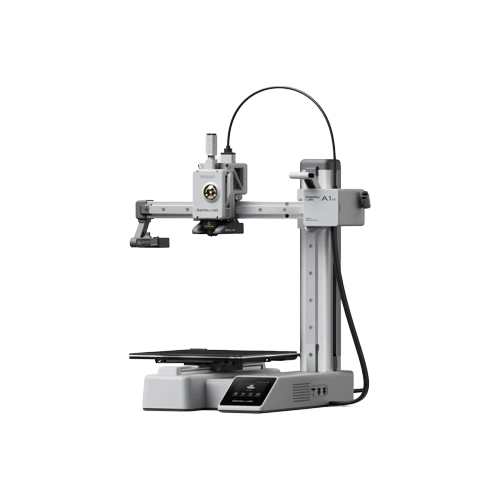
Best for beginners
First-time buyers, families, desk printing, and anyone who wants a printer that simply works on day one.
The most beginner-friendly printer on the market. Bambu’s mature app and slicer, whisper-quiet operation, full auto-calibration, and near-zero failed prints make this the definitive “just works” choice. The 180 mm build plate is smaller than the Centauri Carbon’s, a real trade-off for larger prints, but more than enough for most first-time projects. Add the AMS Lite (Combo) for 4-color printing.
Price: ~$299
3. Creality Hi
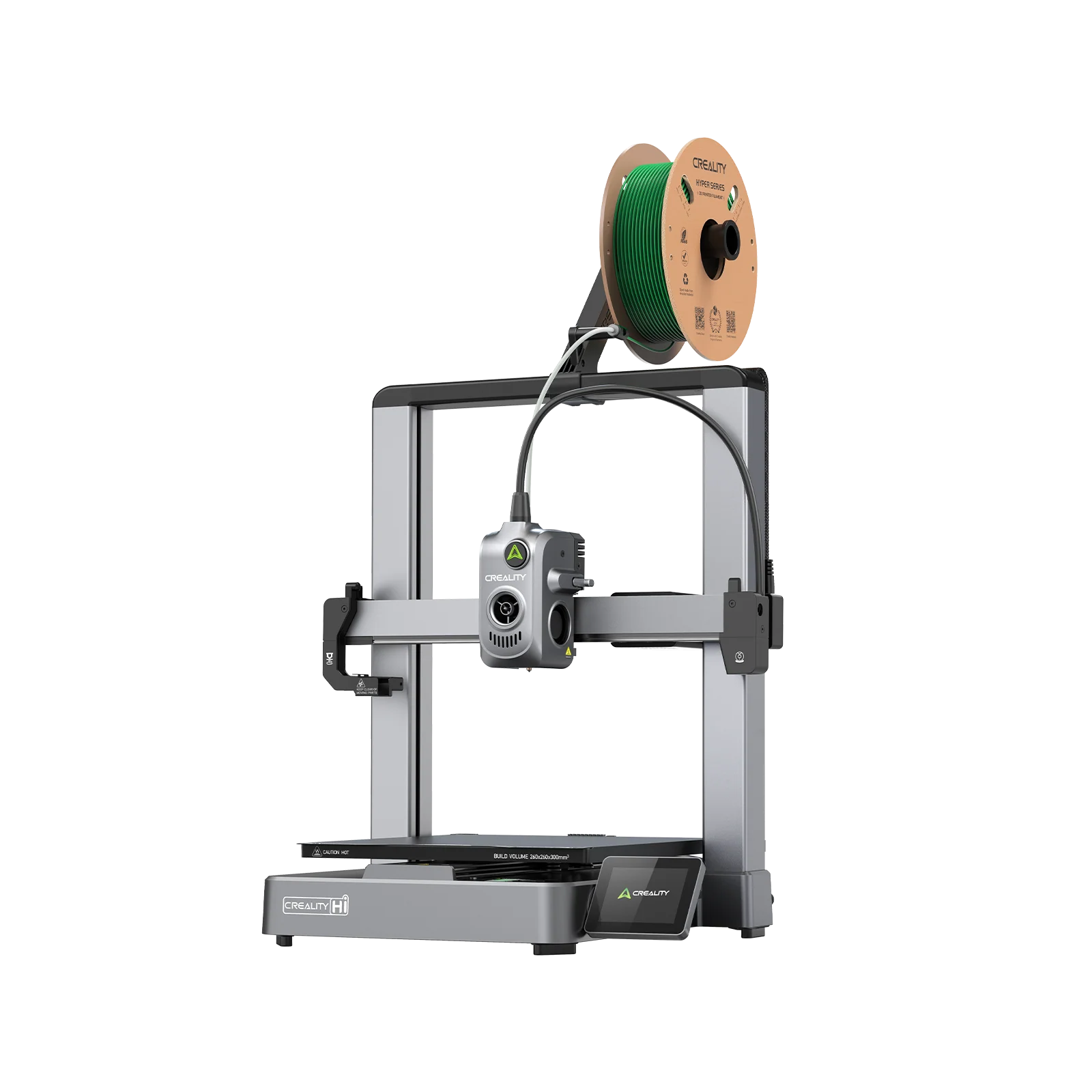
Best budget open-firmware speed
Budget multicolor printing with maximum speed, open firmware, and deeper customization options.
The machine that replaced the Ender 3 line as Creality’s mainstream offering. CoreXY motion, 500 mm/s speeds, and a 300°C all-metal hotend in an open-frame design. Klipper-based firmware with a clean slicer gives confident users full tuning control. The standalone Hi is a single-colour machine; add the CFS unit (available separately or as the Hi Combo) for 4-colour printing. Build volume of 260 × 260 × 300 mm gives more Z height than most competitors in this price tier.
Price: ~$369
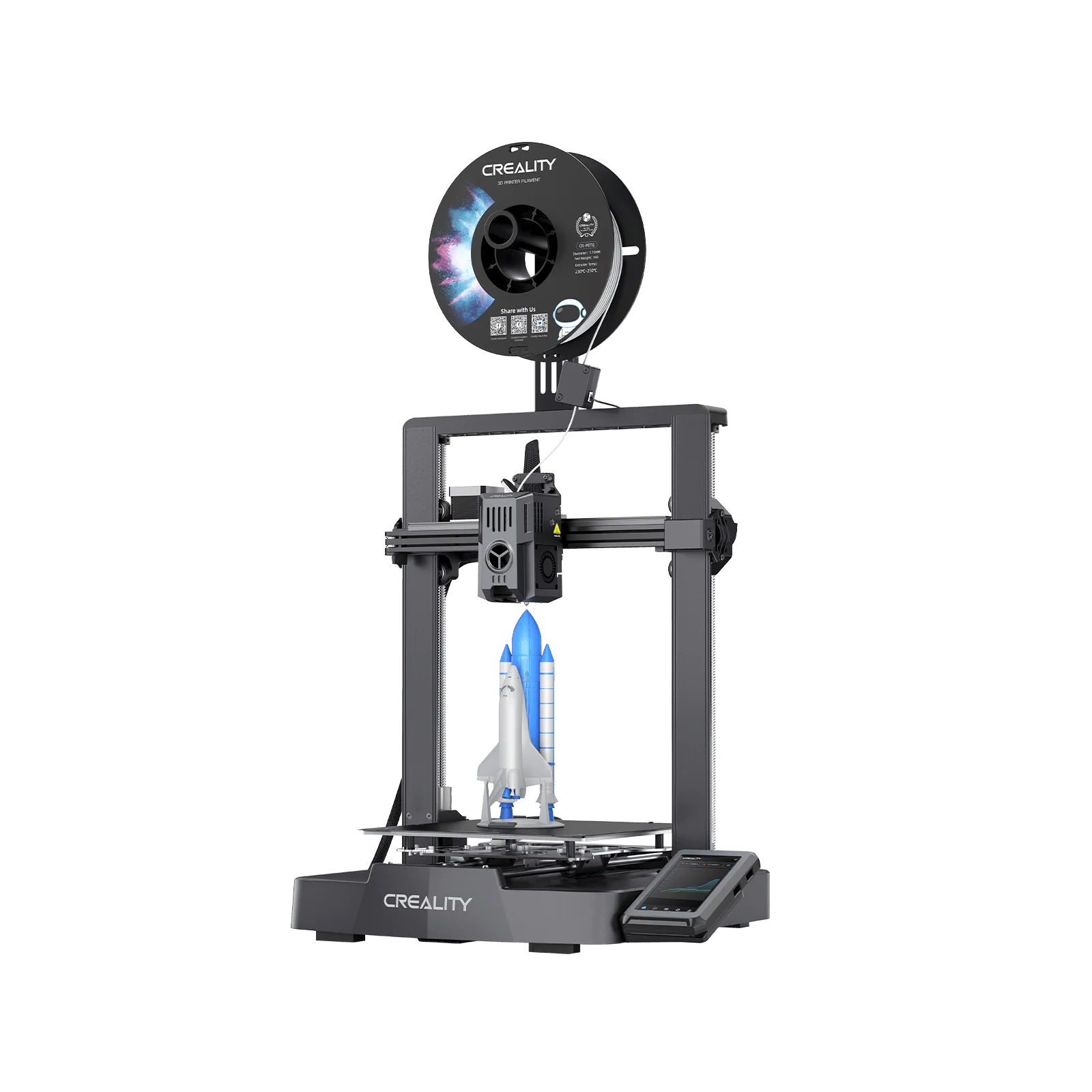
4. Creality Ender 3 V3 KE
Best open-source entry point
Tinkerers and learners who want full firmware control and a large modding community at the lowest entry price.
The latest evolution of the printer that introduced millions of people to 3D printing. Klipper firmware, 500 mm/s, a direct drive extruder, Wi-Fi, and CR Touch auto-leveling, all on the proven Ender 3 platform. If your goal is to understand 3D printing rather than just do 3D printing, this is the right starting point.
Price: ~$299-$349
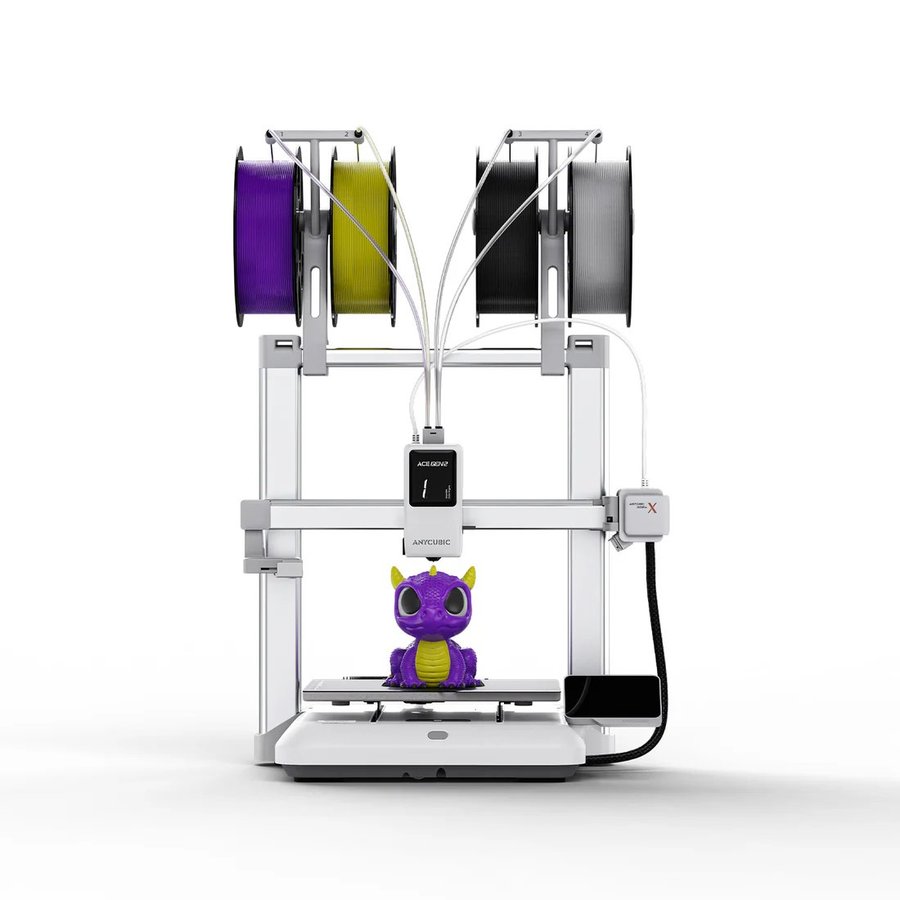
5. Anycubic Kobra X
Best ultrabudget multicolor
Budget-first buyers who want native multicolor and fast printing without spending more than necessary.
A fast bedslinger with the ACE Gen 2 color system built directly into the toolhead: four colors native, expandable to 19, and Anycubic rates the purge reduction at 81 percent against conventional swappers. Not as polished as the A1 Mini or as fast as the Centauri Carbon, but no other machine at this price prints four colors out of the box.
Price: ~$299
Anycubic ships from regional stores; pick the store that matches your delivery address so pricing, tax and shipping are correct.
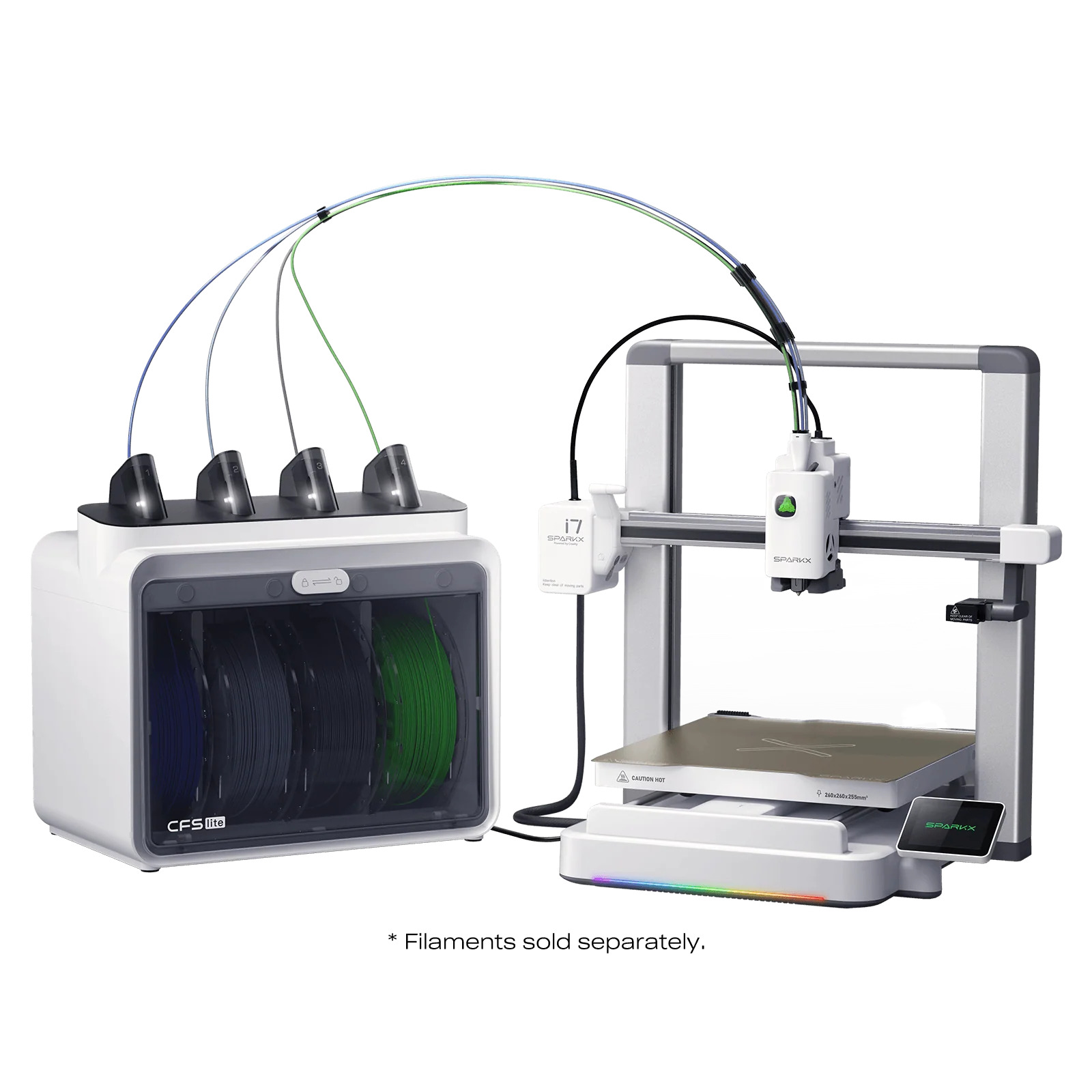
6. Creality SparkX i7
Best beginner multicolor bedslinger 2026
First-time buyers who want 4-color printing, zero assembly, and AI-assisted setup without spending more than $400.
The SparkX i7 earned a Best 3D Printer award at CES 2026, and it earns the recognition by solving a genuine problem: making multicolor printing approachable for complete beginners. Out of the box in five minutes. Fully automatic bed leveling, input shaping, and Z-offset calibration happen without user intervention. The CFS Lite handles 4-color printing with RFID filament detection. Klipper-based open firmware means no ecosystem lock-in, and the open-frame design keeps weight and price low. The trade-off: no heated chamber, so ABS and engineering filaments are off the table. For PLA and PETG multicolor work at the most accessible price point in 2026, this is the pick.
Price: ~$239-$299
Best mid-range FDM 3D printers 2026
$350-$1,200 range: enclosed, reliable, and ready for advanced materials
Spending more buys you a fully enclosed chamber for engineering materials, a more mature software stack, better multi-material support, and hardware built to run thousands of hours without intervention. The sweet spot for hobbyists who print regularly, small businesses, and anyone moving into functional parts.
★ Top pick: Mid-range FDM
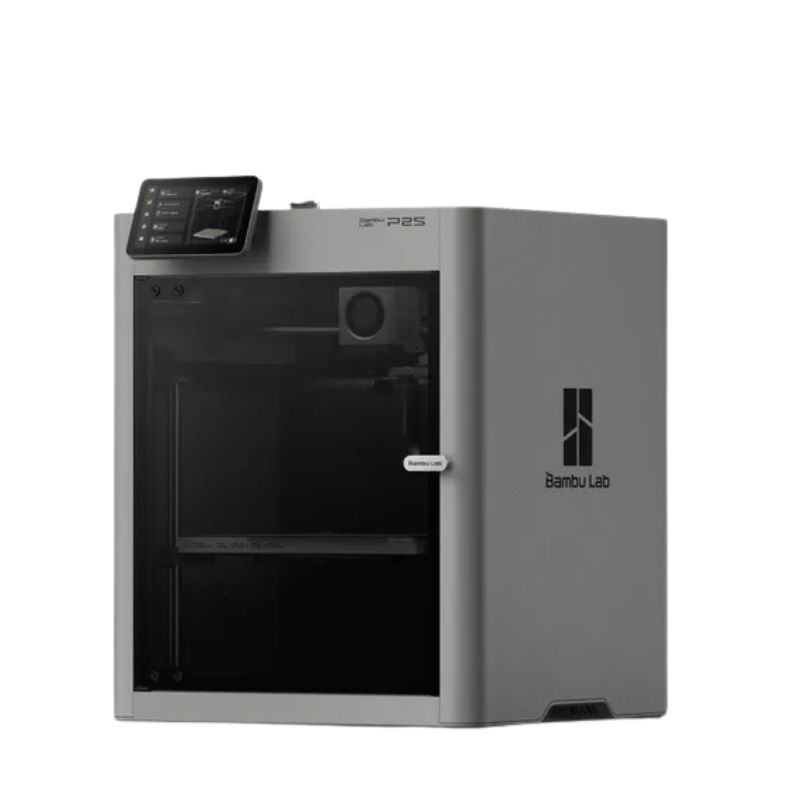
1. Bambu Lab P2SBest overall
Most users: the best balance of speed, reliability, software, and material capability at this price point.
One of the most consistently recommended mid-range 3D printers of 2026. The P2S is the evolved successor to the bestselling P1S with a 5-inch color touchscreen, DynaSense servo extruder (dramatically more reliable with CF and TPU materials, eliminating the clicking sounds under load that plagued aggressive P1S setups), AMS 2 Pro with active filament drying, Active Airflow for printing ABS and ASA with the door fully closed, and a hardened steel nozzle as standard. For PLA and PETG printers who want the simplest enclosed Bambu, this is the one; if you print anything beyond that, the X2D sits $100 above it with a heated chamber and a second nozzle, and our Bambu Lab printer comparison weighs the two.
Price: ~$549
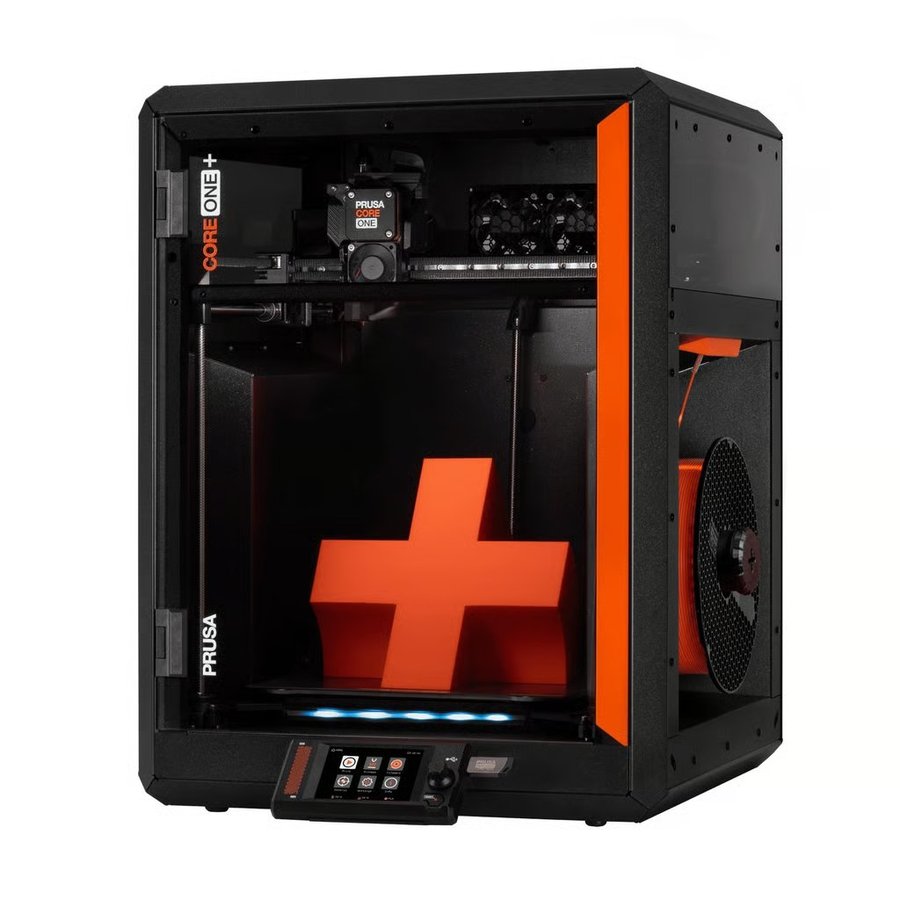
2. Prusa CORE One+Red Dot Award
Best open-source mid-range
Power users, businesses, and educators who want open firmware, long-term repairability, and no cloud dependency.
Prusa’s first CoreXY printer is the right choice for anyone who wants open firmware, a non-cloud workflow, and long-term repairability. The 55°C actively heated chamber handles ASA, PC, and Nylon with ease, and uniquely, Prusa engineered it so PLA and PETG print with the door fully closed. It is widely regarded as one of the most advanced and functional printers of its type. Fully compatible with any slicer. No platform lock-in.
Price: ~$1,199
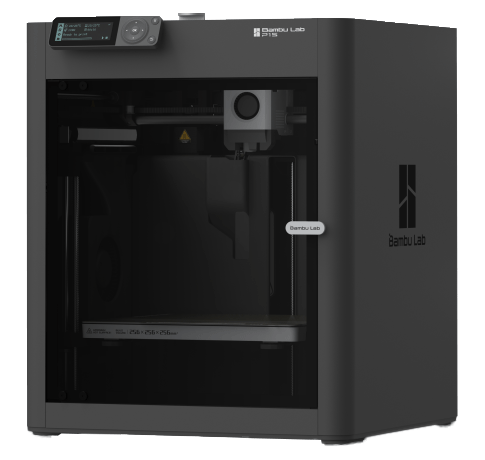
3. Bambu Lab P1S
Best value upgrade path
Buyers who want the Bambu enclosed CoreXY ecosystem at a lower entry point after the P2S launch discount.
With the P2S now available, the P1S has been discounted significantly, making it a compelling buy for users who don’t need the DynaSense extruder, touchscreen, or Active Airflow of its successor. Still one of the most reliable printers in the market, with an enormous community and years of firmware maturity. AMS and AMS 2 Pro compatible.
Price: ~$399-$449
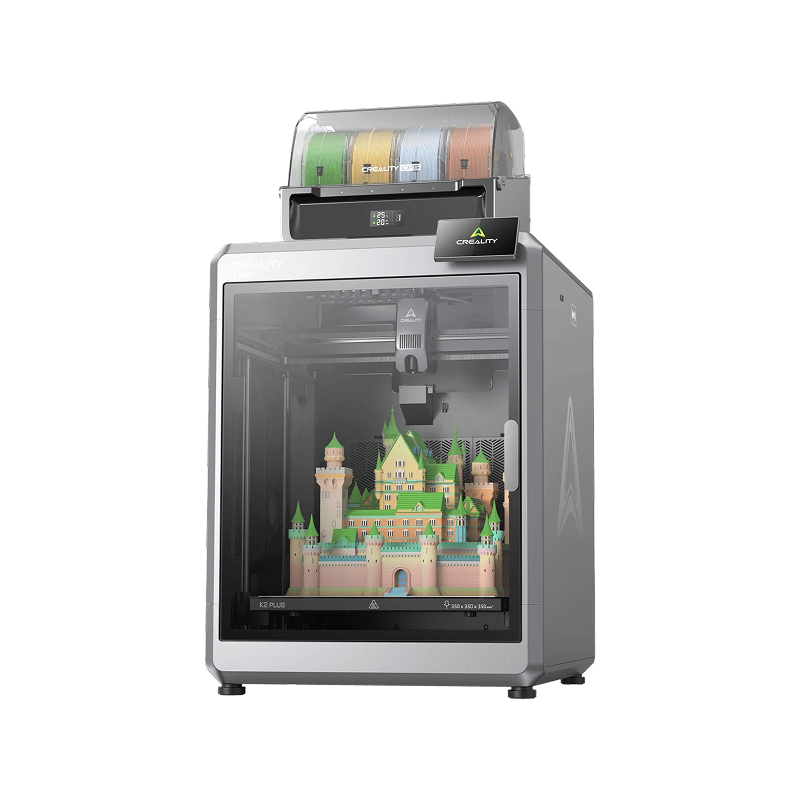
4. Creality K2 Plus
Best for large mid-range builds
Mid-range buyers who need large build volume and multicolor support without going to the prosumer tier.
350 × 350 × 350 mm of build volume, CoreXY motion, 600 mm/s, and 4-color CFS printing at a mid-range price. It performs like a next-generation, professional-grade machine suited for business and educational use. Open Klipper firmware and a large community make it easy to customize.
Price: ~$1,299
5. Anycubic Kobra S1 ACE 2 Pro Combo

Best value enclosed multicolor CoreXY
Makers who want an enclosed CoreXY with multicolor included and ABS or ASA capability, for well under Bambu money.
Anycubic’s answer to the P1S Combo, now bundled with the ACE 2 Pro instead of the first-generation unit. The enclosed CoreXY frame holds a 250 mm cube, the hotend reaches 320°C and the bed 120°C, which covers PLA, PETG, TPU, ABS and ASA. One ACE 2 Pro gives four colors with 65°C drying while printing, and four units stack to 16. A 480p camera with spaghetti detection and belt-tension monitoring handle the unattended runs. Anycubic lists PLA through ASA, not nylon or polycarbonate; for those, the QIDI Plus4 below with its 65°C heated chamber is the better buy. At $574 it is the cheapest enclosed multicolor combo in this section.
Price: ~$574
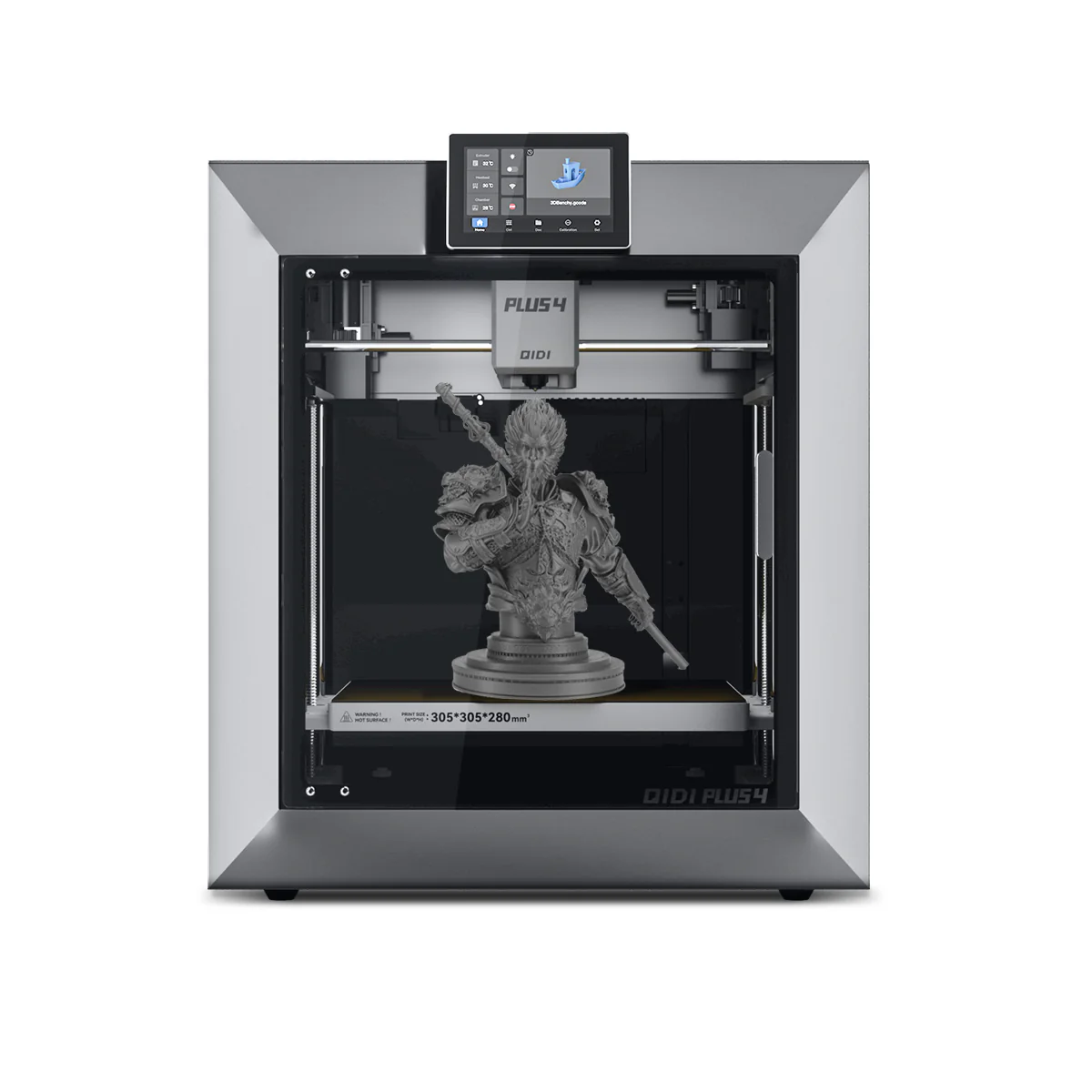
6. QIDI Plus465°C chamber
Best for engineering materials
Engineers who need 65°C active chamber heating for PA-CF, PC, and engineering composites without prosumer pricing.
Built around a 65°C heated chamber, a feature that has historically appeared only in machines costing significantly more. That single specification makes it the most affordable option in 2026 for reliable PA-CF, PC-CF, PPS, and glass-fiber composite printing. Software trails Bambu, but the material capability at this price is unmatched.
Price: ~$699-$799
Top picks for multicolor printing
AMS, CFS, and ACE systems: which multicolor setup is right for you?
The multicolor category is now split between two fundamentally different approaches. Single-nozzle systems like the P2S Combo, Centauri Carbon 2 Combo, and K2 Pro Combo are reliable and affordable, but generate a purge tower of wasted filament with every color change. Tool-changer systems like the H2C and Snapmaker U1 eliminate this by keeping each material in its own dedicated nozzle, with no purging required between swaps. Plan for 30-100g of purge waste per print on single-nozzle systems. With a tool-changer, that drops to near-zero. We compare all eleven current systems, purge math included, in our best multicolor 3D printers guide.
★ Top pick: Multicolor
1. Bambu Lab H2C
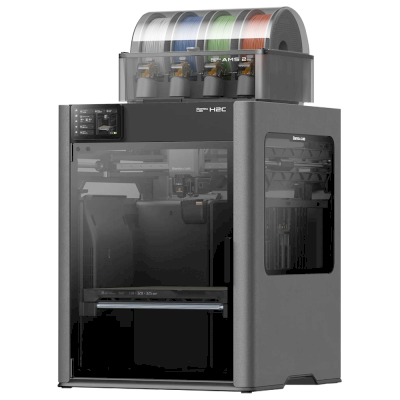
Makers and engineers who want true multi-material printing with near-zero purge waste and the most advanced filament management available on any desktop printer.
The H2C changes the fundamental economics of multicolor printing. Every other consumer multicolor system works by pushing filament through one nozzle and purging waste between colors. The H2C uses the Vortek system to physically swap entire hotends instead. Because each hotend retains its own material, switching between the docked nozzles needs no flushing, only a small prime tower. Seven materials in a single print, up to 24 with stacked AMS units, each hotend heating in under 10 seconds. The 65°C heated chamber, 350°C nozzle, and PMSM servo extruder mean engineering materials print as reliably as PLA. For anyone frustrated by the filament waste of single-nozzle multicolor systems, this is the machine; whether you need it over the X2D or H2S is the question our Bambu Lab printer comparison answers.
Price: ~$2,399
2. Snapmaker U1
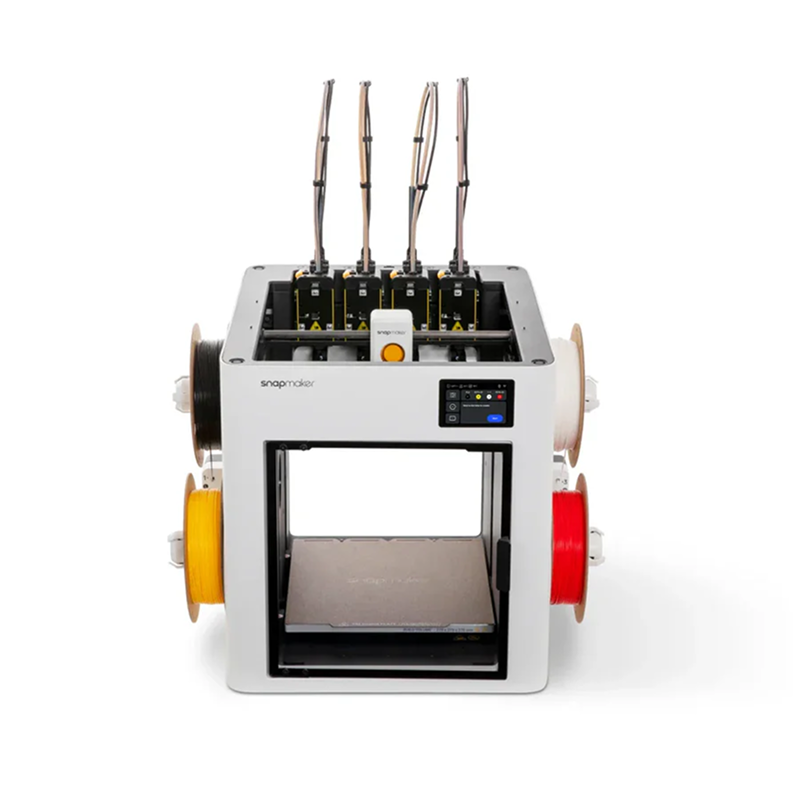
Best value tool-changer multicolor
Makers who want tool-changer near-zero-waste multicolor printing at half the price of the H2C, with full Klipper/OrcaSlicer openness.
The Snapmaker U1 raised $20.6 million on Kickstarter, the most funded 3D printer project ever, and the hardware justifies the excitement. Four independent toolheads each pre-loaded and pre-heated with their own filament. The SnapSwap system swaps between them in 5 seconds using steel-ball kinematic couplings, reducing filament waste by up to 80% versus single-nozzle systems. No purge tower on most prints. Each toolhead has its own heater and extruder, so you can freely combine PLA with TPU supports or PETG with PVA, something AMS-style printers struggle with. Klipper firmware, OrcaSlicer, and the firmware went open source on GitHub in March 2026. At $999 it is the most accessible true tool-changer on the market. Note: the enclosure lid is a separate optional purchase; ABS and ASA require it.
Price: ~$999
3. Bambu Lab P2S Combo
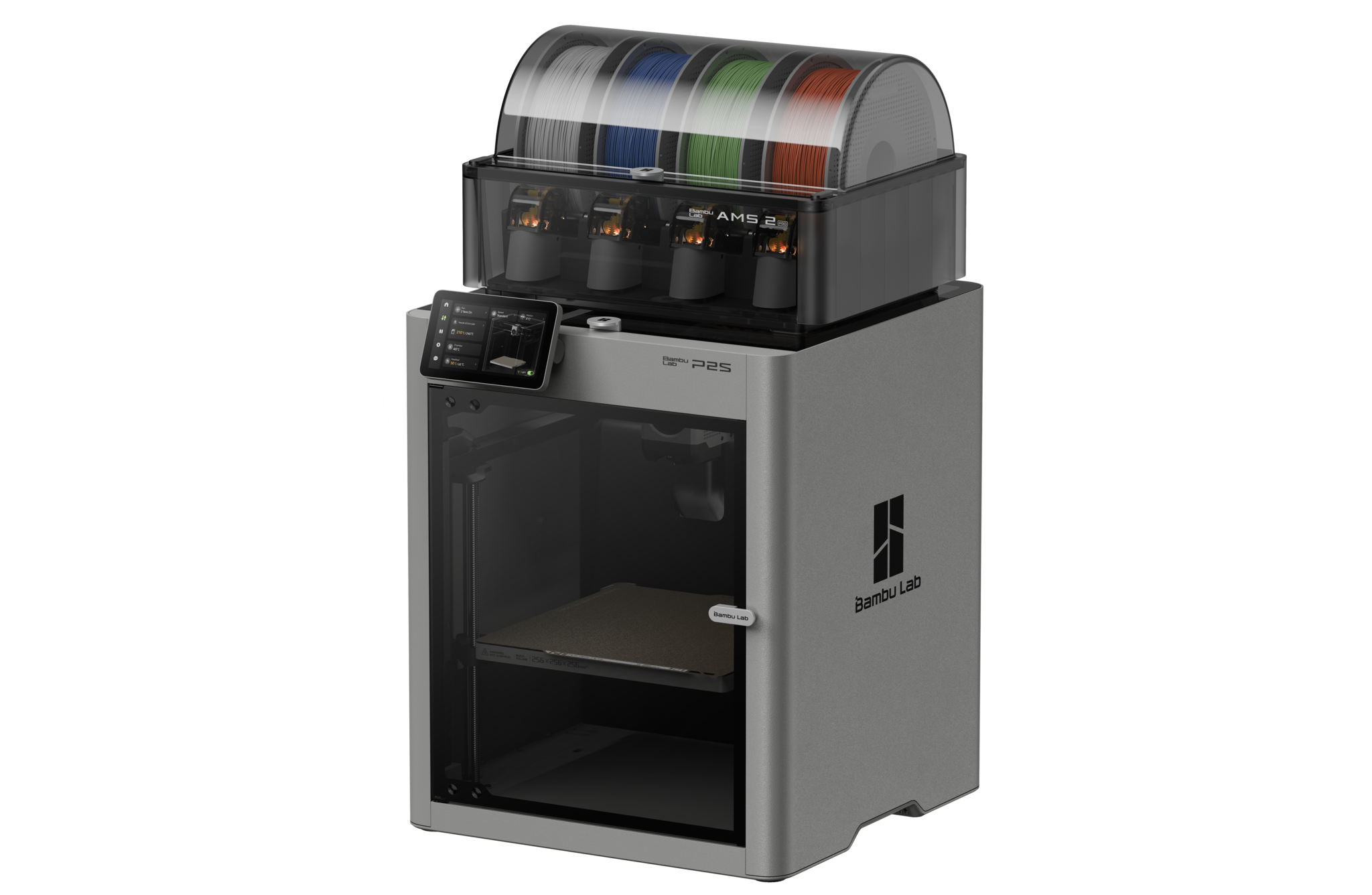
Best high-performance multicolor
Makers who want multicolor printing with the most advanced filament management, active drying, and engineering material support.
The P2S Combo pairs the P2S with the AMS 2 Pro, the most capable consumer multicolor system available. The AMS 2 Pro actively dries filament while printing, which matters significantly for long multicolor jobs where moisture causes stringing and colour inconsistency. Stack up to four AMS 2 Pro units for 16-color printing. The DynaSense servo extruder handles CF and TPU reliably in multicolor setups where the P1S sometimes struggled. Active Airflow means ABS and ASA print multicolor with the door fully closed. If multicolor is your primary use case and you want the most capable setup, this is the machine to buy.
Price: ~$799
4. Elegoo Centauri Carbon 2 Combo
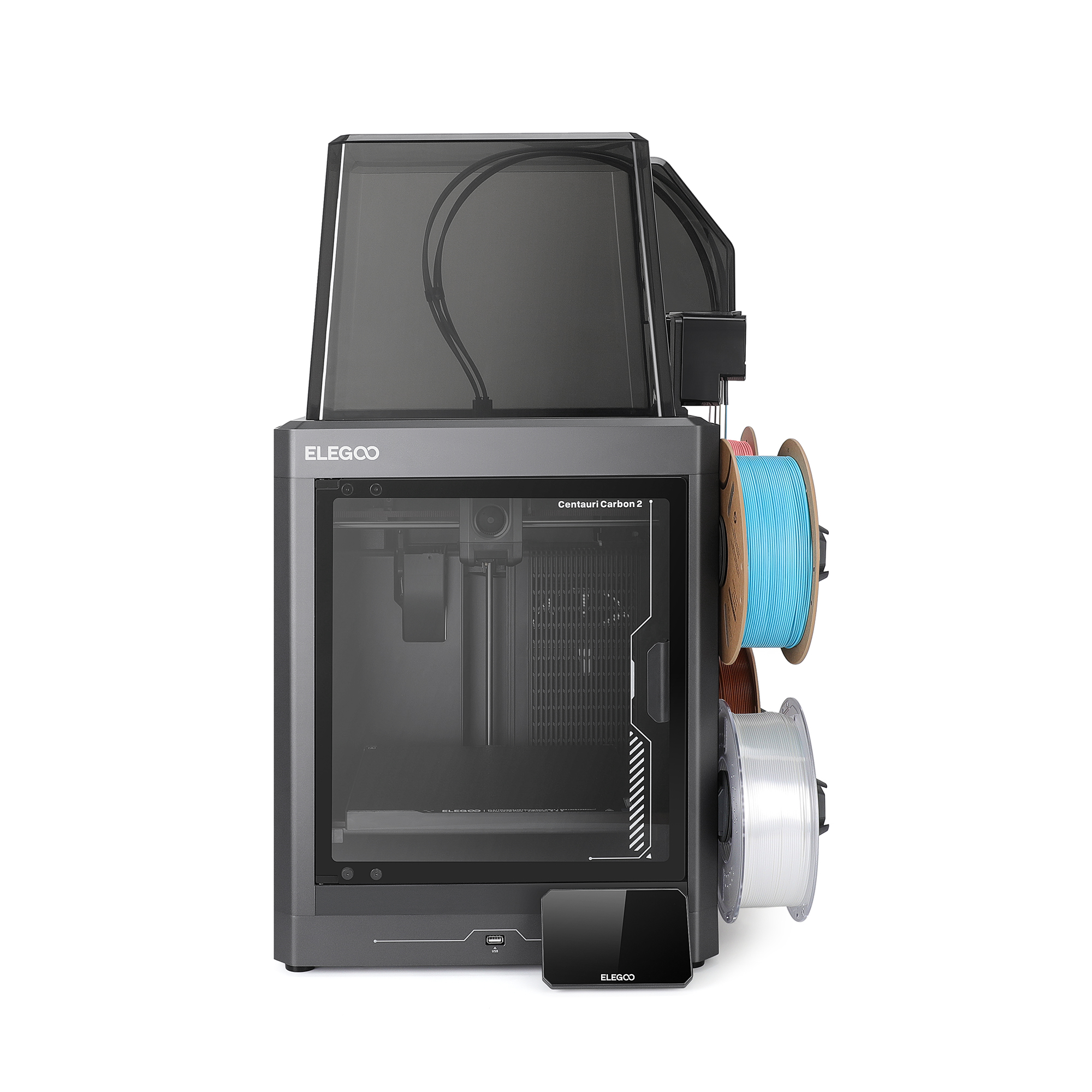
Best budget multicolor
Budget multicolor buyers who want a full 256 mm build plate outside the Bambu ecosystem.
The Centauri Carbon 2 Combo pairs the fast CoreXY platform with Elegoo’s CANVAS 4-color system and a full 256 mm build plate. Ranked in Amazon’s top 3 for 3D printers in early 2026. Software is less mature than Bambu’s, but the price-to-feature ratio for a full-size 4-color machine is exceptional.
Price: ~$399
5. Creality K2 Pro Combo
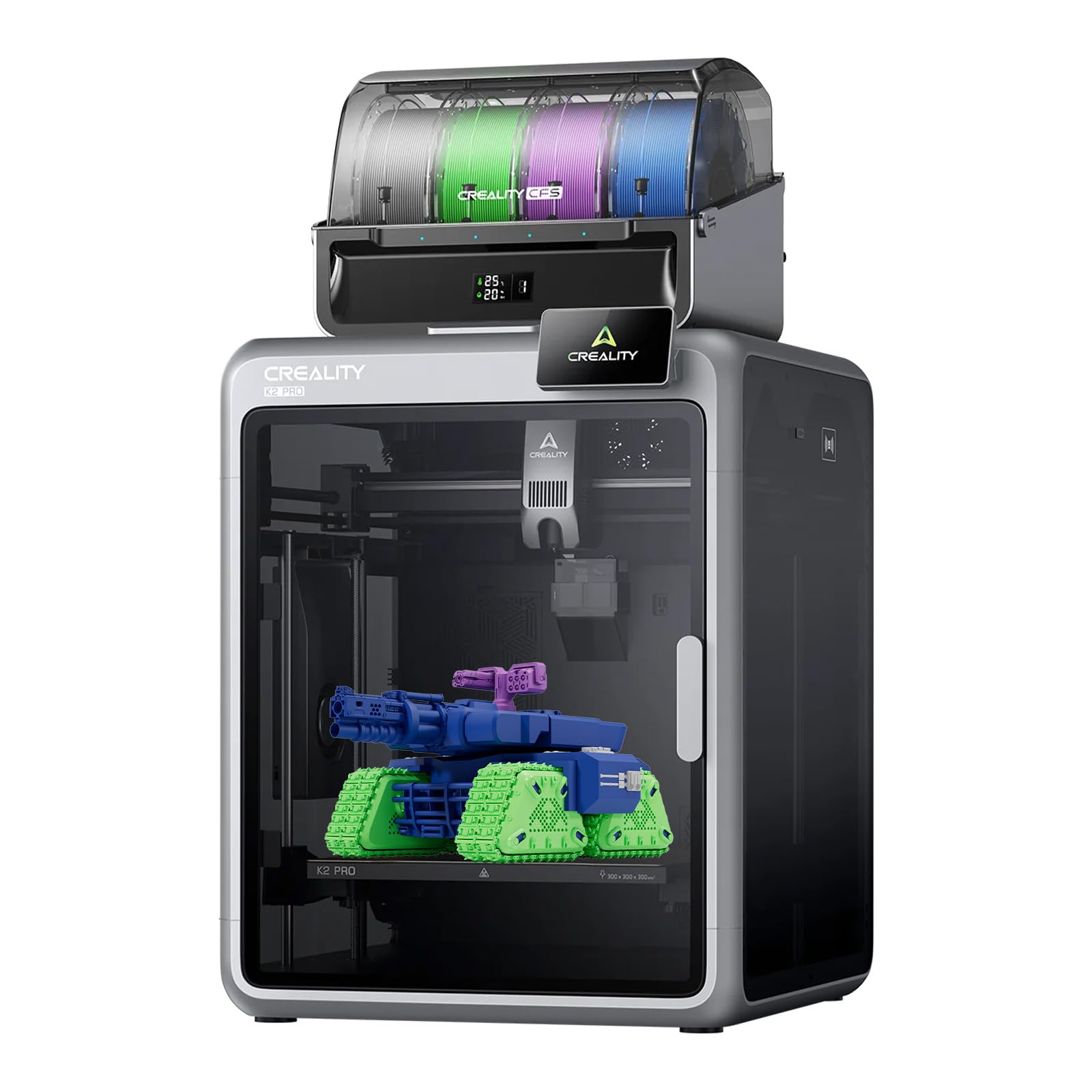
Best mid-range multicolor with engineering materials
Engineers and makers who want 4-color printing plus reliable ABS, ASA, and nylon capability in an open Klipper ecosystem at a mid-range price.
Launched August 2025, the K2 Pro Combo occupies a sweet spot at $1,049. The 60°C actively heated chamber is the key differentiator at this price tier, it makes ABS, ASA, and PA-CF reliable rather than marginal. CFS handles 4-color printing out of the box and scales to 16 colors with additional units. Klipper-based firmware with Fluidd gives advanced users full tuning control. Dual AI cameras monitor prints automatically. For users who want multicolor printing but also need engineering filament capability, the K2 Pro Combo offers the best combination under $1,100.
Price: ~$1,049
6. Anycubic Kobra 3 V2 Combo
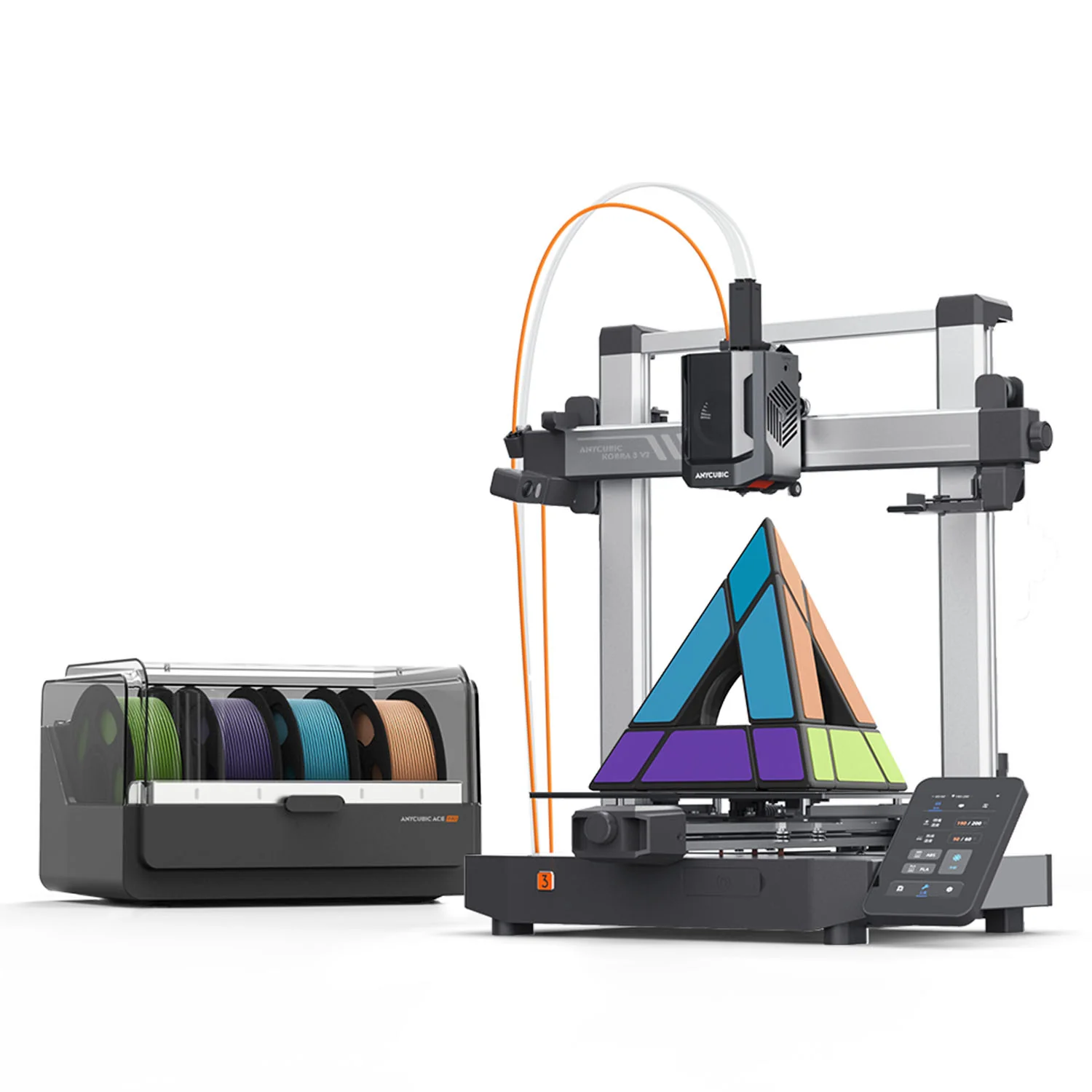
Best budget multicolor bedslinger
Budget-conscious makers who want 4-color printing, a camera and active filament drying without paying for an enclosed CoreXY machine.
The V2 keeps what made the original Kobra 3 Combo the value pick and fixes its weak spots. The ACE Pro still dries filament while it prints, four colors are standard and a second unit takes it to eight. LeviQ 3.0 now levels in zones for a more accurate first layer, the 720p camera comes in the box instead of as an add-on, the nozzle seals better, and the plate grows to 255 × 255 × 260 mm. It is still an open bedslinger, so ABS and engineering materials stay off the list. For PLA, PETG and TPU multicolor work under $400 it remains the strongest option.
Price: ~$329-$355
Top picks for big build volumes
300 mm and beyond: for cosplay, props, engineering, and batch production
Large-format printers have historically struggled with warping and thermal inconsistency at scale. The 2025-2026 generation largely solves these problems through AC-powered aluminium heat beds, actively heated chambers, and multi-point auto-leveling that works. Better value than it has ever been. The full field above 300 mm, including machines that did not make this overview, is compared in our best large format 3D printers guide.
★ Top pick: Large format
1. Prusa CORE One L
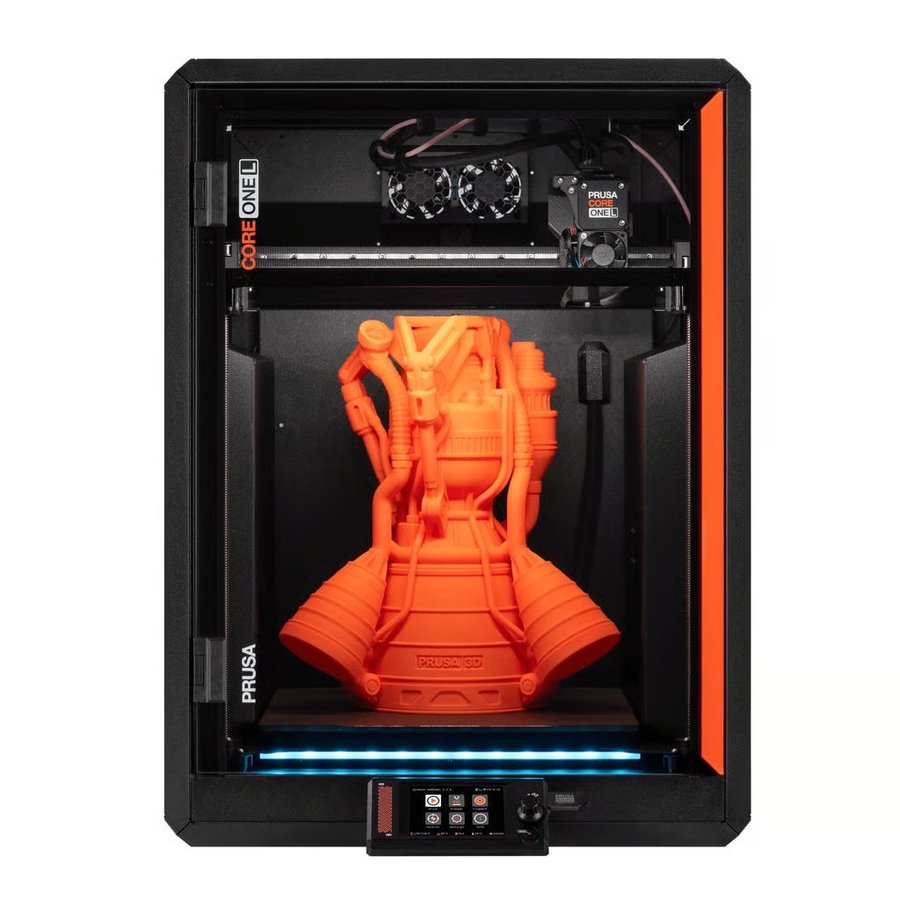
Large functional parts, cosplay props, architectural models, batch production, and reliable large-format printing of engineering materials.
The standout large-format machine of 2026. The CORE One L doubles the print volume of the original CORE One while adding only 10% to the physical footprint. The AC-powered aluminium heat bed delivers less than 2°C temperature variance across the 300 mm plate, essentially eliminating the warping caused by thermal inconsistency that plagues cheaper large-format designs. The 60°C actively heated chamber means ASA, ABS, Nylon, and PC print as reliably as PLA. It delivers dependable production printing at a scale that matters. Fully open-source, offline capable, repairable with a screwdriver.
Price: ~$1,799
2. Creality K2 Plus
Best large format value
Large-format printing on a mid-range budget, with multicolor support included.
350 × 350 × 350 mm build volume, larger than the CORE One L, at a significantly lower price, with CoreXY motion and 4-color CFS multicolor included. The best large-format value for buyers who don’t specifically need a heated chamber.
Price: ~$1,299
3. Bambu Lab H2D
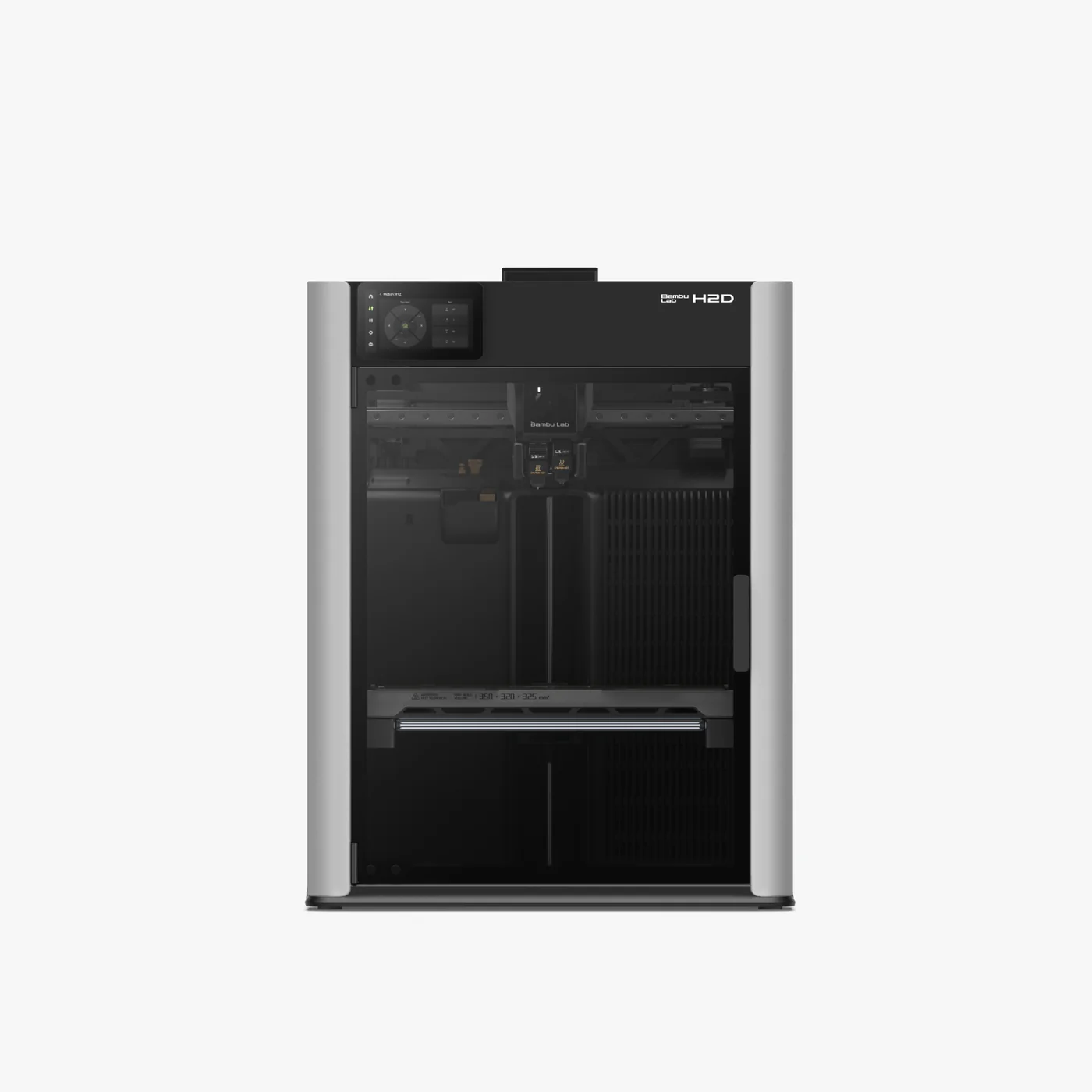
Best all-round large format prosumer
Advanced makers who want large build volume, heated chamber, and optional laser cutting in one machine.
Also listed as the top pick in the Prosumer section. The H2D’s 350 × 320 × 325 mm build volume, 65°C chamber, and dual-nozzle system make it the most capable large-format option, for buyers whose needs are closer to the prosumer tier. See full entry below.
Price: ~$1,749-$1,999
4. QIDI Plus4
Best for engineering materials large format
Engineers needing large-format PA-CF, PC, and engineering material printing without prosumer pricing.
The QIDI Plus4’s 65°C heated chamber in a 305 × 305 × 280 mm build space. Currently the most affordable machine that combines both large format and genuine engineering-material capability. Software trails the top picks, but the hardware delivers.
Price: ~$699-$799
5. Anycubic Kobra 3 Max V2 Combo
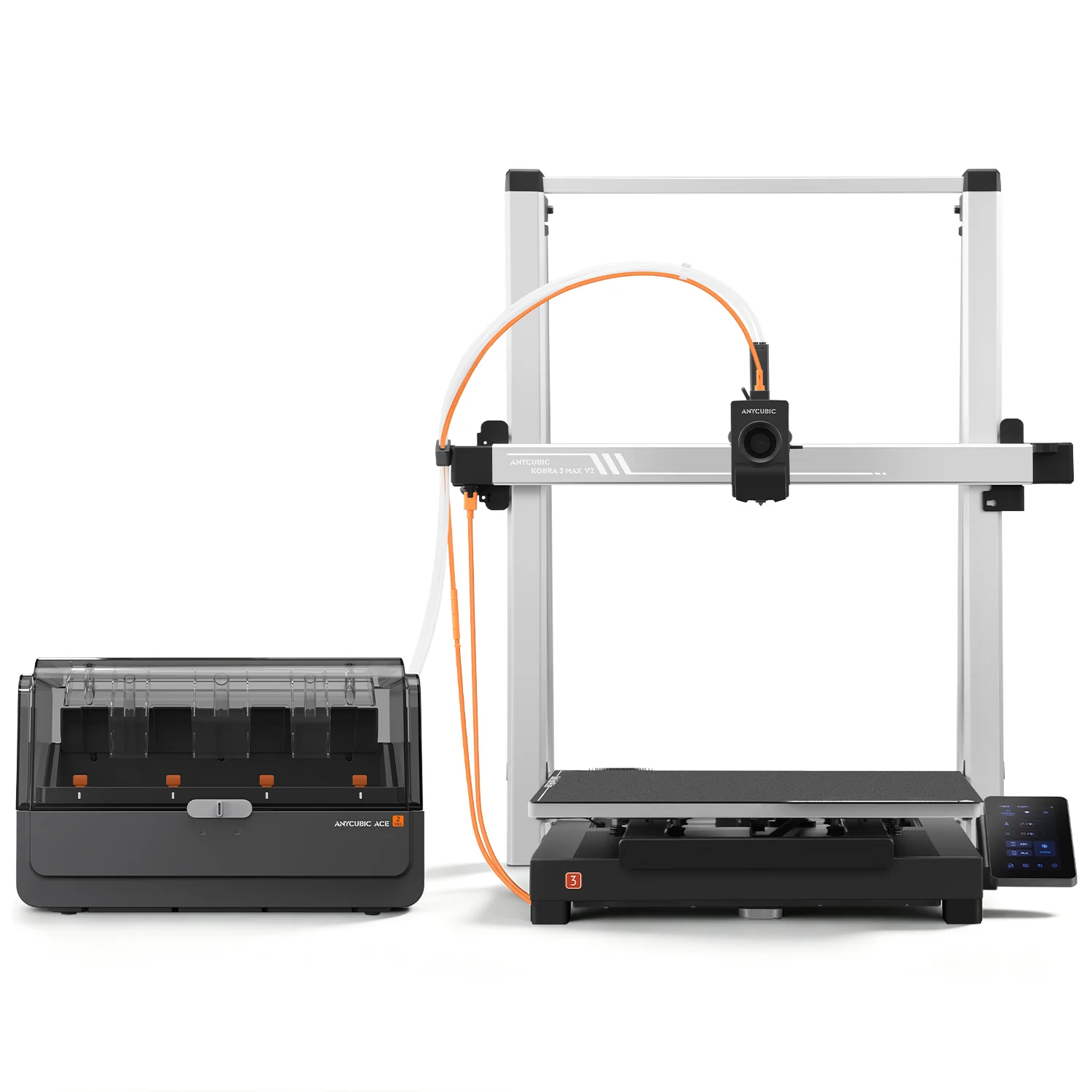
Largest consumer build volume
Cosplay builders and prop makers who need the biggest consumer build volume, now with multicolor included.
The V2 keeps the 420 × 420 × 500 mm plate that made the original the biggest consumer build volume you could buy, and adds the parts that were missing. A full-metal quick-release hotend with a hardened steel nozzle reaches 350°C, dual Y motors move the large bed at up to 600 mm/s, and the ACE 2 Pro comes standard, so four colors (eight with a second unit) print with 65°C filament drying running the whole time. The bed tops out at 90°C and there is no chamber, so Anycubic itself steers you to PLA, PETG and TPU rather than nylon or polycarbonate. Full-size helmets and armor sections still fit in one print, and the early-bird price undercuts every other machine at this volume. The camera is optional. First units ship in September, with other regions following in early October.
Best prosumer 3D printers 2026
Advanced manufacturing capability for serious makers, designers, and small studios
Prosumer machines in 2026 are defined by actively heated chambers at 60°C or above, servo-motor precision for dimensional accuracy, large build volumes, and in some cases multi-modal manufacturing. Aimed at product designers, fabrication studios, educators, and engineers who need functional prototypes overnight.
★ Top pick: Prosumer
1. Bambu Lab H2DDual nozzle
Advanced makers, product designers, and small studios who want large-format printing, heated chamber, near-zero multicolor waste, and optional laser cutting in a single desktop machine.
The most ambitious desktop 3D printer launched in 2025, fully matured by 2026. The dual-nozzle system eliminates the purge tower waste that all single-nozzle multicolor systems generate, saving hundreds of grams of filament per complex print. The 65°C heated chamber unlocks the full engineering filament spectrum: ABS, ASA, PA-CF, PC, PPS, and glass-fiber composites. Optional 10W and 40W laser modules turn the H2D into a laser engraver and cutter. After 600+ print hours in community testing, reliability is high.
Price: ~$1,749-$1,999
2. Prusa XL (5-toolhead)
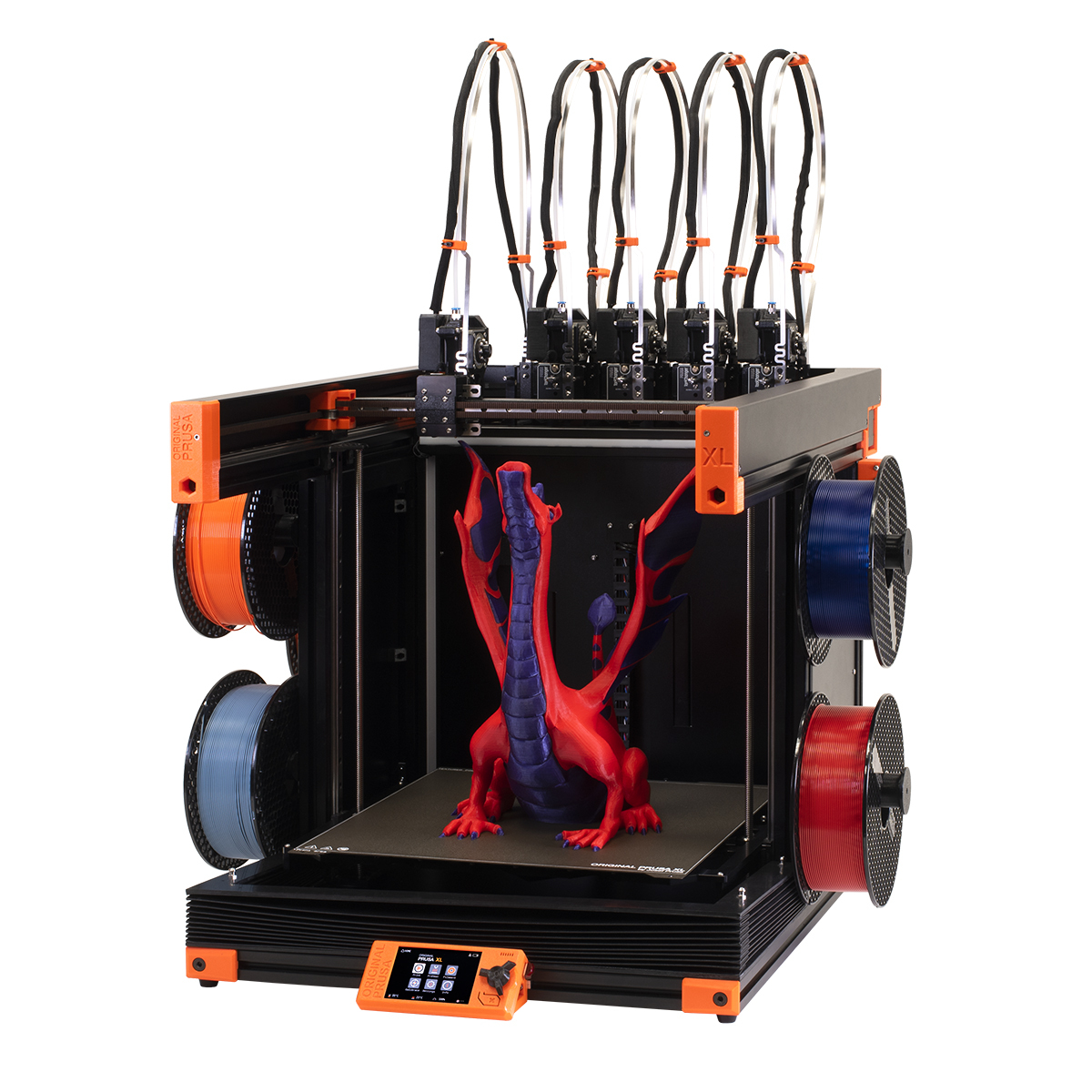
Best zero-waste multi-material
Engineers and designers who need true multi-material printing without purge waste, paired with a large print volume and open-source freedom.
The only desktop printer that physically swaps entire toolheads between filaments rather than pushing material through one shared nozzle. Because each toolhead arrives already loaded, no purge tower is needed between color or material changes, resulting in near-zero waste and some of the cleanest material transitions available on any consumer machine. Up to five independent Nextruder heads can be active simultaneously, each with its own hot end, nozzle, and accelerometer. The 360 mm cube build volume is class-leading at this price, and the 16-zone segmented heatbed only heats tiles directly under the model, saving energy on smaller prints. Fully open-source, offline by default. A 2026 price drop now puts the assembled 5-toolhead version at roughly $3,700.
Price: ~$3,899
3. Raise3D Pro3 Plus HS
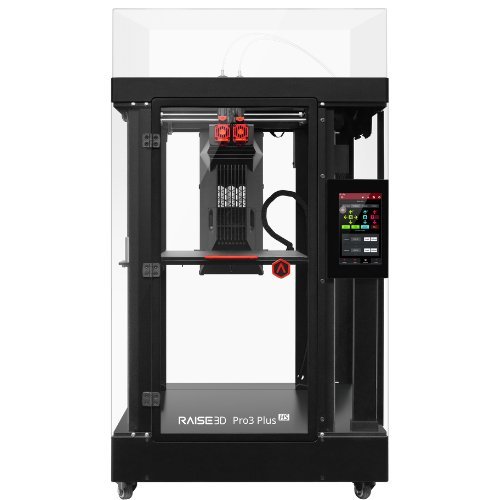
Best commercial and production reliability
Engineering teams, R&D labs, and small manufacturers who need a printer that runs like capital equipment, with long-duration composite printing, fleet management, and industrial service support.
The Pro3 Plus HS is the machine production teams reach for when they need 3D printers to behave like factory equipment. A 300 × 300 × 605 mm build volume covers full-height automotive, aerospace, and consumer product parts in a single print, with no other prosumer machine coming close on Z height. Hyper FFF technology cuts composite print times by 30-70% compared to the standard Pro3 Plus, running PA-CF and PET-CF at 200-300 mm/s sustained. A closed-loop stepper motor system eliminates lost steps under load. HEPA 13 and activated carbon filtration are built in as standard. The EVE assistant system and RaiseCloud fleet management make it the most production-ready machine on this list. Best suited for teams running multiple printers with a dedicated operator.
Price: ~$7,000-$7,600
4. Bambu Lab H2S
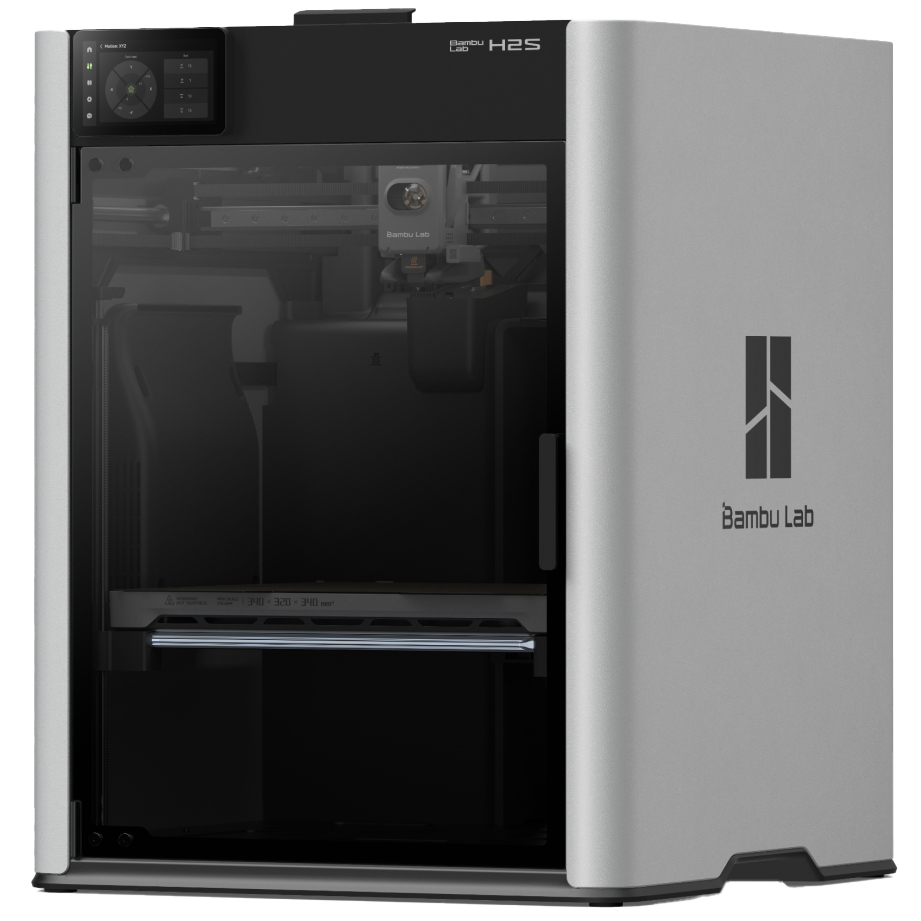
Best single-nozzle H-series
Makers and engineers who want the H-series heated chamber and DynaSense servo precision without the dual-nozzle cost premium of the H2D.
The H2S removes the dual-nozzle system from the H-series and reduces the price considerably while keeping what matters most for functional printing: a 65°C actively heated chamber, DynaSense PMSM servo motors for superior dimensional accuracy under load, and a 340 × 320 × 340 mm build volume that meaningfully exceeds the X1 Carbon and P2S. At 700 mm/s it is faster than the H2D on single-material prints where the dual-nozzle overhead does not apply. AMS 2 Pro compatible for up to 16-color multi-filament printing. The right entry point to the H-series for engineers primarily printing single-material functional parts in ABS, ASA, PA-CF, and PC.
Price: ~$1,249
Top picks for resin printing
MSLA and SLA for ultra-fine detail, miniatures, jewelry, and professional applications
Resin printing delivers sub-20 micron XY resolution against roughly 200 microns for the best FDM machines. The 2026 generation has solved the key usability challenges: heated vats for consistency, tilt-release mechanisms to reduce failures, and 16K resolution in the mid-range. Trade-off: chemical handling, ventilation (follow our 3D printing safety guide), and a wash and cure station are required. For dedicated picks and resin workflow tips, see our best resin 3D printers roundup.
★ Top pick: Resin
1. Elegoo Saturn 4 Ultra 16K
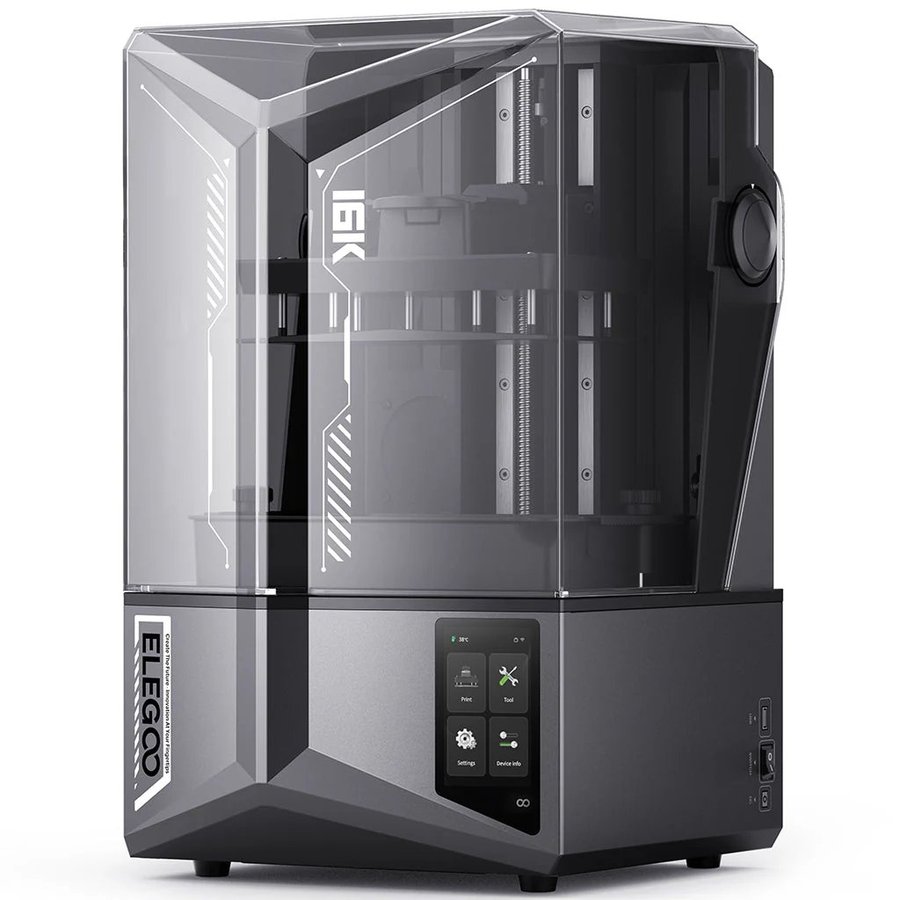
Hobbyists, makers, and small studios who want the sharpest resolution resin printing available outside the professional tier.
The Saturn 4 Ultra 16K sits at a rare intersection of cutting-edge specifications and practical usability. The 16K LCD panel delivers 14-18 micron XY resolution, ultra-fine, and meaningfully sharper than the 12K version. The heated resin vat (stabilizing temperature at 30°C regardless of ambient conditions) is now included as standard on the 16K version. The tilt-release mechanism speeds up print times and dramatically reduces layer separation failures. Open resin compatibility, no vendor lock-in. Compatible with Chitubox and Lychee.
Price: ~$479-$499
2. Elegoo Mars 5 Ultra
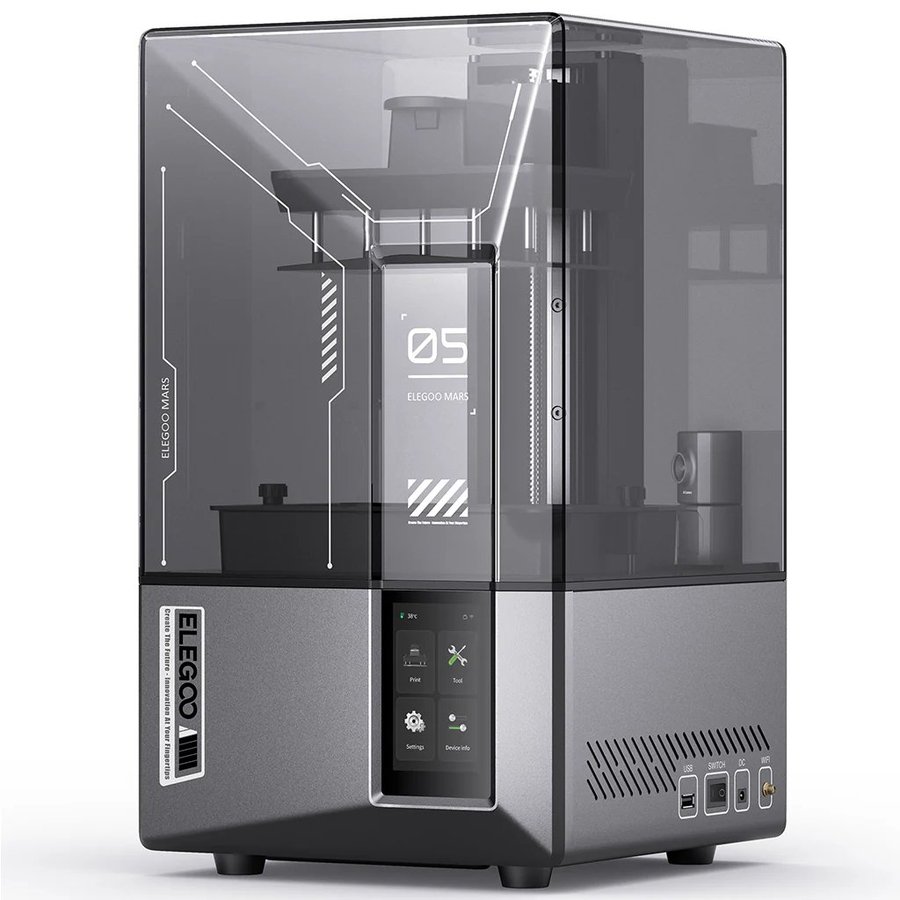
Best for miniatures and tabletop gaming
Tabletop gamers, miniature painters, and jewelers who need the finest XY resolution at a compact scale.
18 × 18 micron XY resolution on a compact build plate, the tightest pixel pitch in its price range. For 28mm-32mm miniatures, fine jewelry, and small-scale detailed models where sub-20 micron resolution is the priority, this is the best choice. Fast, compact, and reliable.
Price: ~$269
3. Elegoo Saturn 4 Ultra (12K)
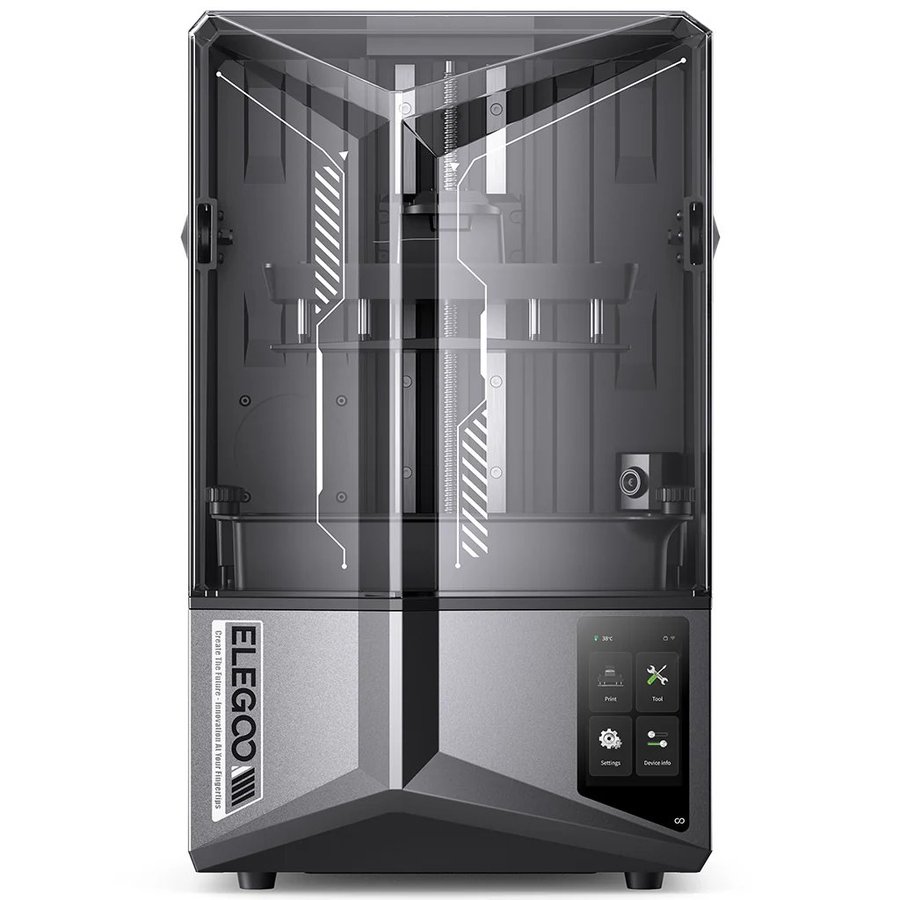
Best mid-size resin at a lower price
Buyers who want the Saturn 4 Ultra build quality and tilt-release system at a lower price than the 16K.
The 12K version delivers 19-24 micron resolution with the same tilt-release mechanism and reliable vat design as the 16K, at a lower price. The pixel density difference is subtle for most hobby applications, if budget is a factor and your primary use cases are terrain, larger miniatures, or general resin printing, this is the sensible pick.
Price: ~$379-$399
4. Anycubic Photon Mono M7 Pro
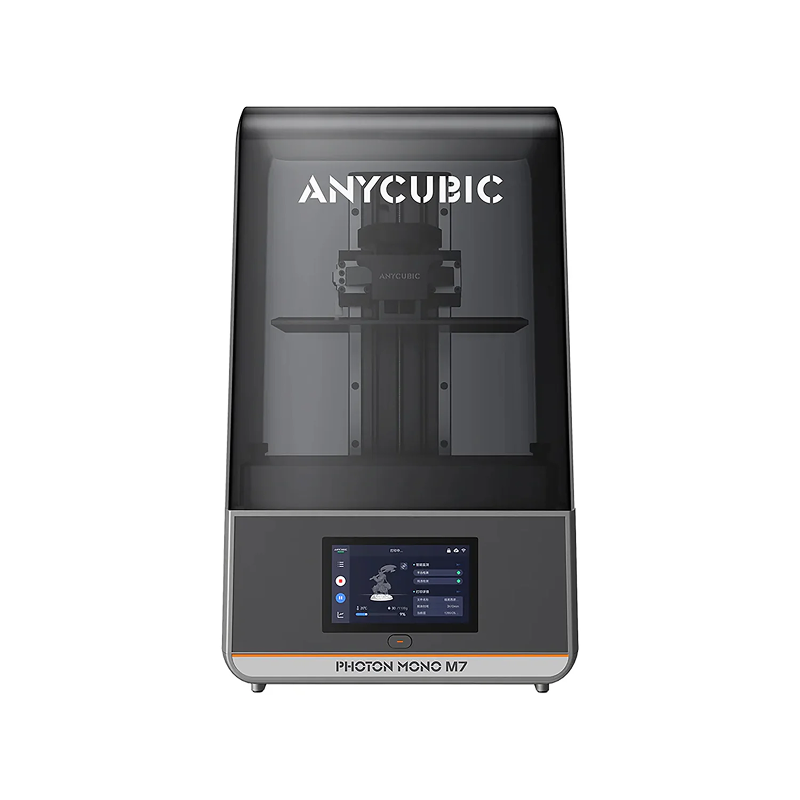
Best large resin build volume
Large terrain, full-size props, and batch production where build volume matters more than pixel density.
One of the largest MSLA build volumes available at a consumer price, ideal for large terrain pieces, full helmet visors, and batch production runs that exceed the Saturn’s plate. Strong community support and good print quality at a larger scale.
Price: ~$459-$669
5. Anycubic Photon P1

Best mid-range 14K resin printer
Miniature painters and small studios who want 14K detail, a heated vat and the option to print two resins or two colors in one job.
Anycubic’s new mid-range resin machine shares the M7 Pro’s 10.1-inch 14K panel and 223 × 126 × 230 mm volume, then rebuilds the mechanics around it. A ball-screw Z axis and a precision-ground steel plate tighten layer consistency, the COB and Fresnel light engine holds above 92 percent uniformity at 5,000 µW/cm², and Wave Release film lowers peel forces on large flat layers. The vat heats to 40°C and the auto-leveling 3.0 system checks its own result, while AI checks watch the plate, bottom-layer separation, resin level and residue. The optional Dual-Material Print Kit adds a second vat and plate so one job can switch resins or colors, something none of the other picks here offer. Speeds of 25 to 35 mm/h trail the Saturn 4 Ultra 16K; the trade is precision over pace.
Price: ~$689 ($755 list)
6. Formlabs Form 4Professional
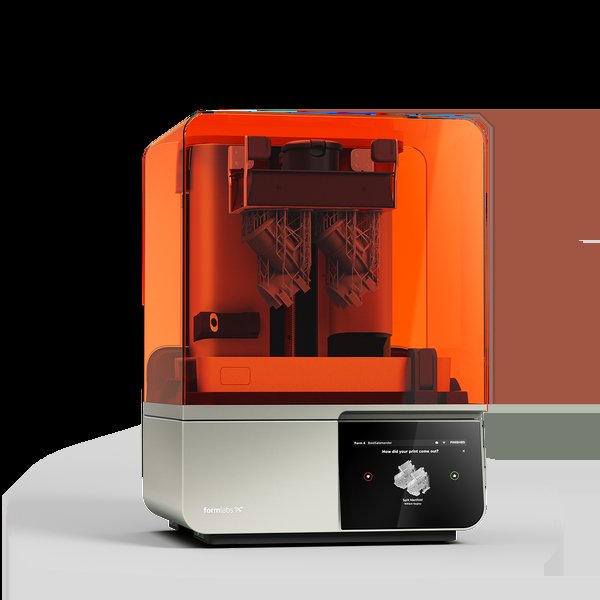
Best professional resin printer
Dental labs, engineering studios, universities, and any professional application requiring validated materials and near-100% print success.
The professional standard for desktop resin printing worldwide. Low Force Display (LFD) technology and validated resin cartridges deliver near-100% print success rates and exceptional dimensional accuracy. In direct comparison tests, Form 4 prints came out more refined than the Saturn 4 Ultra. Not for hobbyists, proprietary resin cost makes casual use impractical. For production dental or engineering use, the platform justifies the price entirely.
Price: ~$3,499
3D printer buying guide 2026
What actually matters when choosing a 3D printer today
FDM vs resin: which technology is right for you?
FDM printers melt and deposit plastic filament layer by layer. They are versatile, relatively clean to use, support a huge range of materials, and produce parts strong enough for functional use. Resin printers cure liquid photopolymer with UV light, producing dramatically finer surface detail but requiring chemical handling, ventilation, and post-processing. Choose FDM for functional parts, enclosures, cosplay, and everyday printing. Choose resin for miniatures, jewelry, dental models, and visual prototypes where surface finish is the priority. For a deeper breakdown, see our full FDM vs resin 3D printing comparison.
CoreXY vs bed slinger: does it matter?
In a CoreXY printer, the print head moves in X and Y while the build plate only moves in Z. In a bed-slinger, the build plate moves back and forth on the Y axis. CoreXY is generally faster and more accurate for tall or heavy prints because the growing print’s mass doesn’t create inertia during Y movements. For everyday PLA and PETG printing under 300 mm tall, a bed-slinger like the Bambu A1 is perfectly capable. For tall, heavy, or fast prints, CoreXY is the better choice.
Heated chamber: when do you actually need one?
A heated chamber, the entire enclosed air volume, not just the build plate, matters when printing engineering-grade materials that warp when they cool too quickly: ABS, ASA, Nylon, Polycarbonate, and fiber-reinforced composites. For PLA, PETG, and TPU, a standard enclosed printer is perfectly adequate. If you know you’ll regularly print engineering materials, budget for 55°C+ chamber heating: Prusa CORE One+ (55°C), QIDI Plus4 (65°C), Bambu H2S (65°C), or Bambu H2D (65°C). Printing these in a shared space? Pair the printer with a good 3D printer enclosure for fume management.
Multicolor printing: what to expect
Multicolor printing in 2026 divides into two fundamentally different approaches. Single-nozzle systems (P2S Combo, Centauri Carbon 2 Combo, K2 Pro Combo) are reliable and affordable but generate a purge tower of wasted filament with every color change. Expect 30 to 100g per print on these systems. Tool-changer and hotend-swapping systems eliminate this entirely: the Bambu H2C’s Vortek system swaps between six dedicated hotends, each holding its own material, producing zero purge waste for up to seven colors per print. Independent testing has measured the H2C generating no purge waste versus roughly 279g on the H2D for the same print. The Snapmaker U1 cuts waste by up to 80% versus single-nozzle systems. For casual multicolor printing, a single-nozzle Combo system is fine. For heavy multicolor use, the waste savings of a tool-changer quickly add up.
Open ecosystem vs walled garden
Bambu Lab’s printers deliver the best out-of-box experience and smoothest software integration, but they push users toward Bambu Studio and cloud features. Third-party software works, but some capabilities require Bambu’s own tools. Prusa’s platform is fully open-source: any slicer works, firmware is community-editable, and machines operate completely offline. For tinkerers or secure offline workflows, Prusa is the right call. For the smoothest possible experience, Bambu wins. Whichever you pick, our best 3D printer slicers guide covers the software side. And our 3D printer filament guide covers what to load into it.
Build volume: how much do you actually need?
Most everyday prints fit in a 220 × 220 × 220 mm build volume. A 256 mm plate, standard on the Bambu P2S, A1, and Elegoo Centauri Carbon, handles the vast majority of hobby and prosumer use cases. Where you need more: large cosplay armor, helmet-sized prints, architectural models, furniture components, and batch production runs. The 300 mm CORE One L plate, or the 350 mm plates on the K2 Plus and H2D, are the right step up when you regularly hit the edges.
Frequently asked questions
Common questions about buying a 3D printer in 2026
What is the best 3D printer in 2026?
For most users, the Bambu Lab P2S. It combines 500 mm/s CoreXY speed, a fully enclosed chamber, support for the AMS 2 Pro (4 colors per unit, up to 16 with four units), excellent software, and reliable hardware. For budget buyers, the Elegoo Centauri Carbon delivers most of the same performance at a lower price. For open-source and long-term repairability, the Prusa CORE One+ is the best alternative.
Is Bambu Lab worth it in 2026?
Yes, for most buyers. Bambu’s printers consistently top independent review rankings because they combine fast hardware, mature software, and a polished user experience. The main caveats are ecosystem lock-in and the fact that their hardware is not as repairable or community-modifiable as Prusa or Creality machines. If those trade-offs are acceptable, Bambu printers offer the best out-of-box experience in the market.
What is the best 3D printer for beginners in 2026?
The Bambu Lab A1 Mini. It sets up in minutes, calibrates itself automatically, connects to an excellent mobile app, and produces near-perfect results from the first print. The A1 Mini Combo adds 4-color printing with the AMS Lite included. If the 180 mm build plate is too small for your projects, step up to the Bambu P2S which offers a full 256 mm plate with the same software polish.
What is the fastest 3D printer in 2026?
The Bambu Lab H2D has a maximum toolhead movement speed of 1,000 mm/s, though actual 3D printing is capped at 600 mm/s. The 1,000 mm/s figure applies to laser engraving mode. Among single-nozzle consumer machines, the Bambu H2S, Prusa CORE One+, and Creality K2 Plus all reach 600 mm/s. The Creality Hi tops out at 500 mm/s despite some early marketing claims of higher speeds. In practical terms, the difference between 500 mm/s and 600 mm/s translates to a modest reduction in print time for most models, real but not transformative. High speeds also demand a rigid frame and good cooling to maintain quality.
Resin vs filament: which should I choose?
Choose filament (FDM) for versatility, easy material handling, functional parts, and a clean workflow. Choose resin for ultra-fine surface detail for miniatures, jewelry, dental models, or visual prototypes and you’re willing to handle chemical post-processing. A practical 2026 combination: a Bambu A1 or P2S for FDM work, paired with an Elegoo Mars 5 Ultra or Saturn 4 Ultra for detail-critical resin prints.
Do I need a multicolor printer?
Not unless you specifically want to print in multiple colors. Single-color printing is faster, simpler, generates no purge waste, and is perfectly capable for most practical applications. Multicolor adds meaningful complexity, more filament management, more waste, and longer slicing times. That said, if you want colorful figurines, educational models, signage, or branded parts, the Bambu A1 Mini Combo makes the process accessible at a budget price, while the P2S Combo steps it up with active filament drying and engineering material support.
Come and let us know your thoughts on our Facebook, X, and LinkedIn pages, and don’t forget to sign up for our weekly additive manufacturing newsletter to get all the latest stories delivered right to your inbox.
About this guide
Some links on this page are affiliate links. We may earn a commission if you purchase through them, at no extra cost to you. This does not change which printers we recommend or how we rank them. 3DPrinting.com has covered additive manufacturing since 2012, and this guide is updated as new machines launch. Last reviewed: July 14, 2026.
About the author
Robert is co-founder of 3DPrinting.com and has worked in the industry since the site launched in 2012. LinkedIn ↗
Our newsletter is free & you can unsubscribe any time.
Harbin Researchers 3D-Print Cement That Stores Electricity
Harbin Institute of Technology researchers 3D-printed a cement supercapacitor whose interlocking electrodes store a charge while the piece still carries a structural load.
NTU Researchers 3D Print a Bone Scaffold Timed to How Injuries Heal
NTU researchers 3D-printed a gel bone scaffold that releases copper and an antibiotic quickly at first, then more slowly, so one implant can... read more »
Hands-On Review: Revopoint MetroY Pro 3D Scanner
Hands-on with the wireless Revopoint MetroY Pro, tested against the MetroX for speed, laser lines, structured light, and color textures.
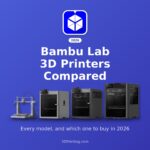
Bambu Lab 3D Printer Comparison 2026: Which Bambu Should You Buy?
Bambu Lab sells nine printers, and every one of them prints fast, takes an AMS and undercuts the model above it. That has... read more »
Glasgow Engineers Map Damage Inside 3D Printed Lattices in Real Time
University of Glasgow engineers, with colleagues at the University of Sydney, used a hospital imaging method to map cracks in 3D-printed lattice parts... read more »

Cranfield 3D-Prints Natural Rubber Gloves Without a Dipping Line
Cranfield University researchers 3D-printed natural rubber gloves by spraying latex onto a mould, a process meant to replace the dipping lines glove factories... read more »
Prototal Group: Industrial 3D Printing, Molding and Casting Under One Roof
Prototal Group describes itself as Europe's leading manufacturing service provider for industrial 3D printing, injection molding and vacuum casting. With nine facilities in... read more »

California AB 2047 Explained: What the New 3D Printer Gun Blocking Law Requires
The bill that started the year as a DOJ-certified detection mandate with criminal penalties was signed into law on September 26 as something... read more »

SHINING 3D Launches ShiningSpace, a Browser Platform for Real-World 3D Scans
SHINING 3D has launched ShiningSpace, a browser-based platform for storing, viewing, editing and sharing 3D scan data. The company says it accepts models... read more »

LLNL 3D-Prints a Bioreactor That Turns Waste Methane Into a Useful Chemical
Lawrence Livermore National Laboratory 3D-printed a bioreactor that uses bacteria in thin lattice walls to turn waste methane into succinate.