3D Printing
News Videos Newsletter Contact us
Home / News / Study Outlines New Tool For 3D Printing Complex Interlocking Furniture Parts
qidi

Study Outlines New Tool For 3D Printing Complex Interlocking Furniture Parts

May 29, 2017

Often when we cover studies, they have more theoretical components as opposed to practical. This one is notably different in this regard. Less a study and more of an introduction to a software tool, this paper shows how to print furniture with parts that mimic the complex internal geometry of decorative joints. In essence, the software allows users to print parts with the intricacy of hand-crafted furniture.

Complex Interlocking Furniture Parts

Complex Interlocking Furniture Parts

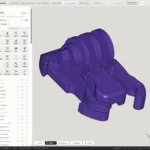
The drawings of the initial models can be brought in from Google’s Sketch Up 3D. This is a plus because Sketch Up is widely considered a very user friendly software. The tool uses this drawing as a baseline to produce the joints and separate parts. The end result is also easy to assemble, as the software generate single push assembly parts that users can nudge together into place like puzzle pieces.
nylon-filament-featured-image
Related Story
All You Need to Know About Nylon Filament

The tool is quite complex. It allows users to draw their own custom designs into surface models. Users can give each joint it’s own unique complex design. The software can handle over 100 joints at a time in a single furniture model. The tool design is quite sophisticated. The researchers validated the software by incorporating 100s of decorative joint designs based on classic wood-working and Japanese joinery.

Aside from drawing models, the software also helps analyse structural integrity and stability. The tool can analyse the model and how forces like gravity affect it. It can therefore generate suggestions on how to mitigate the effects of these factors. It highlights areas that need correction in terms of zones that the user can draw over.

The video below details the advantages of the software in depth:

How It Works

After users have drawn and inserted their drawing into the model generator, it makes configurations for a 3D output. It generates a set of solid 3D parts that conform to the surface 2D parts. Each surface part serves as a partial surface shell. When users activate the tool’s algorithm it can begin producing the 3D model and the joint layers.

The algorithm also finds the collision-free disassembly sequences for surface 2D parts. That’s a fancy way of saying that it looks for areas to connect the assembly parts with the least amount of difficulty. If it can’t find collision-free areas it finds those with least collision and estimates changes that need to be made.

The software can analyse the joint areas and make suggestions on how to improve them to decrease or eliminate collision. These trouble areas are represented in yellow. Users can manually resolve these yellow zones using Sketch Up 3D to improve the overall design.

After resolving all these design issues, the software constructs the solid 3D parts that fit into the furniture. At this point the tool has to analyse integrity. It measures the structure against forces like gravity and then suggests changes to improve the design accordingly. After this step, the model is more or less ready to go.

If you wish to read further, you can view the study abstract here or even download the PDF.
Related Story
Digitally-Crafted Furniture by Standard Products
Share:
WhatsApp Twitter Facebook LinkedIn Buffer Reddit E-mail
Join our newsletter

Our newsletter is free & you can unsubscribe any time.

Social

  • Facebook Facebook 3D Printing
  • Linkedin Linkedin 3D Printing
banner
Join our newsletter

Our newsletter is free & you can unsubscribe any time.

Featured Industries

  • Automotive
  • Aerospace
  • Construction
  • Dental
  • Environmental
  • Electronics
  • Fashion
  • Medical
  • Military
  • Anycubic Kobra S1 Combo

    • - Print size: 250 x 250 x 250 mm
    • - budget multicolor printing
    More details »
    $429.00 Anycubic
    Buy Now
  • Flashforge Adventurer 5M

    • - Print size: 220 x 220 x 220 mm
    • - 600mm/s travel speed
    More details »
    $299.00 Flashforge
    Buy Now
  • Qidi Max 4

    • - Print size: 390 x 390 x 340 mm
    • - active cooling air control
    More details »
    $1,219.00 Qidi
    Buy Now
  • Snapmaker U1

    • - Print size: 270 x 270 x 270 mm
    • - multi-color printing with SnapSwap
    More details »
    $849.00 Snapmaker
    Buy Now
  • Flashforge AD5X

    • - Print size: 220 x 220 x 220 mm
    • - dual extrusion system
    More details »
    $399.00 Flashforge
    Buy Now
  • Creality K2 Plus

    • - Print size: 350 x 350 x 350 mm
    • - multi-color printing
    More details »
    $1,199.00 Creality
    Buy Now
  • Flashforge Guider 3 Ultra

    • - Print size: 330 x 330 x 600 mm
    • - dual extruder system
    More details »
    $2,999.00 Flashforge
    Buy Now
  • Creality Hi Combo

    • - Print size: 260 x 260 x 300 mm
    • - up to 16-color printing
    More details »
    $399.00 Creality
    Buy Now
  • Qidi Q2

    • - Print size: 270 x 270 x 256 mm
    • - enclosed heated chamber up to 65°C
    More details »
    $580.00 Qidi
    Buy Now
  • Anycubic Photon Mono M7

    • - Print size: 223 x 126 x 230 mm
    • - 10.1 inch 14K screen
    More details »
    $279.00 Anycubic
    Buy Now

Company Information

  • What is 3D Printing?
  • Contact us
  • Join our mailing list
  • Advertise with us
  • Media Kit
  • Nederland 3D Printing

Blog

  • Latest News
  • Use Cases
  • Reviews
  • 3D Printers
  • 3D Printing Metal

Featured Reviews

  • Anycubic Photon Mono M5s
  • Creality Ender 5 S1
  • The Mole 3D Scanner
  • Flashforge Creator 3 Pro

Featured Industries

  • Automotive
  • Aerospace
  • Construction
  • Dental
  • Environmental
  • Electronics
  • Medical
  • Military
  • Fashion
  • Art
2026 — Strikwerda en Dehue
  • Home
  • Join our mailing list
  • Contact us
Blog
  • Latest News
  • Use Cases
  • Reviews
  • 3D Printers
  • 3D Printing Metal
Featured Industries
  • Automotive
  • Aerospace
  • Construction
  • Dental
  • Environmental
  • Electronics
  • Medical
  • Military
  • Fashion
  • Art
Company Information
  • What is 3D Printing?
  • Contact us
  • Join our mailing list
  • Advertise with us
  • Media Kit
  • Nederland 3D Printing