
3D Printing

GUIDES

  • How To Set Up A School’s 3D Print Program
  • Converting your 3D Printer into a Laser Engraver
  • YouTuber Makes Metal Terminator Skull with Lost PLA Casting
  • Guide to Printing Food-Safe Plastic Products
  • Lost Wax Casting with Additive Manufacturing
  • Tutorial: 3D Printing Reusable TPU Molds for Epoxy Resin
Glossary →

START HERE

  • What is 3D printing?
  • How much does it cost?
  • FDM vs resin
  • Filament types
  • For kids & schools
How To Set Up A School’s 3D Print Program

Updated APR 2022

How To Set Up A School’s 3D Print Program

Learn how to set up a school's 3D print program successfully and enjoy one of the most rewarding…

Read more →

BUYER'S GUIDES

  • Best Budget 3D Printers 2026: What $169 to $399 Actually Buys
  • Best 3D Printers 2026: Buyer’s Guide
  • Best Resin 3D Printers in 2026: Our Top Picks
  • Best 3D Printers for Beginners 2026
All printer guides →

TOOLS

  • Compare printers
  • Latest printer reviews
  • Product catalog
All reviews →
Best 3D Printers 2026: Buyer’s Guide

Updated OCT 2026

Best 3D Printers 2026: Buyer’s Guide

The best 3D printers of 2026, compared category by category: budget, mid-range, multicolor, large format, prosumer and resin…

Today's printer deals →

SOFTWARE

  • Best STL Repair & Editor Tools for 3D Printing 2026
  • Best 3D Printer Host & Remote Control Software 2026
  • Best AI 3D Model Generators for 3D Printing (2026)
  • Best 3D Modeling & CAD Software for 3D Printing (2026)
  • Best 3D Printer Slicers in 2026: 8 Picks Tested & Compared
Software guide →

SCANNERS

  • Hands-On Review: Revopoint Inspire 2 3D Scanner
  • 3D Scanning Service vs Buying a 3D Scanner
  • 3D Scanner Software 2026: The Complete Guide
  • Best Professional 3D Scanners 2026
  • Best 3D Scanners for Large Objects 2026
  • Best 3D Scanners for Medium Objects: 2026 Guide
Scanner guide →
Best STL Repair & Editor Tools for 3D Printing 2026

Updated MAY 2026

Best STL Repair & Editor Tools for 3D Printing 2026

Your STL turned red in the slicer, or you need to change a model you only have as…

Browse catalog →
Deals

LATEST

  • Nagami Takes Robotic 3D Printing With Recycled Plastic From the Pompidou to Dior
  • University of Alberta Student Club 3D Prints Assistive Devices for Everyday Tasks
  • University of Turku Adds Multi-Material Metal Printing Capability
  • South African Artist Spends 700 Hours on Resin 3D Printed Whale Sculpture
  • Weta Workshop 3D Prints Alexander Skarsgård’s Woven Body for “Wicker”
  • “REA for Objects” print3d Lets AI Agents Reverse Engineer Things Into Bambu Lab Prints
All news →
Nagami Takes Robotic 3D Printing With Recycled Plastic From the Pompidou to Dior

Updated OCT 2026

Nagami Takes Robotic 3D Printing With Recycled Plastic From the Pompidou to Dior

From a chair for the Centre Pompidou to stores for Dior and Ecoalf, Spain's Nagami prints large recycled…

All news →
Contact
  • Home
  • Products
  • Videos
  • Newsletter
  • Contact us

GUIDES

  • How To Set Up A School’s 3D Print Program
  • Converting your 3D Printer into a Laser Engraver
  • YouTuber Makes Metal Terminator Skull with Lost PLA Casting
  • Guide to Printing Food-Safe Plastic Products
  • Lost Wax Casting with Additive Manufacturing
  • Tutorial: 3D Printing Reusable TPU Molds for Epoxy Resin
Glossary →

START HERE

  • What is 3D printing?
  • How much does it cost?
  • FDM vs resin
  • Filament types
  • For kids & schools

BUYER'S GUIDES

  • Best Budget 3D Printers 2026: What $169 to $399 Actually Buys
  • Best 3D Printers 2026: Buyer’s Guide
  • Best Resin 3D Printers in 2026: Our Top Picks
  • Best 3D Printers for Beginners 2026
All printer guides →

TOOLS

  • Compare printers
  • Latest printer reviews
  • Product catalog
All reviews →

SOFTWARE

  • Best STL Repair & Editor Tools for 3D Printing 2026
  • Best 3D Printer Host & Remote Control Software 2026
  • Best AI 3D Model Generators for 3D Printing (2026)
  • Best 3D Modeling & CAD Software for 3D Printing (2026)
  • Best 3D Printer Slicers in 2026: 8 Picks Tested & Compared
Software guide →

SCANNERS

  • Hands-On Review: Revopoint Inspire 2 3D Scanner
  • 3D Scanning Service vs Buying a 3D Scanner
  • 3D Scanner Software 2026: The Complete Guide
  • Best Professional 3D Scanners 2026
  • Best 3D Scanners for Large Objects 2026
  • Best 3D Scanners for Medium Objects: 2026 Guide
Scanner guide →
Deals

LATEST

  • Nagami Takes Robotic 3D Printing With Recycled Plastic From the Pompidou to Dior
  • University of Alberta Student Club 3D Prints Assistive Devices for Everyday Tasks
  • University of Turku Adds Multi-Material Metal Printing Capability
  • South African Artist Spends 700 Hours on Resin 3D Printed Whale Sculpture
  • Weta Workshop 3D Prints Alexander Skarsgård’s Woven Body for “Wicker”
  • “REA for Objects” print3d Lets AI Agents Reverse Engineer Things Into Bambu Lab Prints
All news →
Contact
Blog
  • Latest News
  • Use Cases
  • Reviews
  • 3D Printers
  • 3D Printing Metal
Featured Industries
  • Automotive
  • Aerospace
  • Construction
  • Dental
  • Environmental
  • Electronics
  • Medical
  • Military
  • Fashion
  • Art
Company Information
  • What is 3D Printing?
  • Advertise with us
  • Media Kit
  • Nederland 3D Printing
Home / 3D Printers / DeltaWASP 3MT Delta 3D Printer Calibration
Current banner

DeltaWASP 3MT Delta 3D Printer Calibration

We’ve been printing with the DeltaWASP 3MT for a few weeks now and had many successful prints. Until last week we only printed tall objects, not wide. We’ve printed vases, chairs and a huge lamp shade. The first layer was always squashed on the bed, but from the second layer on, everything seemed alright and the objects turned out really nice. The only thing we noticed is that the objects actual size was bigger than calculated in Cura. We figured this was normal when printing with a 3mm nozzle and thick layers of PLA. Maybe this made the object lean outwards.

3d printed skateboard deck
Related Story
Braille Skateboarding Puts Our 3D Printed Skateboard Deck to the Test!
3D printed speakers by Dino Eggs
Related Story
Dino Eggs: 3D Printed Speakers by Guus Fölkel
3D Printed longboard
Related Story
How to 3D Print a Longboard with the DeltaWASP 3MT
3D Printed Vases DeltaWASP 3MT
Printed with upcycled PLA pellets from Formfutura

A few days ago I decided it was about time to print something bigger. I opened up Fusion 360, watched YouTube tutorials, and at the end of the day I made a chair that almost completely covered the print bed. When I started the print, I noticed something was wrong.
In the center, the nozzle seemed to be way closer to the bed than around the edges, a difference of 8mm.

This is my first Delta 3D printer, and I had not yet studied how Delta printers exactly work, so at first I panicked a bit. If the bed was this curved and I had to replace a printing surface of a square meter, that would’ve been a serious setback.
Luckily it turned out it was something pretty common and I found some interesting sources to help me solve the issue.

Delta specific calibration issues

When printing with a Delta, flatness can be an issue. The flatness variable is a Delta specific variable and can manifest itself in two ways. You either have a concave or convex issue.

  1. Concave
  2. Convex

Concave issue

This was actually our issue. Our center Z offset was correct, but as the nozzle moved towards the edges, it gradually moved up until the nozzle was resting 8mm away from the print surface.

Concave Issue
source: Ladvien’s Lab

Convex issue

Let’s look at the other, possibly more damaging scenario, a convex issue. This is the contrary of a concave issue and can seriously damage your print surface. The nozzle might be correct when at center, but as the nozzle moves outwards, the machine tries burying your nozzle into the glass plate.

Convex issue
source: Ladvien’s Lab

What we did to solve the concave issue

What you need to get started:

  1. Tape-measure
  2. General knowledge of calibrating a Delta with Marlin, see: sources
  3. Printrun

Printrun is not a necessity, but nice to have. You can also find / control the settings via the controller. The custom button function in Printrun is a great feature. In case you’re interested, we’ve added the settings that work for us here.

The concave and convex issue are caused by an incorrect value R (Delta radius) and or L (Diagonal rod length). An incorrect R could also explain the difference in size of the printed objects compared to the size in Cura.

  1. Delta radius
  2. Rod length

Pythagorean theory

Delta radius

Delta radius is the horizontal distance between the center of the extruder carriage to the center of the tower. In the picture above marked as ‘B’.

Rod length

The diagonal rod length is is marked in the picture above as ‘C’. Try to measure it from the center of the extruder carriage to the center of the tower carriage.

When we connected our computer via Printrun with the 3MT we found the following values for M665:

L1528.00 R950.00 S200.00 A0.00 B0.00 C0.00

When we measured the length of L we found out it was actually 1530mm instead of 1528mm, R was 960mm instead of 950mm.

When we changed M665 to: L1528.00 R950.00 S200.00 A0.00 B0.00 C0.00 and did a test print, both the concave issue as the size issue were solved.

Important note:

Returning to failsafe from the printer controller is not recommended. A lot of settings were off (in bold).

echo: Marlin WASP due 1.0.0
echo: Last Updated: Sep 28 2016 20:03:16 | Author: (Den WASPROJECT), WASP PROJECT Delta 100×100
Compiled: Sep 28 2016
echo: Free Memory: 89956 PlannerBufferBytes: 1344
echo: Stored settings retrieved
echo: Steps per unit:
echo: M92 X35.53 Y35.53 Z35.53 E80.00
echo: Maximum feedrates (mm/s):
echo: M203 X200.00 Y200.00 Z200.00 E200.00
echo: Maximum Acceleration (mm/s2):
echo: M201 X1000 Y1000 Z1000 E3000
echo: Acceleration: S=acceleration, T=retract acceleration
echo: M204 S200.00 T2000.00
echo: Advanced variables: S=Min feedrate (mm/s), T=Min travel feedrate (mm/s), B=minimum segment time (ms), X=maximum XY jerk (mm/s), Z=maximum Z jerk (mm/s), E=maximum E jerk (mm/s)
echo: M205 S1.00 T1.00 B20000 X5.00 Z20.00 E5.00
echo: Home offset (mm):
echo: M206 X0.00 Y0.00 Z0.00
echo: Endstop adjustment (mm):
echo: M666 X0.00 Y0.00 Z0.00
echo: Delta settings: L=delta_diagonal_rod, R=delta_radius, S=delta_segments_per_second, A, B, C = mm adj for X,Y,Z column
echo: M665 L1528.00 R984.00 S200.00 A0.00 B0.00 C0.00
echo: Clay Mode 0
echo: Primary language sel. (0=IT 1=EN 2=FR) 1
echo: Control the drivers current: M777 C254
echo: PID settings:
echo: M301 P46.87 I3.91 D140.55
echo: SD card ok

The settings that worked for us:

echo: Marlin WASP due 1.0.0
echo: Last Updated: Sep 28 2016 20:03:16 | Author: (Den WASPROJECT), WASP PROJECT Delta 100×100
Compiled: Sep 28 2016
echo: Free Memory: 89956 PlannerBufferBytes: 1344
echo: Stored settings retrieved
echo: Steps per unit:
echo: M92 X35.53 Y35.53 Z35.53 E60.00
echo: Maximum feedrates (mm/s):
echo: M203 X200.00 Y200.00 Z200.00 E200.00
echo: Maximum Acceleration (mm/s2):
echo: M201 X1000 Y1000 Z1000 E3000
echo: Acceleration: S=acceleration, T=retract acceleration
echo: M204 S100.00 T2000.00
echo: Advanced variables: S=Min feedrate (mm/s), T=Min travel feedrate (mm/s), B=minimum segment time (ms), X=maximum XY jerk (mm/s), Z=maximum Z jerk (mm/s), E=maximum E jerk (mm/s)
echo: M205 S1.00 T53.00 B20000 X5.00 Z20.00 E5.00
echo: Home offset (mm):
echo: M206 X0.00 Y0.00 Z-873.00
echo: Endstop adjustment (mm):
echo: M666 X0.00 Y0.00 Z-0.00
echo: Delta settings: L=delta_diagonal_rod, R=delta_radius, S=delta_segments_per_second, A, B, C = mm adj for X,Y,Z column
echo: M665 L1530.00 R960.00 S200.00 A0.00 B0.00 C0.00
echo: Clay Mode 0
echo: Primary language sel. (0=IT 1=EN 2=FR) 1
echo: Control the drivers current: M777 C201
echo: PID settings:
echo: M301 P46.87 I3.91 D140.55
echo: SD card ok

Sources

  • Delta Robot Kinematics by Steve Graves
  • Youtube: Manual Delta Calibration using M665 and M666 by Jay Couture
  • Calibrating a Delta 3D Printer by C Minow
  • Kossel mini calibration by Ladvien’s Lab
Share:
WhatsApp Twitter Facebook LinkedIn Buffer Reddit E-mail

Peter Strikwerda

Co-Founder 3DPrinting.com

Join our newsletter

Our newsletter is free & you can unsubscribe any time.

Latest posts

Nagami Takes Robotic 3D Printing With Recycled Plastic From the Pompidou to Dior

From a chair for the Centre Pompidou to stores for Dior and Ecoalf, Spain's Nagami prints large recycled plastic parts with its own... read more »

Art

University of Alberta Student Club 3D Prints Assistive Devices for Everyday Tasks

Layer By Layer, a University of Alberta club founded by occupational therapy student Vianna Aiello, has 3D printed and donated more than 100... read more »

Medical

University of Turku Adds Multi-Material Metal Printing Capability

A new recoater lets University of Turku researchers place three metal powders in one layer, starting with parts for plasma generator hardware.

3D Printing Metal

South African Artist Spends 700 Hours on Resin 3D Printed Whale Sculpture

Illustrator Nico Meyer split a whale into dozens of resin printed parts, then sanded, painted and lit them into one mixed-media sculpture.

3D Print

Weta Workshop 3D Prints Alexander Skarsgård’s Woven Body for “Wicker”

Weta Workshop built Alexander Skarsgård’s wicker husband costume from 50 laser-sintered elastomer pieces on a spandex suit, with no real straw involved.

News

“REA for Objects” print3d Lets AI Agents Reverse Engineer Things Into Bambu Lab Prints

Marco Franzon's open-source print3d plugin has AI agents model parts in Blender from a photo or idea, check them and slice them in... read more »

News

Nebula Shows Early 3D Printed Motor Stator From Its Electronics Fabricator

Startup Nebula has shown an early 3D printed motor stator from its multi-material inkjet Fabricator, though the clip shows no rotor or test... read more »

Electronics

NTU Singapore Develops Nontoxic Photoinitiators for Safer Resin 3D Printing

NTU Singapore researchers have made nontoxic photoinitiators that could replace TPO and BAPO, resin ingredients now being banned in the EU.

Materials

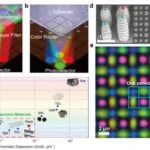
SUTD Researchers 3D Print Polymer Color Routers for Brighter Low-Light Photos

Singapore University of Technology and Design researchers have 3D printed polymer color routers that steer light to sensor pixels instead of absorbing it.

News

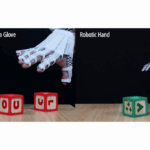
MIT Software Embeds Sensors in 3D Printed Lamps, Gloves and Toys

MIT and Tianjin University software embeds sensors in 3D printed hinges. The objects can sense motion along up to three axes.

News

Social

  • Facebook Facebook 3D Printing
  • Linkedin Linkedin 3D Printing
Join our newsletter

Our newsletter is free & you can unsubscribe any time.

Prusa CORE One+

~$1,199

  • - Prusa's first CoreXY with a 55°C actively heated chamber, open-source firmware, full o…
  • - Best open-source mid-range choice for power users, businesses, and educators who need l…
More details »
Prusa CORE One+
Buy Now prusa3d.com

Creality Ender-3 V3 SE

$179

  • - This page keeps the Creality Ender-3 address and now covers the Ender-3 V3 SE, the mach…
  • - It is in stock at $179, marked down from $199.Creality lists a 250 mm/s print speed, 25…
More details »
Creality Ender-3 V3 SE
Buy Now store.creality.com

Prusa XL (5-toolhead)

~$3,899

  • - The only desktop printer with up to five fully independent toolheads each with its own…
  • - Best for engineers and designers who need true multi-material printing with open-source…
More details »
Prusa XL (5-toolhead)
Buy Now prusa3d.com

Bambu Lab H2D

~$1,549

  • - The most ambitious desktop 3D printer of 2025-2026, featuring a dual-nozzle system for…
  • - Top prosumer pick for advanced makers, product designers, and small studios.
More details »
Bambu Lab H2D
Buy Now bambulab.com

Bambu Lab A1 Mini

~$220 (Combo with AMS lite ~$359)

  • - The most beginner-friendly printer on the market with full auto-calibration, whisper-qu…
  • - Best for first-time buyers, families, and anyone who wants a printer that simply works…
More details »
Bambu Lab A1 Mini
Buy Now bambulab.com

Bambu Lab P2S Combo

~$699-$749

  • - Pairs the P2S with the AMS 2 Pro for active filament drying during multicolor prints, s…
  • - Best for makers who want the most capable consumer multicolor system with engineering m…
More details »
Bambu Lab P2S Combo
Buy Now bambulab.com

Anycubic Kobra S1 Max Combo

~$1,264

  • - The first Anycubic with a real 65°C heated chamber inside a fully enclosed CoreXY arou…
  • - Best enclosed large-format multicolor value between the QIDI Plus4 and K2 Plus.
More details »
Anycubic Kobra S1 Max Combo
Buy Now anycubic.com

Elegoo Saturn 4 Ultra (12K)

~$379-$399

  • - Delivers 19-24 micron resolution with the same tilt-release mechanism and reliable vat…
  • - Best mid-size resin option when budget is a factor and use cases are terrain, larger mi…
More details »
Elegoo Saturn 4 Ultra (12K)
Buy Now elegoo.com

Company Information

  • What is 3D Printing?
  • Contact us
  • Join our mailing list
  • Advertise with us
  • Media Kit
  • Nederland 3D Printing

Blog

  • Latest News
  • Use Cases
  • Reviews
  • 3D Printers
  • 3D Printing Metal

Featured Reviews

  • Anycubic Photon Mono M5s
  • Creality Ender 5 S1
  • The Mole 3D Scanner
  • Flashforge Creator 3 Pro

Featured Industries

  • Automotive
  • Aerospace
  • Construction
  • Dental
  • Environmental
  • Electronics
  • Medical
  • Military
  • Fashion
  • Art
2026 — Strikwerda en Dehue