
Hands-On Review
Revopoint Inspire 2 3D Scanner
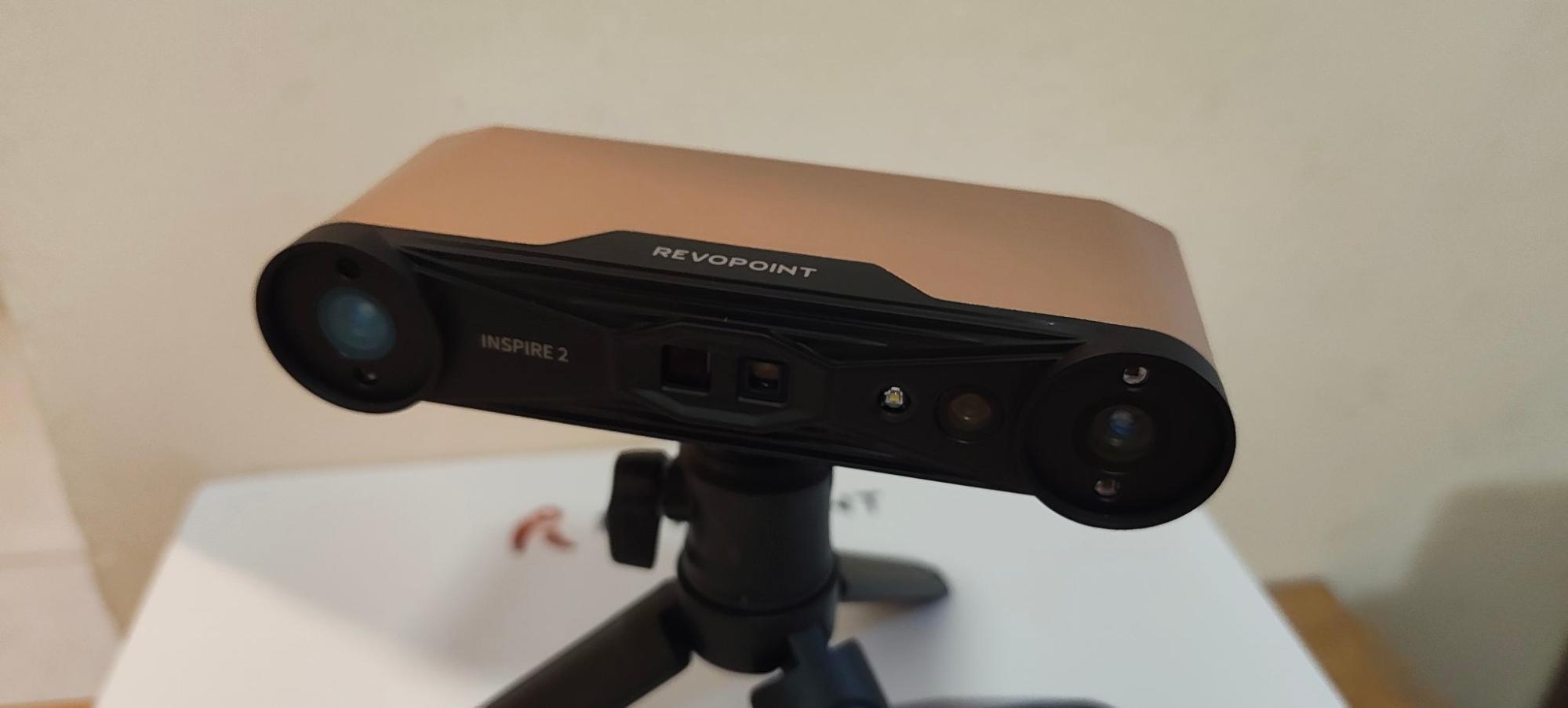
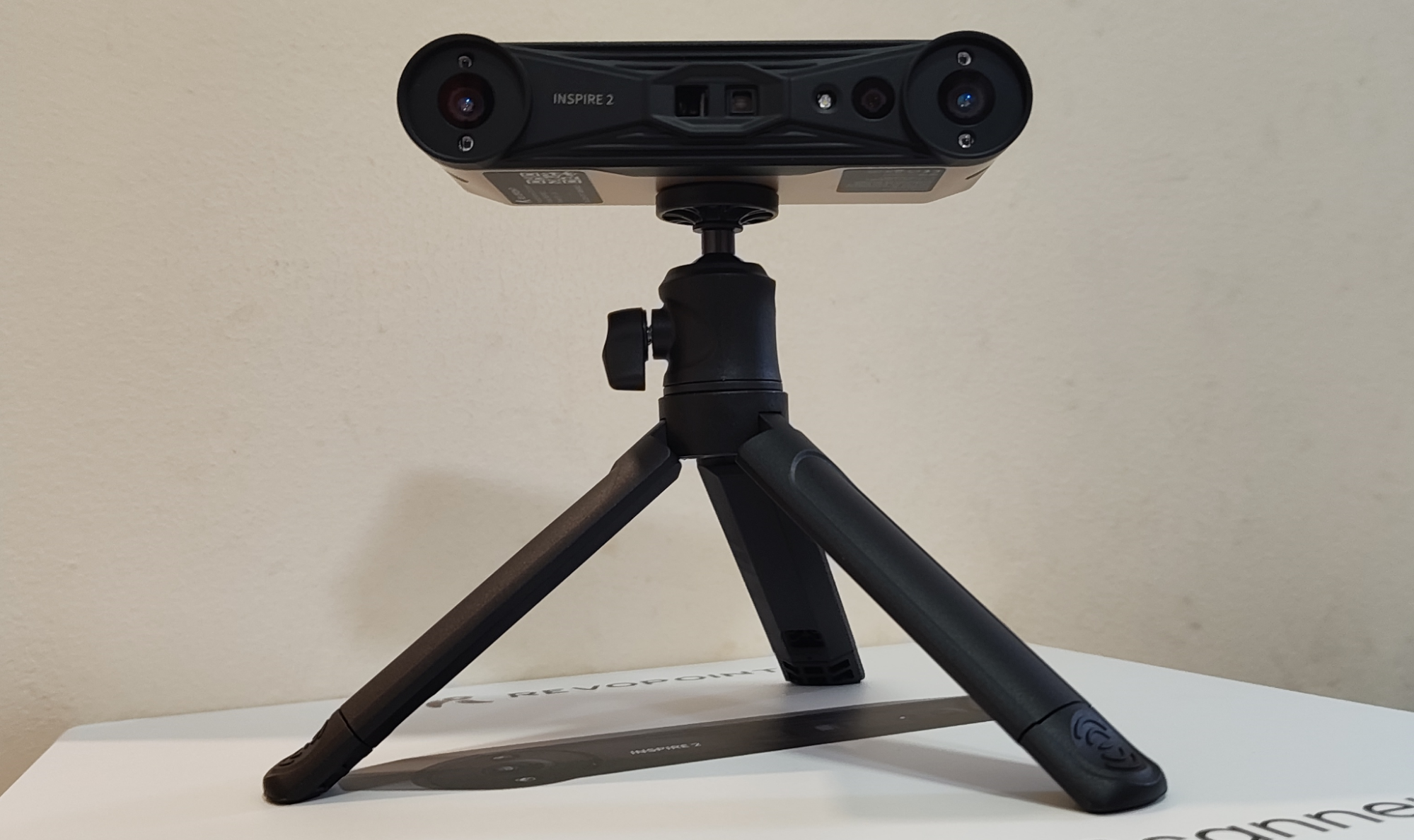
We have recently got our hands on a couple of new scanners from Revopoint, and in this article we will be taking a look at the Inspire 2. With hybrid scanning, a small form factor, and a pocket-friendly price, the Inspire 2 seems to be punching above its weight.
Read on to learn more about it.
 Heads up: our content may contain affiliate links. If you buy something through one of those links, you won’t pay a penny more, but we’ll get a small commission. Read more here.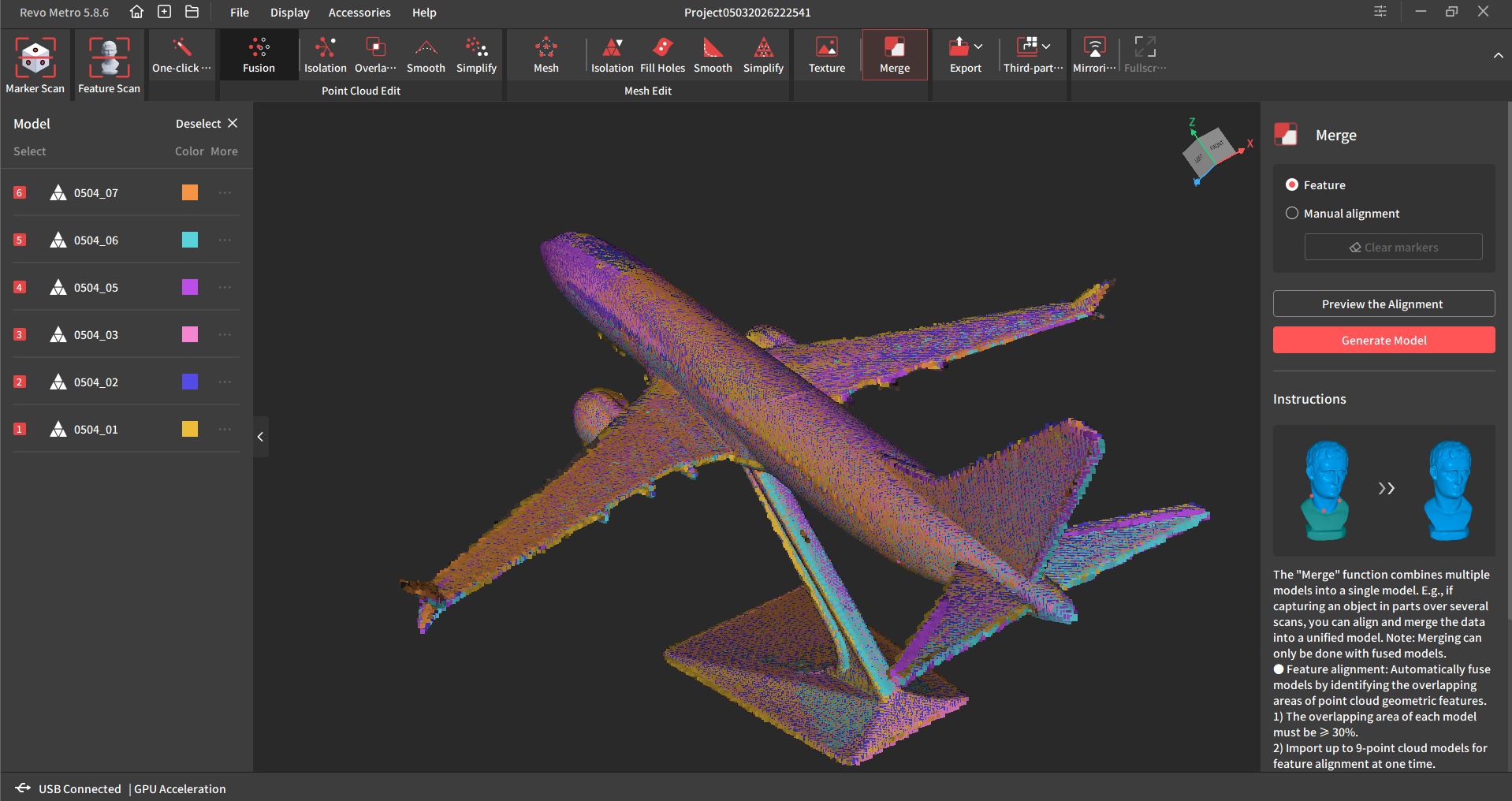
Overview
Most 3D scanners at this price point ($549 to $629 USD, depending on which base version you get) tend to offer limited scanning tech options. If you wanted a hybrid scanner before, you would typically need to pay more than double to unlock these features.
Deriving scanning tech from its bigger siblings, specifically the MetroX and MetroY, the Inspire 2 takes that tech, and shrinks it down into a smaller, more budget-friendly package.
Of course, the scanning area and resolution is not as high as the aforementioned Metro series scanners, but at this price, one cannot complain.
Just like the MetroX and MetroY, the Inspire 2 combines both laser line scanning, with full field scanning, and an RGB camera for capturing full color textures. And unlike the Metro family, the laser light is suitable for scanning human (or animal) faces.
The Metro lasers are fairly powerful and are not suitable for shining in the eyes of anything that enjoys the benefits of functional eyesight. The Inspire 2 is perfectly safe in that regard.
General Specifications
The following table shows the specifications of the Inspire 2, and these specs apply to all versions of the scanner currently available.
| Specification | Revopoint INSPIRE 2 |
|---|---|
| Scanner Type | Handheld and desktop 3D scanner |
| Scanning Technology | 11-line infrared laser + infrared structured light |
| Single-Frame Precision | Up to 0.03 mm |
| Single-Frame Accuracy | Up to 0.05 mm |
| Volumetric Accuracy | 0.05 mm + 0.10 mm × L (m) |
| Minimum Scan Volume | 20 × 20 × 20 mm |
| Maximum Scan Volume | 2 × 2 × 2 m |
| Working Distance (Indoor) | 200–400 mm |
| Working Distance (Outdoor) | 150–250 mm |
| Field of View | 43° × 35° |
| Structured Light Scan Speed | Up to 18 fps |
| Laser Scan Speed (GPU Mode) | Up to 90 fps |
| Laser Scan Speed (CPU Mode) | Up to 40 fps |
| RGB Camera Resolution | 1280 × 800 pixels |
| Light Source | Class 1 infrared light |
| Ambient Light Tolerance | Up to 20,000 lux |
| Tracking Modes | Feature Tracking, Marker Tracking, Global Marker Tracking |
| Output Formats | STL, OBJ, PLY, ASC, 3MF, GLTF, FBX |
| Connectivity | USB-C, Wi-Fi 6, Bluetooth 4.1 |
| Supported Operating Systems | Windows 10/11, macOS, Android, iOS |
| Power Requirement | DC 5V, 1A |
| Dimensions | 53 × 27 × 132 mm |
| Weight | 190 g |
What’s In The Box?
There are a couple of base versions of the Inspire 2 available, which are the Standard Version, and the Premium Version. They can be purchased as the hardware on its own, or with a subscription to the Revo Design reverse engineering software for some extra cash.
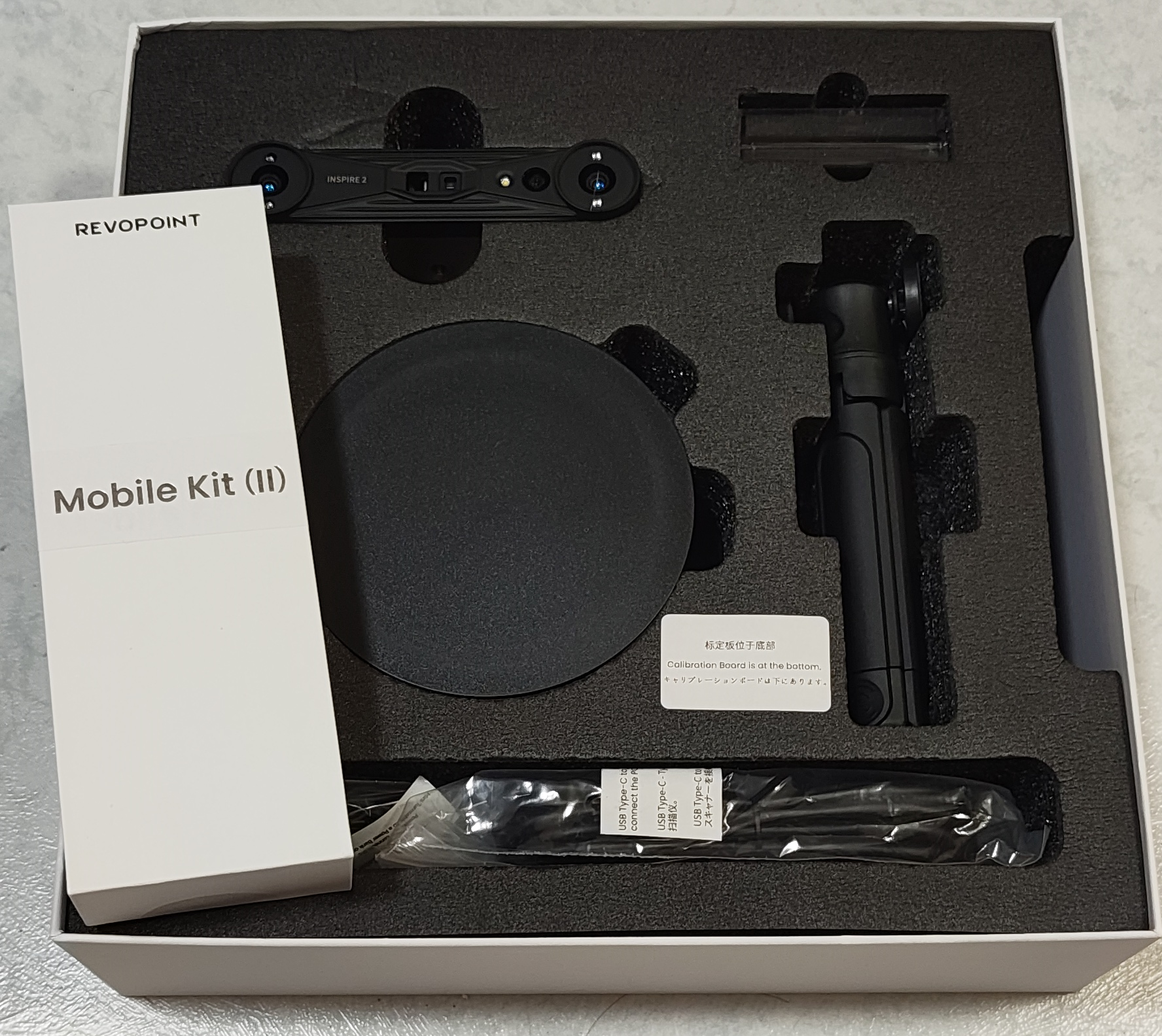
For this review, we received the Premium Version, which contains:
1x Revopoint Inspire 2 scanner
1x Turntable
1x Tripod
1 set of daylight filters
1 set of cables
1x Mobile Kit
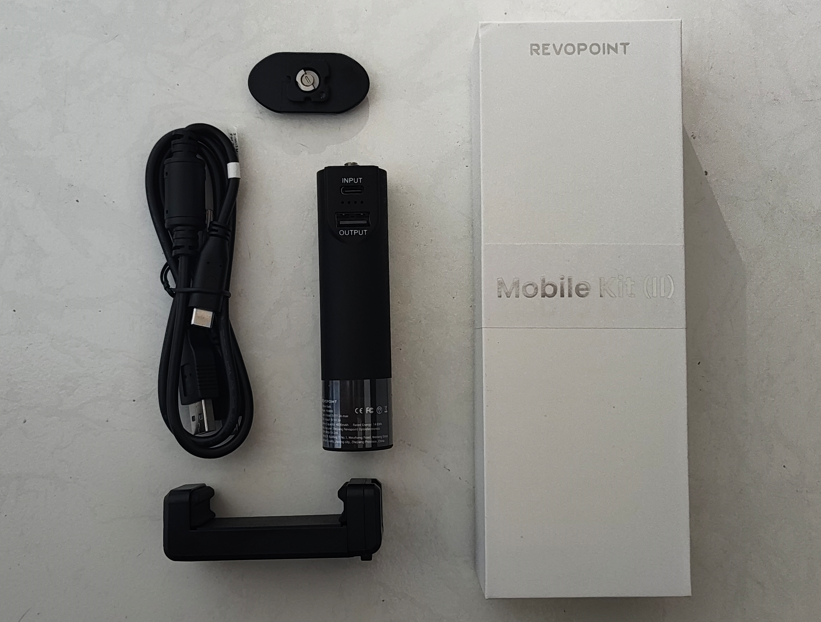
Mobile Kit
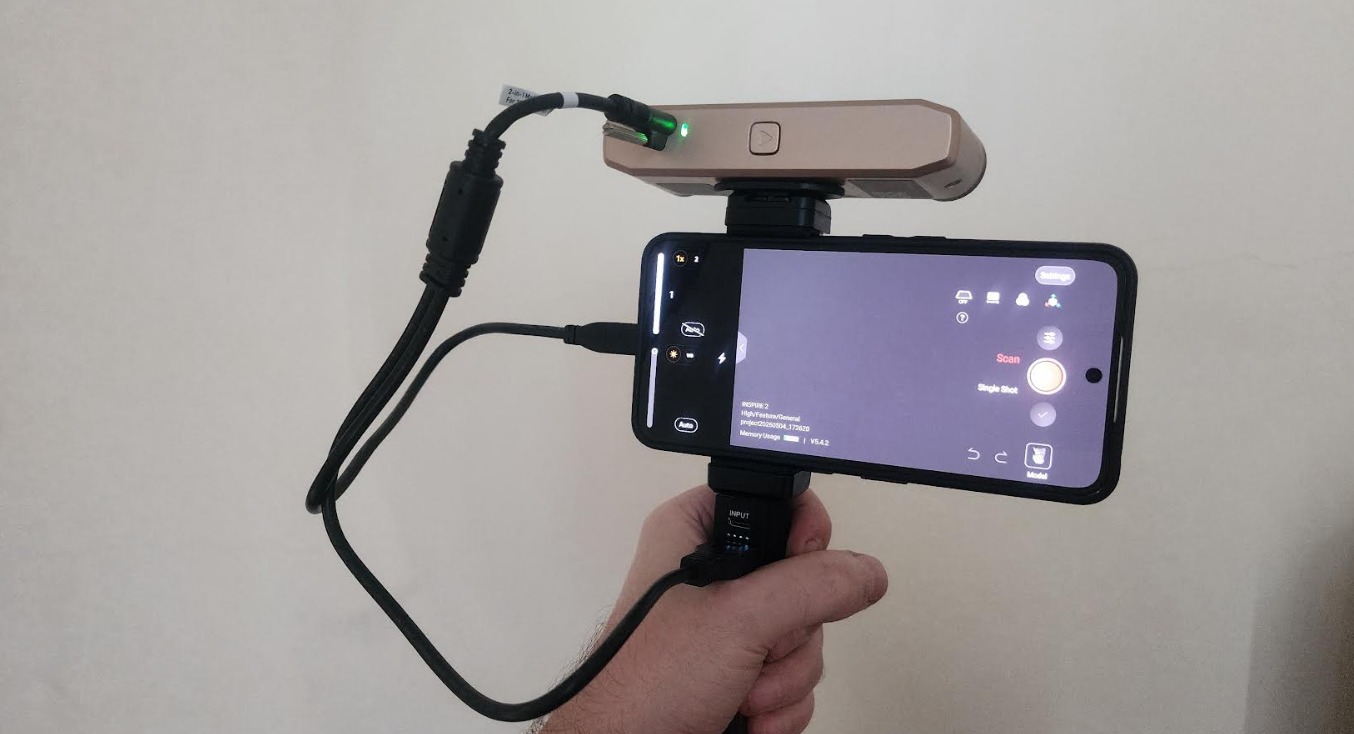
The mobile kit consists of a phone holder, and a power bank, and they fit onto the tripod and phone holder.
The mobile kit works in two different ways.
In the first usage scenario, the mobile kit allows the scanner to be used as a mobile standalone unit, connected to the smartphone, and with no connection to the user’s computer. By using the Revo Scan phone app, the scan can be monitored on the smartphone screen and the resulting scan can be sent to your computer for further processing.
It should be noted that there is a limitation when using it in this mode, in that multi-line scanning mode does not support standalone mobile phone operation. Full-field scanning mode can be used independently with a mobile phone.
To use multi-line scanning with the mobile kit, the scanner needs to be connected to the phone and PC, which enables the view from the PC screen and Revo Mirror software being cast to the mobile phone in real-time.
Computer and Software Requirements
There are multiple versions of Revopoint’s desktop software available, but as the Inspire 2 features laser scanning, it must be used with the Revo Metro software specifically.
This is the same software as used by the MetroX and MetroY series, and it can be downloaded for free at this link.
You’ll be needing a decent desktop or laptop to run the scanner with Revo Metro software, and the minimum and recommended specs are listed below.
| Minimum Computer Requirements |
macOS CPU: M1 Pro/Max/Ultra RAM ≥ 16GB Windows |
| Recommended Computer Requirements |
macOS CPU: M2 Pro/Max/Ultra, M3 Pro/Max/Ultra RAM ≥ 24GB Windows |
| Mobile Requirements |
① Android System Version: 9.0 or better RAM ≥ 8 GB; Storage ≥ 128 GB ② iPhone ③ iPad |
Testing the Inspire 2
With all the preamble out of the way, it’s time to see how the Inspire 2 actually performs in its various modes.
Mobile Kit (Full Field Scan Mode)
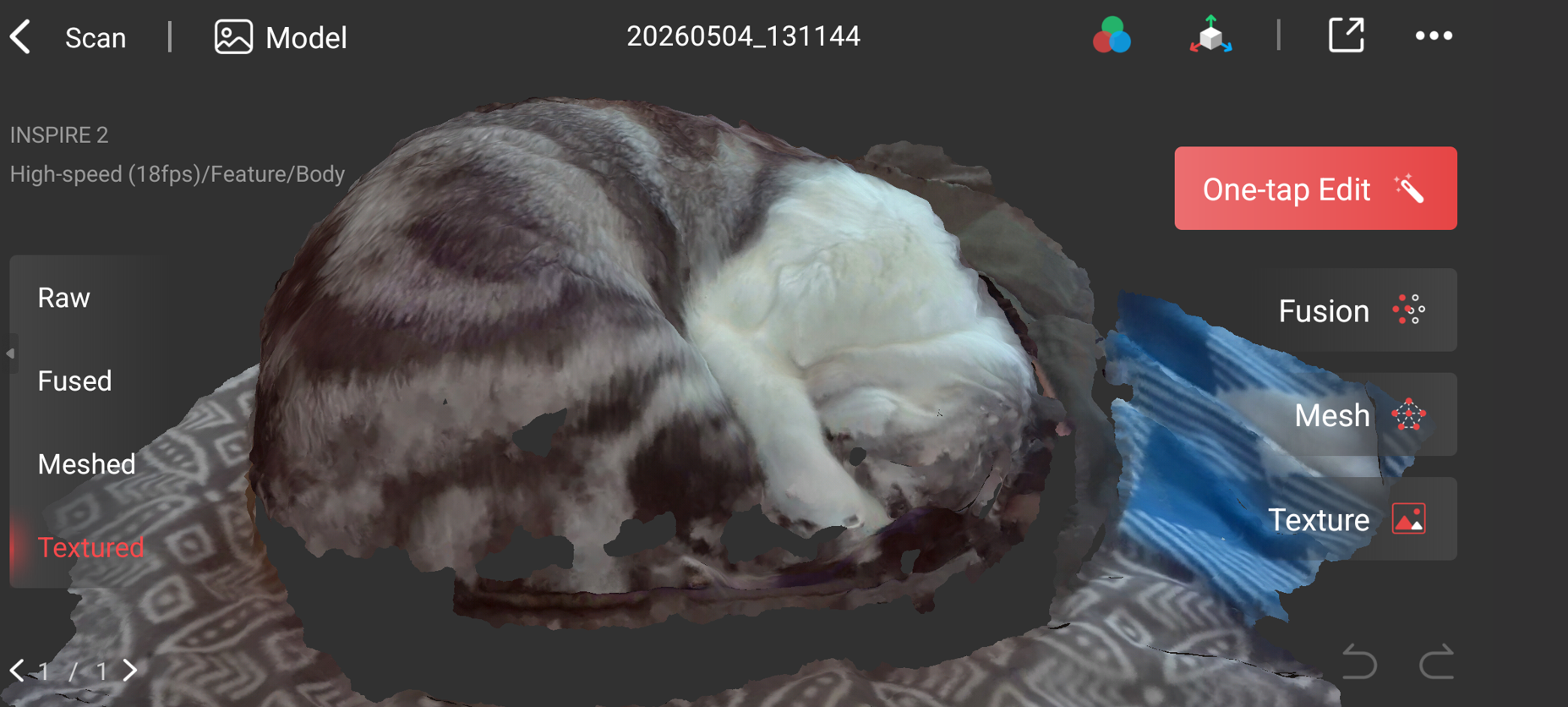
As readers of our previous 3D scanner reviews may recall, I consider one scanning test subject to be the ultimate demonstration of a scanner’s capabilities: a sleeping cat!
To scan a cat successfully, one needs a mobile scanner (so as not to drag cables all over the place and awake the sleeping beast), and a scanner that is suitable for scanning the eyes without harm. RGB cameras are a bonus for gathering colored texture data.
Thankfully, the diminutive Inspire 2 has all of these features. So with that in mind, I waited for my cat to fall asleep before scanning her.
You can see the result of the full 3D scan below:
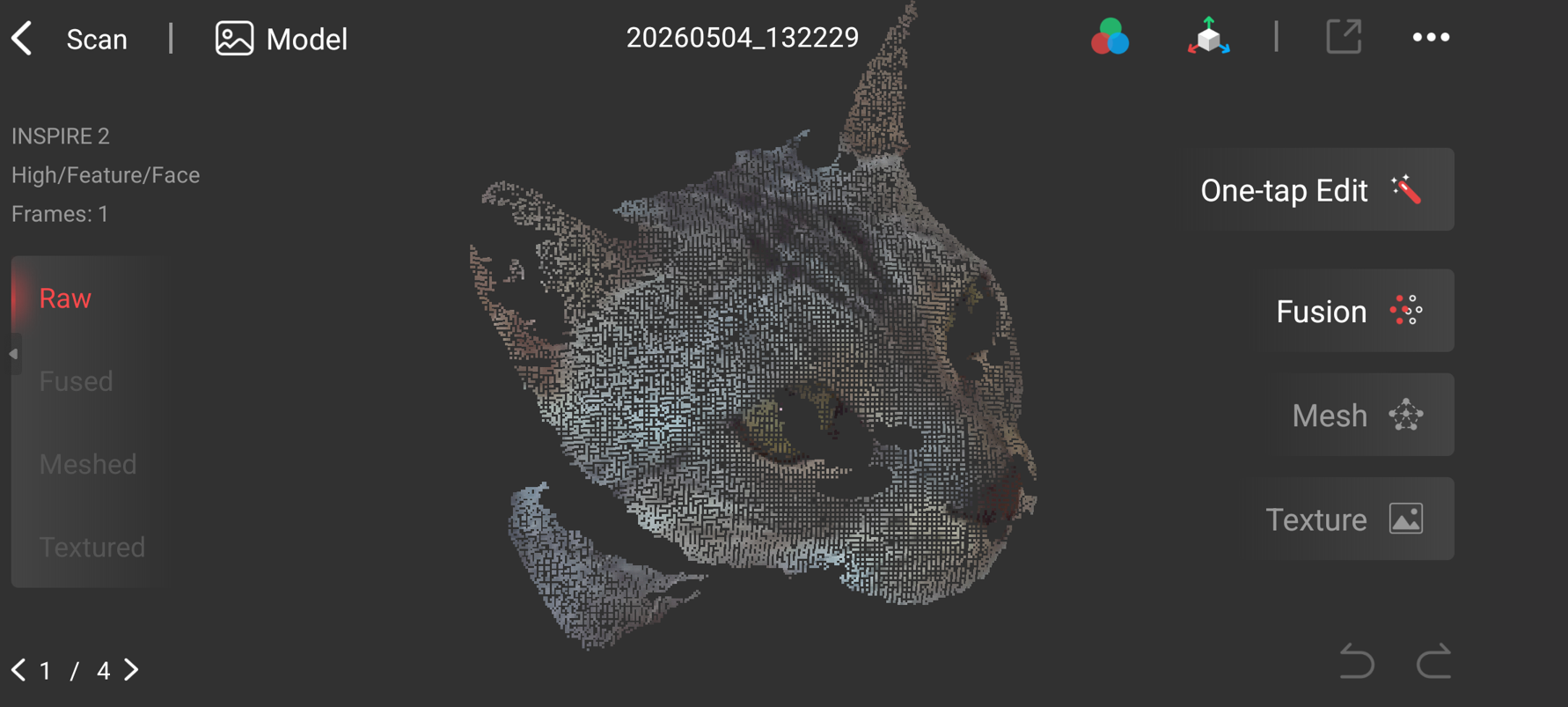
And like the Revopoint Miraco, the Inspire 2 has a snapshot mode, allowing you to capture a one-off scan from a single viewing angle. This was especially useful for my Bengal cat, who is completely uncooperative. The image below shows the colored point cloud as generated from such a snapshot.
Turntable (Full Field Scan Mode)
Full Field Mode is the structured-light scanning mode that captures the scanner’s entire field of view in one shot, rather than using the 11-line infrared laser pattern. It works with the RGB camera to produce full color scans, and unlike the MetroX, color mode is not limited to use with the turntable (you can capture color with the mobile kit, or by handheld scanning connected to the computer).
On the MetroX, I previously tried to capture a full color scan of the model aircraft you can see in the image below. With the MetroX, I sometimes had difficulty capturing the orange highlights on the body of the plane.
Would I have the same issue with the Inspire 2? Let’s find out.
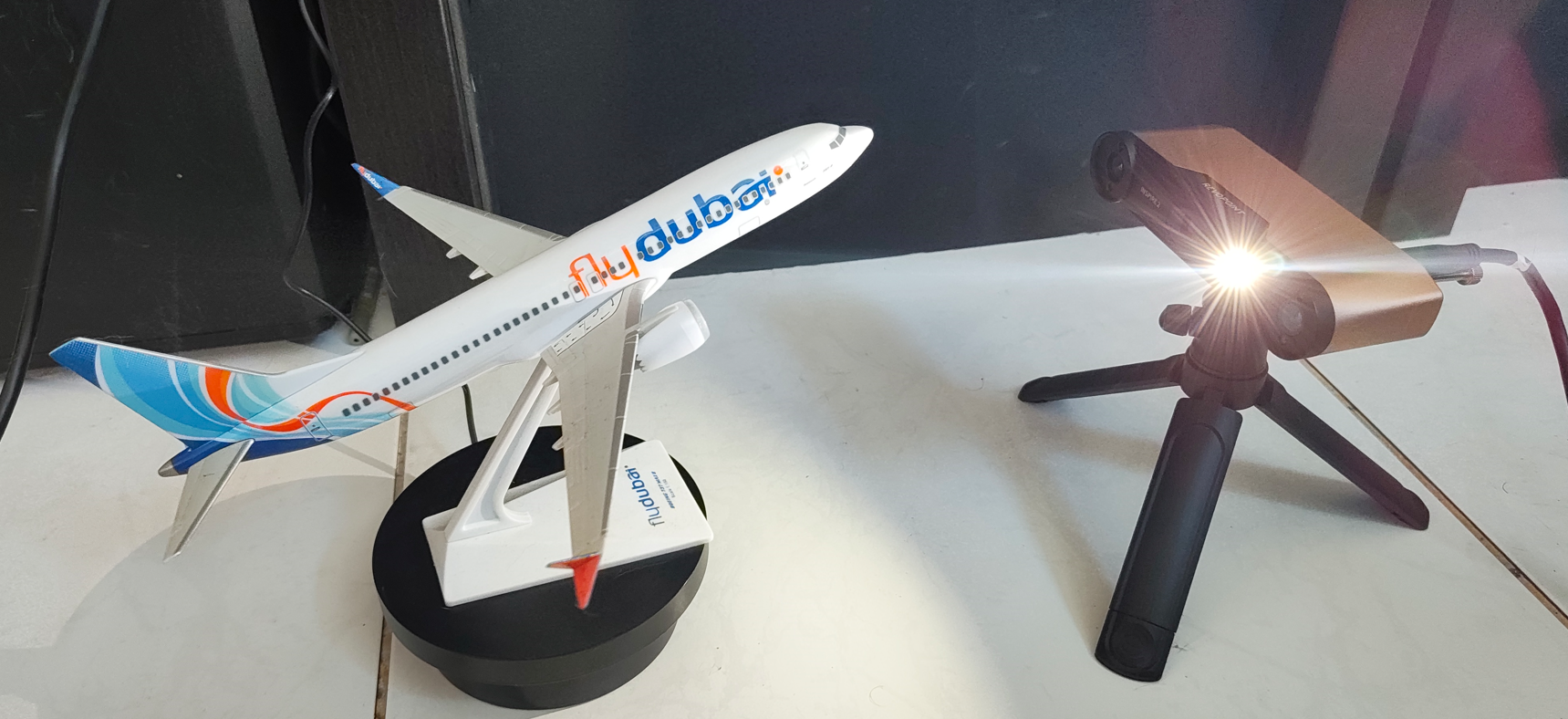
I took 6 scans of the aircraft, with it resting on the included turntable. Once the scans were complete, I used the merge feature in the Revo Metro software to automatically align the separate scans.
I must say, the merge function seems to work a little better during this review, when compared to the MetroX.
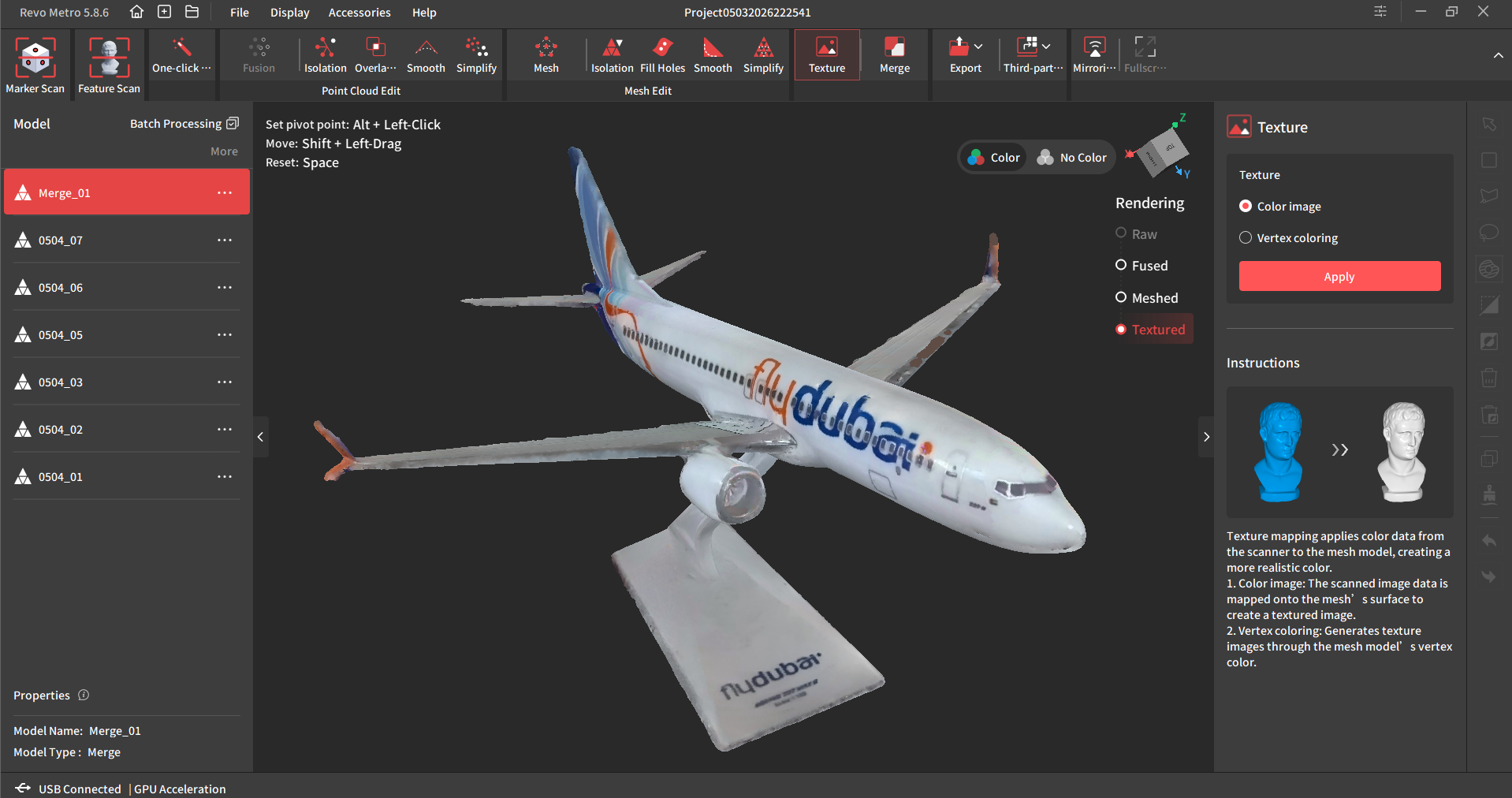
I do not know if the latest version of Revo Metro has been improved in this regard, or if my own scanning ability has improved since last time. It’s probably a mix of both, but in any case, merging was no problem this time around. The results are shown in the image below.
After merging, tidying up the scan, and adding the textures the scan was complete, and as you can see the resulting color scan is not bad at all. And the orange bits appeared in the texture without issue.
Laser Line Mode
To use the Inspire 2’s multi-line scanning mode, it must be connected to a computer. As mentioned previously, it does not work with the mobile kit as a standalone device.
To test this mode, I set up the turntable and the tripod, connected it to Revo Metro on my PC, and attempted to scan a video game controller case.
So how did this item fare with the Inspire 2?
Take a look at the image below. One thing that you will immediately notice is that the case is absolutely covered with tracking markers.
The Inspire 2 is especially marker hungry, more so than previous scanners we have tested from Revopoint. This is particularly true when scanning smaller items with weird or occluded geometry.
Unfortunately, when the marker removal feature was used in Revo Metro, it left large holes all over the finished scan, thus making it unusable.
It seems the marker removal feature is less damaging to the scanned geometry when used on flat surfaces or larger objects.
Of course, if you have a larger turntable, then it is perfectly fine to apply the markers directly to the turntable and not foul up the surfaces of the object to be scanned.
But we didn’t get the larger turntable with this kit, so we had to make do with scanning smaller items with markers all over them.
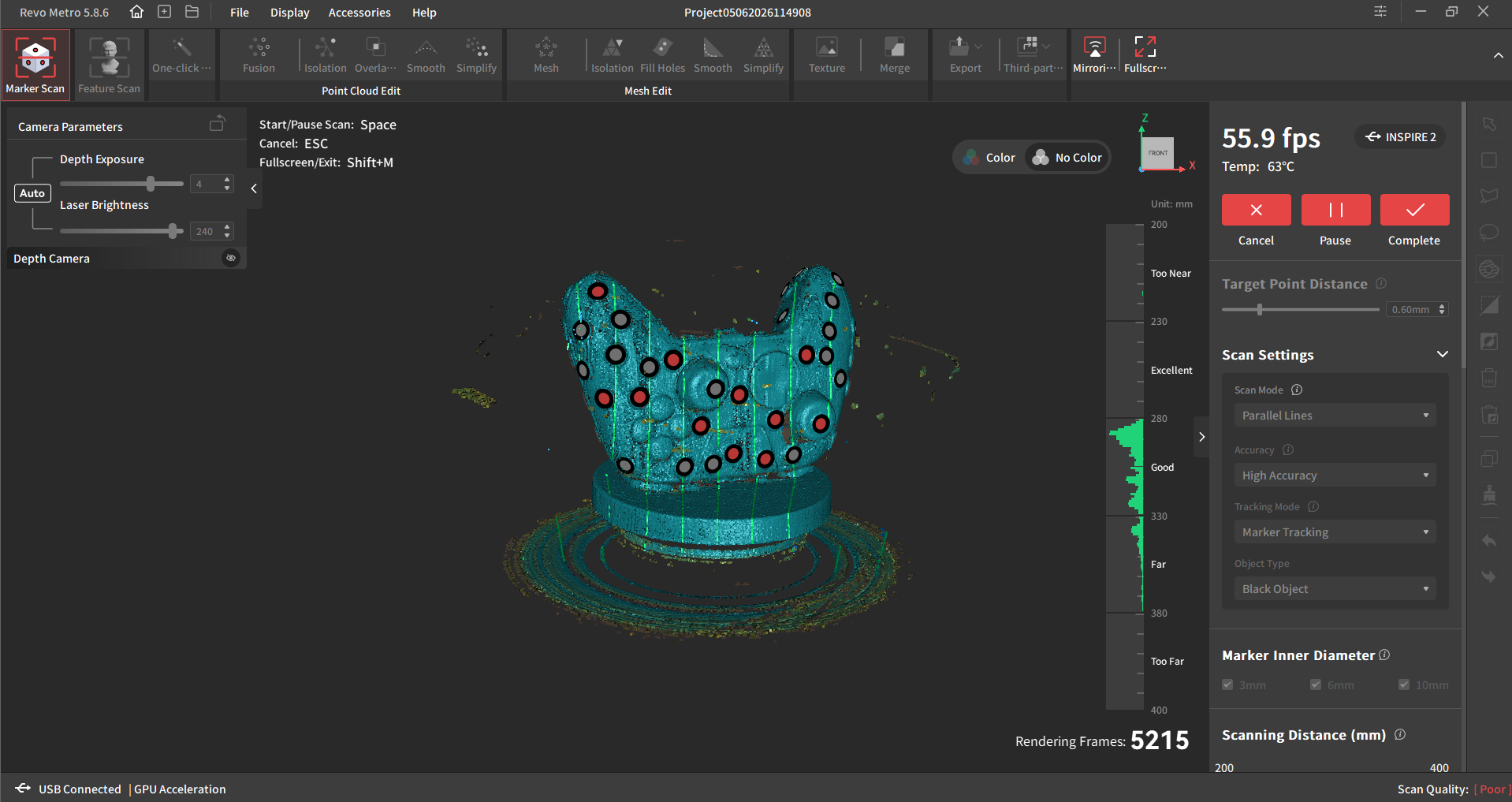
Asides from the marker removal feature turning my scan into swiss cheese, the laser scanning mode is generally fine, and is better suited for more engineering-focussed tasks than full-field mode (with its pretty color scans).
We would definitely recommend investing in a larger turntable, or a marker block kit in order to get the best out of this mode though.
Summary
I approached this review with my expectations well ”managed”.
I tend to view lower cost 3D scanners with low expectations, but I can safely say I was pleasantly surprised by the Inspire 2.
First up, there was no huge learning curve involved to get scans just right, as it pretty much worked straight out of the box and I was scanning within minutes.
Secondly, I was impressed by the color scanning. I had previously tried scanning the aircraft model with other scanners 4x the price, and had noticed that the scanner was occasionally failing to register certain colors (orange) on the model. The Inspire 2 had no issue scanning all colors.
Turntable mode works pretty great with Full Field scanning, and I was able to scan the aircraft model very quickly from multiple angles, and merge them without headaches.
On the downside, I found that handheld mode could be a little jittery, especially with regards to losing tracking on certain items. But this is to be expected, especially when scanning subjects with less well-defined features.
The loss-of-tracking can be fixed by using (many) markers, or by scanning a more feature-rich item.
Overall, I would say this is the best scanner I have tried in this price range, which on the face of it, sounds like faint praise. Because let’s face it, most scanners in this budget range are pretty awful.
But the Inspire 2, surprisingly, is not. So if you don’t want to drop a grand on a scanner, and you want something that works outside, scans well on a turntable, and can do colors, then go ahead and take a punt on this wee device.
Verdict: Approved!
Where else you’ll find the Revopoint Inspire 2
This scanner also earns a spot in our hand-picked 3D scanner guides: