
Neither is better. The short version of the FDM vs resin 3D printing question: FDM (filament printing) is the right pick for functional parts, larger builds, and apartment-friendly use; resin printing wins on detail and surface quality for miniatures, jewellery, and dental work. This guide compares the two technologies head-to-head across eight factors (detail and accuracy, strength, materials, speed, cost, safety, post-processing, build volume), works through a first-year cost breakdown, maps the right type to common use cases, and recommends six starter printers so you can act on whichever you choose.
Scope: this comparison covers consumer and prosumer hardware up to roughly $3,500. Industrial technologies (SLS, MJF, binder jetting, high-temperature DLP) are out of scope.
FDM vs resin at a glance
FDM (filament printing)
Strength: tough functional parts, snap-fit assemblies, mechanical loads.
Cost: $15-25 per kilogram filament; cheap per print.
Build volume: 200-300mm typical, often larger.
Safety: PLA fine in any ventilated room; ABS/ASA/nylon need an enclosure.
Learning curve: gentle. Auto-bed-leveling makes setup near-zero.
Resin (MSLA/SLA/DLP)
Detail: miniature-grade. Sharp edges, smooth surfaces, fine textures.
Cost: $25-50 per litre resin; significant accessories required.
Build volume: 150-200mm typical for consumer machines.
Safety: required PPE (gloves, glasses, respirator) plus external ventilation.
Learning curve: steeper. Setup costs $150-300 more than FDM equivalent.
Jump to a section
How each technology works
FDM (Fused Deposition Modeling)
FDM is the consumer-dominant 3D printing technology in 2026. A spool of thermoplastic filament feeds into a heated nozzle that melts the plastic and deposits it in thin layers (0.1-0.3mm tall) onto a build plate. The print head moves on X and Y axes, the bed moves on Z (or vice versa), and the part grows from the bottom up. Hot end temperatures range from 180C for PLA to 410C for PEEK. Bed temperatures range from 60C for PLA to 110C for ABS and ASA.
The dominant consumer printers in 2026 are CoreXY machines (Bambu Lab P2S and X1 Carbon, Creality K1C, Prusa Core One) and entry-level bed-slingers (Bambu A1 and A1 mini, Creality Ender series). CoreXY machines run at 500-600mm/s with 20,000mm/s² acceleration, thanks to input shaping and pressure advance. Auto-bed-leveling is now standard. The technical synonym for FDM is FFF (Fused Filament Fabrication), used interchangeably in the maker community.
Filament materials span PLA (the dominant beginner material), PETG (engineering-grade, dishwasher safe), ABS and ASA (warpage-prone, need enclosures, UV-resistant), nylon and carbon-fibre composites (engineering applications), TPU (flexible), and high-temperature engineering materials like PEEK and PEI for industrial use. PEEK and PEI are not within reach of current consumer FDM machines: they need hotends at 400-450C, heated build chambers at 90-130C, and bed temperatures above 130C, which puts them in industrial-printer territory only. For specific printer picks, see our Best 3D Printers for Beginners guide.
What else you’ll need: in addition to the printer, you’ll need slicer software (free; OrcaSlicer, Bambu Studio, PrusaSlicer, Cura, all download in minutes) to convert 3D models into printer instructions, and 3D files to print. Slicers ship with auto-tuned profiles for every major printer, so the 2019-era “spend a weekend dialling in settings” learning curve is mostly gone for first-party hardware. See our Best 3D Printer Slicers guide for picking one, and our Best Free 3D Model Repositories guide for where to find printable models.
Resin (MSLA, SLA, DLP)
Resin printing uses a vat of UV-sensitive liquid photopolymer that cures layer by layer when exposed to ultraviolet light. The build plate dips into the resin, the bottom layer cures, the plate lifts to peel the layer off the bottom film, and the process repeats. Layer heights are typically 0.025-0.10mm (five to ten times finer than FDM).
The dominant consumer resin technology is MSLA (Masked Stereolithography), where an LCD screen masks UV light from a backlight to cure each layer’s pattern. Consumer LCDs are 8K to 16K resolution. SLA uses a laser instead of an LCD (the original technology, invented by Chuck Hull in 1983), and DLP uses a projector. In consumer space, MSLA dominates: every Anycubic Photon, Elegoo Mars and Saturn, and Phrozen Sonic series printer uses MSLA. The Formlabs Form 4 uses an evolution called LFD (Low Force Display).
Resin materials span standard resins (default for general use), tough resins (impact-resistant), flexible resins (rubber-like), castable resins (for jewellery investment casting), dental resins (FDA-cleared options for clinical use), and water-washable resins (apartment-friendly). Each resin has its own exposure profile and post-processing requirements. For specific printer picks, see our Best Resin 3D Printers guide.
FDM vs resin: head-to-head comparison
The table below summarises the differences across the eight factors that matter most. Each one is unpacked in the next section.
Each comparison factor in depth
1. Detail and accuracy
Visual detail: resin wins decisively. Consumer resin printers run 8K to 16K LCD resolutions (14 to 24 micron XY pixels, depending on screen size) with layer heights down to 0.025mm. The result is miniature-grade detail: facial features, fabric textures, thin filigree, and engraved text all reproduce sharply. FDM is limited by the nozzle size (0.4mm, with 0.2mm for fine work) and layer height (0.1mm minimum on most consumer machines). Detail under about 0.5mm tends to soften or disappear entirely. For tabletop miniatures, jewellery prototypes, dental models, and any object where the human eye picks up fine surface texture, resin is the right choice.
Dimensional accuracy and repeatability: a separate consideration from visual detail. Consumer FDM machines hold ±0.2mm to ±0.5mm tolerances across a build; well-tuned high-end CoreXY machines (Bambu X1 Carbon, Prusa Core One, Voron 2.4) reach ±0.1mm. FDM parts are dimensionally consistent across hundreds of repeat prints once a profile is dialled in. Resin printers have finer raw pixel resolution but parts shrink between 0.5% and 2% during UV cure, depending on resin formulation and post-cure protocol; calibration with reference cubes corrects this, and dental and engineering workflows routinely achieve ±0.05mm or better after compensation. For fit-critical assemblies (snap-fits, threaded inserts, large parts where small percentage shrink adds up), FDM with a tuned profile is the more predictable choice. For tight-tolerance small parts where the design accounts for shrinkage (jewellery, dental models, small engineering prototypes under 50mm), resin holds tighter absolute tolerances.
2. Strength and durability
FDM wins for most engineering applications. Standard PLA prints are surprisingly strong (tensile strength comparable to ABS in many tests), and engineering filaments like PETG, nylon, and PETG-CF (carbon-fibre-filled) approach injection-moulded parts in mechanical properties. Resin prints in standard formulations are brittle: they crack rather than bend under stress. Tough resins (Siraya Tech Tenacious, Anycubic ABS-Like Resin Pro 2) close the gap significantlyfor impact resistance, and engineering resins approach ABS-like properties, but standard FDM prints in PETG or nylon still win on long-term durability and repeated load cycling. The exception: small detail parts (figurines, jewellery) where the brittleness of standard resin is acceptable because the parts don’t see mechanical stress.
3. Material range
FDM wins on breadth. The consumer FDM material list runs to dozens of plastics: PLA (general use), PETG (engineering), ABS and ASA (heat-resistant, UV-resistant), nylon and nylon composites (engineering and functional), TPU (flexible), polycarbonate (high strength), PEEK and PEI (industrial), plus specialty filaments like wood-filled, glow-in-the-dark, silk, and matte. Resin material range is narrower but deeper in specialty: standard resin, tough resin, flexible resin, castable resin, dental resin (FDA-cleared variants), water-washable resin, ceramic-loaded resin, transparent resin. Resin specialties dominate for jewellery casting and dental work where FDM has no equivalent material. FDM specialties dominate everywhere else.
4. Print speed
It depends. For a single small part, current CoreXY FDM machines (Bambu Lab P2S/X1 Carbon, Creality K1C) running at 500-600mm/s typically beat a resin printer on raw print time. For a build plate full of identical miniatures, resin wins decisively: every miniature on the plate cures simultaneously per layer, so 50 miniatures take the same time as one. FDM has to draw each part sequentially, so 50 miniatures take about 50 times as long as one. The crossover point is around 5-10 parts: under that, FDM is faster; over that, resin wins. For single large objects (helmets, vases, cosplay armour), FDM is the only practical option at any speed because resin build volumes top out at around 330mm even on large-format machines.
5. Operating cost
FDM wins by 2 to 3 times per print, with smaller per-printer accessory overhead. Filament runs $15-25 per kilogram for PLA, $20-30 for PETG, $25-40 for ABS or specialty composites. Resin runs $25-50 per litre for standard, $50-80 for specialty (castable, dental, flexible). A typical miniature uses 5-15ml of resin (about $0.05-0.20 per print) vs roughly 8-15g of filament for an FDM equivalent ($0.02-0.08). On top of consumables, resin requires regular accessory replacement: FEP films ($10-15 per film, replaced every 1-3 months depending on use), IPA (~$30 per gallon, used continuously), nitrile gloves, and LCD screens every 2,000-3,000 print hours ($80-150). FDM has nozzles (cheap, last hundreds of hours) and the occasional build plate or extruder gear. Full breakdown in the next section.
6. Safety and ventilation
FDM with PLA wins on apartment-friendliness; resin requires dedicated workspace. PLA printing emissions are comparable to running a desk lamp (low VOC, low particulate). ABS, ASA, nylon, and carbon-fibre composites release meaningfully higher VOCs and ultrafine particles and need an enclosed printer with activated-carbon filtration. Resin printing is a different category: uncured resin is a skin and respiratory irritant, IPA is flammable (12C flash point), and external ducted ventilation is the standard rather than an upgrade. Required PPE for resin work includes 5+ mil nitrile gloves, splash-rated safety glasses, and a half-face respirator with Organic Vapor cartridges. We cover the full safety picture in our 3D Printing Safety Guide; the short version is that resin should not be set up in a bedroom or any room where food is consumed.
7. Post-processing workflow
FDM wins on simplicity. An FDM print comes off the bed ready to use after support removal, with optional sanding for surface finish. Total post-processing time: about 5 minutes per print. Resin prints require a multi-step workflow: lift the print off the build plate (wear gloves, drips are normal), wash in IPA for 3-5 minutes to remove uncured resin, cure under UV light for 2-10 minutes to reach final hardness, then remove supports and clean up. Total post-processing time: 20-30 minutes per print, plus periodic vat maintenance and FEP inspections. Wash-and-cure stations (Anycubic Wash and Cure 3.0, Elegoo Mercury Plus V3.0, Phrozen Cure series) automate the wash and cure steps but don’t eliminate them. The post-processing burden is the single biggest reason resin printing doesn’t appeal to all makers.
8. Build volume
FDM wins decisively. Typical consumer FDM build volumes are 220mm to 300mm in each dimension; large-format printers (Creality K2 Plus, Bambu H2D, Voron 2.4) reach 350-500mm. Industrial FDM goes well beyond. Resin build volumes are 150-200mm for Mars-class machines and 200-230mm for Saturn or M7-class machines. Large-format consumer resin tops out around 330mm with the Anycubic Photon Mono M7 Max and Elegoo Jupiter 2. For helmets, full cosplay armour, large prop builds, and vase-mode aesthetic prints, FDM is the only practical option. Resin’s build-volume ceiling has been the same for years and isn’t moving meaningfully despite the resolution improvements.
First-year cost breakdown
Real numbers for a typical first-year setup at entry tier. Assumes hobbyist use (5-10 prints per week), the cheapest credible printer in each category, and reasonable accessories. Numbers in US dollars.
FDM first-year total
Printer (Bambu A1 mini): $200
Filament (10 spools PLA at $20): $200
Spare nozzles and build plate: $25
Glue stick, scrapers, basic tools: $15
Optional: dry box and silica gel: $30
Optional: enclosure for ABS work: $80
Year-one total: $440 minimum
With ABS-capable upgrades: ~$550
Resin first-year total
Printer (Photon Mono 4): $169
Wash-and-cure station: $130
Resin (5L standard at $35): $175
IPA (3 gallons at $30): $90
FEP films (5 replacements at $12): $60
PPE: nitrile gloves, glasses, respirator: $80
Ventilation: window fan or fume extractor: $30 to $80
Year-one total: $750 minimum
Equivalent printer (Mars 5 Ultra): ~$830
The honest delta: a resin setup costs about $200-300 more than an FDM setup in year one, mostly in accessories and consumables. Per-print costs in year two stabilise at $30-50 per month for either technology (varies with print volume), but FDM’s per-print operating cost stays about half of resin’s indefinitely.
What’s not in the table: safety equipment costs are deliberately listed under resin only because FDM with PLA needs essentially none. If you print high-emission FDM materials (ABS, ASA, nylon composites), add an enclosure ($80-200) and a smoke detector ($30) to the FDM column. See the recommended safety equipment section for specific picks.
Best type by use case
If you already know what you’ll be printing, the table below maps common use cases to the better-fit technology and a starter-printer recommendation.
If you printed a lot of different things, it’s reasonable to own both: FDM for functional parts, terrain, cosplay bulk, and everyday printing; resin for the detail work where your eye registers the surface quality. Many serious hobbyists end up with one of each over a year or two.
Safety considerations
FDM with PLA is the more permissive setup. Printing PLA in a ventilated room is comparable in risk to running a desk lamp. High-emission filaments (ABS, ASA, nylon, carbon-fibre composites) release elevated VOCs and ultrafine particles and need an enclosed printer with activated-carbon filtration. The US National Institute for Occupational Safety and Health (NIOSH) has published guidance on managing 3D printer emissions in workplaces, and the practical recommendations apply to home workshops as well: enclose the printer, filter the exhaust, and ventilate the room. Burns from the hotend (180-410C) and heated bed (60-110C) are the most common direct injury, and pinch hazards from moving gantries are real on open-frame printers. See our FDM fume management section for details.
Resin printing is a different category. Uncured resin is a skin and respiratory irritant, IPA is flammable (12C flash point), and resin sensitisation is a real long-term risk. External ducted ventilation is the standard, not an upgrade. Required PPE: 5+ mil nitrile gloves, splash-rated safety glasses, half-face respirator with Organic Vapor cartridges. Tight-fitting half-face respirators are governed in workplace settings by the US Occupational Safety and Health Administration’s OSHA 1910.134 respiratory protection standard, which requires medical clearance and fit-testing before use; home users should follow the same protocol because the protection is only as good as the seal. Resin printing is not suitable for bedrooms, kitchens, or any room where food is consumed. See our Resin fume management section and Resin handling section for the full protocol.
Disposing of uncured resin and IPA takes some care. Both count as hazardous waste in most jurisdictions and can’t go down the drain or into household trash. The standard process is to fully UV-cure leftover resin and IPA-resin mixtures into a solid before disposal (sunlight works for small amounts; a UV station is faster), at which point the cured plastic is inert and goes into regular waste. Used clean IPA can be filtered and reused for several wash cycles before final disposal. Check local hazardous waste rules; many municipalities accept cured resin in normal trash but require uncured liquid resin to go to a hazardous waste drop-off. See our resin handling section for the full disposal protocol.
What ownership looks like day to day
Beyond the comparison factors above, the day-to-day experience of owning each technology differs in ways that matter for whether you’ll keep using the printer six months in.
Attention per print
FDM is largely set-and-forget for prints under about 8 hours. Load filament, slice, hit print, walk away. A typical 2-3 hour print needs you in the room for the first 5 minutes (to confirm first-layer adhesion) and at the end (to clear the build plate). Bambu, Prusa, and Creality CoreXY machines include first-layer cameras and AI failure detection that catch most issues mid-print. Multi-day prints are routine. Resin is less hands-off: each print needs you at start (load resin, double-check vat level), at finish (the wash-and-cure workflow is 20-30 minutes), and ideally a mid-print check on long jobs to catch peel-failure before it ruins the FEP. Plan on 15-30 minutes of active attention per resin print regardless of how long the print itself takes.
First-print timeline
FDM gets you printing fast. Unboxing to first successful print is 30-60 minutes on a Bambu A1 mini or A1, 1-2 hours on a Creality K1C, and most new owners have a useful object in hand the same day they unbox. Self-assembled kits like a Voron are a different category (assembly itself takes 40-80+ hours before any printing happens) and are not recommended for first-time owners.
Resin takes a bit longer to click. Unboxing to first successful print is 1-3 hours on a Mars 5 Ultra or Photon Mono 4 (calibration prints, exposure test, learning the workflow), and the first “I’d actually display this” print is often a week or two in once you understand supports and orientation. Resin has a steeper first-month learning curve and a flatter long-term skill ceiling.
Slicer onboarding
The 2019-era “spend a weekend learning Cura” experience is mostly gone for first-party hardware. Bambu Studio, OrcaSlicer, and PrusaSlicer all ship with auto-tuned profiles for every supported printer, and a default-settings print on a Bambu, Prusa, or Creality CoreXY usually succeeds without any settings adjustment. If you buy a machine from an older brand or a self-assembled kit, expect a steeper slicer learning curve. For deeper coverage of which slicer fits which printer, see our Best 3D Printer Slicers guide.
Replacement parts and longevity
FDM consumables are cheap and intermittent. Nozzles last hundreds of print hours and cost a few dollars each. Hotends are user-replaceable on most current machines, and build plates last years. Bambu, Creality, Prusa, and Anycubic all maintain healthy parts availability through official storefronts and Amazon. Expect a 3-5 year usable life on a well-maintained consumer FDM printer with periodic part swaps.
Resin runs harder on its consumables. FEP films are the main wear item, replaced every 1-3 months in regular use at $10-15 each, and LCDs need replacement every 2,000-3,000 print hours ($80-150). Tilt-vat mechanisms have a shorter service interval than fixed-vat designs. Most consumer resin printers reach economic write-off after 2-3 years if used heavily, though the printer body itself lasts much longer.
Cloud, privacy, and vendor lock-in
Consumer 3D printing has divided into cloud-first and local-first setups, and the choice matters for some buyers. Three groups in 2026:
- Cloud-first (Bambu Lab): the default workflow sends your sliced files through Bambu Cloud and the printer maintains an outbound connection. Bambu offers a LAN-only mode that disables cloud features (remote monitoring, AMS multi-colour from cloud-stored profiles), but a vocal segment of the community runs Bambu printers offline-only because of privacy concerns.
- Local-first (Prusa, Voron, most Creality and Elegoo models): the workflow runs entirely on your local network via SD card, USB, or local-network upload.
- Hybrid (Creality Cloud, Elegoo Cloud): cloud features are optional.
If cloud-dependence is a concern for you, factor it into the choice before buying. If it isn’t, the Bambu user experience is the smoothest in 2026 for most users.
Recommended starter printers
Six picks across both technologies, three per type, ordered by ascending price. Each is the safest entry point for new owners at its tier. All six brands featured here (Bambu Lab, Creality, Anycubic, Elegoo) maintain active English-language support channels and ship parts within US warranty terms; Formlabs and Phrozen (referenced in the use-case grid) lead on service for prosumer and dental applications respectively.
FDM starter picks
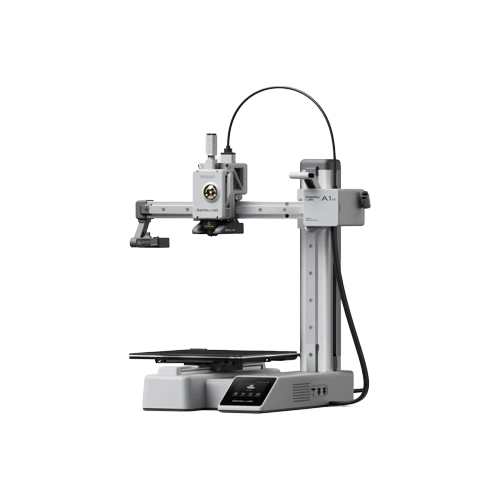
Best first FDM printer
Bambu Lab A1 mini
180mm cube build volume, auto-bed-leveling, AMS Lite compatible for multi-colour. About $200. The cheapest credible FDM purchase in 2026 and the easiest first printer to recommend.
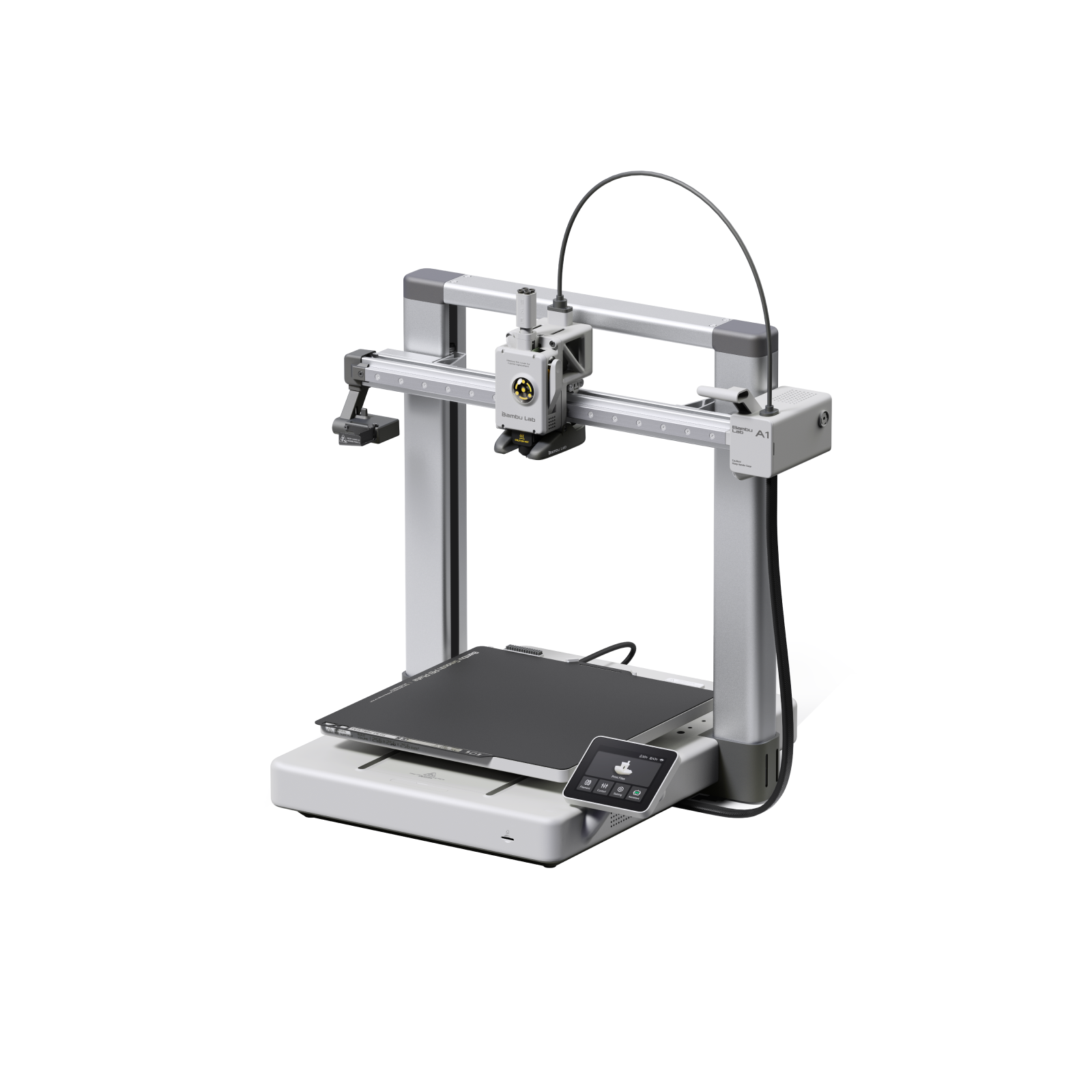
Best step-up FDM
Bambu Lab A1
256mm cube build volume, full AMS Lite for up to 4 filaments, faster than the mini. About $300. The cleanest upgrade path from the A1 mini.
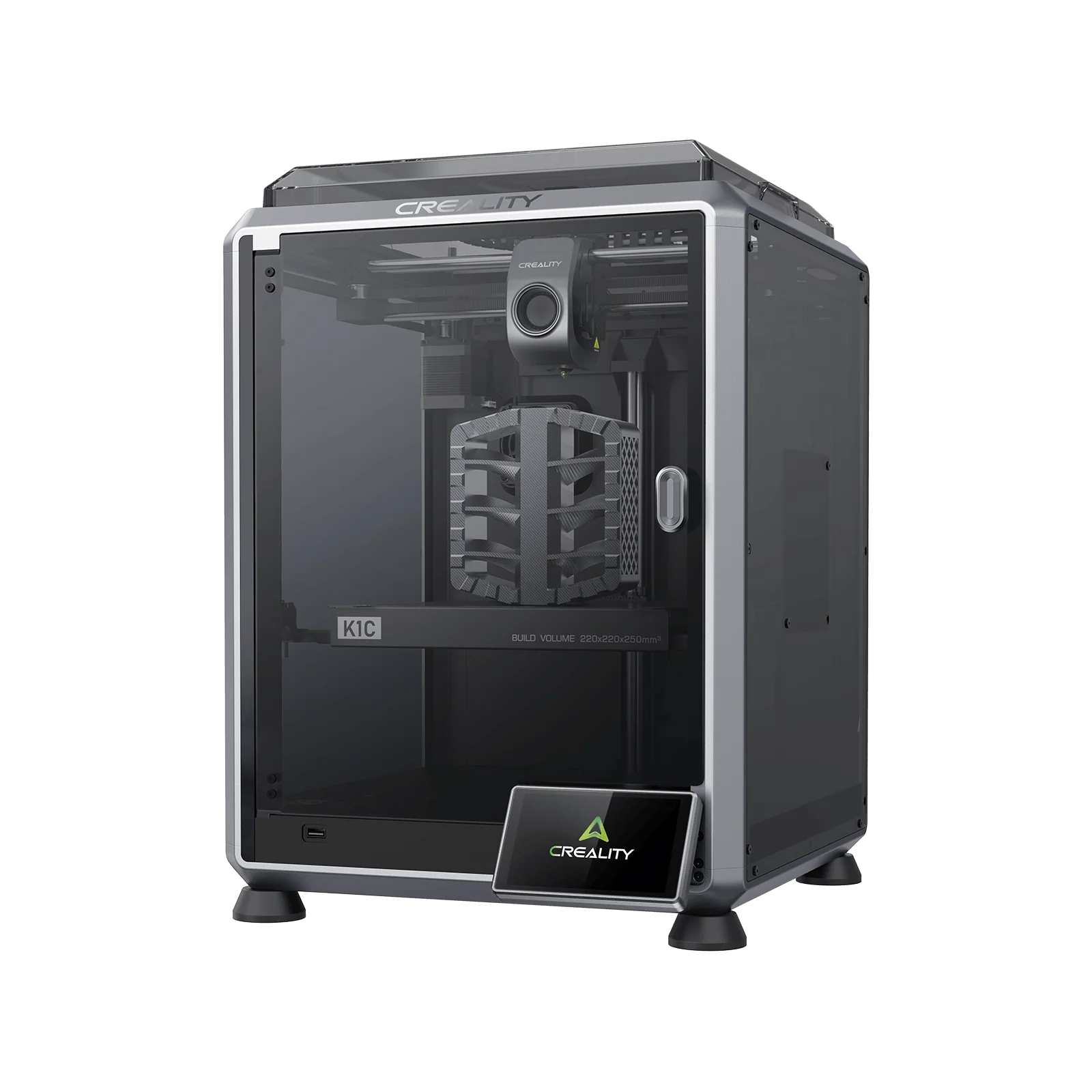
Best enclosed FDM
Creality K1C
220mm enclosed CoreXY with hardened steel nozzle and built-in activated-carbon filtration. Handles ABS, ASA, nylon, and carbon-fibre composites out of the box. About $549. OrcaSlicer-first community.
Resin starter picks
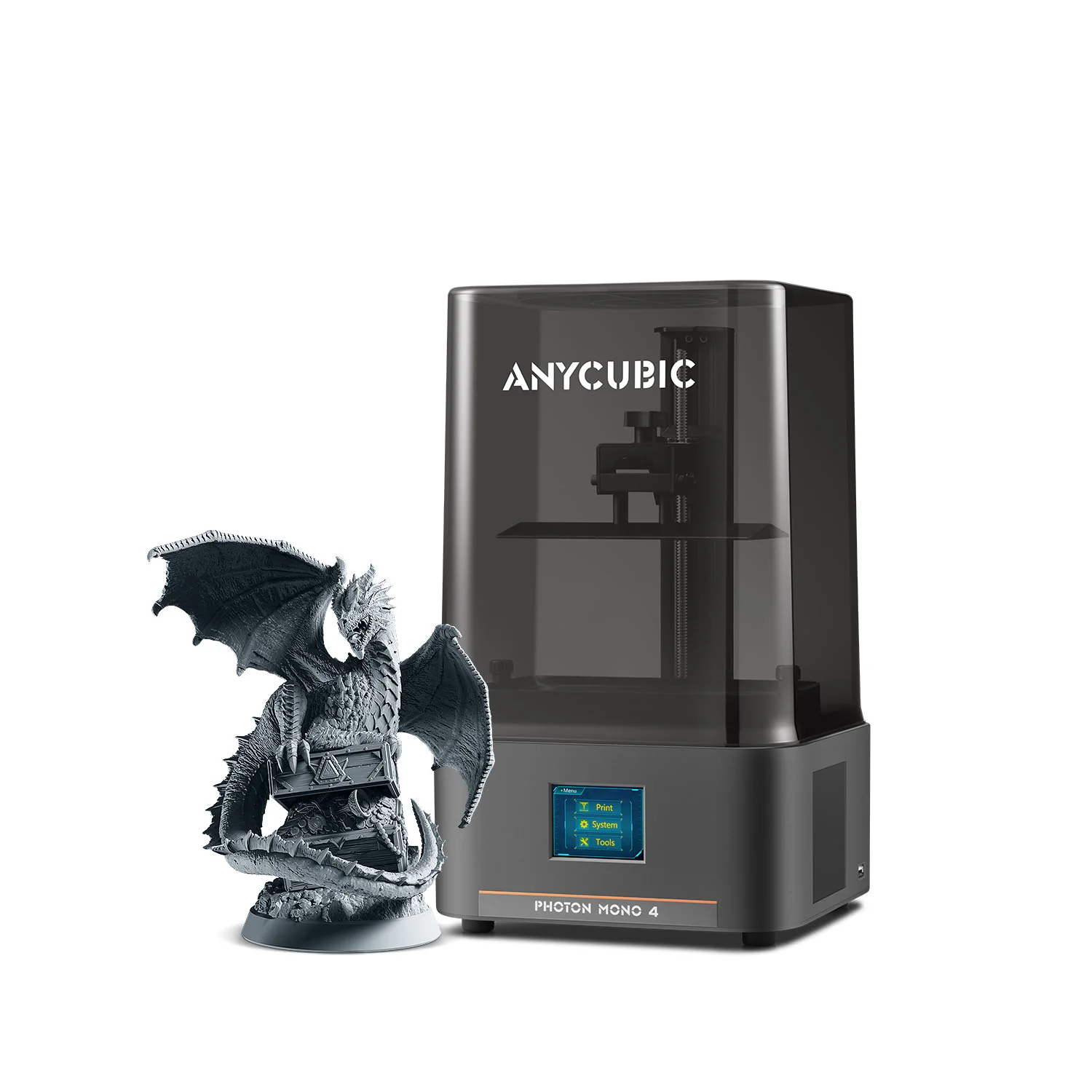
Cheapest credible resin
Anycubic Photon Mono 4
10K resolution, 153 x 77 x 165mm build volume. About $169. The price floor for credible new resin purchases in 2026; ideal for testing whether resin printing is for you.
Easiest first resin
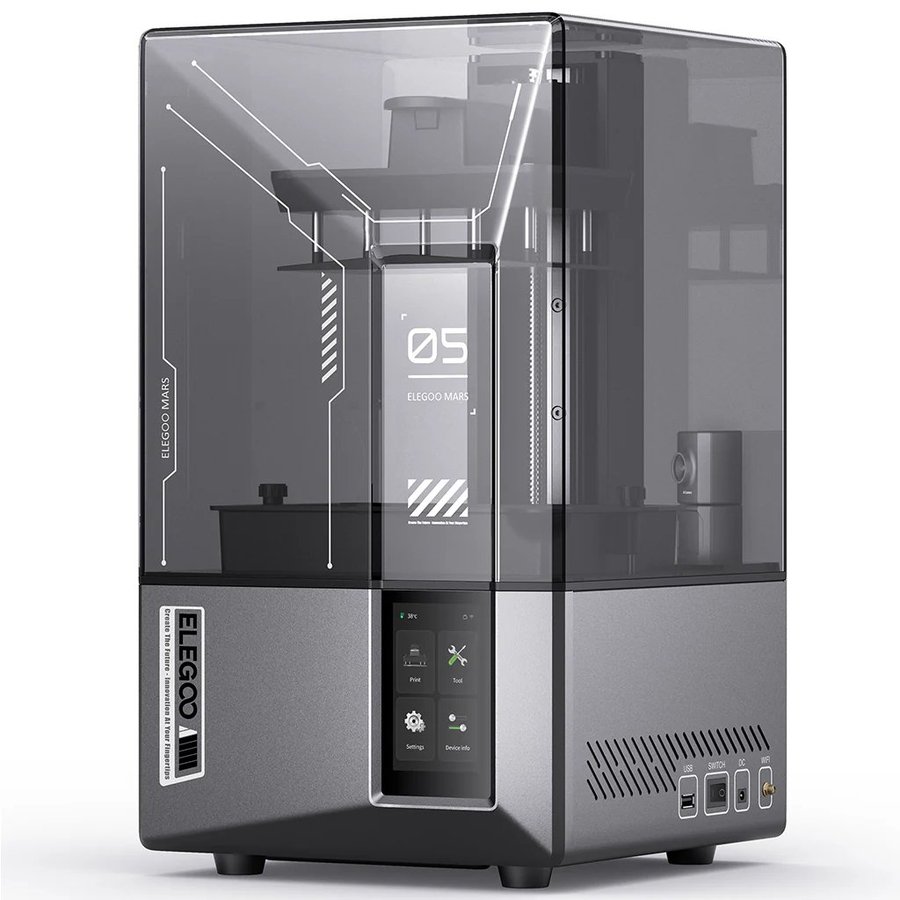
Elegoo Mars 5 Ultra
9K resolution, tilt-vat mechanism (eliminates the biggest beginner failure mode), no manual leveling. About $269. The default starter pick for 2026.
Best step-up resin
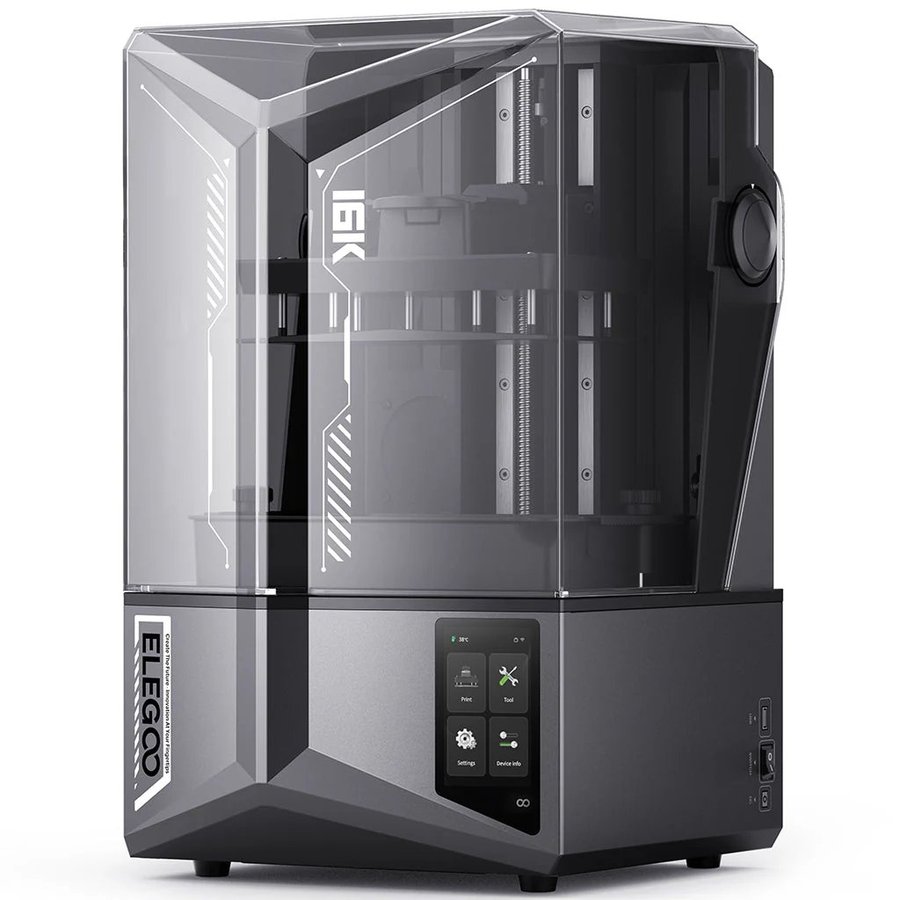
Elegoo Saturn 4 Ultra 16K
16K resolution, smart tank heating, AI failure detection, WiFi cluster printing. About $549. The consensus best-overall resin printer for hobbyists in 2026.
Want more options? These six are the safest entry-point picks. The full buyer’s guides cover the wider range across price tiers, skill levels, and use cases.
The cornerstone buyer’s guide spanning every category: beginner, mid-range, prosumer, large-format, dual-extruder, and professional. The right starting point if you don’t yet know whether you want FDM, resin, or something else.
Full lineup across price tiers, bed-slingers and CoreXY, open and enclosed.
Entry to professional, including dental and large-format machines.
Frequently asked questions
Which is cheaper to run, FDM or resin?
FDM, by 2-3 times per print. Filament runs $15-25 per kilogram (about $0.02 per typical miniature), while resin runs $25-50 per litre (about $0.05 per miniature). On top of materials, resin requires regular FEP film replacement ($10-15 each, every 1-3 months), IPA for cleaning ($30 per gallon, used continuously), nitrile gloves, and LCD screen replacement every 2,000-3,000 print hours. First-year total: about $440 FDM vs $750 resin at entry tier.
Which 3D printer is better for beginners, FDM or resin?
FDM, for most beginners. The learning curve is gentler, the safety setup is minimal for PLA, the post-processing is faster, and the failure modes are less expensive when they happen. A first-time owner choosing between an FDM and a resin printer should buy FDM unless they specifically want detail-grade output for miniatures, jewellery, or dental work. Within FDM, the Bambu A1 mini at $200 is the easiest first printer in 2026.
What software do I need to 3D print?
A slicer (free) plus 3D model files. Slicers convert 3D models into the layer-by-layer instructions a printer follows; the main consumer options are Bambu Studio, OrcaSlicer, PrusaSlicer, and Cura for FDM, and Lychee Slicer, ChiTuBox, or the printer-vendor app for resin. All are free downloads. Slicers ship with auto-tuned profiles for every major printer, so a default-settings print on a new Bambu, Prusa, or Creality CoreXY usually succeeds without manual tuning. For model files, you can download from free repositories like Printables, MakerWorld, Thangs, and Thingiverse, or design your own in Fusion 360, Blender, or Tinkercad. See our slicers guide and model repositories guide for specific picks.
Can I print miniatures with an FDM printer?
Yes, but the result is not directly comparable to resin output. FDM miniatures show layer lines (0.1mm minimum on consumer machines) and lose fine detail under 0.5mm features. CoreXY printers with 0.2mm nozzles can produce acceptable tabletop miniatures, but if the surface quality matters (for example, you intend to paint and display the model on a shelf), resin is the right tool. For terrain pieces, bases, and bulk gaming pieces, FDM is fine and often preferred for cost reasons.
Is resin printing safe for apartments?
Only with dedicated ventilation. Uncured resin emits VOCs (volatile organic compounds) that require external ducted ventilation, not just a window crack or an internal filter. IPA used for cleaning is flammable. Required PPE (nitrile gloves, splash-rated glasses, half-face respirator) is non-negotiable. Many apartment-dwellers successfully run resin printers in a vented closet, a window-vented bathroom, or with a sealed enclosure ducted to a window. If none of those is feasible in your space, FDM with PLA is the right alternative. See our resin fume management guide.
Can I print functional parts with a resin printer?
Yes, with tough or engineering resins. Standard resin is brittle and unsuitable for parts under mechanical load, but tough resins (Siraya Tech Tenacious, Anycubic ABS-Like Resin Pro 2) approach ABS-like properties. The trade-off is cost: tough resins run $50-80 per litre vs $15-25 per kilogram for FDM filaments with similar mechanical specs. For most functional applications (jigs, fixtures, brackets, snap-fits), FDM with PETG or nylon is the more economical choice. Resin functional parts make sense when fine detail matters alongside the mechanical requirements (small gears, intricate housings).
How accurate are FDM and resin 3D printers?
Consumer FDM machines hold ±0.2mm to ±0.5mm tolerances across a build, with high-end CoreXY machines (Bambu X1 Carbon, Prusa Core One) reaching ±0.1mm with a tuned profile. FDM parts are dimensionally consistent across hundreds of repeat prints once dialled in. Resin printers have finer raw pixel resolution (14-24 micron XY) but parts shrink 0.5-2% during UV cure depending on resin and post-cure protocol; calibration with reference cubes corrects for this, and dental and engineering workflows on validated machines (Formlabs Form 4 with cleared resins) routinely achieve ±0.05mm or better after compensation. For fit-critical assemblies under 50mm, resin holds tighter absolute tolerances; for larger fit-critical parts where percentage shrink compounds, well-tuned FDM is more predictable.
Which is faster, FDM or resin?
It depends on what you’re printing. CoreXY FDM printers run at 500-600mm/s and typically beat resin on single small parts. Resin wins decisively on batch printing: every part on a build plate cures simultaneously per layer, so 50 miniatures take the same time as one. The crossover is around 5-10 parts: under that, FDM is faster; over that, resin wins. For a single large object (helmet, vase, full cosplay piece), FDM is the only practical option regardless of speed.
How big can each type print?
FDM consumer build volumes are 220-300mm in each dimension, with large-format options (Bambu H2D, Creality K2 Plus, Voron 2.4) reaching 350-500mm and industrial machines well beyond. Resin consumer build volumes are 150-220mm for Mars or Photon Mono class, 200-230mm for Saturn or M7 class, and up to 330mm on large-format consumer machines (M7 Max, Elegoo Jupiter 2). For anything over 300mm, FDM is the practical choice.
Do I need an enclosure for FDM?
Only if you plan to print high-emission materials (ABS, ASA, nylon, carbon-fibre composites) or in a cold room (below about 18C). PLA prints fine open-frame in any ventilated room. For engineering materials, an enclosed printer or aftermarket enclosure with activated-carbon filtration manages both warping and fume control. See our Best 3D Printer Enclosures 2026 guide for specific recommendations.
Do I need an enclosure for resin?
Strongly recommended for any serious resin work, and essential for non-water-washable resins. The enclosure should be ducted to outside through a window adapter or a permanent vent. Internal carbon filtration alone is not sufficient for resin VOCs. See the resin enclosure section of our enclosures guide for picks across price tiers.
How do I safely dispose of leftover resin and IPA?
Uncured resin and IPA contaminated with uncured resin are hazardous waste in most jurisdictions and cannot go down the drain or into household trash. The standard process is to fully UV-cure leftover liquid into a solid before disposal: pour into a shallow tray and leave in direct sunlight for several hours, or use a UV station for a few minutes. Once fully cured, the plastic is inert and goes into regular waste. Clean IPA can be filtered through a coffee filter and reused for several wash cycles before final disposal. Check local hazardous waste rules; many municipalities accept cured resin in normal trash but require uncured liquid resin to be taken to a hazardous waste drop-off. Never pour resin or resin-contaminated IPA into a sink or storm drain.
Which is louder, FDM or resin?
FDM is louder during operation (fans, stepper motors, gantry motion); resin is louder during the peel motion (the bed lifts noisily off the FEP film once per layer) but quieter overall. Enclosed FDM printers (Bambu P2S, Creality K1C) significantly reduce the noise floor. For a bedroom or shared-space setup where noise matters, an enclosed FDM printer or a resin printer with a lid is preferable to an open-frame FDM.
Does Bambu Lab require a cloud connection to print?
Not strictly. Bambu Lab printers default to a cloud-connected workflow (Bambu Cloud handles slicing storage, remote monitoring, and AMS profiles), but they also support a LAN-only mode that disables cloud features and keeps everything on your local network. You can also print from SD card with no network at all. Bambu’s cloud-first defaults make the out-of-box experience smoother than any competitor in 2026, but privacy-conscious owners can run them offline. Prusa, Voron, and most Creality and Elegoo models are local-first by default, with cloud features added optionally if you want them.
Can I have both FDM and resin in the same workshop?
Yes, and many serious hobbyists end up with both within a year or two. The two technologies don’t conflict in workshop layout: keep the resin setup in its own ventilated corner with sealed storage for IPA and uncured resin, and the FDM printer can sit anywhere else in the room. Many makers settle into an FDM-for-functional / resin-for-detail pattern after they’ve owned both for a while.
Which technology has lower failure rates?
FDM, for new owners. Bambu and Prusa machines have first-print success rates above 95% with default settings; older brands hover around 85-90%. Resin first-print success rates on entry-level machines (Mars 5 Ultra, Photon Mono 4) typically run 80-90% in the first month while users dial in exposure and supports, climbing toward 95% after experience. Professional resin machines (Formlabs Form 4) advertise 99% reliability. The biggest single reliability lever on either technology is buying from an established brand with active community support, not chasing budget-tier no-name machines.
Keep going
Once you’ve decided which technology fits your work, our dedicated guides cover the picks in depth:
If you’ve picked FDM, this is the buyer’s guide that covers the right picks across price tiers.
If you’ve picked resin, this is the buyer’s guide for the full range from entry to professional.
The full safety treatment for either technology, including PPE, ventilation, and emergency response.
230+ defined terms for both FDM and resin, with cross-references for every technical concept on this page.
For the broader conceptual overview, see What is 3D Printing?