
Open-frame 3D printers offer freedom and easy access, but they print into whatever environment surrounds them. Temperature drafts warp ABS corners. Ambient humidity softens Nylon. Stepper motor noise travels through walls. For resin printers, the stakes are higher still: photopolymer resin releases volatile organic compounds that are toxic in an unventilated space, making a proper enclosure a health necessity rather than just a print quality upgrade.
This guide covers every meaningful category across both FDM and resin printing, from budget fabric tents through premium insulated enclosures, rigid acrylic cabinets, and full furniture-grade workstations, to purpose-built resin enclosures with active carbon filtration and UV-blocking windows.
Quick picks by category
One standout recommendation per enclosure category.
Best budget 3D printer enclosure tent
A budget fabric tent provides the two things that matter most for most users: draft protection and basic thermal stability. In a room where the heating cycles on and off or where a window is open, even a thin fabric tent makes a measurable difference to print consistency with ABS and ASA. Budget tents fold away in minutes when not in use, need no tools to assemble, and cost less than a spool of quality filament. Their main limitation is insulation quality: single-layer fabric with a basic aluminum lining retains chamber heat less effectively than the engineered tri-layer construction of premium options. For occasional ABS or ASA printing in a reasonably controlled indoor environment, that difference rarely matters in practice.
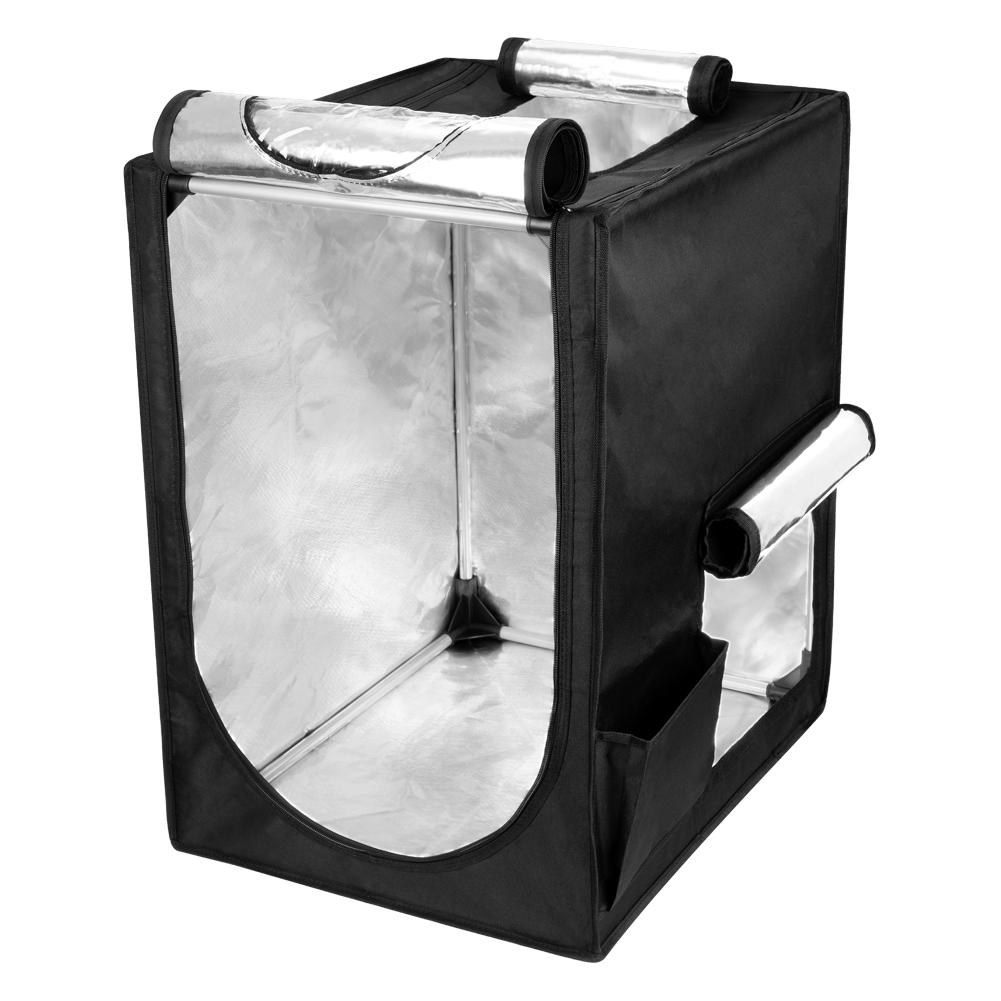
Creality Official 3D Printer Enclosure
Creality | budget fabric tent | 480 × 600 × 720mm
The Creality Official Enclosure is the default recommendation for Ender 3 and CR series owners for good reason. It is designed and sized specifically for Creality’s own printer lineup, which means the frame assembles without fuss, the access zippers land in the right places, and the internal dimensions, 480×600×720mm, leave enough clearance for a top-mounted spool holder alongside the printer. The aluminum foil inner lining is genuinely fire-retardant rather than just heat-reflective. This matters when running multi-hour unattended prints. Users printing ABS and ASA consistently report that even a budget tent provides enough thermal stability to prevent the corner lifting and layer separation that open-air ABS printing typically produces. Limitations worth knowing: the single-layer construction does not retain heat as well as insulated alternatives when ambient temperatures fall below around 18°C, and the viewing window fogs in cold rooms. For most users printing ABS or ASA in a normal indoor environment, it is all the enclosure they need at a fraction of the price of rigid alternatives.
Best for: Ender 3, Ender 3 V3, and CR series owners who want a straightforward, first-party tent enclosure for ABS and ASA printing at minimum cost.
Also consider
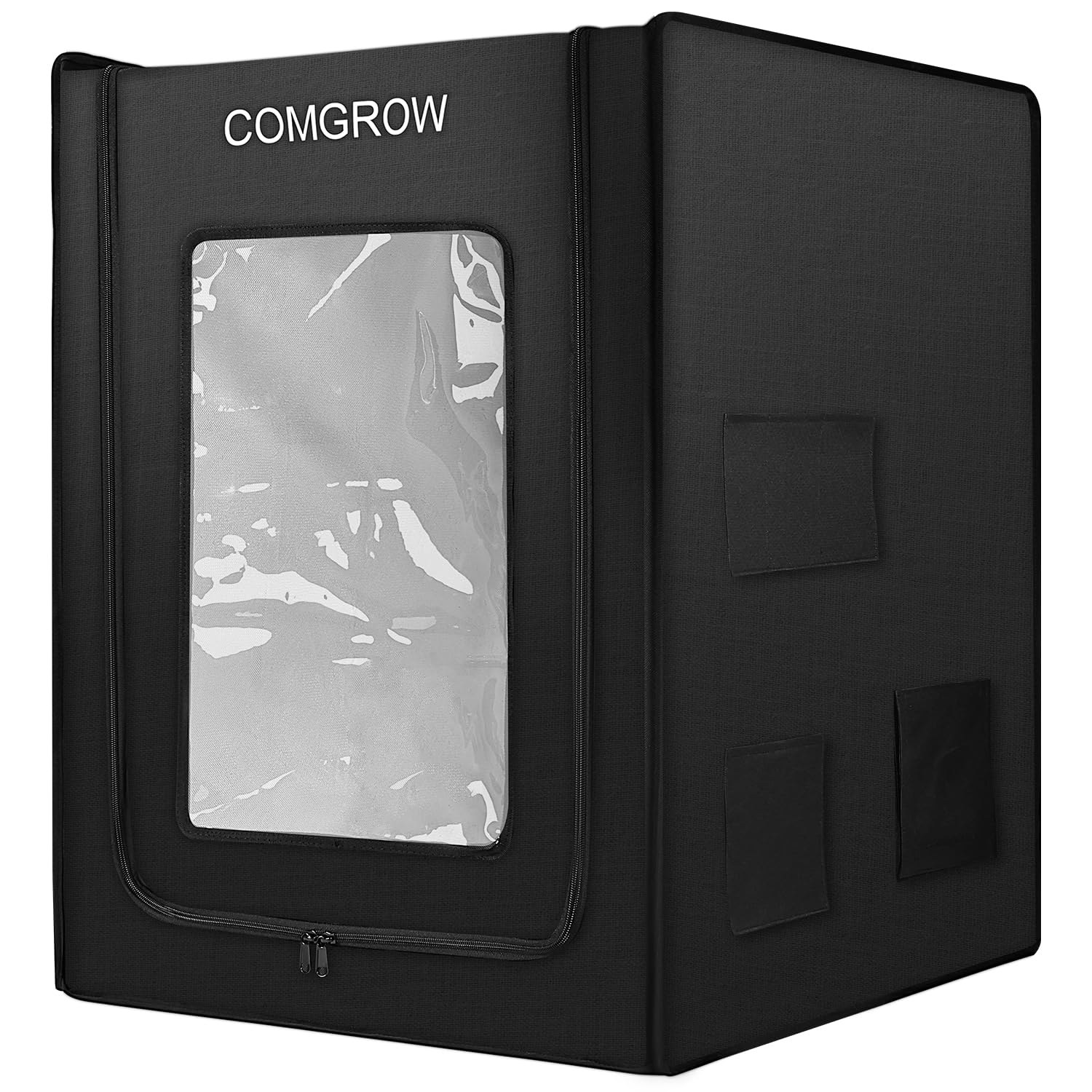
Comgrow 3D Printer Enclosure
Comgrow | budget fabric tent | 550 × 650 × 750mm
Comgrow is the first Amazon seller for Creality products and their enclosure reflects that familiarity with the product line. The 600D Oxford cloth outer layer adds durability over standard fabric alternatives and the internal aluminum foil lining is fire-rated. At 21.65×25.59×29.53 inches (550×650×750mm), it provides slightly more internal space than the Creality Official version and fits the same Ender 3, Ender 3 V3, and S1 Pro range alongside open-frame printers from other brands within those dimensions. A solid pick if the Creality Official is out of stock or if you need the slightly larger interior clearance.
Best for: Buyers who want a slightly larger internal footprint than the Creality Official, or whose printer falls within the 550×650×750mm envelope but is not part of the Creality range.
Best premium insulated 3D printer enclosure
Premium insulated enclosures are a different product to a budget tent. Rather than a single fabric layer with a reflective lining, they use engineered multi-layer construction. This typically means an outer fabric shell, a mid-layer of insulating foam or honeycomb material, and a reflective inner lining. The result is an enclosure that maintains chamber temperature significantly better in cold environments and at the extremes of what ABS, ASA, and Nylon printing demands. The difference is most visible in an unheated garage or basement in winter, where a budget tent may only reach 35°C passively while a well-insulated enclosure reaches 50°C under the same conditions.
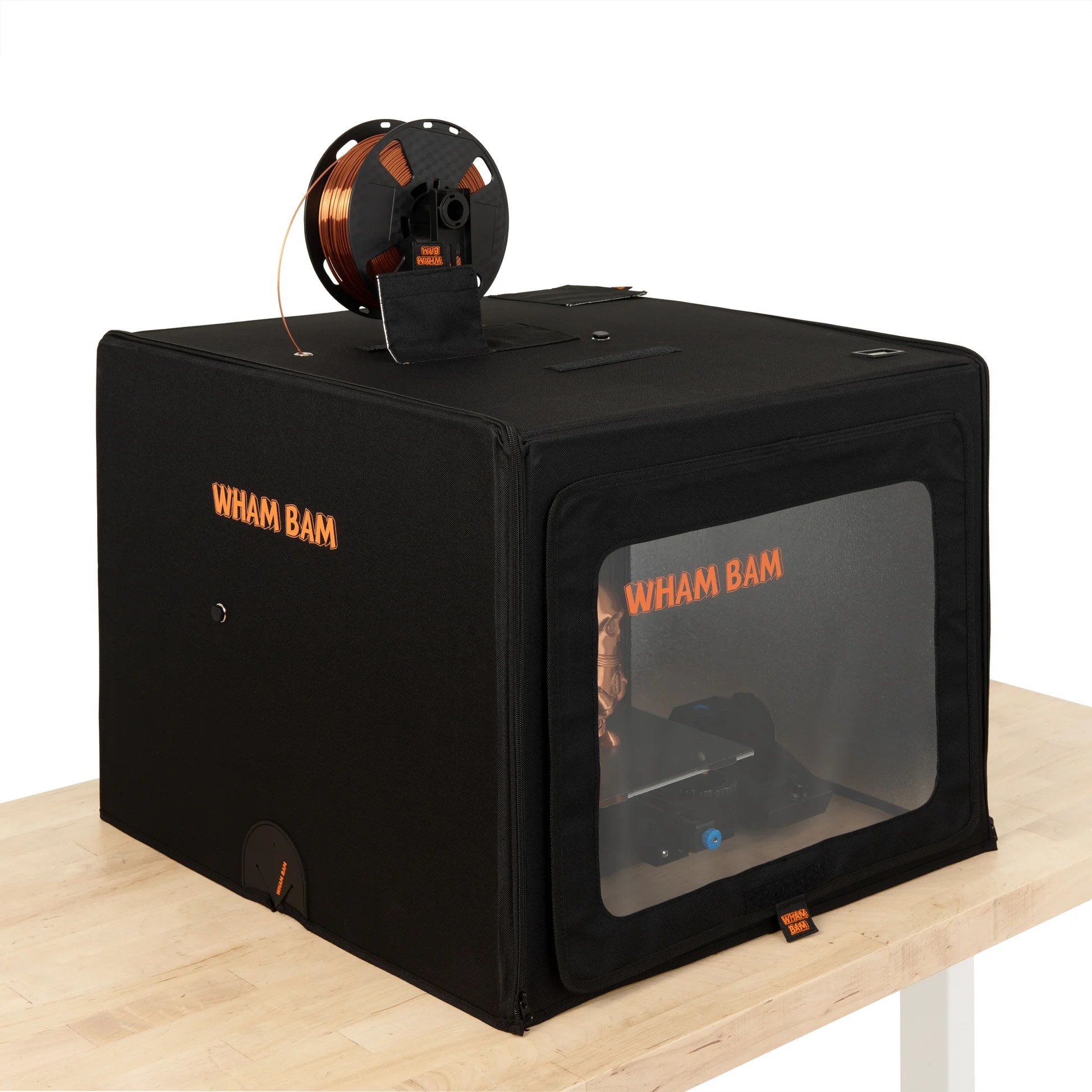
Wham Bam HotBox
Wham Bam | premium insulated tent | 568 × 568 × 484mm
The Wham Bam HotBox is the standout premium enclosure because its construction is genuinely different from everything else in this price range. Three layers (outer 600D Nylon, a honeycomb insulating core, and a reflective inner lining) hold chamber heat far more effectively than single-layer alternatives. The semi-rigid honeycomb panels hold their shape without a frame, which means setup is faster than most tents and the enclosure is noticeably more stable once assembled. Nine pre-cut filament pass-throughs accommodate virtually any top or rear spool setup including multi-material systems. The top surface is reinforced to support an AMS, spool holder, or other accessories placed on top. Internal dimensions of 568×568×484mm fit the vast majority of popular mid-size printers including the Bambu P1S, Bambu A1, Ender 3 V3, and Prusa MK4 with room to spare. One caveat worth stating clearly: the HotBox has no base panel. The bottom of the enclosure is open, which means fumes and heat can escape from underneath. For users printing ABS or ASA where temperature retention is the primary goal this is rarely a problem, but users concerned specifically about fume containment should use the VEVOR or a resin-specific enclosure instead.
Best for: Users printing ABS, ASA, or Nylon who need reliable chamber temperature retention in variable or cold environments, and who want a premium enclosure that folds away quickly when not in use.
Also consider
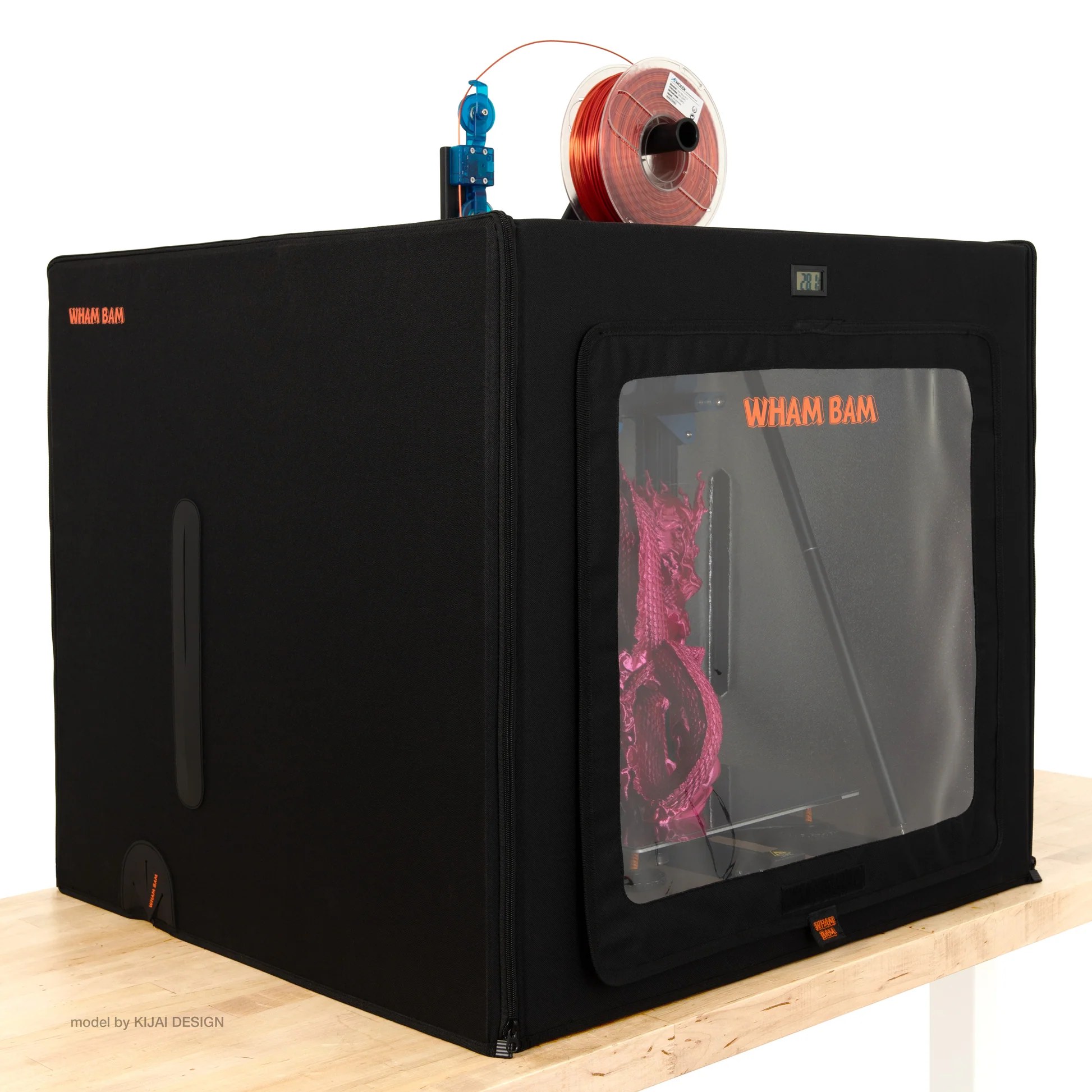
Wham Bam HotBox Mega
Wham Bam | premium insulated tent | 685 × 685 × 633mm
The HotBox Mega is the same product as the standard HotBox, identical three-layer construction, identical materials, identical build quality, in a larger size designed for 300×300 bed printers. Internal dimensions of 685×685×633mm comfortably accommodate printers like the Creality Ender 3 Max, CR-10, Kobra Max, Prusa XL, and other machines with larger footprints or taller build volumes that the standard HotBox cannot fit. If your printer has a 300×300 or larger bed, the Mega is the pick rather than the standard HotBox. The same no-base-panel caveat applies: fumes can escape from underneath, so ventilation or a carbon filter matters if air quality is a priority.
Best for: Users with 300×300 or larger-format printers who want the same premium insulated construction as the standard HotBox in a size that actually fits.
Best rigid acrylic 3D printer enclosure
Rigid acrylic enclosures replace soft fabric with solid transparent panels, and the difference shows in two important ways. First, visibility: a clear acrylic enclosure lets you monitor every layer of a print from any angle without opening anything, whereas a fabric tent offers only a small, often fogged, PVC window. Second, sealing: rigid panels with fitted edges hold chamber heat and contain fumes more effectively than a fabric zip, which matters when printing ABS in a room where air quality is a concern. The trade-off is permanence, a rigid enclosure cannot be folded away between print sessions and occupies its footprint on the bench full time.
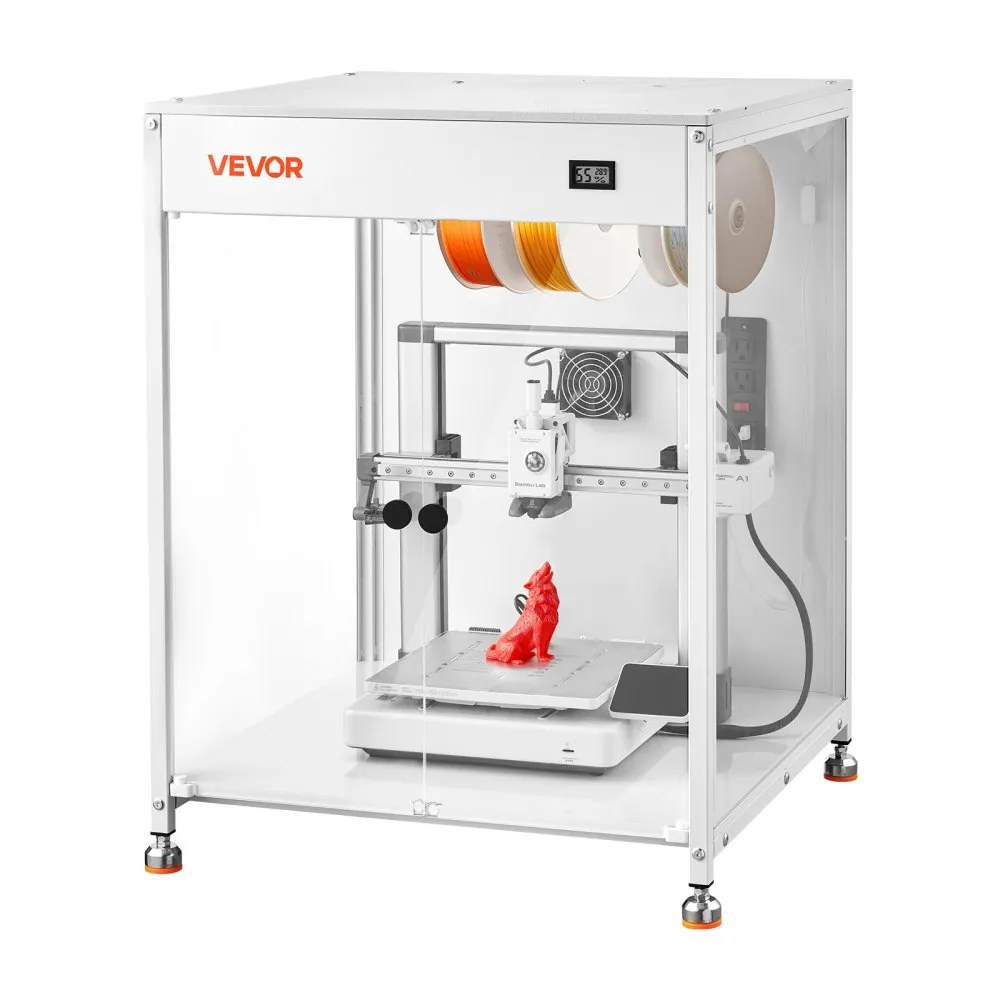
VEVOR Acrylic 3D Printer Enclosure
VEVOR | rigid acrylic | 600 × 600 × 800mm
The VEVOR Acrylic Enclosure is the most complete ready-to-use rigid enclosure at this price point. The 600×600×800mm internal space comfortably fits most popular mid-size printers including the Bambu Lab A1, Ender 3 V3 series, Elegoo Neptune 4 Pro, and Anycubic Kobra 2 Pro. The acrylic and PVC foam panel construction with a metal frame gives it genuine rigidity without the weight penalty of an all-acrylic build. At 33.7 lbs it is manageable to reposition if needed. The built-in thermo-hygrometer is a meaningful inclusion: knowing both temperature and humidity inside the enclosure is more useful than temperature alone, particularly when printing Nylon or ASA which are sensitive to ambient humidity as well as temperature. The ventilation fan and duct system lets you route hot air and fumes outside the workspace during and after printing, rather than waiting for them to dissipate naturally when you open the lid. LED lighting provides even illumination for monitoring prints without needing to open the enclosure. One limitation worth noting: the ventilation fan runs at approximately 52 dB, which is noticeable in a quiet office or bedroom. The fan can be switched off during printing and run briefly afterwards to clear fumes, which addresses most of the noise concern in practice.
Best for: Users who want a permanent, rigid enclosure with full visibility, built-in fume extraction, and temperature and humidity monitoring, without the cost or assembly complexity of a custom acrylic kit.
Also consider
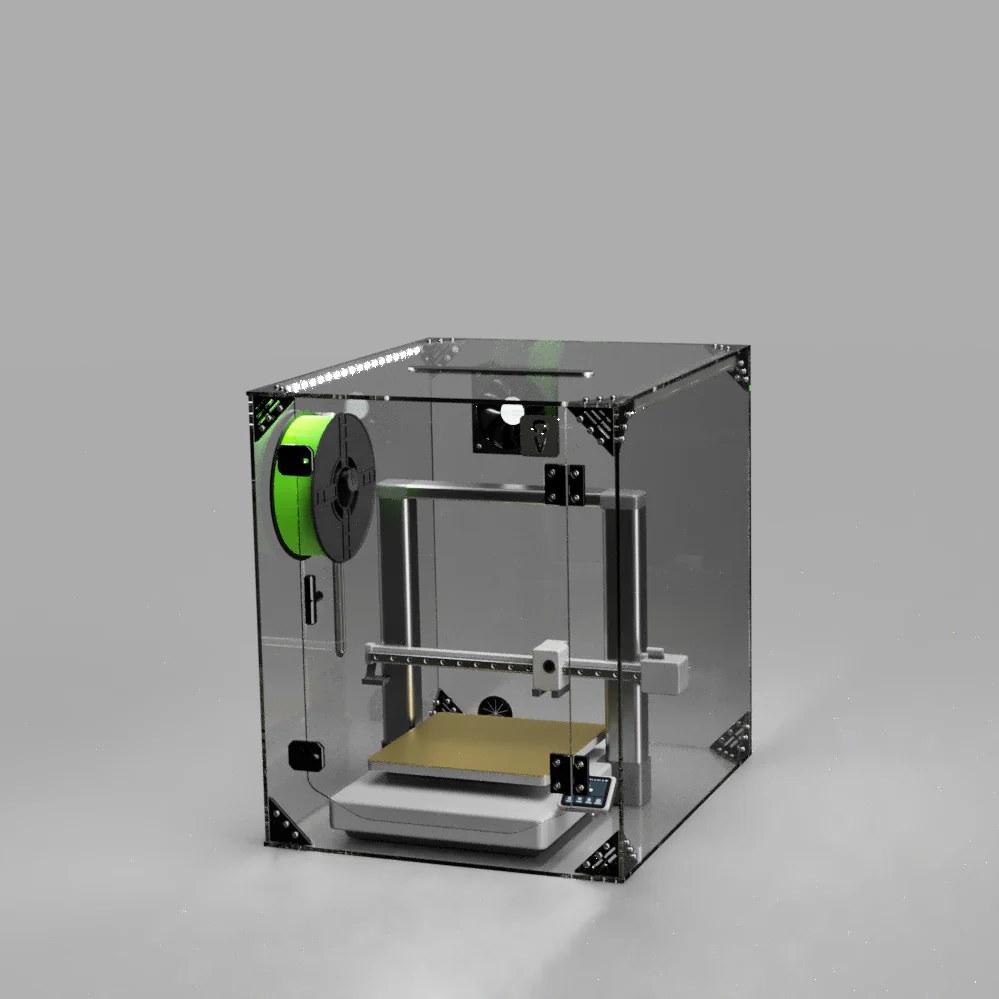
Clearview Plastics Utility Line Enclosure
Clearview Plastics | rigid acrylic | 605 × 605 × 600mm
Clearview Plastics is a small US manufacturer based in California that builds laser-cut acrylic enclosure kits to a noticeably higher standard than mass-produced alternatives. Their Utility Line is the non-printer-specific option in their range: a 605×605×600mm enclosure designed to fit any printer within that dimensional envelope rather than being cut to one specific model. The front panel and door use optically clear acrylic for genuine transparency, while the sides and top use white PVC panelling that is lighter and easier to cut for custom modifications if needed. Hardware and all necessary connectors are included; printed bracket parts are supplied as STL files to print yourself, which suits the target audience well. Optional upgrades including a carbon air scrubbing filter, vibration dampening feet, and exhaust fan housing are available directly. Community feedback consistently highlights Clearview’s customer service and build quality as differentiators over the comparable VEVOR option. The main trade-off versus the VEVOR is price: Clearview’s kits sit at a higher price point, and assembly requires more effort than unpacking a pre-built cabinet. The Utility Line is the right choice for users who want premium US-made acrylic construction and are comfortable with a modular assembly process.
Best for: Users who want premium US-made acrylic construction, universal printer compatibility within the dimensional envelope, and are comfortable with a modular kit assembly.
Best 3D printer furniture cabinet
A furniture-grade cabinet is a different product category from an enclosure that happens to sit around your printer. Rather than wrapping around a machine, a full cabinet integrates the printer as one component of a purpose-built workstation. The result is a unit that looks at home in a living room or home office, stores filament alongside the printer, significantly reduces noise transmission through its heavy panel construction, and provides a stable, consistent printing environment, all without the camping-tent aesthetic of a fabric enclosure. The trade-off is cost, assembly time, and floor space: these are large, permanent pieces of furniture.
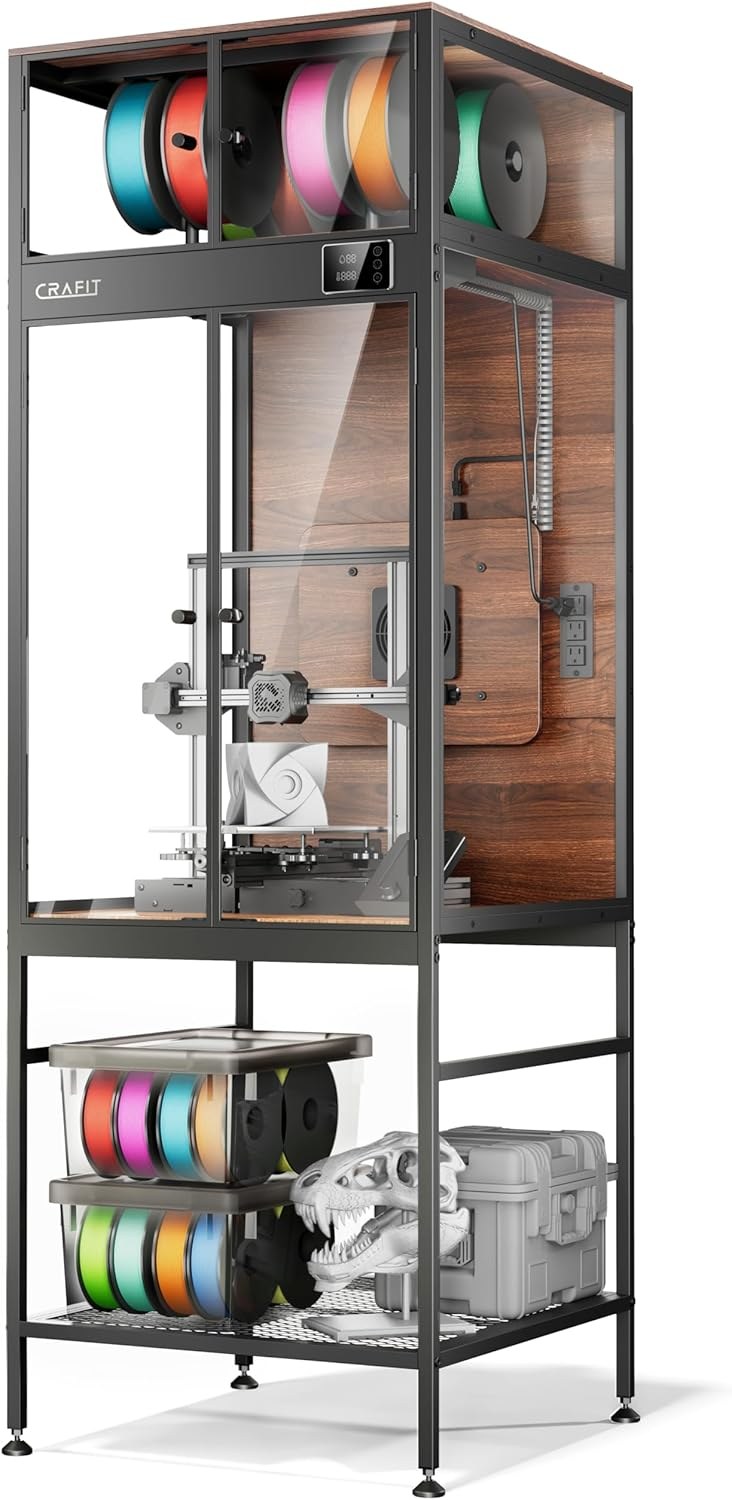
Crafit 3D Printer Cabinet
Crafit | furniture cabinet | fits up to 21.6 × 22 × 28.7 in
The Crafit is the most compelling product in the furniture cabinet category because it solves a problem that all other enclosures leave unaddressed: where do you put your filament? A carbon steel frame combined with heat-resistant wood panels and thick acrylic provides genuine structural rigidity and a 40% reduction in noise versus open printing, according to independent testing. The printer sits in the upper chamber with a clear acrylic door for monitoring, while the lower section provides storage for over 48 filament spools across two rack levels. Your entire filament collection is organised in the same unit as your printer, with direct feed-through access. A built-in power strip with three AC outlets powers the printer and peripherals from the cabinet itself. The thermo-hygrometer, LED lighting, and ventilation fan are all present, as they are in the VEVOR cabinet, but the Crafit adds the furniture-grade construction and integrated filament storage that justify the higher price. One important caveat: the door is not fully sealed, which means fume containment is limited compared to an enclosure with a tighter perimeter seal. For users whose primary concern is air quality rather than temperature stability and noise, this is worth factoring in. Community feedback is consistently positive on build quality and the practical value of having filament storage co-located with the printer. The honest limitations are assembly time (this is a substantial piece of flat-pack furniture and takes a few hours) and the price, which is significantly higher than any tent or standalone rigid enclosure. For users with a serious filament collection who print regularly and care about their workspace aesthetics, it is the best single purchase that covers enclosure, storage, and workstation in one unit.
Best for: Serious hobbyists and home workshop users with a substantial filament collection who want a single purchase that covers enclosure, filament storage, and workstation in one furniture-grade unit.
Also consider
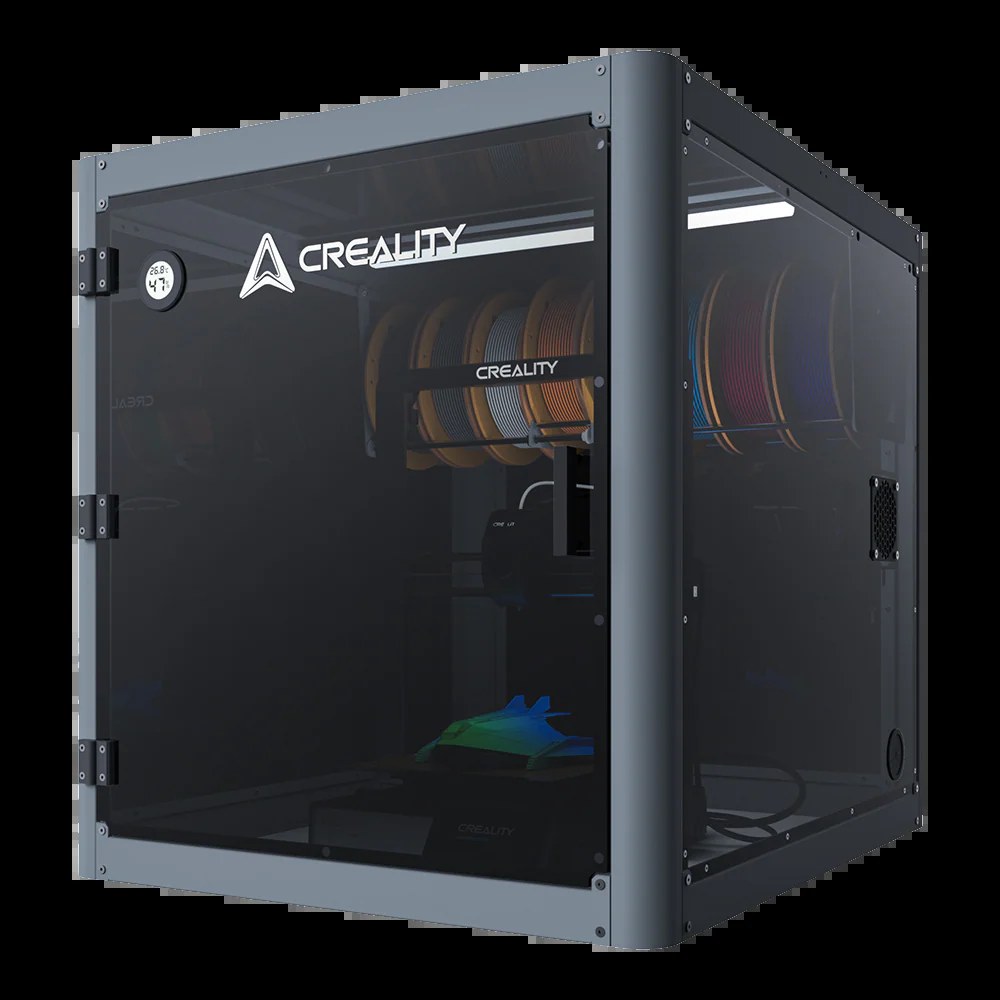
Creality Multifunctional Protective Cover
Creality | furniture cabinet | 600 × 700 × 648mm
Creality’s Multifunctional Protective Cover is the natural companion pick to the Crafit for users who are already deep in the Creality ecosystem. Where the Crafit is a brand-agnostic furniture cabinet that fits any printer within its dimensional envelope, this is a Creality-designed unit built specifically around the Ender 3 series, Creality Hi, and CR series printers. That specificity shows in the fit and finish. The sheet metal frame paired with transparent PC side panels gives it genuine rigidity without the wood-and-acrylic construction of the Crafit, making it slightly lighter and easier to assemble. The standout feature relative to the Crafit is the built-in 8-spool filament rack alongside an activated carbon filtration system, both integrated as standard rather than as optional extras, meaning odour containment is more effective out of the box. LED lighting and a thermo-hygrometer are included. The compatibility caveat is real: Creality officially lists this for their own printer families, so buyers with a Bambu, Prusa, or third-party machine should confirm their printer’s dimensions fall within the 600×700×650mm internal envelope before purchasing. At around $270, it is priced similarly to the Crafit and the right choice for existing Creality users who want a first-party cabinet with better carbon filtration than any of the other picks in this category.
Best for: Creality printer owners who want a first-party furniture cabinet with integrated carbon filtration and an 8-spool filament rack, without the larger footprint and assembly complexity of the Crafit.
Best resin 3D printer enclosures
Resin printer enclosures solve a fundamentally different problem to FDM enclosures. Where FDM enclosures are primarily about temperature stability and noise, resin enclosures exist first and foremost for health and safety. Photopolymer resins release volatile organic compounds (VOCs) during printing that are toxic, and some resins also emit compounds that are sensitising with repeated exposure even at low concentrations. Printing resin in an unventilated room, even occasionally, is not a safe practice. A proper resin enclosure addresses this with a six-sided fully sealed structure, an active ventilation fan that draws air through a carbon filter before exhausting it (ideally outside), and a UV-blocking observation window that lets you monitor prints without opening the enclosure or exposing uncured resin to ambient light. These are not optional extras. They are the core function of the product.
What to look for in a resin enclosure
External ventilation is not optional, it is the point. An enclosure without active extraction to outside concentrates fumes inside and delivers a burst of high-concentration VOCs the moment you open the door. It is worse than printing in a ventilated room without an enclosure. The correct setup is a sealed enclosure with a fan and ducting routed outside a window. The carbon filter reduces odour for your neighbours but does not make filtration-only use safe. Variable-speed fan: slow speed during printing for quiet operation, full speed before and while opening the enclosure to clear the concentrated fumes inside. A fixed-speed fan cannot do this. 3-layer carbon filtration: single-sheet carbon filters exhaust quickly with heavy or engineering resins; multi-layer filtration lasts longer and handles higher VOC loads. Purpose-built UV-blocking window: standard PVC lets through enough UV to slowly cure exposed resin, clouding the vat. Sealed base panel: resin fumes are denser than air and pool downward; an enclosure without a base lets fumes escape at floor level regardless of how well the sides are sealed. Dimensions: measure your printer with the build plate at maximum height and lid fully open, since the flip-up lid on machines like the Saturn 4 Ultra needs overhead clearance inside the enclosure.
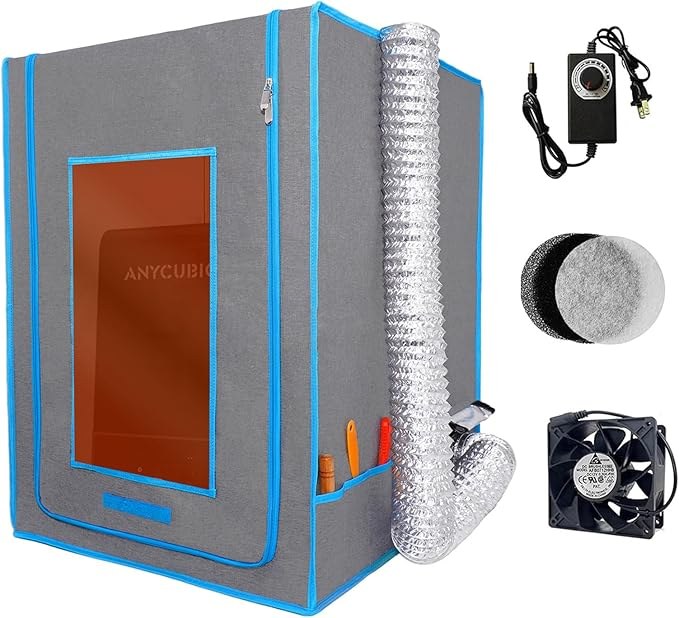
DORUNDEA Resin 3D Printer Enclosure
DORUNDEA | resin enclosure | 21 × 25 × 29.5 in
The DORUNDEA leads this category because it gets the hardware right in ways the YOOPAI does not. The frame is stainless steel rather than fiberglass, which means it is meaningfully more rigid and stable, with no fan vibration shifting the enclosure on a smooth desk and no wobble when you reach in to adjust the printer. The filtration is three layers rather than a single carbon sheet, which multiple reviewers confirm makes a material difference with heavier resins that produce higher VOC loads. Critically, the 12V fan runs on variable voltage from 3 to 12V via a speed controller, so you can run it at near-silent low speed during printing and step it up when you open the enclosure for the brief burst of concentrated fumes that comes out, which is precisely the moment you need maximum extraction. The UV-blocking window is purpose-built rather than UV-treated PVC, so ambient light protection is more reliable. Physical dimensions are 21×25×29.5 inches, compatible with Anycubic Photon Mono, Elegoo Saturn and Mars 3/4, and Creality Halot series. One limitation to be honest about: the viewing window develops permanent folds from packaging that can obscure fine details, so if you need crisp visual monitoring for time-lapse photography you may want an internal camera rather than relying on the window. Weight is 3.96 lbs, light enough to move easily. For anyone printing resin indoors regularly, this is the product to buy.
Best for: Anyone printing resin indoors who wants the best off-the-shelf hardware, stainless frame, proper multi-layer filtration, and variable-speed fan control, in a purpose-built resin enclosure.
Also consider
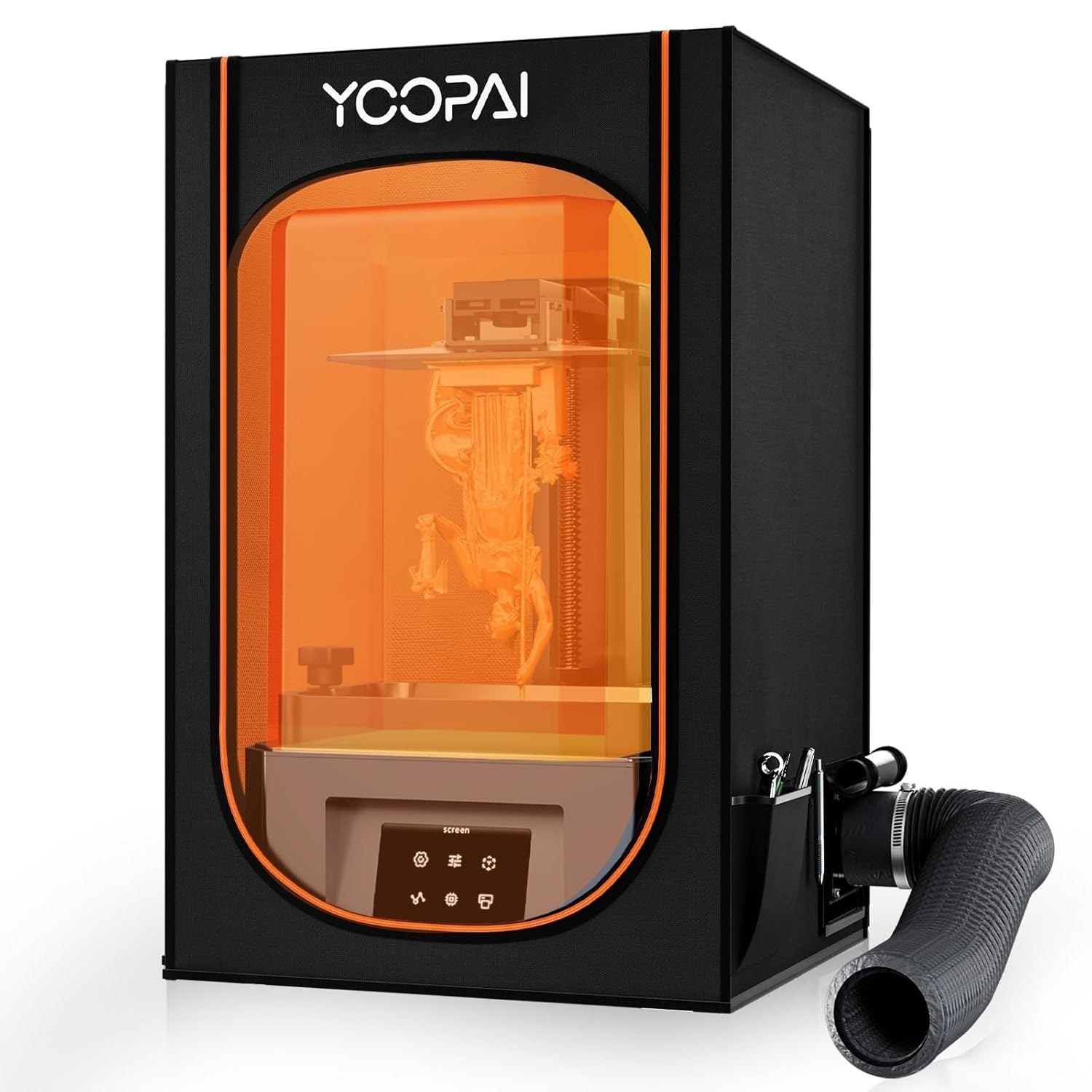
YOOPAI Resin 3D Printer Enclosure
YOOPAI | resin enclosure | 395 × 425 × 685mm internal
The YOOPAI is the right choice if you want a lower price point or need a slightly larger internal footprint than the DORUNDEA. At 395×425×685mm actual internal dimensions, it fits the full Elegoo Saturn, Mars, and Photon Mono range including the Saturn 4 Ultra, confirmed by community users, with a touch more depth than the DORUNDEA. The six-sided sealed structure has a proper base panel, the PVC observation window is UV-blocking, and the exhaust fan with expandable ducting pipes routes fumes directly outside. Where it falls short of the DORUNDEA is in hardware quality: the fiberglass frame is less rigid than stainless steel, the single-layer carbon filter sheet is less effective than a three-layer system for heavy resins, and the fan runs at a fixed speed rather than variable. For occasional resin printing with standard resins, that gap rarely shows up in practice. For regular printing with engineering or tough resins that produce higher VOC loads, the DORUNDEA’s better filtration becomes relevant.
Best for: Occasional resin printers using standard resins who want a lower price point or need the slightly larger internal footprint for a Saturn 4 Ultra or larger machine.
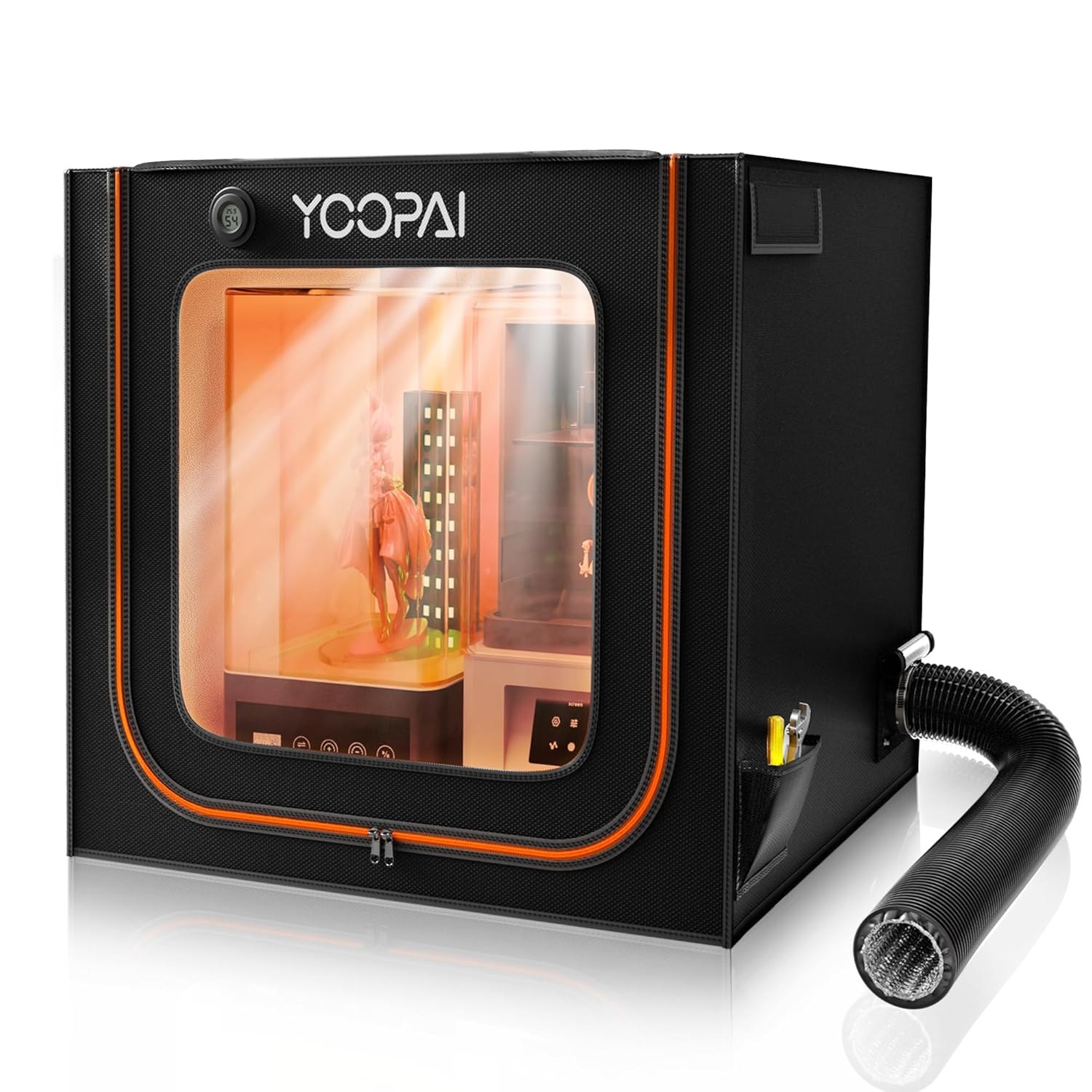
YOOPAI Large Resin Enclosure
YOOPAI | resin enclosure | oversized internal volume
If you run one of the larger resin machines, a 12K or 16K mono-LCD printer with a tall build volume such as the Saturn 4 Ultra 16K or an Elegoo Jade, the standard-size enclosures leave no clearance once the flip-up lid is raised. The YOOPAI Large is the same six-sided sealed design as the standard YOOPAI with an enlarged internal envelope sized for those machines, including overhead room for the lid to open fully inside the enclosure. It keeps the UV-blocking observation window, the sealed base panel, and the exhaust fan with expandable ducting that routes fumes outside. The same hardware caveats as the standard YOOPAI apply: the frame is fiberglass rod rather than steel, and the carbon filtration is single-layer, so the case for it over the DORUNDEA is purely about fit. If your printer physically does not fit a standard enclosure, this is the pick; if it does, the DORUNDEA’s better hardware wins. Measure your machine with the lid fully open before ordering, since overhead clearance is the specific reason to choose this model.
Best for: Owners of large-format resin printers (Saturn 4 Ultra 16K, Elegoo Jade and similar) whose machine does not fit a standard-size enclosure with the lid open.
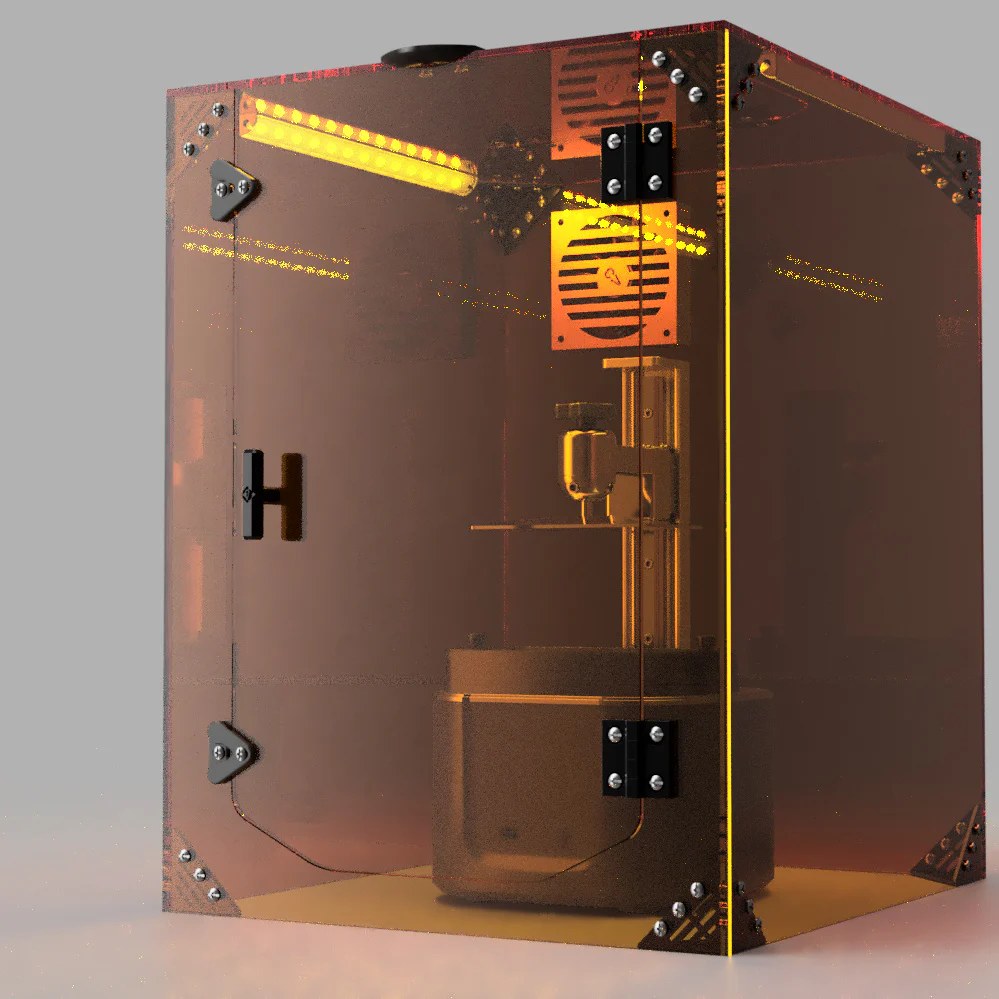
Clearview SLA Enclosure V2.0
Clearview Plastic | rigid resin enclosure | made to order
For users who want a rigid, permanent resin enclosure rather than a fabric-and-rod kit, Clearview’s SLA V2.0 is the build-quality option. It is a made-to-order acrylic enclosure built by a US maker, with cast acrylic panels that are genuinely amber UV-filtering rather than tinted PVC, so uncured resin in the vat is properly protected from ambient light during long prints. The sealing is tighter than any tent-style enclosure, which matters more for resin than for FDM because of the fume containment requirement, and the rigid structure means no flexing when you open the front to swap the build plate. Clearview offers cutouts and ducting ports made to your specification, so you can route an extraction fan exactly where your room layout needs it. The trade-offs are price and lead time: as a made-to-order rigid acrylic product it costs considerably more than the DORUNDEA and ships on a build schedule rather than from stock. For a permanent resin station where you value optical clarity, a precise fit, and proper UV filtering over cost, it is the best-made enclosure here.
Best for: Users building a permanent resin station who want a rigid, made-to-order acrylic enclosure with proper amber UV filtering and custom ducting, and will pay more and wait for build quality.
For heavy users and multi-printer setups
If you run more than one printer, or print high-temperature engineering materials continuously, the single-printer enclosures above stop making sense. At that point the better answer is borrowed from the indoor-growing world: a fabric grow tent paired with an inline duct fan. Grow tents are cheap relative to their size, come in large floor-standing dimensions that swallow two or three printers, have a reflective insulated interior that holds heat well for ABS and ASA, and are designed from the outset to mount a powerful inline extraction fan with ducting. The AC Infinity CLOUDLAB range is the pick here because AC Infinity also makes the best inline fans, so the tent and the extraction system come from one ecosystem and fit together properly.
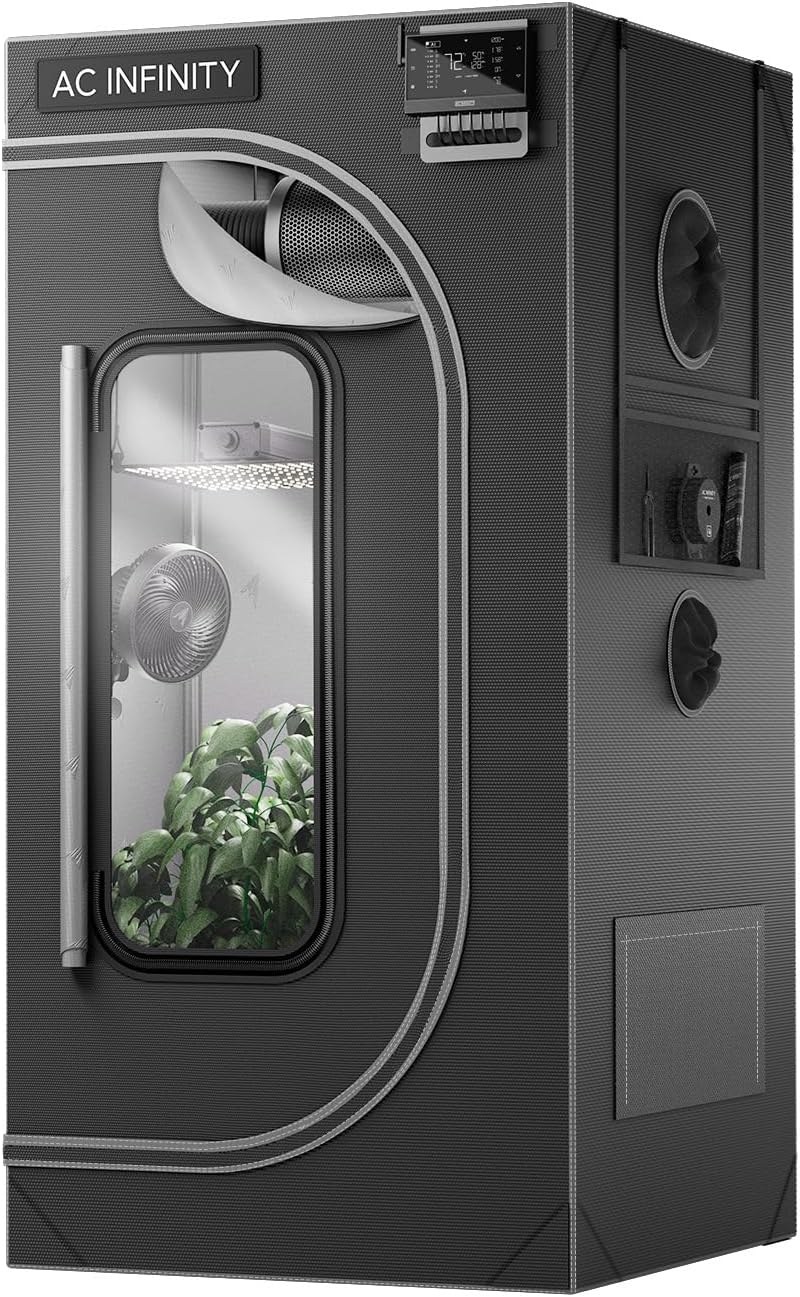
AC Infinity CLOUDLAB 422
AC Infinity | insulated tent enclosure | 24 × 24 × 48 in
The CLOUDLAB 422 is the enthusiast and small-workshop answer to housing multiple printers or running high-temperature materials continuously. It is a purpose-strengthened tent built on AC Infinity’s grow-tent platform, with a thick 2000D diamond-mylar shell, steel-poled frame rated to hold significant weight, and a sealed, insulated interior that retains chamber heat far better than a thin fabric tent. Pre-cut ducting ports, cable pass-throughs, and a viewing window are built in. The reason to buy into the AC Infinity ecosystem rather than a generic grow tent is the matching CLOUDLINE inline fan: it is the quietest and best-controlled extraction fan on the market, with a programmable controller that can ramp airflow up and down. Pair the tent with the fan kit and you have a properly extracted, heat-stable multi-printer chamber for a fraction of what an equivalent rigid enclosure would cost, and you can route the exhaust outside. The CLOUDLAB comes in several sizes; the 422 (24×24×48 inches) suits one large or two compact printers, with larger models for bigger fleets. The fan is sold separately, which is the one thing to budget for, since the tent on its own does not extract anything.
Best for: Multi-printer setups and heavy users running ABS/ASA or other high-temperature materials who need a large, heat-stable, properly extracted chamber and want the matching inline fan from the same ecosystem.
How to choose a 3D printer enclosure
Before you buy, work through these six factors in order. The first question, FDM or resin, decides almost everything else, because the two have opposite priorities.
1. FDM or resin: decide this first
For FDM, an enclosure is mostly about heat retention (ABS and ASA need a warm, draft-free chamber to avoid warping and layer splitting) and noise reduction. Fume containment matters but is secondary. For resin, the enclosure exists first for fume extraction and UV blocking; heat is not the point. Buying an FDM-style enclosure for a resin printer leaves you with no real ventilation, which is the one thing a resin printer genuinely needs.
2. Internal size and printer clearance
Measure your printer at its largest: build plate raised to maximum height, any flip-up lid fully open, spool holder and filament path included. Then add clearance on every side so you can reach in to clear a jam or remove a print. The most common buyer complaint across every enclosure is “it fit the printer but I cannot get my hands in around it”. Buy bigger than the bare printer footprint.
3. Temperature stability (FDM)
If you print ABS, ASA, polycarbonate, or nylon, heat retention is the whole game. An insulated or rigid enclosure holds the warm air the heated bed produces and prevents the cold drafts that cause warping and cracking. A thin single-layer fabric tent helps a little; an insulated tent or rigid panel enclosure helps far more. If you only print PLA and PETG, you do not need an enclosure for temperature reasons at all, since both print fine open and PLA can actually benefit from extra cooling.
4. Fume management and fire safety
All 3D printing emits something. FDM releases ultrafine particles and VOCs, more from ABS and ASA than from PLA; resin releases toxic VOCs continuously. An enclosure that traps fumes without extracting them concentrates the problem and dumps it on you when you open the door. For ABS/ASA and all resin printing, plan for active extraction to outside, not just a carbon filter. On fire safety, never leave a heated printer running unattended in a sealed flammable space without a smoke detector nearby; an enclosure contains a fault but does not prevent one, so pair it with a smoke alarm and consider routing power through a switch you can cut externally. See our 3D printing safety guide for the full ventilation and fire-safety rundown.
5. Material and build type
Fabric tents are cheap, light, foldable, and good insulators, but they offer poor fume sealing and you cannot see in well. Rigid acrylic or PC enclosures give clear visibility, a tighter seal, and a permanent installation, at higher cost and weight. Furniture cabinets add storage and noise reduction and look like furniture, but cost the most and take the most space. Match the build type to whether you value portability and price (tent), visibility and sealing (rigid), or storage and aesthetics (cabinet).
6. Noise, monitoring, and extras
If your printer shares a room you sleep or work in, noise reduction may matter as much as temperature; rigid and cabinet enclosures dampen sound far more than thin tents. Consider whether you want a viewing window or a camera port for monitoring, integrated lighting, a thermo-hygrometer to actually see the chamber conditions, and feed-through ports for filament from an external dry box. These extras separate a usable enclosure from a frustrating one over months of daily use.
3D printer enclosures compared
The top pick in each category at a glance. Match the type to your printer and materials first, then the size to your machine.
| Enclosure | Type | Best for | Size class | Ventilation |
|---|---|---|---|---|
| Creality Official Tent | Fabric tent | Budget FDM (Ender size) | Compact | Passive |
| Wham Bam HotBox | Insulated tent | Premium FDM, ABS/ASA | Standard | Heat retention focus |
| VEVOR Cabinet | Rigid acrylic | Value rigid enclosure | Standard | Vent fan + thermo |
| Crafit Cabinet | Furniture cabinet | Storage + workstation | Large | Vent fan, unsealed door |
| DORUNDEA Resin | Sealed resin | Resin, best hardware | Standard | 3-layer + variable fan |
| AC Infinity CLOUDLAB 422 | Insulated tent | Multi-printer, heavy use | Extra large | Inline fan ready |
Frequently asked questions
Where to go next
An enclosure is one part of a good setup. To pick the machine that goes inside it, start with our guide to the best 3D printers, or for resin specifically, the best resin 3D printers. If you are buying an enclosure to run ABS, ASA, nylon, or polycarbonate, read our best engineering filaments guide for the materials that actually need a heated chamber, and keep them dry with the right filament dryer. Resin printers also need a wash and cure station to finish parts. And before you print anything that emits fumes, read our 3D printing safety guide for the full ventilation and fire-safety picture.