Moisture is the most common cause of stringing, bubbling, and weak layer adhesion in 3D prints. A filament dryer removes that moisture at the source, keeping spools dry during printing rather than just before it. Not every filament needs drying: PLA prints well from an open spool in most home environments, but PETG, TPU, Nylon, and carbon fibre composites absorb moisture quickly enough that a dryer pays for itself in failed prints avoided.
The market in 2026 covers everything from compact single-spool units to four-spool drying stations and engineering-grade machines reaching 110°C. This guide covers every meaningful category with verified specifications and honest assessments of each pick’s limitations alongside its strengths.
Quick picks by category
One standout recommendation per filament dryer category.
Best overall filament dryer
The best all-round dryer balances drying capacity, temperature range, display quality, and build quality at a price that does not require justification. For most users who print across multiple materials with one or two machines, a dual-spool dryer that reaches 70°C is the sensible default. It handles everything from PLA through to most Nylon grades, and two exit ports mean you can feed two printers simultaneously or keep a spare spool drying while the first is actively printing.
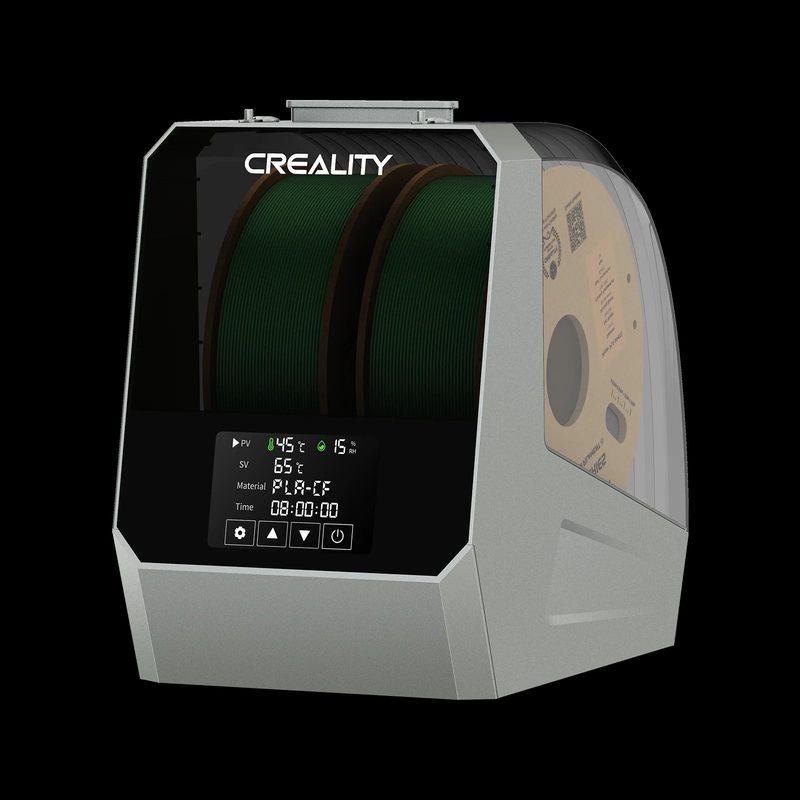
Creality Space Pi Plus
Creality | 2 x 1 kg | 45 to 70°C
The Space Pi Plus holds two 1 kg spools simultaneously, dries both at 45 to 70°C with 360° PTC airflow, and includes a 4-inch touchscreen with one-key presets for 12 filament types including PLA-CF, PETG-CF, and PA-CF. Four filament exit ports with PTFE tubes let you print from both spools at once, or run two separate printers from a single dryer. Independent community testing on the Bambu Lab forum consistently rates the Space Pi family above the Sunlu S2 on temperature accuracy and reliability. The 48-hour programmable timer and power-off memory make it genuinely set-and-forget. One limitation worth knowing: the Space Pi Plus does not actively exhaust humid air from the chamber, so in very humid environments some users fit a small DIY vent. It is a minor gripe for an otherwise excellent machine at this price point.
Best for: Users with one or two printers who work across PLA, PETG, TPU, ABS, and standard Nylon grades and want a reliable dual-spool dryer with a proper touchscreen interface.
Also consider
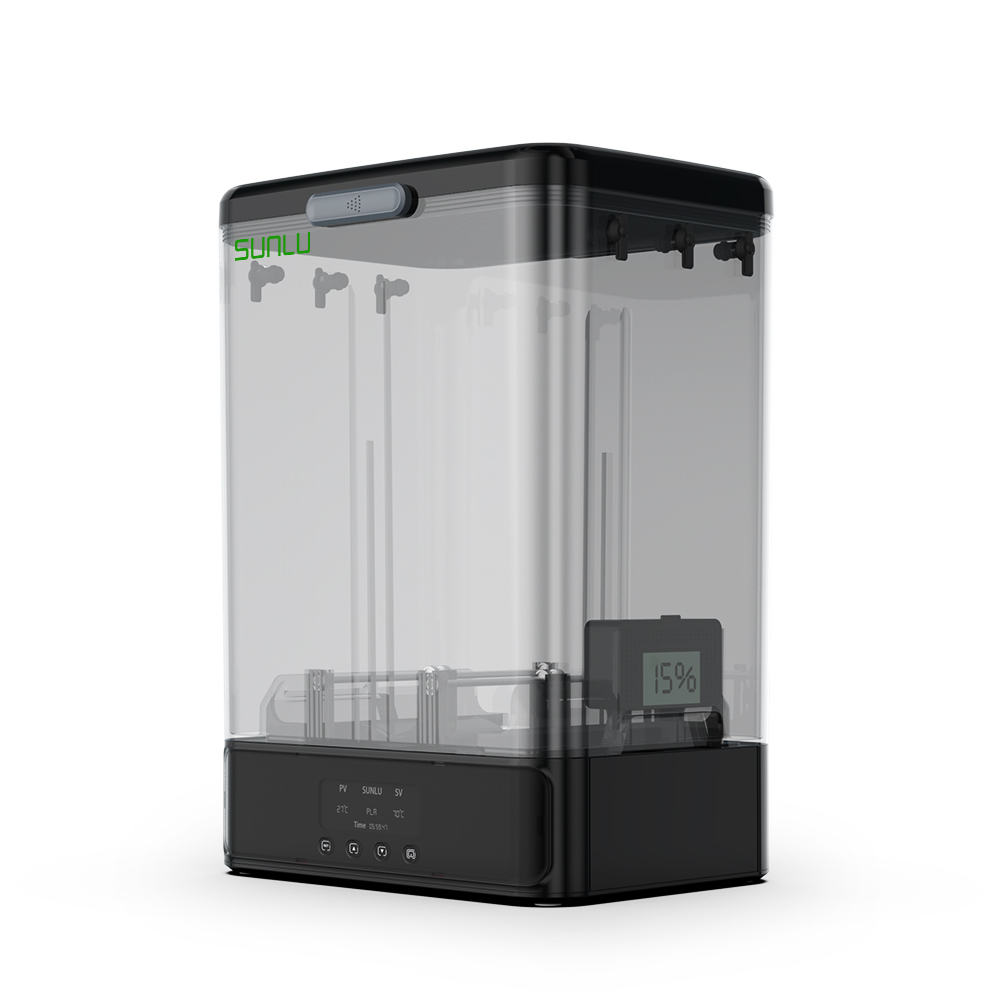
Sunlu FilaDryer SP2
Sunlu | 2 x 1 kg or 1 x 3 kg | up to 70°C
The SP2 takes a different approach to dual-spool drying with a modular, airtight design. The heating platform separates from the sealed storage box, so your filament stays sealed and moisture-protected even when the heater is switched off. It handles two 1 kg spools or a single 2 to 3 kg spool, reaches 70°C in around 15 minutes, and includes three rubber-sealed filament exit ports per side. The independent hygrometer gives you genuine humidity readings rather than a temperature-only estimate. The modular format does take up more desk space than a conventional dryer, which is worth factoring in for smaller setups.
Best for: Users who want airtight storage drying that keeps filament sealed and protected even after the heating cycle ends.
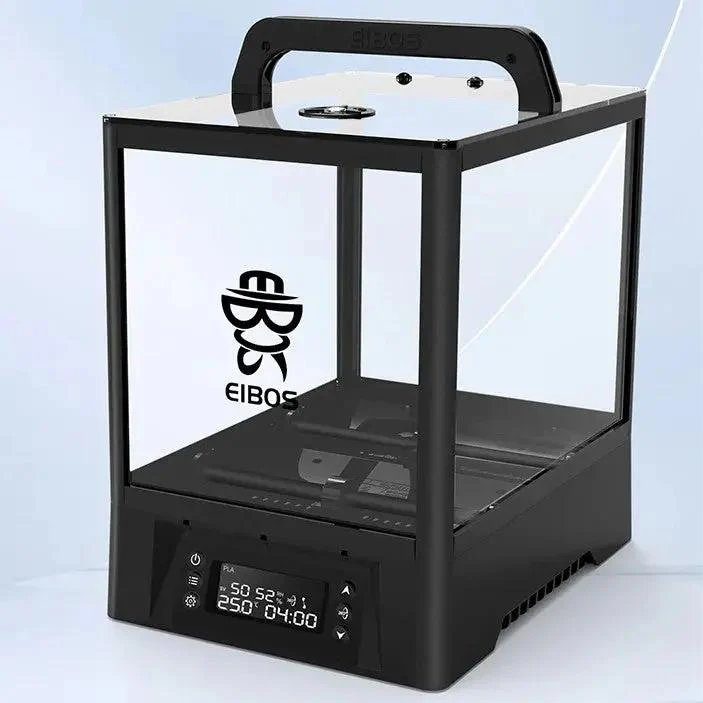
EIBOS Polyphemus
EIBOS | 2 x 1 kg or 1 x 3 kg | 20 to 70°C
The Polyphemus solves a problem that most dryers ignore entirely. Static heating creates a temperature gradient inside the chamber: the area closest to the heating element runs significantly hotter than the area furthest from it. EIBOS measured this gap at 36°C in a conventional dryer. The Polyphemus addresses this with a motorised rotation mechanism that physically turns the spool during the drying cycle, reducing the temperature differential across the spool to just 1°C. For users dealing with large, dense, or expensive spools where uneven drying is a genuine concern, this is a meaningful engineering advantage. It holds two 1 kg spools or a single 3 kg spool, includes eight filament exit ports, a humidity mode that automatically activates heating when internal moisture rises above a set threshold, and a desiccant compartment for passive protection between sessions. Independent testing notes that the rotation motor can occasionally stall on the heaviest spools, though EIBOS includes a spare motor for long-term peace of mind. The price is higher than the Space Pi Plus, which is worth weighing against whether the rotation benefit matters for your specific workflow.
Best for: Users drying large or expensive spools who want the most uniform heat distribution available, and anyone who keeps filament in the dryer for extended periods and wants automatic humidity maintenance between print sessions.
Best single-spool filament dryer
If you run one printer with one material at a time, a single-spool dryer is all you need. The smaller footprint, simpler operation, and lower cost all make sense for this use case. The key thing to avoid is sacrificing temperature ceiling for price. A single-spool dryer that reaches 70°C handles every common filament from PLA through Nylon, making it a long-term purchase rather than something you will outgrow the moment you try a new material.
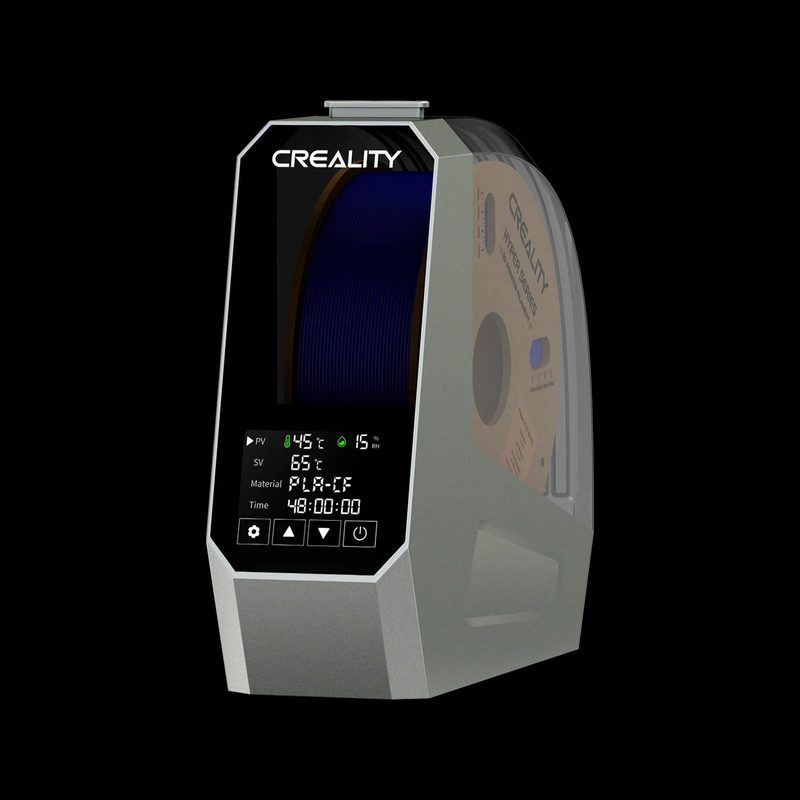
Creality Space Pi
Creality | 1 x 1 kg | 45 to 70°C
The standard Space Pi is the single-spool version of our overall pick: same 45 to 70°C PTC heating, same 3.7-inch touchscreen, same 12-filament preset system, same 48-hour timer, but sized for one spool at a meaningfully lower cost. Community head-to-head testing, including a detailed Bambu Lab forum bake-off, confirmed the Space Pi performs significantly better than the similarly priced Sunlu S2 on temperature accuracy and reliability. The S2 was specifically flagged for inconsistent heating and heater lock-up at maximum temperature. The Space Pi avoids these issues and adds power-off memory to retain your settings after any interruption. If you are certain one spool at a time is enough, this is the most reliable choice at this price tier.
Best for: Single-printer users who want the full 70°C temperature range and a reliable touchscreen interface without paying for dual-spool capacity they do not need.
Also consider
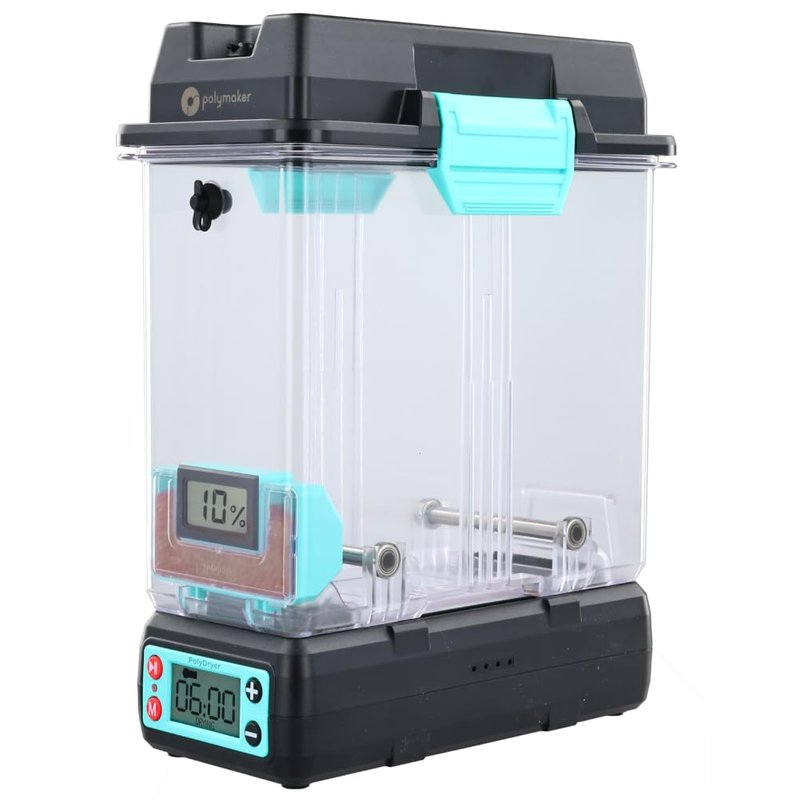
Polymaker PolyDryer Box
Polymaker | 1 x 1 kg | up to 70°C
Polymaker makes some of the most respected filament on the market, and the PolyDryer is built to the same standard. It uses a sealed chamber design with a top-mounted hygrometer, reaches 70°C, and is notably quieter than either Creality option. The lid seal is exceptionally tight, which means internal humidity stays low even between print sessions rather than climbing back toward room humidity the moment the heater switches off. Users who share a workspace or print in a home office consistently flag the quieter operation as a genuine differentiator. The main trade-off is the absence of a touchscreen, which makes temperature adjustment slightly less convenient.
Best for: Home office and shared workspace users who prioritise quiet operation and a tight sealed chamber over a touchscreen interface.
Best budget filament dryer
The budget category comes with an important caveat worth stating before anything else. The most affordable dryers top out at 50 to 55°C, which is sufficient for PLA, PETG, and TPU but will not effectively dry Nylon, Polycarbonate, or carbon fibre composites, all of which require 65 to 80°C. If you primarily print PLA and PETG, a budget dryer is genuinely all you need. If you expect to work with engineering materials in the future, spending a little more on the Creality Space Pi now will save you a second purchase later.
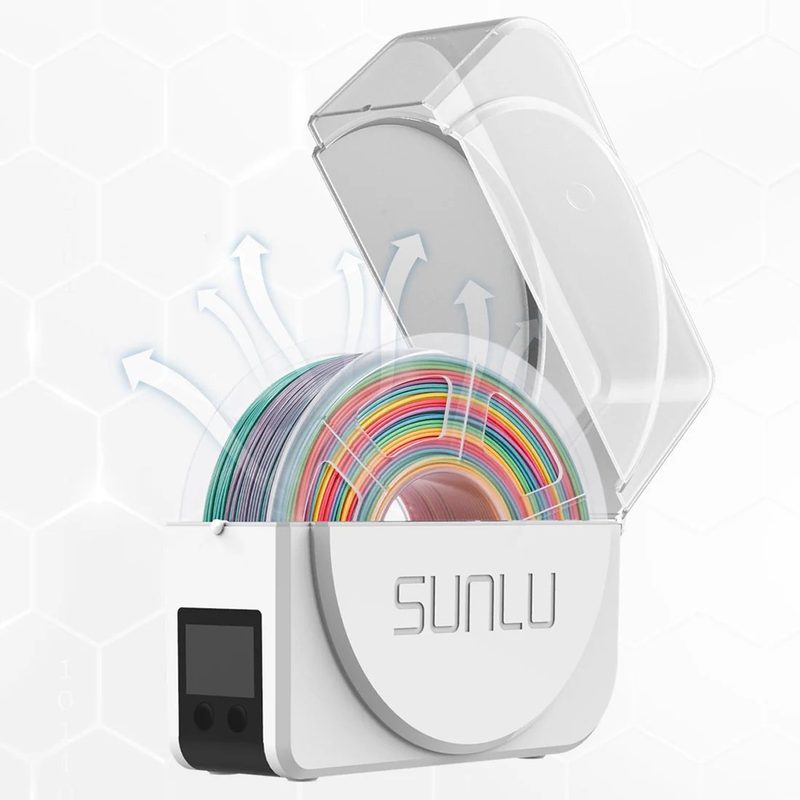
Sunlu FilaDryer S1 Plus
Sunlu | 1 x 1 kg | 35 to 55°C
The S1 Plus is the most popular entry-level filament dryer on the market and a consistent Amazon bestseller. It delivers genuine PTC heating with fan circulation, a 2-inch LCD showing temperature and humidity readings, whisper-quiet operation under 10 dB, and direct-print capability via filament exit holes on the side. At this price point it is difficult to beat for casual PLA, PETG, ABS, and TPU users. The 55°C ceiling is the honest limitation here: this dryer will not effectively dry Nylon or other engineering materials. If those are on your horizon, the Creality Space Pi is a modest step up that covers the full material range. For PLA-focused beginners, the S1 Plus is the right and most cost-effective entry point.
Best for: Beginners and casual users printing PLA, PETG, ABS, and TPU who want the most affordable entry point into proper filament drying.
Also consider
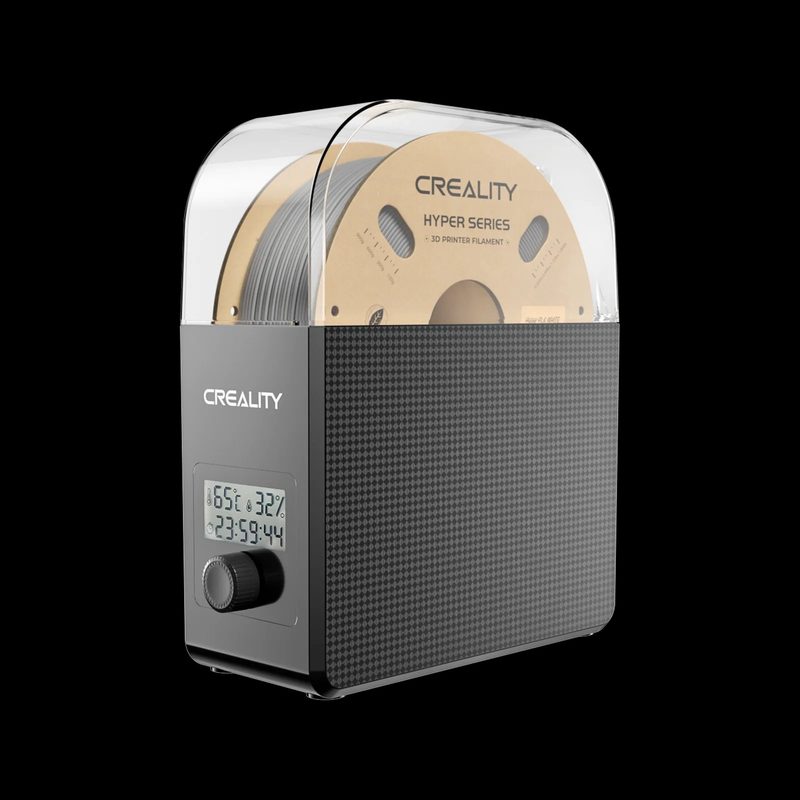
Creality Filament Dryer Box 2.0
Creality | 1 x 1 kg | fan-assisted
Creality’s budget entry sits at a similar price to the S1 Plus and offers comparable drying performance for PLA and PETG via fan-assisted heating. The Box 2.0 improves on the original with better lid sealing and an upgraded fan for more consistent heat distribution. Its notably compact footprint makes it well suited to smaller desks or as a paired dryer alongside a compact printer such as a Bambu A1 Mini. Like the S1 Plus, the lower temperature ceiling places it firmly in the casual user category, best suited to standard materials.
Best for: Users who want Creality build quality at budget price and primarily print PLA or PETG in a compact setup.
Best multi-spool filament dryer
Multi-spool dryers are essential for multi-material printer setups, especially the Bambu Lab AMS, which uses four spools simultaneously and is notably sensitive to wet filament. They are also valuable for small workshops or anyone who keeps several active materials on the go. The key distinction to check in this category is whether the dryer offers independent heating zones. Shared-chamber dryers are more affordable but force all spools to the same temperature, which becomes a real limitation if you need to dry PLA at 45°C and Nylon at 70°C at the same time.
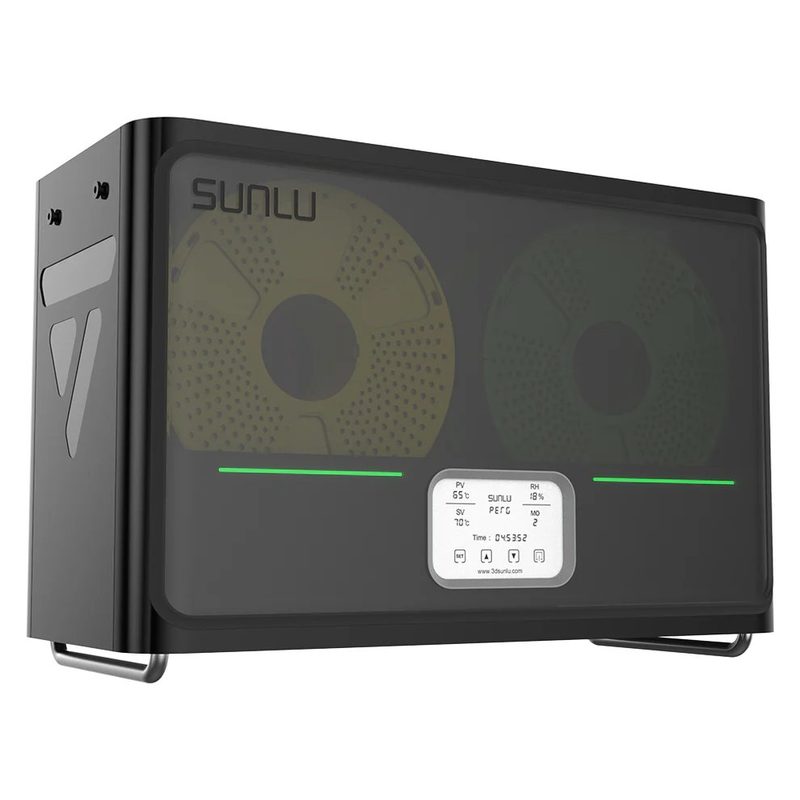
Sunlu FilaDryer S4
Sunlu | 4 x 1 kg | up to 70°C
The S4 holds four standard 1 kg spools simultaneously and is widely regarded as the default choice for Bambu Lab AMS users. There is a popular community mod that integrates the S4 directly into the AMS workflow, and it regularly appears at the top of Bambu Lab community recommendations. The 300W PTC heater with triple fan system provides rapid and even heating at a verified accuracy of plus or minus 3°C, reaching 50°C in around 30 minutes. Eight filament exit holes mean all four spools can feed multiple printers or all four AMS slots simultaneously. The temperature ceiling of 70°C covers PLA, PETG, TPU, and standard ABS comfortably, and is sufficient for most Nylon grades as well. For the Bambu AMS use case it is the clear consensus choice across the community.
Best for: Bambu Lab AMS users, multi-material printer setups, and anyone drying four spools of the same or similar material simultaneously.
Also consider
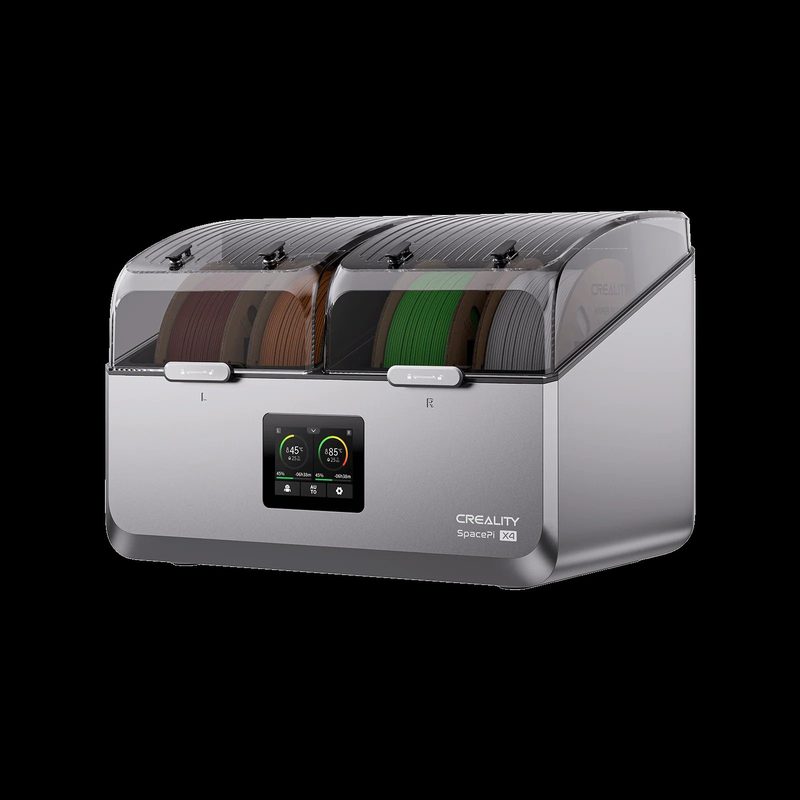
Creality Space Pi X4
Creality | 4 x 1 kg | up to 85°C
The X4 is the more capable alternative to the Sunlu S4 if you regularly mix filament types with very different temperature requirements. Its key advantage is dual independent heating chambers, with two spools per chamber, each with its own 200W PTC heater. This means you can dry PLA at 45°C in one chamber while drying Nylon at 80°C in the other at the same time, something a shared-chamber dryer simply cannot do. The 85°C ceiling also makes it one of the only multi-spool options that fully covers Polycarbonate and PA-CF drying. A particularly thoughtful addition is the automatic desiccant regeneration: the desiccant chamber connects to the heating airflow and regenerates with each drying cycle, removing the need to replace or manually recharge desiccant packets. The X4 costs more than the S4 but delivers meaningfully more capability for mixed-material workflows.
Best for: Advanced users drying mixed materials at different temperatures simultaneously, and anyone who needs 85°C multi-spool capability for PC or PA-CF.
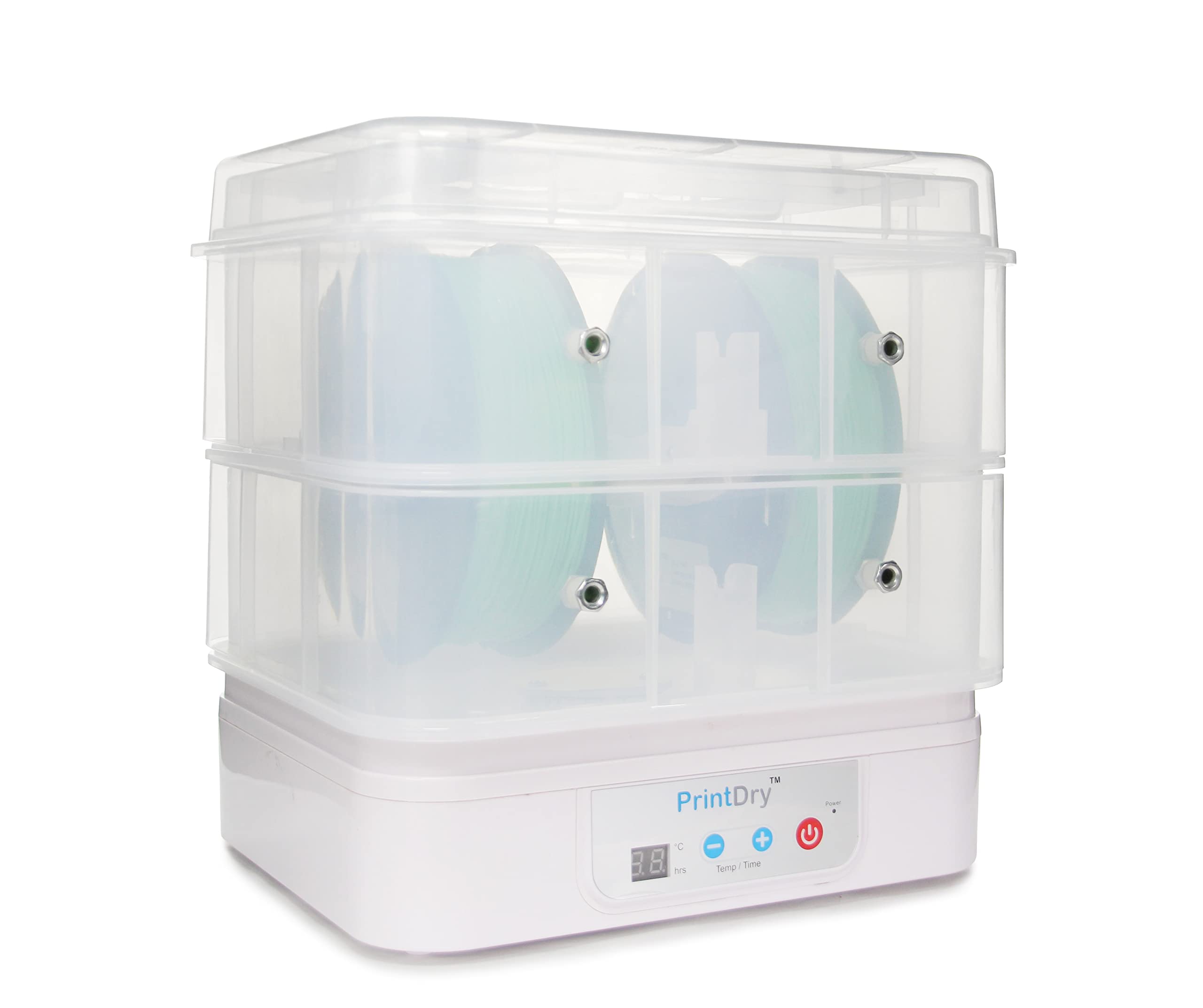
PrintDry PRO3
PrintDry | 2 spools (expandable to 4) | 35 to 85°C
The PRO3 stands apart from the other multi-spool picks on one important credential: it carries ETL certification, meaning it has been independently verified to meet North American electrical safety standards. For workshop environments, schools, makerspaces, or any setting where equipment compliance matters, that certification has real practical value that no other dryer in this guide can match. Beyond the safety angle, the PRO3 uses a closed-loop temperature control system that automatically regulates heating to maintain precise drying conditions across its six temperature presets from 35°C to 85°C. It holds two standard spools, supports live printing via dedicated feed holes, and is expandable to four spools with a separately sold additional chamber kit. The double-wall structure helps maintain stable internal temperatures over long sessions. It costs more than the Sunlu S4 for fewer spools in the base configuration, which is a genuine trade-off. The case for it rests on build quality, the closed-loop control precision, expandability, and the ETL certification that the budget alternatives simply do not carry.
Best for: Workshop, school, and makerspace environments where ETL safety certification is a requirement, and serious users who want closed-loop temperature precision and a modular path to four-spool capacity.
Best filament dryer for engineering materials
Nylon, Polycarbonate, PA-CF, and PVA support material are among the most hygroscopic filaments in common use. They absorb moisture quickly and require drying at 65 to 80°C, often for 8 to 12 hours, to reach optimal print-ready condition. Most standard dryers cannot reach these temperatures reliably. If engineering-grade materials form a significant part of your workflow, the temperature ceiling is the specification that matters most, and it is worth verifying that ceiling through independent sources rather than relying on marketing materials alone.
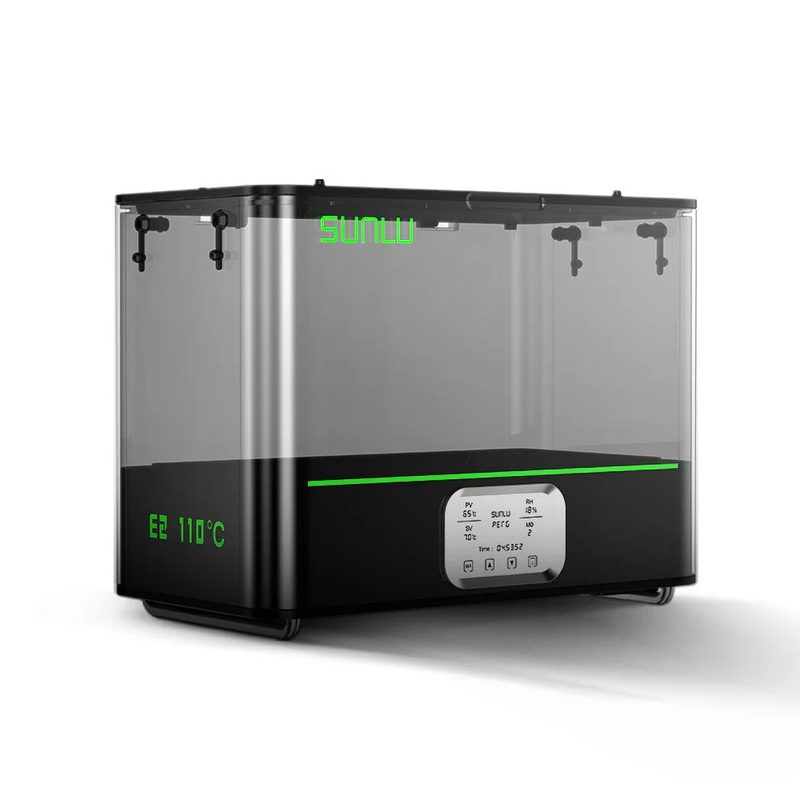
Sunlu FilaDryer E2
Sunlu | 2 spools up to 3 kg | 35 to 110°C
The E2 is purpose-built for engineering filaments. Its 500W PTC heater reaches a verified 110°C, making it the only consumer dryer capable of drying Polycarbonate and the specialty high-temperature Nylons that other machines simply cannot handle. It holds two large spools up to 3 kg each and includes an annealing mode: once your parts are printed, you can use the E2 to anneal ABS, PA, or PLA parts at 80 to 90°C for 2 to 3 hours, increasing impact resistance and dimensional stability without needing a separate oven. That dual drying and annealing capability is unique at this price point. Real-world feedback from Amazon and Prusa forums is consistently positive for PA6-CF and PA12-CF workflows. The honest trade-offs are worth naming: the E2 is larger and noisier than single-spool dryers (fan noise is the most common complaint), the user interface is basic, and it costs significantly more than the other picks in this guide. For PLA-only users it is complete overkill. For anyone printing serious engineering materials, it may be the most useful accessory on this entire list.
Best for: Engineers and advanced makers printing PA6-CF, PA12-CF, PC, or other high-temperature engineering filaments, and anyone who wants to anneal printed functional parts for improved mechanical performance.
Also consider
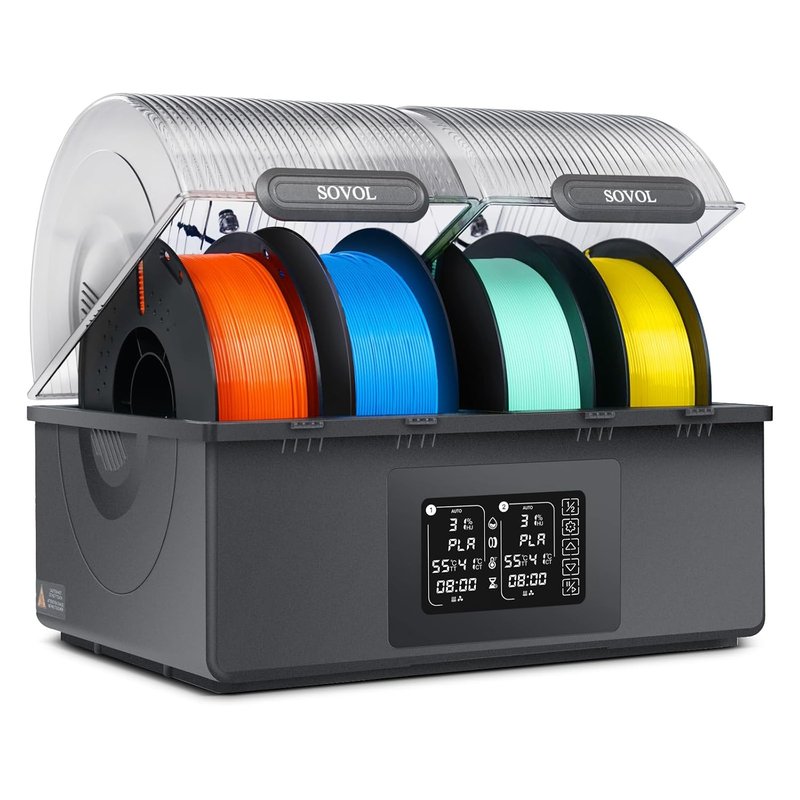
Sovol SH03
Sovol | 2 spools | up to 85°C
The SH03 is Sovol’s high-capacity engineering dryer, with dual independent chambers, an 85°C ceiling, and sealed feed-throughs designed for live printing with Nylon and PA-CF throughout long jobs. Where the E2 wins on absolute temperature ceiling (110°C versus 85°C), the SH03’s independent chamber design gives you the ability to run two different materials at two different drying temperatures simultaneously, which is a meaningful workflow advantage that the E2 does not offer. Lab testing confirms consistent temperature accuracy and reliable performance for Nylon and PA-CF use cases. If you do not need the annealing function or the full 110°C ceiling, the SH03 is a well-engineered alternative at a lower price point.
Best for: Nylon and PA-CF users who need independent dual chambers and an 85°C ceiling without the cost of the E2.
Filament drying temperature reference
| Material | Temp and duration | Moisture risk | Notes |
|---|---|---|---|
| PLA | 40 to 45°C, 4 to 6 hrs | Low | Usually fine without drying in most climates |
| ABS and ASA | 60 to 65°C, 4 to 6 hrs | Moderate | Improves surface quality and reduces warping risk |
| PETG | 55 to 65°C, 6 to 8 hrs | Moderate to high | Noticeable improvement in clarity and layer bonding |
| TPU and TPE | 50 to 60°C, 4 to 8 hrs | High | Essential before printing for consistent layer adhesion |
| Nylon PA6 and PA12 | 70 to 80°C, 8 to 12 hrs | Very high | Requires a dryer with a verified 70°C ceiling or above |
| PA-CF and PA-GF | 80°C, 8 to 12 hrs | Very high | Requires 80°C or above, independent chamber recommended |
| PC | 80 to 90°C, 8 to 12 hrs | Very high | Needs the E2 or X4 to reach the required temperature |
| PVA | 45 to 55°C, 4 to 6 hrs | Extremely high | Store sealed at all times, open only immediately before use |
How to choose a filament dryer
The temperature ceiling is the most important specification
Different filaments require different drying temperatures. PLA dries at 40 to 45°C; PETG and TPU at 55 to 65°C; most Nylon grades (PA6, PA12) at 65 to 80°C; Polycarbonate and PA-CF at 80°C and above. A dryer that tops out at 55°C will not effectively dry Nylon regardless of how long you run it. Before buying, check whether your current and planned materials fall within the dryer’s verified operating range, not just the headline number from the product page.
Active drying and passive storage solve different problems
Active dryers, which cover all picks in this guide, use PTC heating and a fan to drive existing moisture out of a spool. Passive storage solutions such as vacuum bags and airtight containers with desiccant prevent moisture from getting in but will not rescue a spool that is already wet. The best practice combines both approaches: use an active dryer to restore wet spools and prepare filament before long prints, then store everything in airtight containers with desiccant when not in use. A dryer is not a replacement for proper storage; the two work together.
Shared versus independent heating chambers
Multi-spool dryers come in two types: shared-chamber (such as the Sunlu S4) and independent-chamber (such as the Creality Space Pi X4 and Sovol SH03). In a shared-chamber dryer, every spool must be dried at the same temperature, which is fine when you always dry the same material but becomes a limitation when you want to dry PLA and Nylon at the same time. Independent-chamber dryers cost more but give you genuine flexibility across mixed-material workflows. If you regularly work across materials with significantly different drying temperatures, the premium is justified.
Printing while drying versus pre-drying only
Most modern dryers include a filament exit port that lets you feed directly from the dryer to your printer throughout the entire print. This is significantly better than pre-drying and then printing from an open spool, which begins reabsorbing moisture immediately after you remove the lid. Printing directly from the dryer is particularly important for multi-hour jobs with hygroscopic materials. Before buying, check that the exit port is positioned conveniently for your printer setup and that the PTFE tube length is sufficient.
How long does drying actually take?
As a general guide: PLA needs 4 to 6 hours at 45°C; PETG around 6 to 8 hours at 65°C; Nylon 8 to 12 hours at 70 to 80°C. Spools left open for weeks may need a full overnight cycle. A dryer with a real-time humidity display is a meaningful upgrade over a timer-only unit: it tells you when the spool has actually reached target humidity rather than requiring you to estimate based on elapsed time alone. Every top pick in this guide includes humidity monitoring for this reason.
Does PLA really need drying?
PLA is the least hygroscopic of the common filaments and prints well from an open spool in most home environments. That said, PLA left open for months in a humid climate can still benefit from a short 4-hour dry at 45°C, particularly for fine-detail or multi-day prints where surface quality matters. If you are seeing unexpected stringing or poor surface finish on PLA that previously printed cleanly, moisture is worth ruling out before making changes to your slicer settings.
Frequently asked questions
Where to go next
A dryer matters most for the spools that absorb moisture fastest. See which materials genuinely need it in our engineering filaments guide (nylon, PC, PA-CF) and flexible filaments guide (TPU). Still choosing a machine? Start with our best 3D printers guide, and for safe handling at higher nozzle and chamber temperatures see the 3D printing safety guide.