3D Printing
News Videos Newsletter Contact us
Home / 3D Printers / Best 3D Printers 2026 – Buyers Guide
qidi

Best 3D Printers 2026 – Buyers Guide

March 26, 2026

Choosing a 3D printer in 2026 is harder than it has ever been, and that is actually a good problem to have. CoreXY motion systems, active chamber heating, AI failure detection, and multi-filament printing are no longer premium features reserved for expensive machines. They are the baseline. A printer under $300 today ships with capabilities that would have cost three times as much just a few years ago, and the machines competing for your money at every price tier are genuinely close.

That closeness is exactly why this guide exists. We have tracked every significant printer launch across all major categories, stress-tested specifications against real-world community results, drawn on our own hands-on experience, and cross-referenced everything against the full body of available technical information. What you find below are the machines that earn their place, not the ones with the most impressive spec sheet.

Categories

Budget FDM→ Elegoo Centauri Carbon
Mid-range FDM→ Bambu Lab P2S
Multicolor→ Bambu Lab H2C
Large Format→ Prusa CORE One L
Prosumer→ Bambu Lab H2D
Resin→ Saturn 4 Ultra 16K

Quick comparison: top picks 2026

Jump to: Budget FDMMid-range FDMMulticolorLarge FormatProsumerResinBuying guideFAQ

▼ Quick comparison table — top 10 picks
Printer Category Technology Build volume Max speed Key advantage
Bambu Lab H2C Multicolor FDM CoreXY 300 × 320 × 325 mm 1,000 mm/s Vortek 6-hotend swap, near-zero purge waste, 7 materials
Snapmaker U1 Multicolor FDM CoreXY 270 × 270 × 270 mm N/A (tool-changer) SnapSwap 4-toolhead, 80% less waste vs single-nozzle, $999
Bambu Lab H2D Prosumer FDM CoreXY 350 × 320 × 325 mm 1,000 mm/s Dual nozzle, 65°C chamber, optional laser/cutter
Bambu Lab P2S Mid-range FDM FDM CoreXY 256 × 256 × 256 mm 500 mm/s DynaSense extruder, AMS 2 Pro, Active Airflow
Prusa CORE One+ Mid-range FDM FDM CoreXY 250 × 220 × 270 mm 600 mm/s Open-source, 55°C chamber, Red Dot Award
Prusa CORE One L Large Format FDM CoreXY 300 × 300 × 330 mm 600 mm/s 60°C chamber, AC heatbed, large-format leader
Creality K2 Pro Combo Multicolor FDM CoreXY 300 × 300 × 300 mm 600 mm/s 60°C chamber + CFS 4-color, best under $1,100
Elegoo Centauri Carbon Budget FDM FDM CoreXY 256 × 256 × 256 mm 500 mm/s Enclosed CoreXY at budget price
Creality SparkX i7 Budget FDM bedslinger 260 × 260 × 255 mm 500 mm/s CES 2026 winner, CFS Lite 4-color, beginner-friendly
Elegoo Saturn 4 Ultra 16K Resin Resin MSLA 218 × 122 × 220 mm 150 mm/h 16K / 14–18µm XY, heated vat, tilt release

Best budget FDM 3D printers 2026

Under $350: fast, enclosed, and ready to print out of the box

The budget FDM category has been transformed in 2026. Machines like the Elegoo Centauri Carbon now deliver fully enclosed CoreXY printing, a motion system previously reserved for mid-range machines, at under $300. The new baseline for this tier: 500 mm/s speeds, auto-leveling, direct drive, and a built-in camera. All under $350.

★ Top pick: Budget FDM

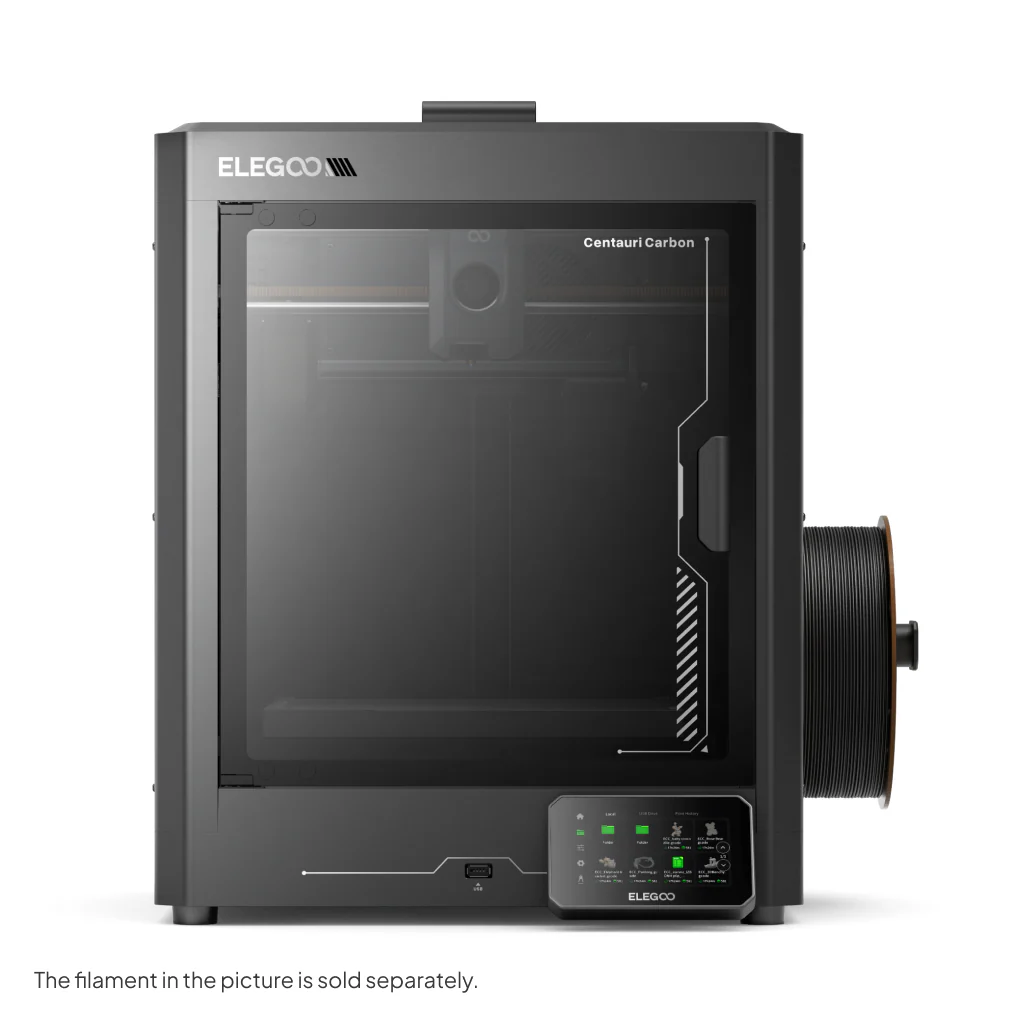
1. Elegoo Centauri CarbonBest value

Elegoo Centauri Carbon

Makers who want maximum speed and print quality for their money, without paying a brand premium.

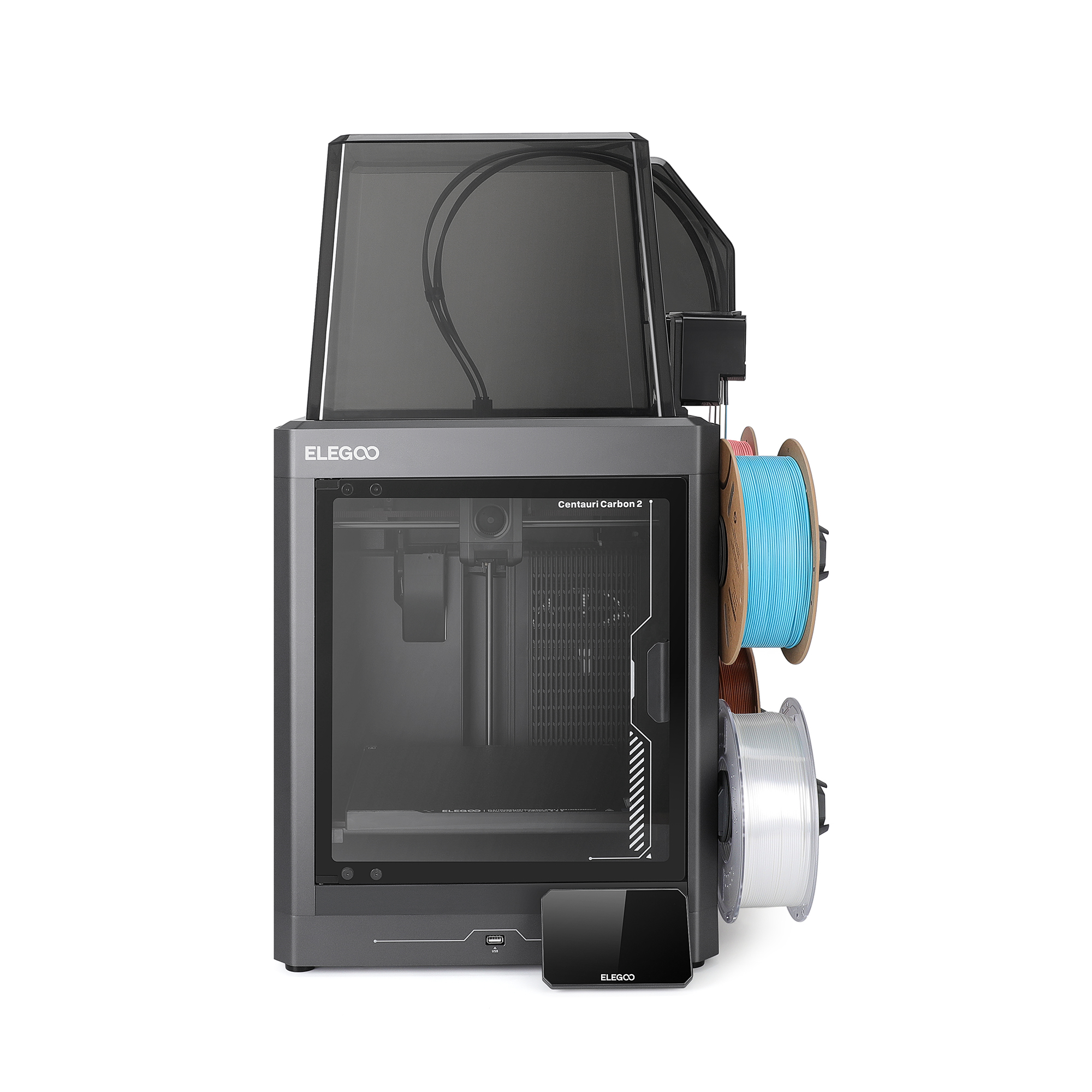
The most disruptive budget printer of 2026. A fully enclosed CoreXY machine at a price that would previously have bought you an open-frame bedslinger. Carbon fiber-reinforced axis rails keep vibration minimal at full speed, and in testing it printed a flawless 3DBenchy in under 19 minutes. Handled PLA, PETG, ABS, ASA, and TPU without issue and arrived pre-assembled and calibrated. The 320°C nozzle covers the full range of consumer materials including carbon fiber composites. Main trade-off: no native multicolor system yet as of early 2026, and the Elegoo slicer lags behind Bambu’s ecosystem in polish. For single-color fast printing, nothing at this price comes close.

TechnologyFDM CoreXY (enclosed)
Build volume256 × 256 × 256 mm
Max print speed500 mm/s
Max acceleration20,000 mm/s²
Max nozzle temp320°C
Max bed temp110°C
ExtruderDirect drive
Auto-levelingYes (121-point)
Filament runoutYes
MulticolorNo (single filament)
ConnectivityWi-Fi, USB
EcosystemOpen (Orca / Klipper-based)
See Best Price →

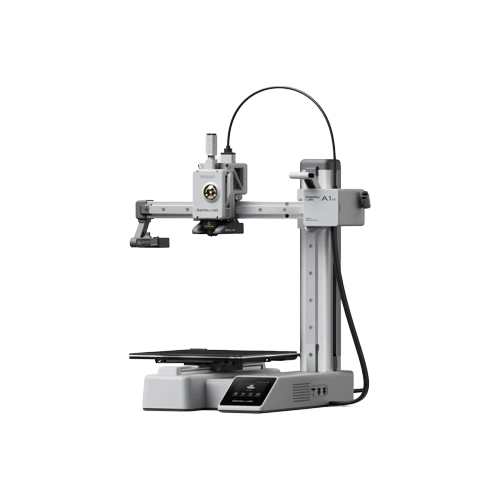
2. Bambu Lab A1 Mini

Bambu Lab A1 Mini

Best for beginners

First-time buyers, families, desk printing, and anyone who wants a printer that simply works on day one.

The most beginner-friendly printer on the market. Bambu’s mature app and slicer, whisper-quiet operation, full auto-calibration, and near-zero failed prints make this the definitive “just works” choice. The 180 mm build plate is smaller than the Centauri Carbon’s, a real trade-off for larger prints, but more than enough for most first-time projects. Add the AMS Lite (Combo) for 4-color printing.

TechnologyFDM bedslinger
Build volume180 × 180 × 180 mm
Max print speed500 mm/s
Max acceleration10,000 mm/s²
Max nozzle temp300°C
Max bed temp100°C
ExtruderDirect drive
Auto-levelingFull auto (vibration + flow cal.)
Multicolor4-color with AMS Lite (Combo)
Noise levelExceptionally quiet
ConnectivityWi-Fi
App controlBambu Handy (iOS / Android)
See Best Price →

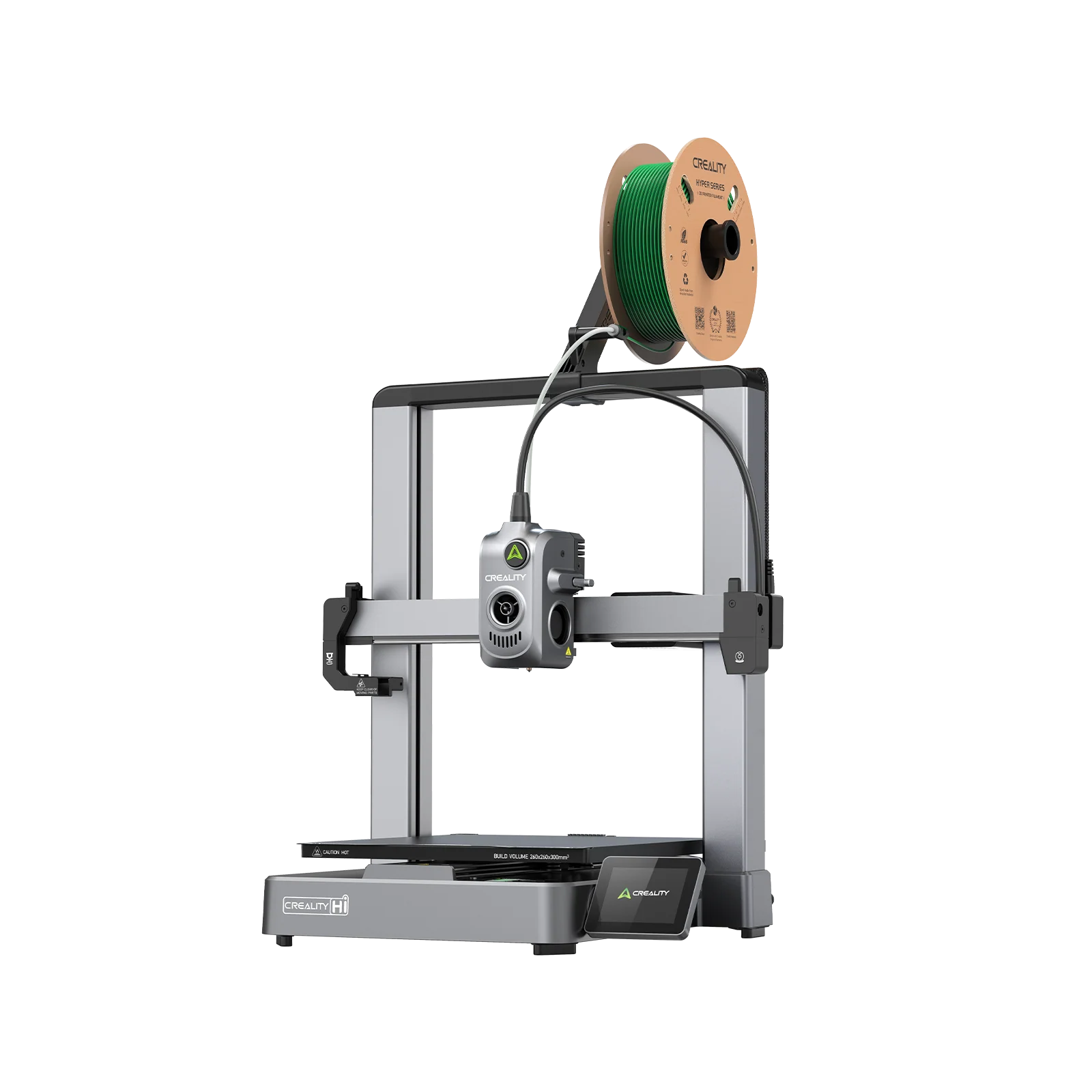
3. Creality Hi

Creality Hi

Best budget open-firmware speed

Budget multicolor printing with maximum speed, open firmware, and deeper customization options.

The machine that replaced the Ender 3 line as Creality’s mainstream offering. CoreXY motion, 500 mm/s speeds, and a 300°C all-metal hotend in an open-frame design. Klipper-based firmware with a clean slicer gives confident users full tuning control. The standalone Hi is a single-colour machine; add the CFS unit (available separately or as the Hi Combo) for 4-colour printing. Build volume of 260 × 260 × 300 mm gives more Z height than most competitors in this price tier.

TechnologyFDM CoreXY (enclosed)
Build volume260 × 260 × 300 mm
Max print speed500 mm/s
Max acceleration12,000 mm/s²
Max nozzle temp300°C
Max bed temp100°C
Layer scanningCamera
AI monitoringYes (built-in)
MulticolorNo (single filament)
FirmwareKlipper-based (open)
ConnectivityWi-Fi, USB
Auto-levelingYes (automatic)
See Best Price →

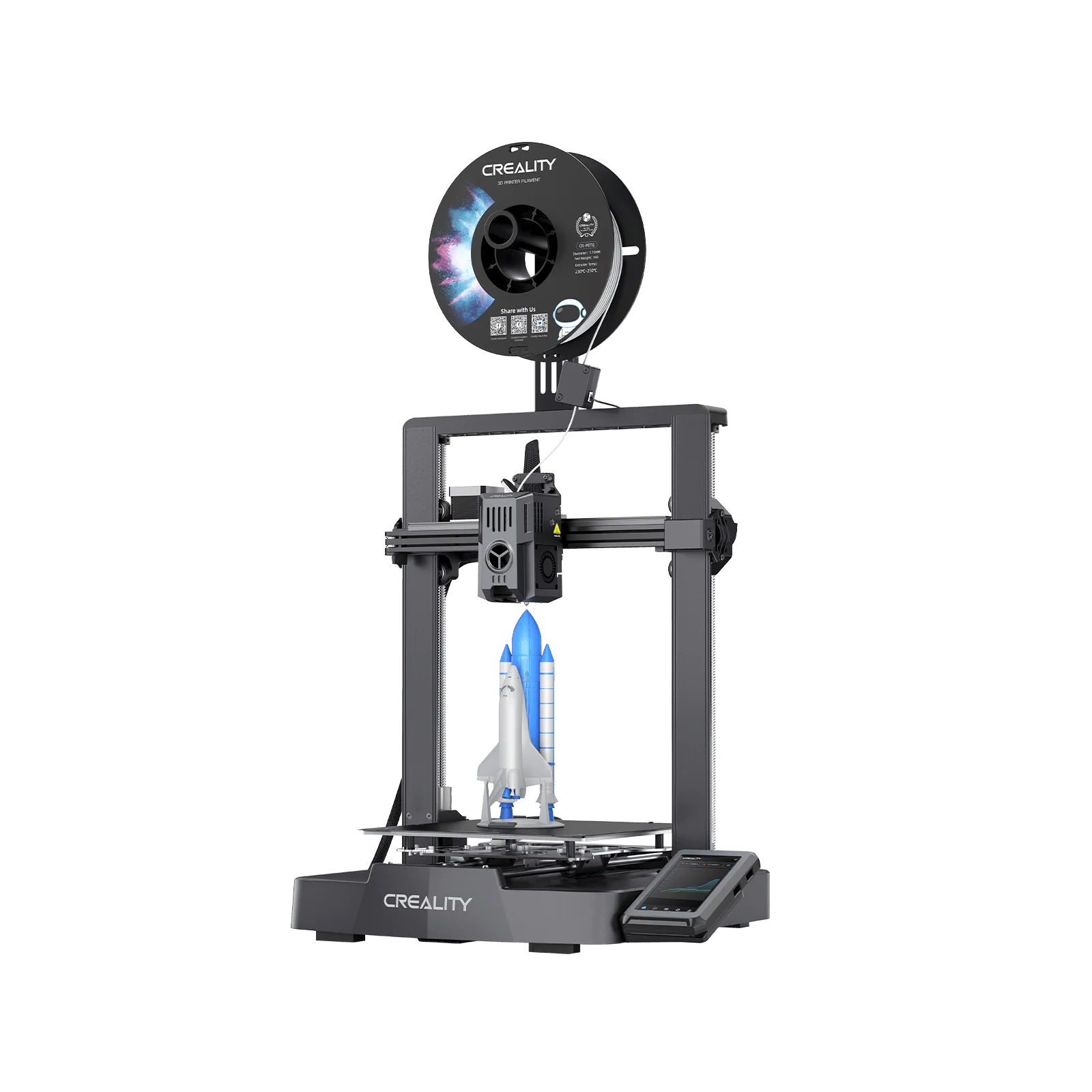
4. Creality Ender 3 V3 KE

Creality Ender 3 V3 KE

Best open-source entry point

Tinkerers and learners who want full firmware control and a large modding community at the lowest entry price.

The latest evolution of the printer that introduced millions of people to 3D printing. Klipper firmware, 500 mm/s, a direct drive extruder, Wi-Fi, and CR Touch auto-leveling, all on the proven Ender 3 platform. If your goal is to understand 3D printing rather than just do 3D printing, this is the right starting point.

TechnologyFDM bedslinger
Build volume220 × 220 × 240 mm
Max print speed500 mm/s
Max nozzle temp300°C
ExtruderDirect drive
Max bed temp110°C
Auto-levelingCR Touch
Filament runoutYes
FirmwareKlipper (open-source)
ConnectivityWi-Fi
Power loss recoveryYes
Slicer compatibilityAny (PrusaSlicer, Orca, Cura)
See Best Price →

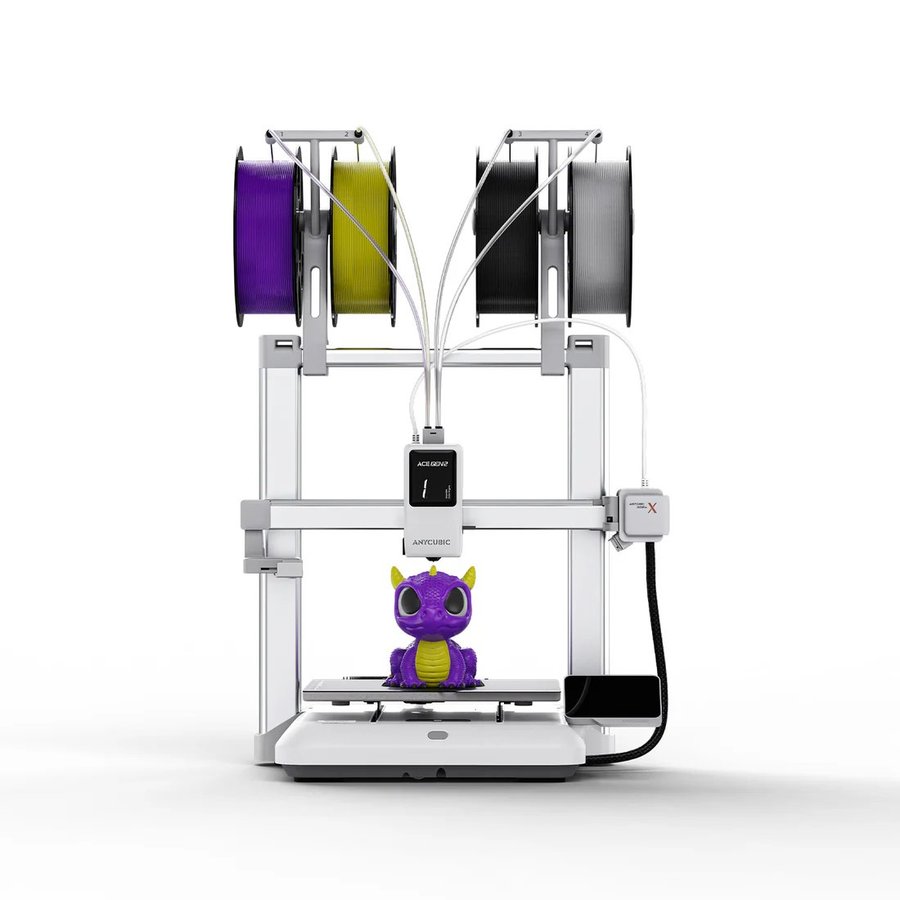
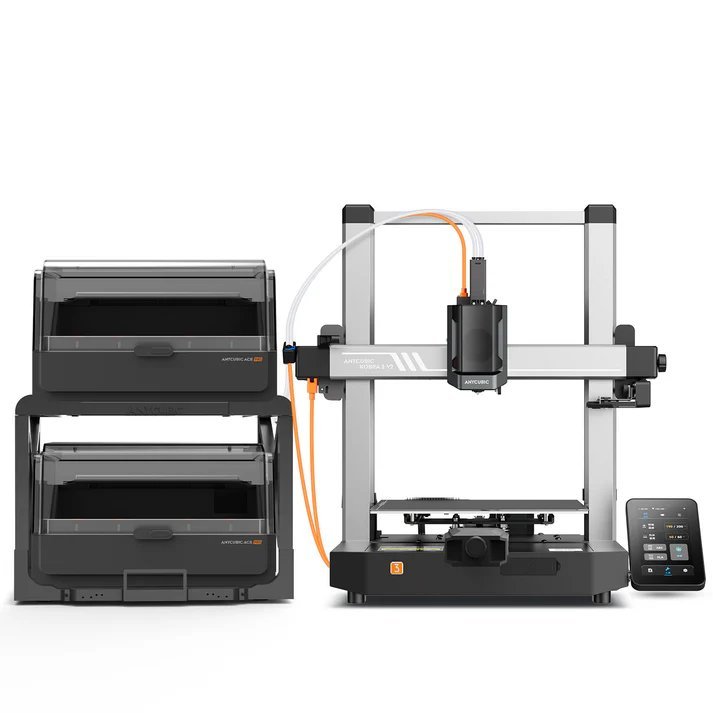
5. Anycubic Kobra X

Anycubic Kobra X

Best ultrabudget CoreXY

Budget-first buyers who want CoreXY speeds and direct drive without spending more than necessary.

CoreXY frame, 500 mm/s, auto-leveling, and direct drive at one of the lowest prices in the category. Not as polished as the A1 Mini or as fast as the Centauri Carbon, but a dependable workhorse for anyone whose primary concern is cost of entry.

TechnologyFDM bedslinger (open frame)
Build volume260 × 260 × 260 mm
Max print speed600 mm/s
Max nozzle temp300°C
ExtruderDirect drive (4-channel)
Max bed temp100°C (PEI plate)
Auto-levelingLeviQ 2.0
Nozzle materialHardened steel
Multicolor optionUp to 19 colors (with ACE 2 Pro)
ConnectivityWi-Fi, USB
FilamentsPLA, PETG, TPU, PVA
Filament runoutYes
See Best Price →

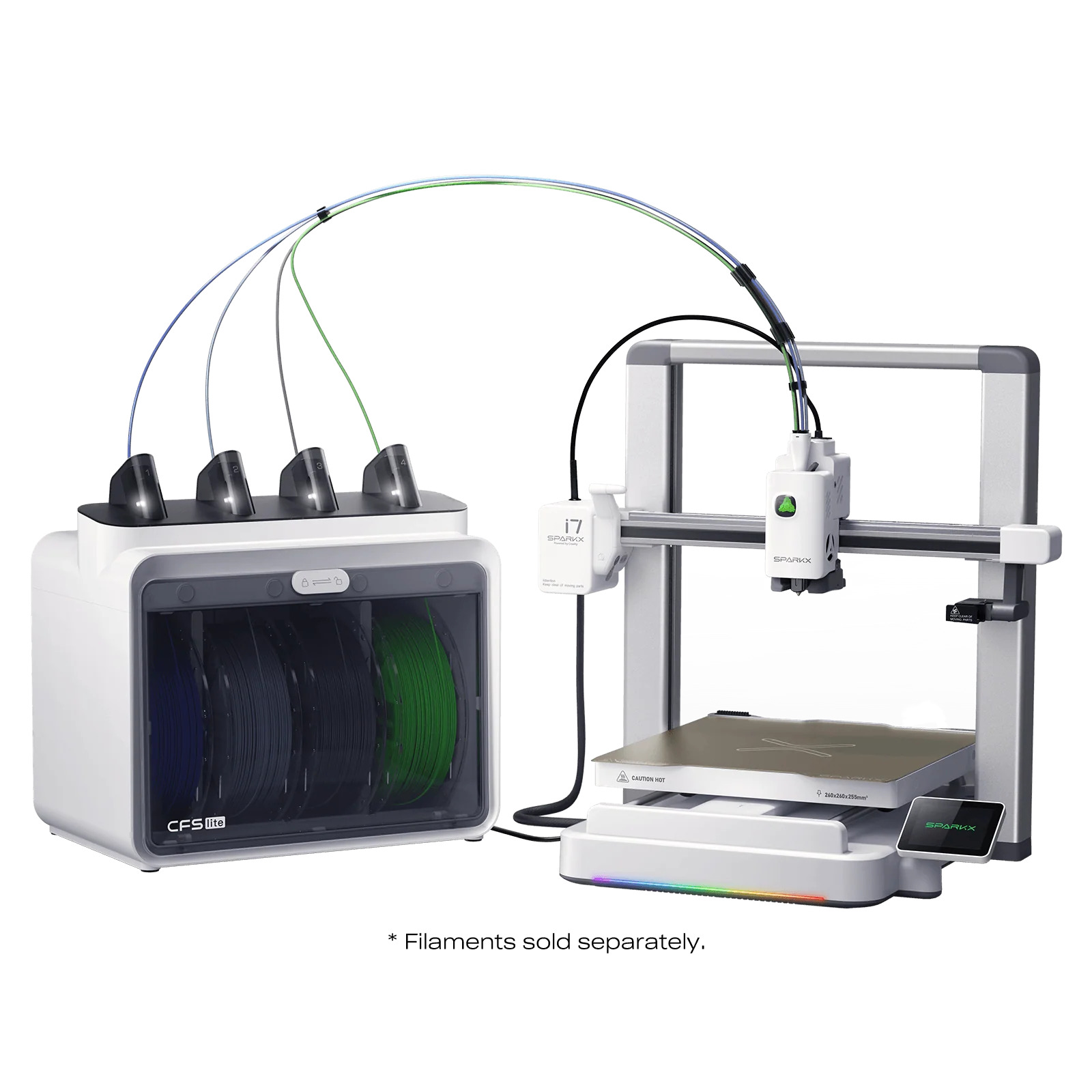
6. Creality SparkX i7

Creality SparkX i7

Best beginner multicolor bedslinger 2026

First-time buyers who want 4-color printing, zero assembly, and AI-assisted setup without spending more than $400.

Tom’s Hardware awarded the SparkX i7 Best 3D Printer at CES 2026, and it earns the recognition by solving a genuine problem: making multicolor printing approachable for complete beginners. Out of the box in five minutes. Fully automatic bed leveling, input shaping, and Z-offset calibration happen without user intervention. The CFS Lite handles 4-color printing with RFID filament detection. Klipper-based open firmware means no ecosystem lock-in, and the open-frame design keeps weight and price low. The trade-off: no heated chamber, so ABS and engineering filaments are off the table. For PLA and PETG multicolor work at the most accessible price point in 2026, this is the pick.

TechnologyFDM bedslinger (open frame)
Build volume260 × 260 × 255 mm
Max print speed500 mm/s
Max acceleration10,000 mm/s²
Color systemCFS Lite (4 colors)
AI monitoringYes (camera + spaghetti detection)
Auto-levelingFull auto (strain gauge)
Filament detectRFID (Creality filament)
FirmwareCreality OS (Klipper-based)
ConnectivityWi-Fi, USB
See Best Price →

Best mid-range FDM 3D printers 2026

$350-$1,200 range: enclosed, reliable, and ready for advanced materials

Spending more buys you a fully enclosed chamber for engineering materials, a more mature software ecosystem, better multi-material support, and hardware built to run thousands of hours without intervention. The sweet spot for hobbyists who print regularly, small businesses, and anyone moving into functional parts.
★ Top pick: Mid-range FDM

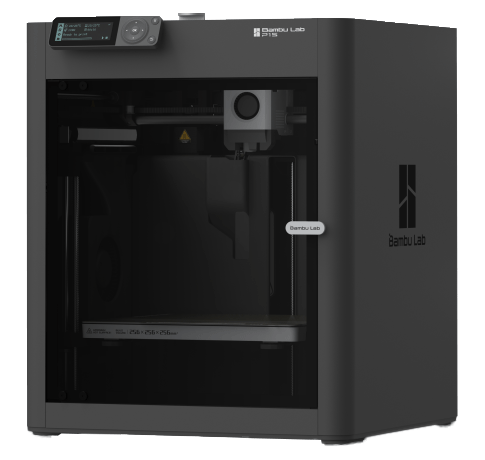
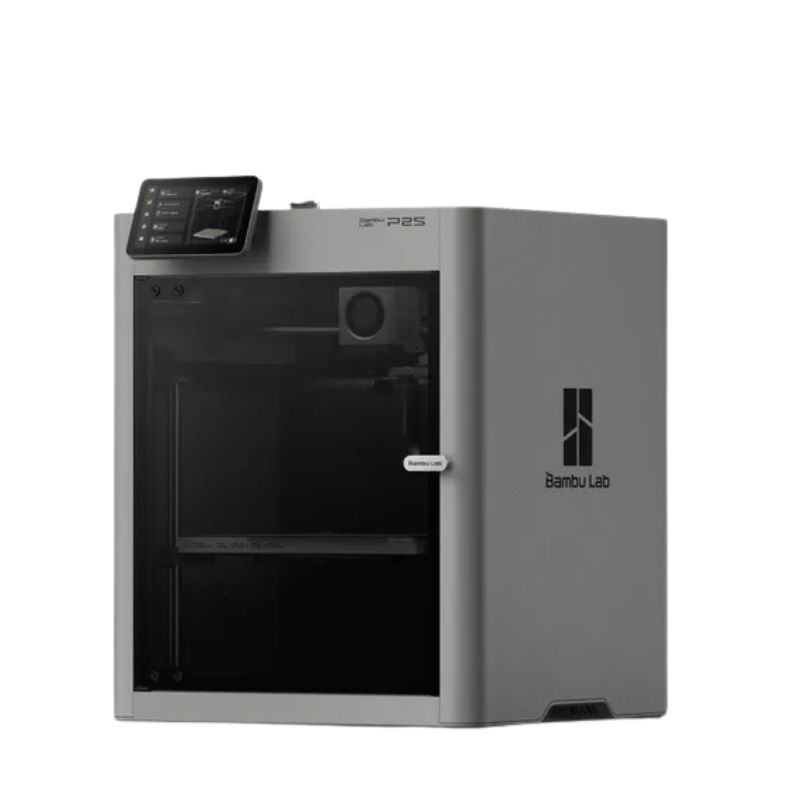
1. Bambu Lab P2SBest overall

Bambu Lab P2S

Most users: the best balance of speed, reliability, software, and material capability at this price point.

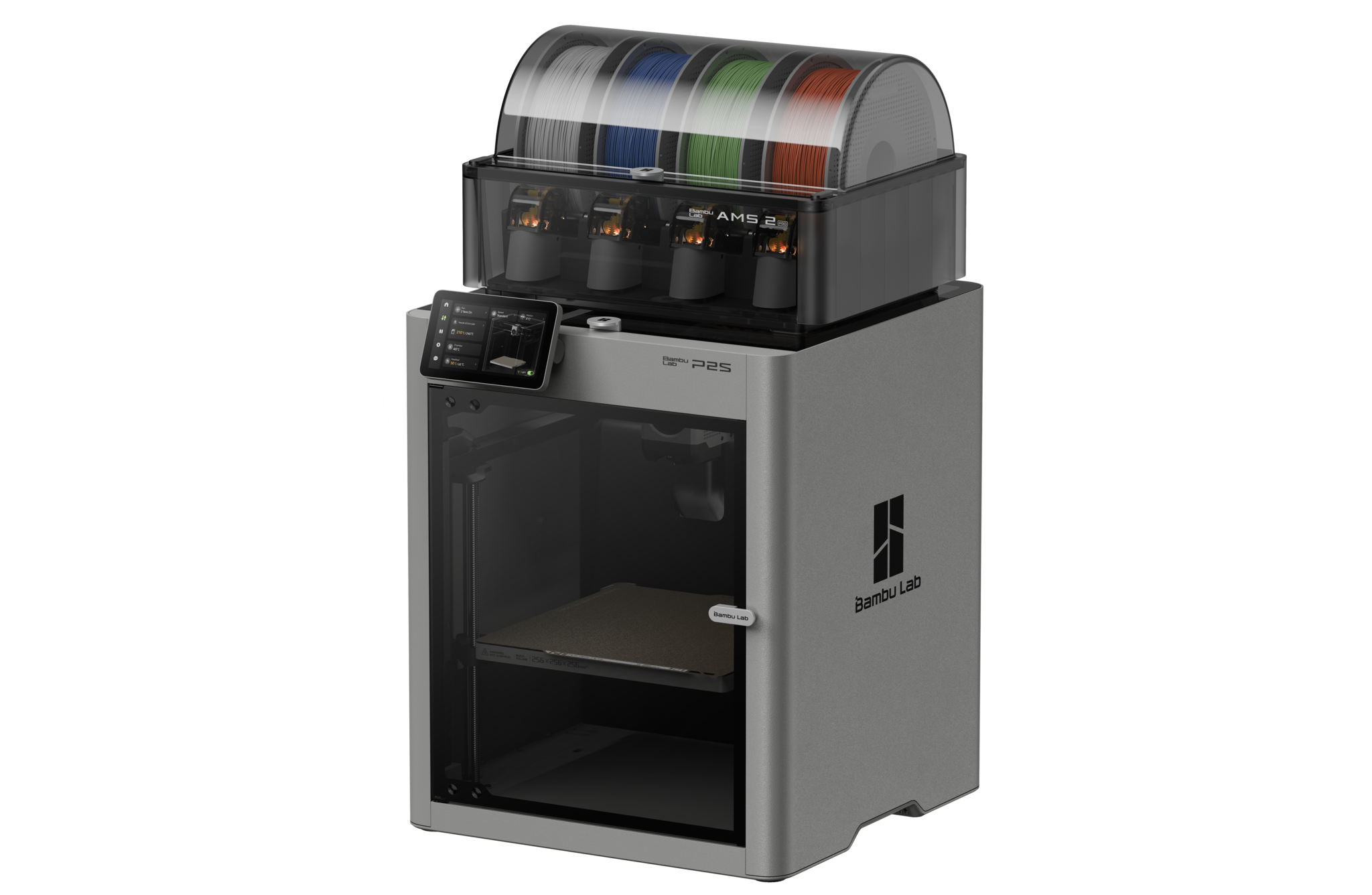
The consensus best mid-range 3D printer of 2026, recommended by Tom’s Hardware, TechRadar, and virtually every major roundup this year. The P2S is the evolved successor to the bestselling P1S with a 5-inch colour touchscreen, DynaSense servo extruder (dramatically more reliable with CF and TPU materials, eliminating the clicking sounds under load that plagued aggressive P1S setups), AMS 2 Pro with active filament drying, Active Airflow for printing ABS and ASA with the door fully closed, and a hardened steel nozzle as standard. For most people reading this, this is the printer to buy.

TechnologyFDM CoreXY (enclosed)
Build volume256 × 256 × 256 mm
Max print speed500 mm/s
Max acceleration20,000 mm/s²
ExtruderDynaSense servo direct drive
Max nozzle temp300°C
Nozzle materialHardened steel (standard)
Max bed temp110°C
MulticolorUp to 16 colors (AMS 2 Pro)
Active AirflowYes (door closed printing)
Filament dryingYes (AMS 2 Pro active)
AI monitoringYes (failure detection + camera)
Display5-inch colour touchscreen
ConnectivityWi-Fi, USB
See Best Price →

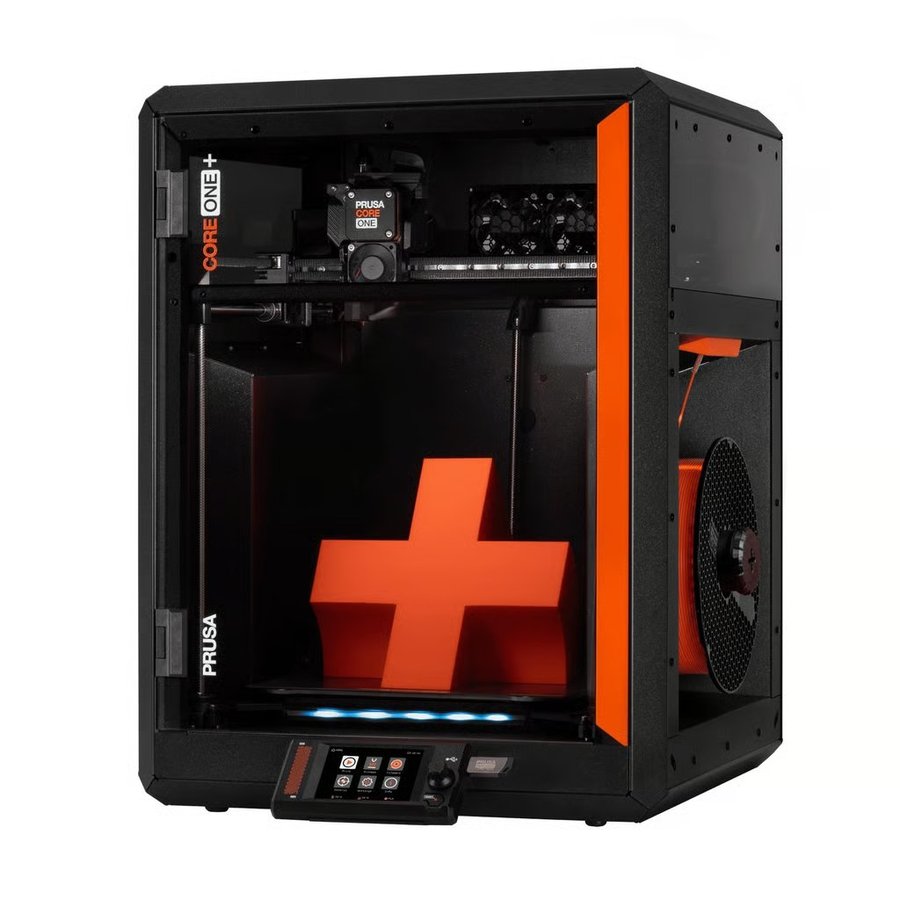
2. Prusa CORE One+Red Dot Award

Prusa CORE One+

Best open-source mid-range

Power users, businesses, and educators who want open firmware, long-term repairability, and no cloud dependency.

Prusa’s first CoreXY printer is the right choice for anyone who wants open firmware, a non-cloud workflow, and long-term repairability. The 55°C actively heated chamber handles ASA, PC, and Nylon with ease, and uniquely, Prusa engineered it so PLA and PETG print with the door fully closed. TechRadar called it “by far the most advanced and functional printer of this type on the market.” Fully compatible with any slicer. No platform lock-in.

TechnologyFDM CoreXY (enclosed)
Build volume250 × 220 × 270 mm
Max print speed600 mm/s
Max acceleration20,000 mm/s²
Chamber tempUp to 55°C (active)
Max nozzle temp290°C
PLA with door closedYes
MulticolorMMU3 (up to 5 filaments)
FirmwareOpen-source, any slicer
Offline operationFull offline capable
ConnectivityWi-Fi, LAN, USB
FrameAll-steel exoskeleton
See Best Price →

3. Bambu Lab P1S

Bambu Lab P1S

Best value upgrade path

Buyers who want the Bambu enclosed CoreXY ecosystem at a lower entry point after the P2S launch discount.

With the P2S now available, the P1S has been discounted significantly, making it a compelling buy for users who don’t need the DynaSense extruder, touchscreen, or Active Airflow of its successor. Still one of the most reliable printers in the market, with an enormous community and years of firmware maturity. AMS and AMS 2 Pro compatible.

TechnologyFDM CoreXY (enclosed)
Build volume256 × 256 × 256 mm
Max print speed500 mm/s
Max nozzle temp300°C
Max bed temp110°C
AI monitoringYes (camera)
MulticolorAMS compatible (up to 16 colors)
Auto-levelingYes (full auto)
ConnectivityWi-Fi, USB
EcosystemBambu Studio / Bambu Handy
See Best Price →

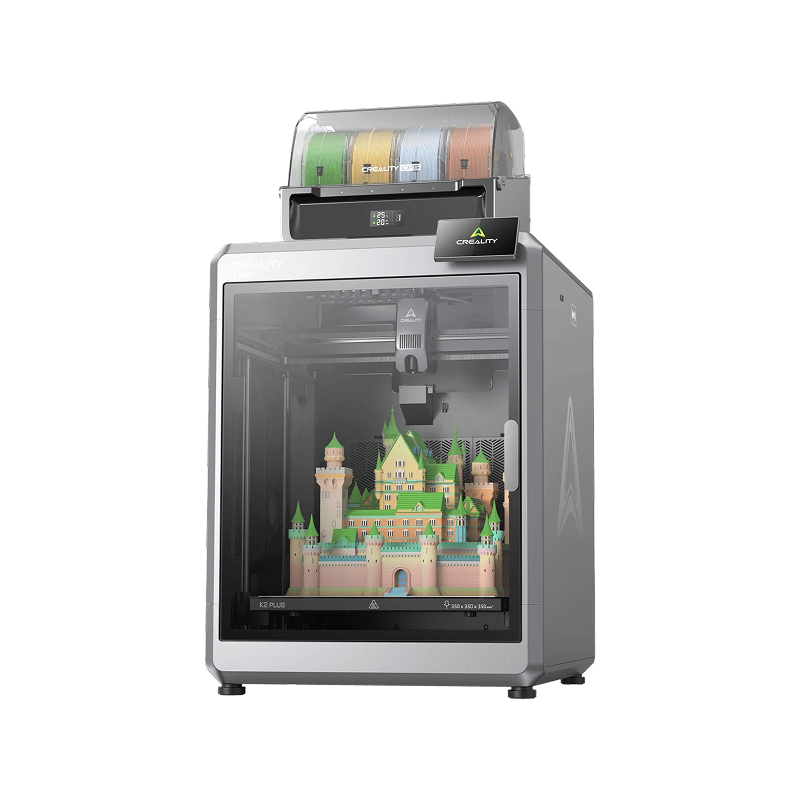
4. Creality K2 Plus

Creality K2 Plus

Best for large mid-range builds

Mid-range buyers who need large build volume and multicolor support without going to the prosumer tier.

350 × 350 × 350 mm of build volume, CoreXY motion, 600 mm/s, and 4-color CFS printing at a mid-range price. TechRadar called it “genuinely next-generation” and noted it performs like a professional-grade machine suited for business and educational use. Open Klipper firmware and a large community make it easy to customize.

TechnologyFDM CoreXY (enclosed)
Build volume350 × 350 × 350 mm
Max print speed600 mm/s
Max nozzle temp320°C
Max bed temp100°C
Multicolor4-color CFS system
FirmwareKlipper-based (open)
ConnectivityWi-Fi, LAN, USB
Auto-levelingYes (automatic)
Filament runoutYes
See Best Price →

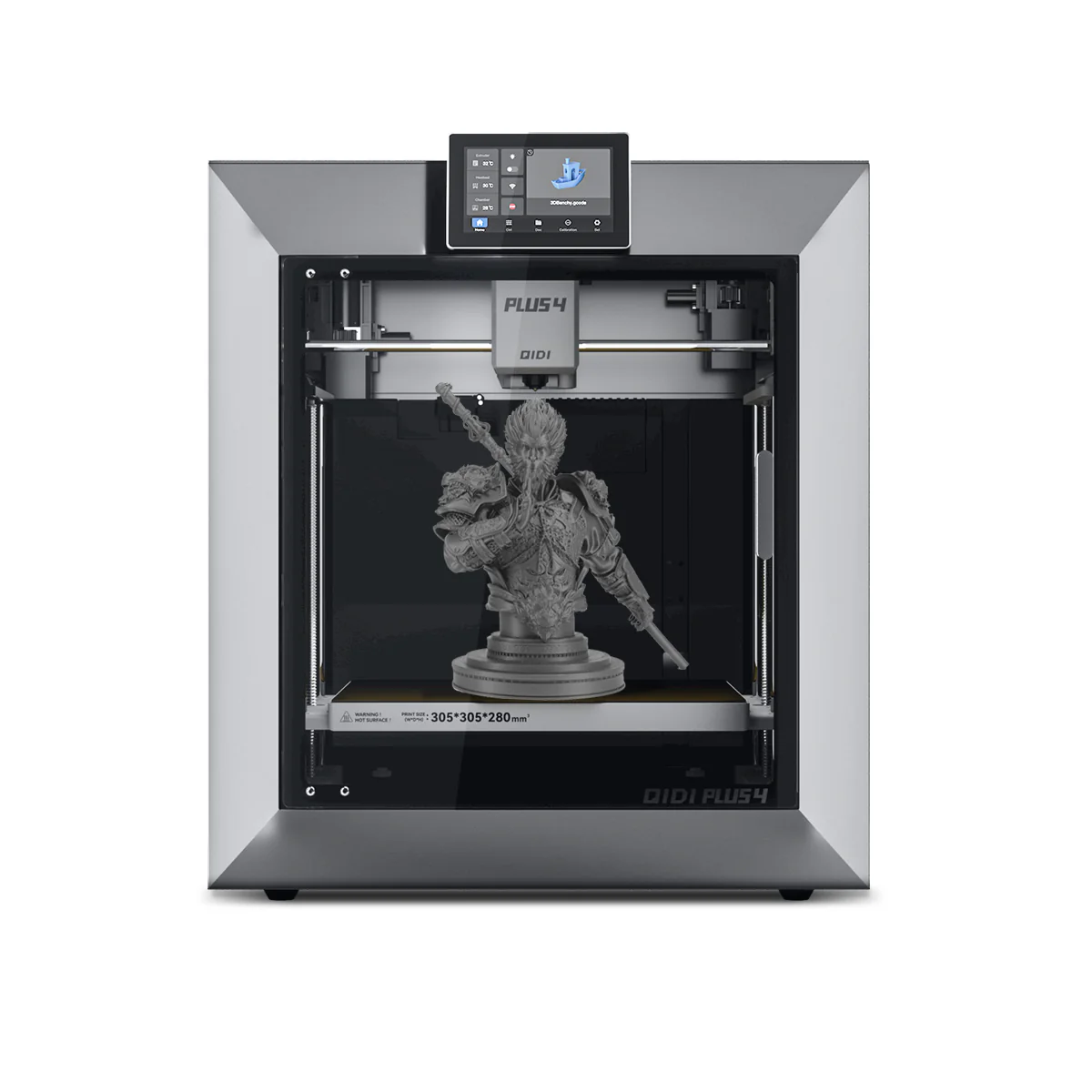
5. QIDI Plus465°C chamber

QIDI Plus4

Best for engineering materials

Engineers who need 65°C active chamber heating for PA-CF, PC, and engineering composites without prosumer pricing.

Built around a 65°C heated chamber, a feature that has historically appeared only in machines costing significantly more. That single specification makes it the most affordable option in 2026 for reliable PA-CF, PC-CF, PPS, and glass-fiber composite printing. Software trails Bambu, but the material capability at this price is unmatched.

TechnologyFDM CoreXY (enclosed)
Build volume305 × 305 × 280 mm
Max print speed600 mm/s
Max nozzle temp350°C
Chamber tempUp to 65°C (active)
Max bed temp120°C
Engineering materialsPA-CF, PC-CF, PPS, glass-fiber
Auto-levelingYes (automatic)
ConnectivityWi-Fi, USB
EcosystemQIDI Print / open slicers
See Best Price →

Best multicolor 3D printers 2026

AMS, MFS, and CFS systems: which multicolor setup is right for you?

The multicolor category is now split between two fundamentally different approaches. Multicolor printing now divides into two fundamentally different approaches. Single-nozzle systems like the P2S Combo, CC2, and K2 Pro Combo are reliable and affordable, but generate a purge tower of wasted filament with every color change. Tool-changer systems like the H2C and Snapmaker U1 eliminate this by keeping each material in its own dedicated nozzle — no purging required between swaps. Plan for 30-100g of purge waste per print on single-nozzle systems. With a tool-changer, that drops to near-zero.
★ Top pick: Multicolor

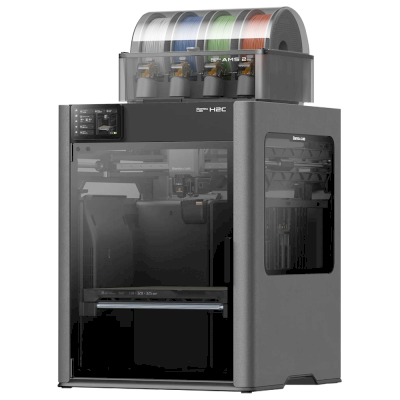
1. Bambu Lab H2C

Bambu Lab H2C

Makers and engineers who want true multi-material printing with near-zero purge waste and the most advanced filament management available on any desktop printer.

The H2C changes the fundamental economics of multicolor printing. Every other consumer multicolor system works by pushing filament through one nozzle and purging waste between colors. The H2C uses the Vortek system to physically swap entire hotends instead. Because each hotend retains its own material, switching between six active nozzles generates no purge waste. Seven materials in a single print, up to 24 with stacked AMS units, each hotend heating in 8 seconds. The 65°C heated chamber, 350°C nozzle, and PMSM servo extruder mean engineering materials print as reliably as PLA. For anyone frustrated by the filament waste of single-nozzle multicolor systems, this machine solves the problem entirely.

TechnologyFDM CoreXY, Vortek toolchanger
Build volume300 × 320 × 325 mm
Hotends (swappable)6 (8-second induction heat-up)
Materials per printUp to 7 (up to 24 with AMS)
Purge wasteNear-zero (Vortek hotend swaps)
Chamber temp65°C active
Max nozzle temp350°C
Max bed temp120°C
Motion accuracy50µm (Vision Encoder)
Sensors / cameras59 sensors, 4 cameras
Engineering materialsABS, ASA, PA-CF, PC, PPS, TPU
ConnectivityWi-Fi, USB, LAN
See Best Price →

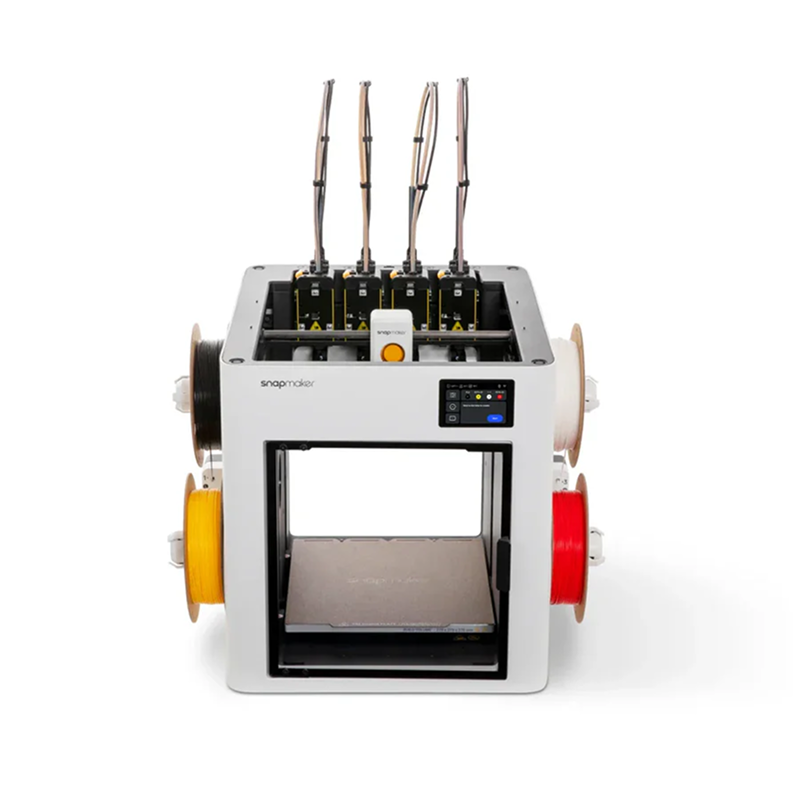
2. Snapmaker U1

Snapmaker U1

Best value tool-changer multicolor

Makers who want tool-changer near-zero-waste multicolor printing at half the price of the H2C, with full Klipper/OrcaSlicer openness.

The Snapmaker U1 raised $20.6 million on Kickstarter — the most funded 3D printer project ever — and the hardware justifies the excitement. Four independent toolheads each pre-loaded and pre-heated with their own filament. The SnapSwap system swaps between them in 5 seconds using steel-ball kinematic couplings, reducing filament waste by up to 80% versus single-nozzle systems. No purge tower on most prints. Each toolhead has its own heater and extruder, so you can freely combine PLA with TPU supports or PETG with PVA — something AMS-style printers struggle with. Klipper firmware, OrcaSlicer, open-source before end of March 2026. At $999 it is the most accessible true tool-changer on the market. Note: the enclosure lid is a separate optional purchase; ABS and ASA require it.

TechnologyFDM CoreXY, SnapSwap toolchanger
Build volume270 × 270 × 270 mm
Toolheads4 independent (5-second swap)
Colors per printUp to 4 simultaneously
Purge wasteUp to 80% less than single-nozzle
Tool alignment<0.04 mm (kinematic coupling)
Max nozzle temp300°C
EnclosureOptional lid (ABS/ASA requires it)
FirmwareKlipper + OrcaSlicer (open-source)
ConnectivityWi-Fi, Ethernet, USB
See Best Price →

3. Bambu Lab P2S Combo

Bambu Lab P2S Combo

Best high-performance multicolor

Makers who want multicolor printing with the most advanced filament management, active drying, and engineering material support.

The P2S Combo pairs the P2S with the AMS 2 Pro — the most capable consumer multicolor system available. The AMS 2 Pro actively dries filament while printing, which matters significantly for long multicolor jobs where moisture causes stringing and colour inconsistency. Stack up to four AMS 2 Pro units for 16-color printing. The DynaSense servo extruder handles CF and TPU reliably in multicolor setups where the P1S sometimes struggled. Active Airflow means ABS and ASA print multicolor with the door fully closed. If multicolor is your primary use case and you want the most capable setup, this is the machine to buy.

TechnologyFDM CoreXY (enclosed)
Build volume256 × 256 × 256 mm
Max print speed500 mm/s
Color systemAMS 2 Pro (included)
Max colors4 (up to 16 with 4 AMS 2 Pro)
Filament dryingYes (AMS 2 Pro active)
Active AirflowYes (door closed printing)
Max nozzle temp300°C
ExtruderDynaSense servo direct drive
ConnectivityWi-Fi, USB
See Best Price →

4. Elegoo Centauri Carbon 2 Combo

Elegoo Centauri Carbon 2 Combo

Best budget multicolor

Budget multicolor buyers who want a full 256 mm build plate outside the Bambu ecosystem.

The Centauri Carbon 2 Combo pairs the fast CoreXY platform with Elegoo’s CANVAS 4-color system and a full 256 mm build plate. Ranked in Amazon’s top 3 for 3D printers in early 2026. Software is less mature than Bambu’s, but the price-to-feature ratio for a full-size 4-color machine is exceptional.

TechnologyFDM CoreXY (enclosed)
Build volume256 × 256 × 256 mm
Max print speed500 mm/s
Max nozzle temp350&deg;C
Color systemCANVAS (4 colors)
Filament wastePurge tower per color change
Auto-levelingYes (automatic)
ConnectivityWi-Fi, USB
FirmwareOpen (Klipper-based)
EcosystemElegoo Slicer (Orca-based)
See Best Price →

5. Creality K2 Pro Combo

Creality K2 Pro Combo

Best mid-range multicolor with engineering materials

Engineers and makers who want 4-color printing plus reliable ABS, ASA, and nylon capability in an open Klipper ecosystem at a mid-range price.

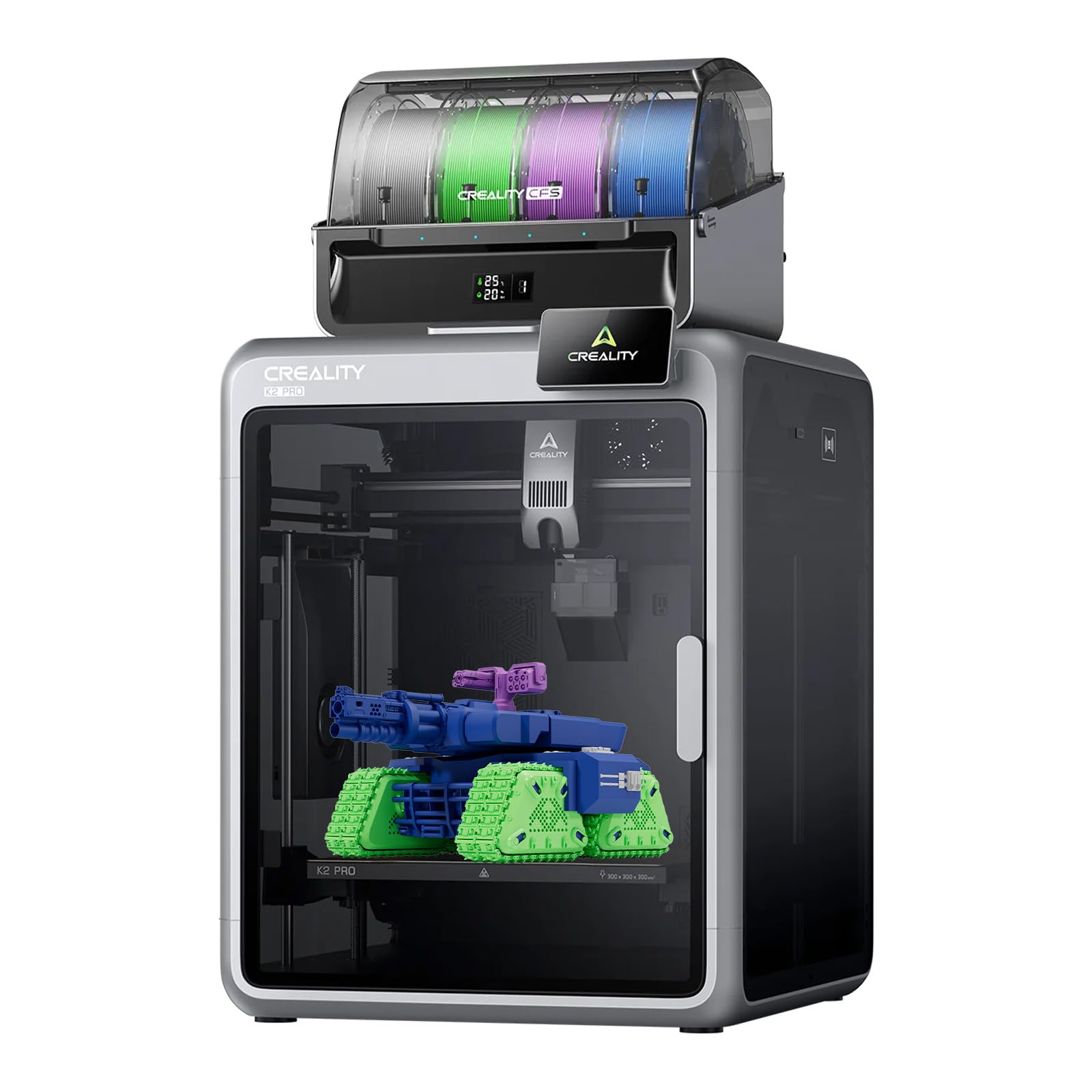
Launched August 2025, the K2 Pro Combo occupies a sweet spot at $1,049. The 60°C actively heated chamber is the key differentiator at this price tier — it makes ABS, ASA, and PA-CF genuinely reliable rather than marginal. CFS handles 4-color printing out of the box and scales to 16 colors with additional units. Klipper-based firmware with Fluidd gives advanced users full tuning control. Dual AI cameras monitor prints automatically. For users who want multicolor printing but also need engineering filament capability, the K2 Pro Combo offers the best combination under $1,100.

TechnologyFDM CoreXY (enclosed)
Build volume300 × 300 × 300 mm
Max print speed600 mm/s
Max acceleration20,000 mm/s²
Chamber temp60°C active
Color systemCFS (4 colors, up to 16)
Max nozzle temp300°C
Max bed temp110°C
FirmwareKlipper-based (open)
ConnectivityWi-Fi, LAN, USB
See Best Price →

6. Anycubic Kobra 3 Combo

Anycubic Kobra 3 Combo

Best budget multicolor bedslinger

Budget-conscious makers who want 4-color printing and active filament drying without paying for an enclosed CoreXY machine.

The Kobra 3 Combo stands out at its price point because the ACE Pro actively dries filament while printing — something normally reserved for more expensive machines. LeviQ 3.0 auto-leveling is reliable, KobraOS (Klipper-based) is familiar to experienced users, and the 250 × 250 × 260 mm plate gives adequate room alongside the purge tower. The open bedslinger design means no heated chamber, so ABS and engineering materials are off the table. For PLA and PETG multicolor work on a budget, it is the strongest option under $400.

TechnologyFDM bedslinger (open frame)
Build volume250 × 250 × 260 mm
Max print speed600 mm/s
Max acceleration20,000 mm/s²
Color systemACE Pro (4 colors)
Filament dryingYes (ACE Pro, up to 55°C)
Max nozzle temp300°C
Max bed temp100°C
Auto-levelingLeviQ 3.0
FirmwareKobraOS (Klipper-based)
See Best Price →

Best large format 3D printers 2026

300 mm and beyond: for cosplay, props, engineering, and batch production

Large-format printers have historically struggled with warping and thermal inconsistency at scale. The 2025-2026 generation largely solves these problems through AC-powered aluminium heat beds, actively heated chambers, and multi-point auto-leveling that genuinely works. Better value than it has ever been.
★ Top pick: Large format

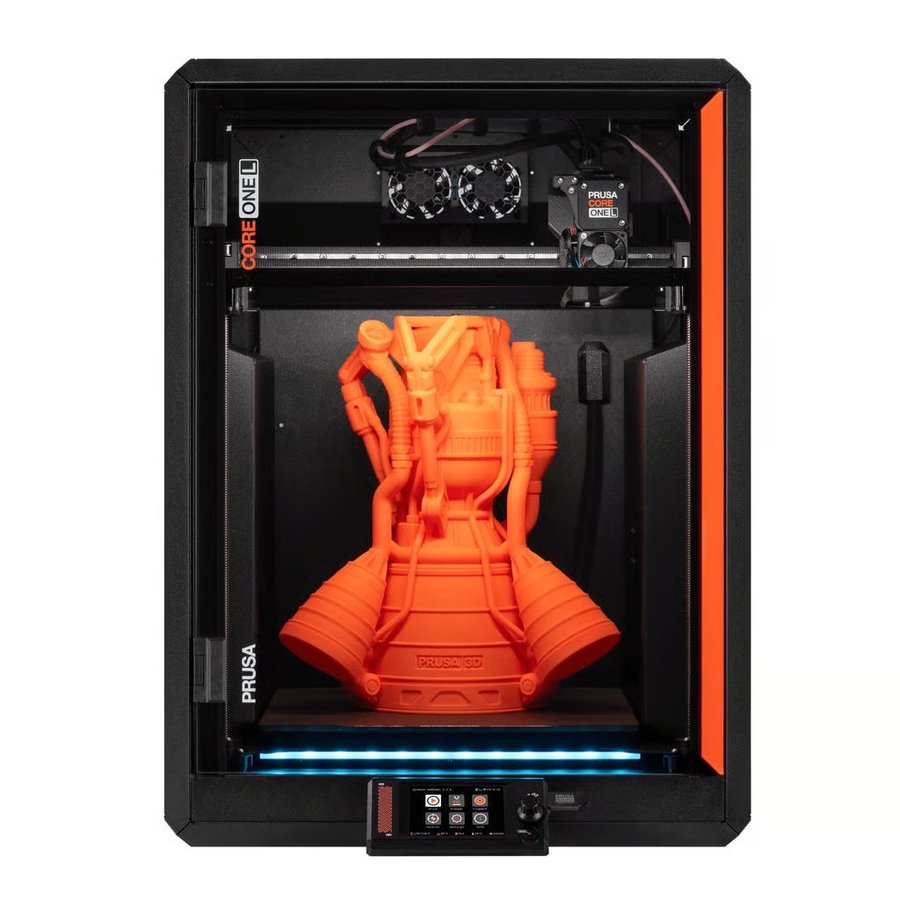
1. Prusa CORE One L

Prusa CORE One L

Large functional parts, cosplay props, architectural models, batch production, and reliable large-format printing of engineering materials.

The standout large-format machine of 2026. The CORE One L doubles the print volume of the original CORE One while adding only 10% to the physical footprint. The AC-powered aluminium heat bed delivers less than 2°C temperature variance across the 300 mm plate, essentially eliminating the warping caused by thermal inconsistency that plagues cheaper large-format designs. The 60°C actively heated chamber means ASA, ABS, Nylon, and PC print as reliably as PLA. CGMagazine called it “genuinely dependable production printing at a scale that matters.” Fully open-source, offline capable, repairable with a screwdriver.

TechnologyFDM CoreXY (enclosed)
Build volume300 × 300 × 330 mm
Max print speed600 mm/s
Max acceleration20,000 mm/s²
Chamber tempUp to 60°C (active)
Max nozzle temp300°C
HeatbedAC aluminium (±2°C)
Max bed temp120°C
Multicolor optionMMU3 (up to 5 filaments)
FirmwareOpen-source, offline capable
ConnectivityWi-Fi, LAN, USB
FrameAluminium + steel hybrid
See Best Price →

2. Creality K2 Plus

Creality K2 Plus

Best large format value

Large-format printing on a mid-range budget, with multicolor support included.

350 × 350 × 350 mm build volume, larger than the CORE One L, at a significantly lower price, with CoreXY motion and 4-color CFS multicolor included. TechRadar called it “genuinely next-generation.” The best large-format value for buyers who don’t specifically need a heated chamber.

TechnologyFDM CoreXY (enclosed)
Build volume350 × 350 × 350 mm
Max print speed600 mm/s
Multicolor4-color CFS system
Max nozzle temp320°C
FirmwareKlipper-based (open)
ConnectivityWi-Fi, LAN, USB
Auto-levelingYes (automatic)
See Best Price →

3. Bambu Lab H2D

Bambu Lab H2D

Best all-round large format prosumer

Advanced makers who want large build volume, heated chamber, and optional laser cutting in one machine.

Also listed as the top pick in the Prosumer section. The H2D’s 350 × 320 × 325 mm build volume, 65°C chamber, and dual-nozzle system make it the most capable large-format option, for buyers whose needs are closer to the prosumer tier. See full entry below.

Build volume350 × 320 × 325 mm
Chamber temp65°C active
Dual nozzleYes (near-zero purge waste)
Full specsSee Prosumer section below
See full entry ↓

4. QIDI Plus4

QIDI Plus4

Best for engineering materials large format

Engineers needing large-format PA-CF, PC, and engineering material printing without prosumer pricing.

The QIDI Plus4’s 65°C heated chamber in a 305 × 305 × 280 mm build space. Currently the most affordable machine that combines both large format and genuine engineering-material capability. Software trails the top picks, but the hardware delivers.

Build volume305 × 305 × 280 mm
Chamber temp65°C active
Max nozzle temp350°C
Max print speed600 mm/s
Engineering materialsPA-CF, PC-CF, PPS, glass-fiber
Auto-levelingYes
See Best Price →

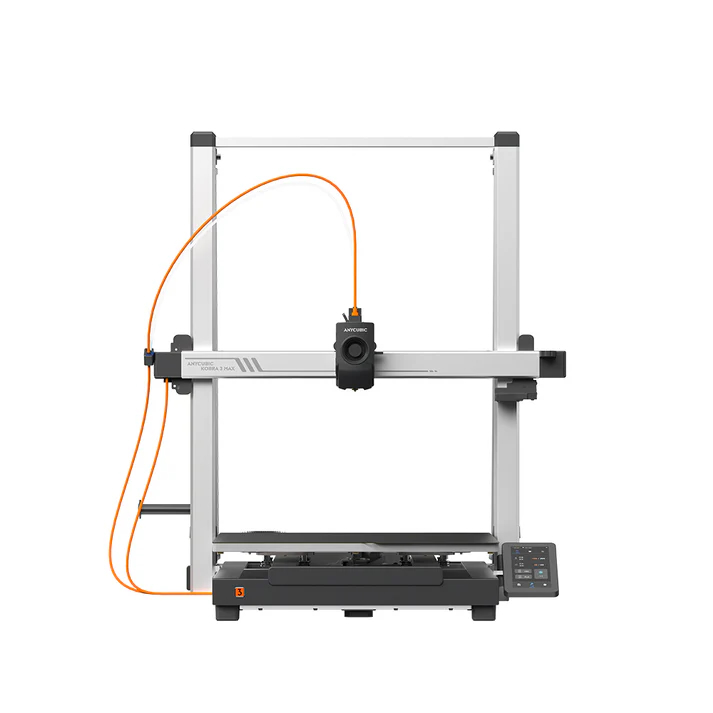
5. Anycubic Kobra 3 Max

Anycubic Kobra 3 Max

Largest consumer build volume

Cosplay, large prop printing, and anyone who needs the biggest possible build area at a consumer price.

For sheer build volume at a consumer price, the Kobra 3 Max is in a category of its own. Its 500 × 420 × 420 mm plate means full-size helmets, body armor sections, and large furniture pieces fit in a single print. Nothing else gives you this much printable volume at this price.

TechnologyFDM bedslinger (open frame)
Build volume420 × 420 × 500 mm
Max print speed600 mm/s
Max acceleration10,000 mm/s²
Max nozzle temp300°C
Max bed temp110°C
Auto-levelingLeviQ 3.0
Filament runoutYes (auto refill)
Heatbed warm-up25°C to 60°C in 125s
ConnectivityWi-Fi, USB
FilamentsPLA, PETG, ABS, TPU
AI monitoringOptional camera
See Best Price →

Best prosumer 3D printers 2026

Advanced manufacturing capability for serious makers, designers, and small studios

Prosumer machines in 2026 are defined by actively heated chambers at 60°C or above, servo-motor precision for dimensional accuracy, large build volumes, and in some cases multi-modal manufacturing. Aimed at product designers, fabrication studios, educators, and engineers who need functional prototypes overnight.
★ Top pick: Prosumer

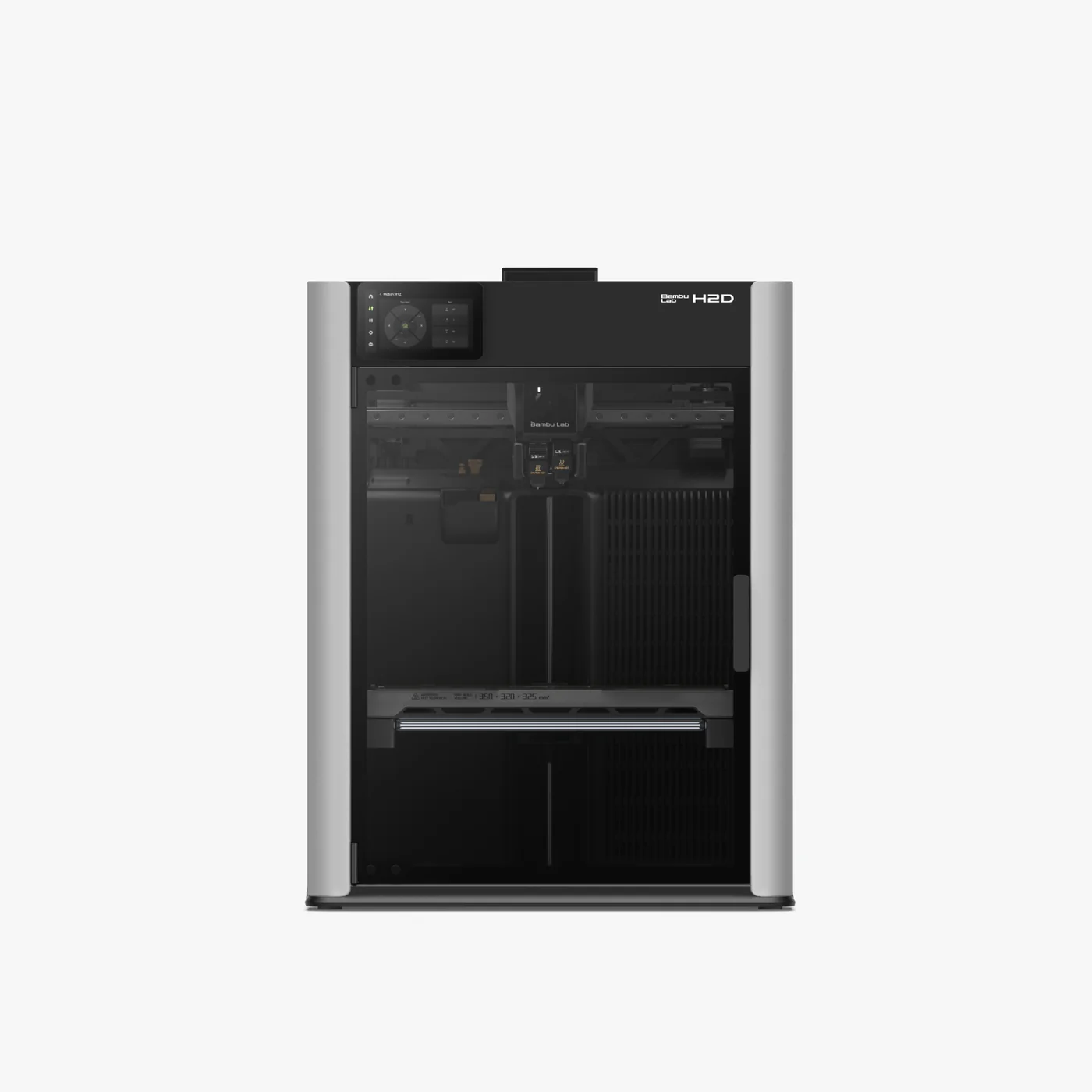
1. Bambu Lab H2DDual nozzle

Bambu Lab H2D

Advanced makers, product designers, and small studios who want large-format printing, heated chamber, near-zero multicolor waste, and optional laser cutting in a single desktop machine.

The most ambitious desktop 3D printer launched in 2025, fully matured by 2026. The dual-nozzle system eliminates the purge tower waste that all single-nozzle multicolor systems generate, saving hundreds of grams of filament per complex print. The 65°C heated chamber unlocks the full engineering filament spectrum: ABS, ASA, PA-CF, PC, PPS, and glass-fiber composites. Optional 10W and 40W laser modules turn the H2D into a laser engraver and cutter. TechRadar named it their overall best 3D printer. After 600+ print hours in community testing, reliability is high.

TechnologyFDM CoreXY, dual nozzle (enclosed)
Build volume350 × 320 × 325 mm
Max toolhead speed1,000 mm/s
Motion accuracy50 µm (Vision Encoder)
Chamber temp65°C active
Max nozzle temp350°C
Purge wasteNear-zero (dual nozzle)
MulticolorUp to 16 colors (AMS 2 Pro)
Optional modules10W laser, 40W laser, blade cutter
Max bed temp120°C
Engineering materialsABS, ASA, PA-CF, PC, PPS, glass-fiber
ConnectivityWi-Fi, USB, LAN
See Best Price →

2. Prusa XL (5-toolhead)

Original Prusa XL

Best zero-waste multi-material

Engineers and designers who need true multi-material printing without purge waste, paired with a large print volume and open-source freedom.

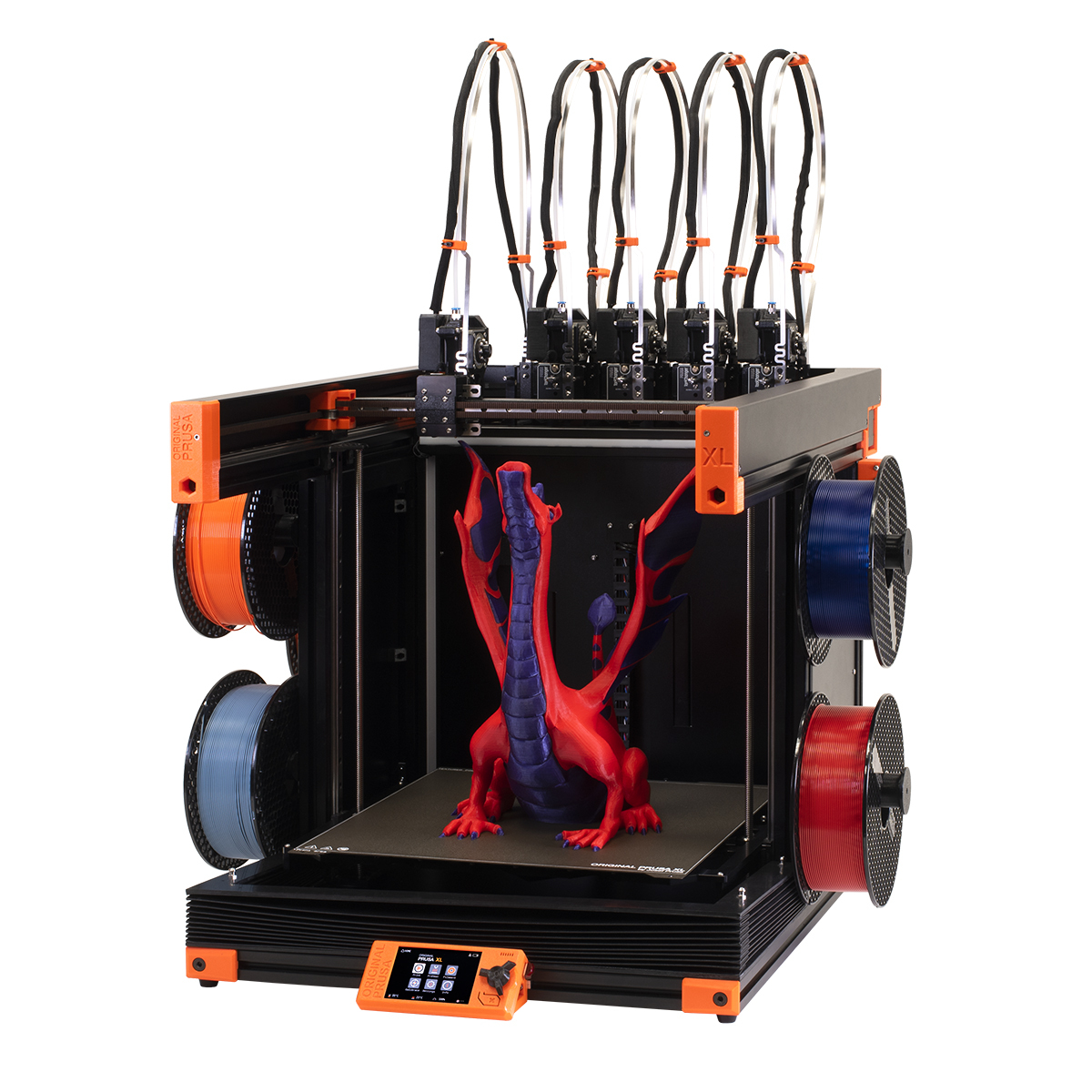
The only desktop printer that physically swaps entire toolheads between filaments rather than pushing material through one shared nozzle. Because each toolhead arrives already loaded, no purge tower is needed between color or material changes, resulting in near-zero waste and some of the cleanest material transitions available on any consumer machine. Up to five independent Nextruder heads can be active simultaneously, each with its own hot end, nozzle, and accelerometer. The 360 mm cube build volume is class-leading at this price, and the 16-zone segmented heatbed only heats tiles directly under the model, saving energy on smaller prints. Fully open-source, offline by default. A 2026 price drop now puts the assembled 5-toolhead version at roughly $3,700.

TechnologyFDM CoreXY with toolchanger
Build volume360 × 360 × 360 mm
ToolheadsUp to 5 independent Nextruders
Toolhead swap timeUnder 1 second
Multi-material wasteNear-zero (no purge tower)
Max nozzle temp290°C (standard Nextruder)
Segmented heatbed16 independently controlled tiles
Max bed temp120°C
FirmwareOpen-source (Prusa firmware)
Offline operationFull offline capable
ConnectivityWi-Fi, LAN, USB
SlicerPrusaSlicer (open-source)
Buy at Prusa →Buy upgrade kit at Prusa →

3. Raise3D Pro3 Plus HS

Raise3D Pro3 Plus HS

Best commercial and production reliability

Engineering teams, R&D labs, and small manufacturers who need a printer that runs like capital equipment, with long-duration composite printing, fleet management, and industrial service support.

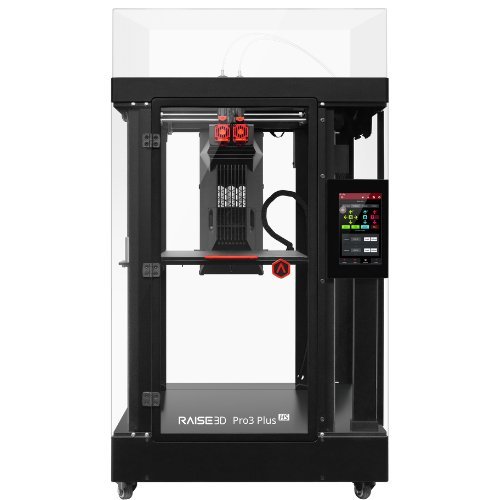
The Pro3 Plus HS is the machine production teams reach for when they need 3D printers to behave like factory equipment. A 300 × 300 × 605 mm build volume covers full-height automotive, aerospace, and consumer product parts in a single print, with no other prosumer machine coming close on Z height. Hyper FFF technology cuts composite print times by 30-70% compared to the standard Pro3 Plus, running PA-CF and PET-CF at 200-300 mm/s sustained. A closed-loop stepper motor system eliminates lost steps under load. HEPA 13 and activated carbon filtration are built in as standard. The EVE assistant system and RaiseCloud fleet management make it the most production-ready machine on this list. Best suited for teams running multiple printers with a dedicated operator.

TechnologyFDM, dual extrusion (IDEX)
Build volume300 × 300 × 605 mm
Max print speed300 mm/s sustained (Hyper FFF)
Max nozzle temp320°C
Motion controlClosed-loop stepper motor
Max bed temp120°C
Air filtrationHEPA 13 + activated carbon
Print monitoringBuilt-in HD camera
Fleet managementRaiseCloud (multi-printer)
ConnectivityWi-Fi, LAN, USB
Engineering materialsABS, ASA, PA, PA-CF, PC, PP, PET-CF
Filament trackingRFID sensor
See Best Price →

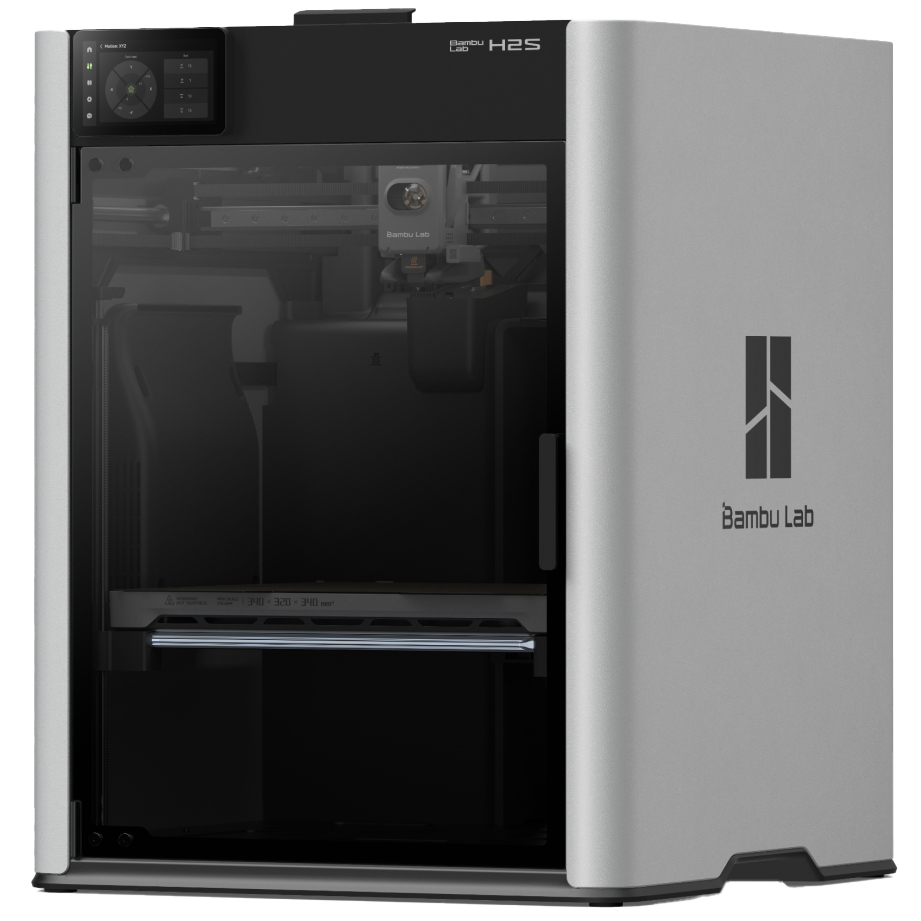
5. Bambu Lab H2S

Bambu Lab H2S

Best single-nozzle H-series

Makers and engineers who want the H-series heated chamber and DynaSense servo precision without the dual-nozzle cost premium of the H2D.

The H2S removes the dual-nozzle system from the H-series and reduces the price considerably while keeping what matters most for functional printing: a 65°C actively heated chamber, DynaSense PMSM servo motors for superior dimensional accuracy under load, and a 340 × 320 × 340 mm build volume that meaningfully exceeds the X1 Carbon and P2S. At 700 mm/s it is faster than the H2D on single-material prints where the dual-nozzle overhead does not apply. AMS 2 Pro compatible for up to 16-color multi-filament printing. The right entry point to the H-series for engineers primarily printing single-material functional parts in ABS, ASA, PA-CF, and PC.

TechnologyFDM CoreXY (enclosed)
Build volume340 × 320 × 340 mm
Max print speed1,000 mm/s
Servo motorsDynaSense PMSM
Chamber temp65°C active
Max nozzle temp350°C
MulticolorAMS 2 Pro compatible
Max bed temp120°C
ConnectivityWi-Fi, USB, LAN
Engineering materialsABS, ASA, PA-CF, PC, PPS
See Best Price →

Best resin 3D printers 2026

MSLA and SLA for ultra-fine detail, miniatures, jewelry, and professional applications

Resin printing delivers sub-20 micron XY resolution against roughly 200 microns for the best FDM machines. The 2026 generation has solved the key usability challenges: heated vats for consistency, tilt-release mechanisms to reduce failures, and 16K resolution in the mid-range. Trade-off: chemical handling, ventilation, and a wash and cure station are required.

★ Top pick: Resin

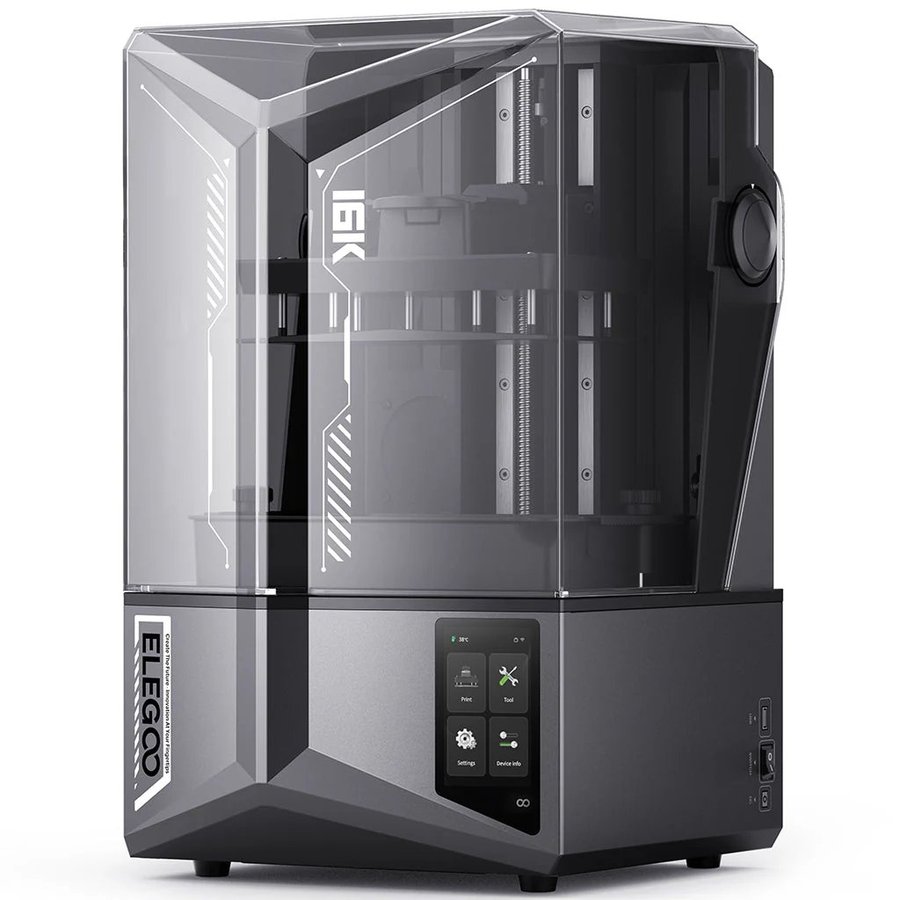
1. Elegoo Saturn 4 Ultra 16K

Elegoo Saturn 4 Ultra 16K

Hobbyists, makers, and small studios who want the sharpest resolution resin printing available outside the professional tier.

The Saturn 4 Ultra 16K sits at a rare intersection of cutting-edge specifications and practical usability. The 16K LCD panel delivers 14-18 micron XY resolution, genuinely ultra-fine, and meaningfully sharper than the 12K version. The heated resin vat (stabilizing temperature at 30°C regardless of ambient conditions) is now included as standard on the 16K version. The tilt-release mechanism speeds up print times and dramatically reduces layer separation failures. Open resin compatibility, no vendor lock-in. Compatible with Chitubox and Lychee.

TechnologyMSLA resin (LCD)
Build volume218 × 122 × 220 mm
Resolution16K
XY accuracy14-18 microns
Z resolution0.01-0.15 mm
Max print speed150 mm/h
Heated vatYes (30°C stable)
Release mechanismTilt release
Light sourceCOB (uniform exposure)
Resin compatibilityOpen (any third-party resin)
ConnectivityWi-Fi, USB
SoftwareChitubox / Lychee (no lock-in)
See Best Price →

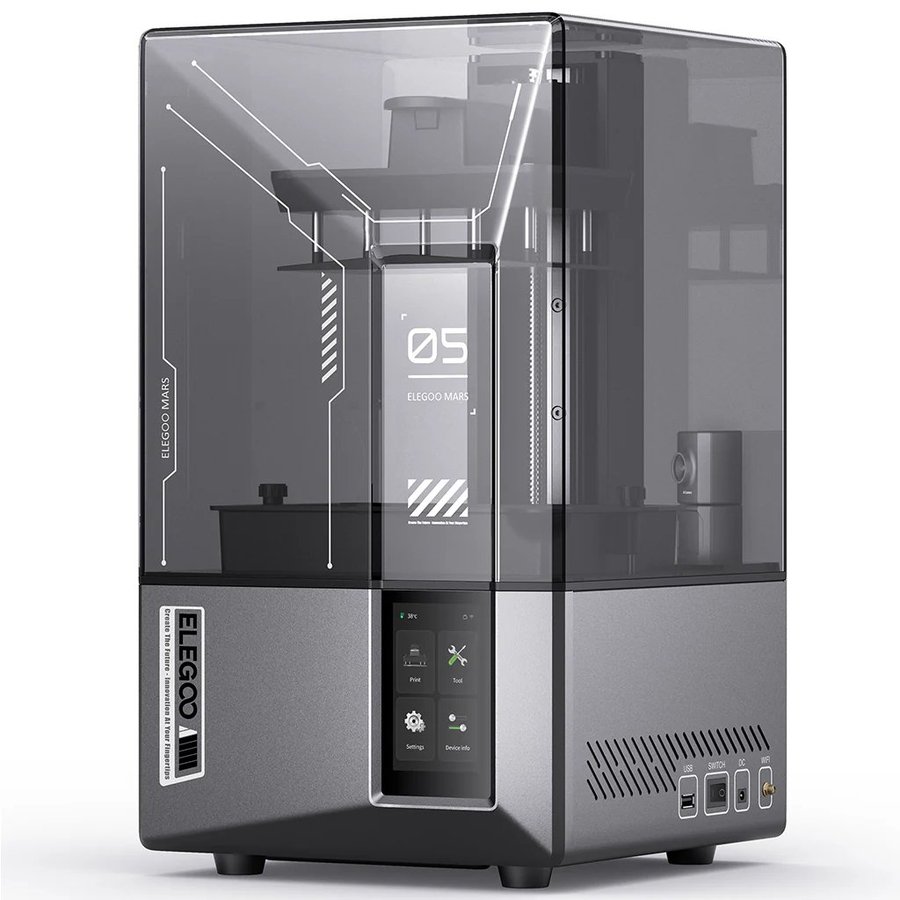
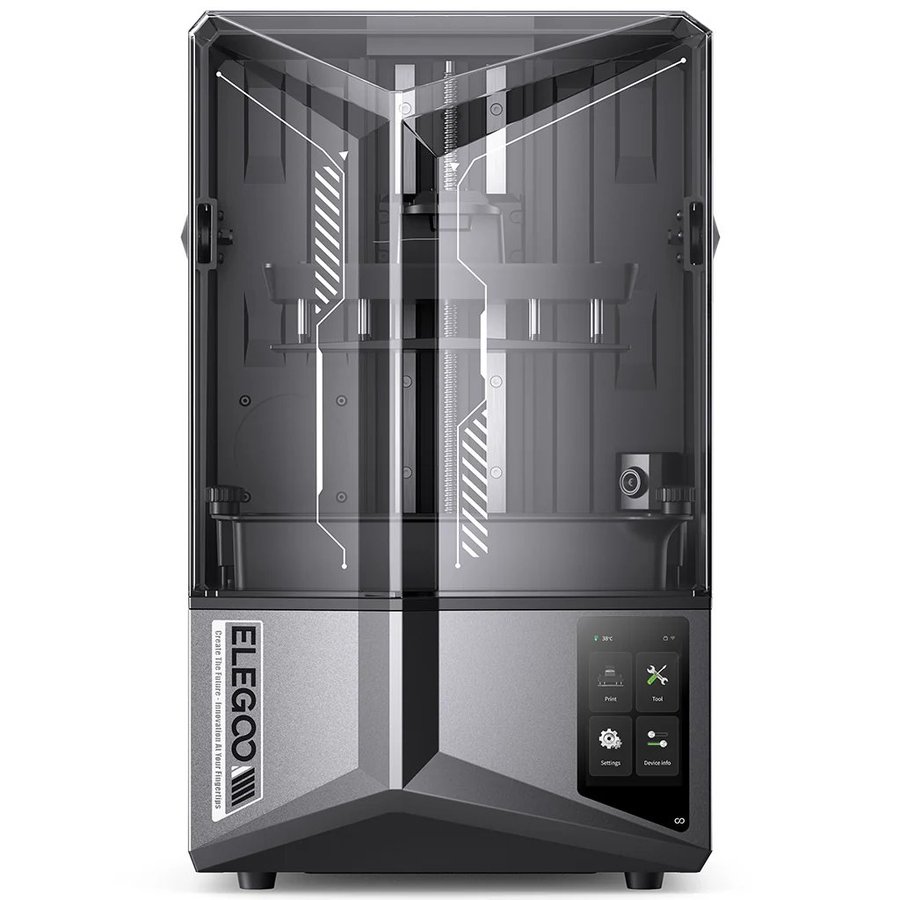
2. Elegoo Mars 5 Ultra

Elegoo Mars 5 Ultra

Best for miniatures and tabletop gaming

Tabletop gamers, miniature painters, and jewelers who need the finest XY resolution at a compact scale.

18 × 18 micron XY resolution on a compact build plate, the tightest pixel pitch in its price range. For 28mm-32mm miniatures, fine jewelry, and small-scale detailed models where sub-20 micron resolution is the priority, this is the best choice. Fast, compact, and reliable.

TechnologyMSLA resin (LCD)
Build volume153 × 77 × 165 mm
Resolution12K
XY accuracy18 × 18 microns
Z resolution0.01-0.2 mm
Max print speed120 mm/h
Release mechanismTilt release
CameraBuilt-in
Resin compatibilityOpen (any third-party)
SoftwareChitubox / Lychee
See Best Price →

3. Elegoo Saturn 4 Ultra (12K)

Elegoo Saturn 4 Ultra 12K

Best mid-size resin at a lower price

Buyers who want the Saturn 4 Ultra build quality and tilt-release system at a lower price than the 16K.

The 12K version delivers 19-24 micron resolution with the same tilt-release mechanism and reliable vat design as the 16K, at a lower price. The pixel density difference is subtle for most hobby applications, if budget is a factor and your primary use cases are terrain, larger miniatures, or general resin printing, this is the sensible pick.

TechnologyMSLA resin (LCD)
Build volume218 × 122 × 220 mm
Resolution12K
XY accuracy19-24 microns
Max print speed120 mm/h
Release mechanismTilt release
Heated vatNo
Resin compatibilityOpen (any third-party)
ConnectivityWi-Fi, USB
SoftwareChitubox / Lychee
See Best Price →

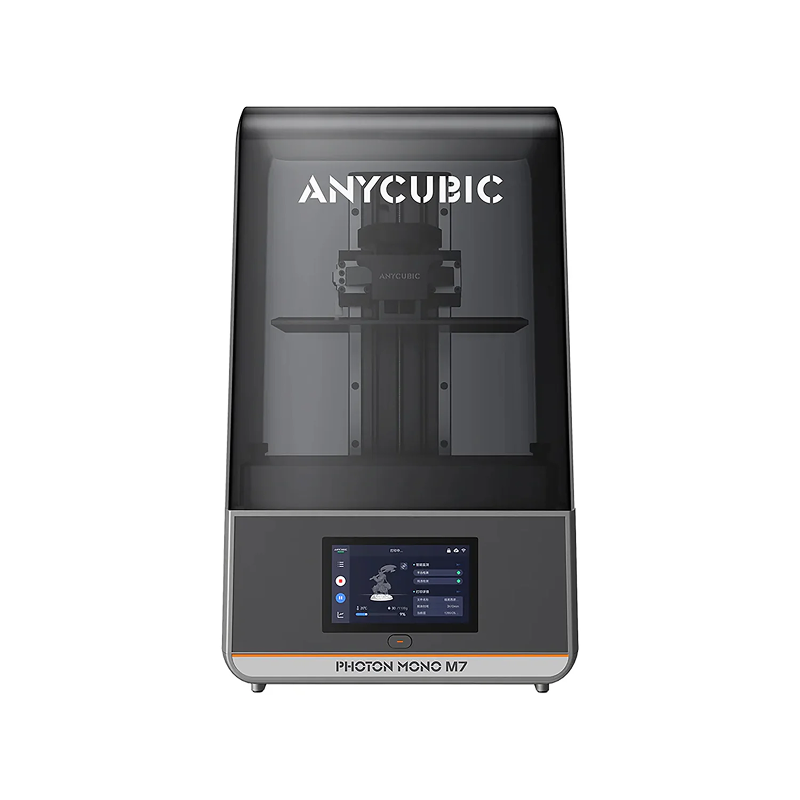
4. Anycubic Photon Mono M7 Pro

Anycubic Photon Mono M7 Pro

Best large resin build volume

Large terrain, full-size props, and batch production where build volume matters more than pixel density.

One of the largest MSLA build volumes available at a consumer price, ideal for large terrain pieces, full helmet visors, and batch production runs that exceed the Saturn’s plate. Strong community support and good print quality at a larger scale.

TechnologyMSLA resin (LCD)
Build volume223 × 126 × 230 mm
Resolution14K (13312 × 5120)
XY accuracy16.8 × 24.8 microns
Max print speed170 mm/h (high-speed resin)
Standard resin speed130 mm/h
Heated vatYes (25-35°C)
Auto resin refillYes (pump system)
Light sourceLighTurbo 3.0 (COB + Fresnel)
Release mechanismACF film
Smart featuresFail, residue + level detection
ConnectivityWi-Fi, USB
See Best Price →

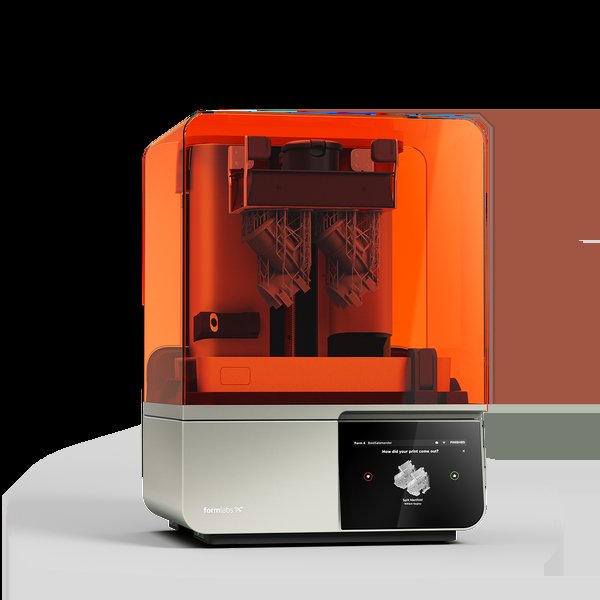
5. Formlabs Form 4Professional

Formlabs Form 4

Best professional resin printer

Dental labs, engineering studios, universities, and any professional application requiring validated materials and near-100% print success.

The professional standard for desktop resin printing worldwide. Low Force Display (LFD) technology and validated resin cartridges deliver near-100% print success rates and exceptional dimensional accuracy. Tom’s Hardware noted Form 4 prints were “more refined” than the Saturn 4 Ultra in direct comparison tests. Not for hobbyists, proprietary resin cost makes casual use impractical. For production dental or engineering use, the ecosystem justifies the price entirely.

TechnologySLA (Low Force Display)
Build volume~145 × 145 × 185 mm
XY accuracy25 microns
Z resolution0.025-0.3 mm
Max print speedUp to 100 mm/h (Fast Resin)
Print success rateNear 100% (validated ecosystem)
Resin systemValidated cartridges (closed)
Biocompatible resinsYes (dental and medical)
Fleet managementYes (Dashboard)
SoftwarePreForm (auto-support)
ConnectivityWi-Fi, USB, Ethernet
Warranty1 year standard
See Best Price →

3D printer buying guide 2026

What actually matters when choosing a 3D printer today

FDM vs resin: which technology is right for you?

FDM printers melt and deposit plastic filament layer by layer. They are versatile, relatively clean to use, support a huge range of materials, and produce parts strong enough for functional use. Resin printers cure liquid photopolymer with UV light, producing dramatically finer surface detail but requiring chemical handling, ventilation, and post-processing. Choose FDM for functional parts, enclosures, cosplay, and everyday printing. Choose resin for miniatures, jewelry, dental models, and visual prototypes where surface finish is the priority.

CoreXY vs bed slinger: does it matter?

In a CoreXY printer, the print head moves in X and Y while the build plate only moves in Z. In a bed-slinger, the build plate moves back and forth on the Y axis. CoreXY is generally faster and more accurate for tall or heavy prints because the growing print’s mass doesn’t create inertia during Y movements. For everyday PLA and PETG printing under 300 mm tall, a bed-slinger like the Bambu A1 is perfectly capable. For tall, heavy, or fast prints, CoreXY is the better choice.

Heated chamber: when do you actually need one?

A heated chamber, the entire enclosed air volume, not just the build plate, matters when printing engineering-grade materials that warp when they cool too quickly: ABS, ASA, Nylon, Polycarbonate, and fiber-reinforced composites. For PLA, PETG, and TPU, a standard enclosed printer is perfectly adequate. If you know you’ll regularly print engineering materials, budget for 55°C+ chamber heating: Prusa CORE One+ (55°C), QIDI Plus4 (65°C), Bambu H2S (65°C), or Bambu H2D (65°C).

Multicolor printing: what to expect

Multicolor printing in 2026 divides into two fundamentally different approaches. Single-nozzle systems (P2S Combo, CC2 Combo, K2 Pro Combo) are reliable and affordable but generate a purge tower of wasted filament with every color change — expect 30–100g per print. Tool-changer and hotend-swapping systems eliminate this entirely: the Bambu H2C’s Vortek system swaps between six dedicated hotends, each holding its own material, producing zero purge waste for up to seven colors per print. Tom’s Hardware measured the H2C generating no waste versus 279g on the H2D for the same print. The Snapmaker U1 cuts waste by up to 80% versus single-nozzle systems. For casual multicolor printing, a single-nozzle Combo system is fine. For heavy multicolor use, the waste savings of a tool-changer quickly add up.

Open ecosystem vs walled garden

Bambu Lab’s printers deliver the best out-of-box experience and most seamless software integration, but they push users toward Bambu Studio and cloud features. Third-party software works, but some capabilities require Bambu’s own tools. Prusa’s ecosystem is fully open-source: any slicer works, firmware is community-editable, and machines operate completely offline. For tinkerers or secure offline workflows, Prusa is the right call. For the smoothest possible experience, Bambu wins.

Build volume: how much do you actually need?

Most everyday prints fit in a 220 × 220 × 220 mm build volume. A 256 mm plate, standard on the Bambu P2S, A1, and Elegoo Centauri Carbon, handles the vast majority of hobby and prosumer use cases. Where you genuinely need more: large cosplay armor, helmet-sized prints, architectural models, furniture components, and batch production runs. The 300 mm CORE One L plate, or the 350 mm plates on the K2 Plus and H2D, are the right step up when you regularly hit the edges.

Frequently asked questions

Common questions about buying a 3D printer in 2026

What is the best 3D printer in 2026?

For most users, the Bambu Lab P2S. It combines 500 mm/s CoreXY speed, a fully enclosed chamber, AMS 2 Pro for 4-color printing, excellent software, and reliable hardware. For budget buyers, the Elegoo Centauri Carbon delivers most of the same performance at a lower price. For open-source and long-term repairability, the Prusa CORE One+ is the best alternative.

Is Bambu Lab worth it in 2026?

Yes, for most buyers. Bambu’s printers consistently top independent review rankings because they combine fast hardware, mature software, and a seamless user experience. The main caveats are ecosystem lock-in and the fact that their hardware is not as repairable or community-modifiable as Prusa or Creality machines. If those trade-offs are acceptable, Bambu printers offer the best out-of-box experience in the market.

What is the best 3D printer for beginners in 2026?

The Bambu Lab A1 Mini. It sets up in minutes, calibrates itself automatically, connects to an excellent mobile app, and produces near-perfect results from the first print. The A1 Mini Combo adds 4-color printing with the AMS Lite included. If the 180 mm build plate is too small for your projects, step up to the Bambu P2S which offers a full 256 mm plate with the same ecosystem polish.

What is the fastest 3D printer in 2026?

The Bambu Lab H2D has a maximum toolhead movement speed of 1,000 mm/s, though actual 3D printing is capped at 600 mm/s — the 1,000 mm/s figure applies to laser engraving mode. Among single-nozzle consumer machines, the Bambu H2S, Prusa CORE One+, and Creality K2 Plus all reach 600 mm/s. The Creality Hi tops out at 500 mm/s despite some early marketing claims of higher speeds. In practical terms, the difference between 500 mm/s and 600 mm/s translates to a modest reduction in print time for most models — real, but not transformative. High speeds also demand a rigid frame and good cooling to maintain quality.

Resin vs filament: which should I choose?

Choose filament (FDM) for versatility, easy material handling, functional parts, and a clean workflow. Choose resin for ultra-fine surface detail for miniatures, jewelry, dental models, or visual prototypes and you’re willing to handle chemical post-processing. A practical 2026 combination: a Bambu A1 or P2S for FDM work, paired with an Elegoo Mars 5 Ultra or Saturn 4 Ultra for detail-critical resin prints.

Do I need a multicolor printer?

Not unless you specifically want to print in multiple colors. Single-color printing is faster, simpler, generates no purge waste, and is perfectly capable for most practical applications. Multicolor adds meaningful complexity, more filament management, more waste, and longer slicing times. That said, if you want colorful figurines, educational models, signage, or branded parts, the Bambu A1 Mini Combo makes the process genuinely accessible at a budget price, while the P2S Combo steps it up with active filament drying and engineering material support.
Come and let us know your thoughts on our Facebook, X, and LinkedIn pages, and don’t forget to sign up for our weekly additive manufacturing newsletter to get all the latest stories delivered right to your inbox.

Share:
WhatsApp Twitter Facebook LinkedIn Buffer Reddit E-mail
Join our newsletter

Our newsletter is free & you can unsubscribe any time.

Latest posts

Western University Uses AI and 3D Printing to Keep Pace With Children’s Growing Ears

Researchers at Western University have launched a four-year, $4.4-million (USD) project that uses artificial intelligence and 3D printing to produce custom hearing-aid earmolds... read more »

Medical
Western University Uses AI and 3D Printing to Keep Pace With Children's Growing Ears

Army Opens 50-Printer Additive Makerspace at Picatinny Arsenal

The U.S. Army cut the ribbon on a new Additive Makerspace at Picatinny Arsenal, New Jersey on March 19, giving engineers at the... read more »

Military
Army Opens 50-Printer Additive Makerspace at Picatinny Arsenal

Leiden Researchers 3D Print Brainless Microrobots That Swim and Dodge Obstacles Like Living Animals

Researchers at Leiden University have created 3D-printed microrobots just tens of micrometres long that can swim, sense their surroundings, and steer around obstacles... read more »

News
Leiden Researchers 3D Print Brainless Microrobots That Swim and Dodge Obstacles Like Living Animals

Best Wash and Cure Stations for Resin 3D Printing 2026

Every resin 3D print comes off the build plate coated in liquid, uncured photopolymer resin that is toxic, sticky, and fragile. Before a... read more »

Accessories

Best Filament Dryers 2026

Moisture is the most common cause of stringing, bubbling, and weak layer adhesion in 3D prints. A filament dryer removes that moisture at... read more »

Accessories

Spanish Hospital Cuts Therapy Equipment Costs by 97.6% With 3D Printing

La Candelaria University Hospital in Tenerife is producing custom hand rehabilitation tools for €56 per batch using a 3D printer, down from €2,316... read more »

Medical
Spanish Hospital Cuts Therapy Equipment Costs by 97.6% With 3D Printing

Adidas Debuts 3D Printed Basketball Shoe

Adidas has introduced a 3D-printed basketball shoe, debuted by Kansas Jayhawks guard Darryn Peterson. The 19-year-old, who'd been projected as the top pick... read more »

News
Adidas Debuts 3D Printed Basketball Shoe

OU and Oak Ridge Lab Win $8.8M to Speed 3D-Printed Parts Approval for Air Force Aircraft

The University of Oklahoma has been awarded $8.8 million to launch Phase II of a metal 3D printing research program aimed at cutting... read more »

3D Printing Metal

BASF Starts Up World’s First Industrial-Scale 3D Printed Catalyst Plant in Ludwigshafen

BASF commissioned the world's first production plant for 3D-printed catalysts, bringing its proprietary X3D technology to full industrial scale at its Ludwigshafen site.... read more »

Materials
BASF Starts Up World's First Industrial-Scale 3D Printed Catalyst Plant in Ludwigshafen

Sound Particles 3D Prints Its Employees’ Ears to Perfect Spatial Audio

A 17-person audio software company in Lisbon has 3D-printed replicas of every employee's ears, heads, and torsos to test acoustic realism, part of... read more »

News
Sound Particles 3D Prints Its Employees' Ears to Perfect Spatial Audio

Social

  • Facebook Facebook 3D Printing
  • Linkedin Linkedin 3D Printing
banner
Join our newsletter

Our newsletter is free & you can unsubscribe any time.

Featured Industries

  • Automotive
  • Aerospace
  • Construction
  • Dental
  • Environmental
  • Electronics
  • Fashion
  • Medical
  • Military
  • Flashforge Adventurer 5M

    • - Print size: 220 x 220 x 220 mm
    • - 600mm/s travel speed
    More details »
    $299.00 Flashforge
    Buy Now
  • Qidi Max 4

    • - Print size: 390 x 390 x 340 mm
    • - active cooling air control
    More details »
    $1,219.00 Qidi
    Buy Now
  • Snapmaker U1

    • - Print size: 270 x 270 x 270 mm
    • - multi-color printing with SnapSwap
    More details »
    $849.00 Snapmaker
    Buy Now
  • Creality K2 Plus

    • - Print size: 350 x 350 x 350 mm
    • - multi-color printing
    More details »
    $1,199.00 Creality
    Buy Now
  • Flashforge Guider 3 Ultra

    • - Print size: 330 x 330 x 600 mm
    • - dual extruder system
    More details »
    $2,999.00 Flashforge
    Buy Now
  • Anycubic Photon Mono M7

    • - Print size: 223 x 126 x 230 mm
    • - 10.1 inch 14K screen
    More details »
    $279.00 Anycubic
    Buy Now
  • Creality Hi Combo

    • - Print size: 260 x 260 x 300 mm
    • - up to 16-color printing
    More details »
    $399.00 Creality
    Buy Now
  • Flashforge AD5X

    • - Print size: 220 x 220 x 220 mm
    • - dual extrusion system
    More details »
    $399.00 Flashforge
    Buy Now
  • Qidi Q2

    • - Print size: 270 x 270 x 256 mm
    • - enclosed heated chamber up to 65°C
    More details »
    $580.00 Qidi
    Buy Now
  • Anycubic Kobra S1 Combo

    • - Print size: 250 x 250 x 250 mm
    • - budget multicolor printing
    More details »
    $429.00 Anycubic
    Buy Now

Company Information

  • What is 3D Printing?
  • Contact us
  • Join our mailing list
  • Advertise with us
  • Media Kit
  • Nederland 3D Printing

Blog

  • Latest News
  • Use Cases
  • Reviews
  • 3D Printers
  • 3D Printing Metal

Featured Reviews

  • Anycubic Photon Mono M5s
  • Creality Ender 5 S1
  • The Mole 3D Scanner
  • Flashforge Creator 3 Pro

Featured Industries

  • Automotive
  • Aerospace
  • Construction
  • Dental
  • Environmental
  • Electronics
  • Medical
  • Military
  • Fashion
  • Art
2026 — Strikwerda en Dehue
  • Home
  • Join our mailing list
  • Contact us
Blog
  • Latest News
  • Use Cases
  • Reviews
  • 3D Printers
  • 3D Printing Metal
Featured Industries
  • Automotive
  • Aerospace
  • Construction
  • Dental
  • Environmental
  • Electronics
  • Medical
  • Military
  • Fashion
  • Art
Company Information
  • What is 3D Printing?
  • Contact us
  • Join our mailing list
  • Advertise with us
  • Media Kit
  • Nederland 3D Printing