
A two-second outage can end a 40-hour print. Built-in power-loss recovery, a UPS and a voltage stabilizer each deal with a different part of that risk.
When a two-hour PLA print fails, you lose a little filament and start again. A 40-hour print in an engineering material, or a full build plate on a print farm, is a different matter: the material, the machine time and often a delivery date go with it. Blackouts are only part of the problem. Dips, brownouts and spikes can reset a printer’s controller just as effectively, and in some regions they are more common than a full outage.
Three things stand between a long print and the next power event: whatever recovery the printer has built in, a battery that bridges the gap, and a regulator that smooths the supply. Each covers a different failure, and the right mix depends on how long your prints run, what a failed job costs you and how reliable your local supply is.
What power-loss recovery can and cannot do
Many current FDM printers can resume after an outage. The better implementations detect the voltage drop, cut the heaters and use the energy left in the power supply’s capacitors to save the position and lift the nozzle clear of the part. It is a useful fallback, but the printer still stops, and the interruption leaves its mark:
- The heated bed and any heated chamber cool down, so the part can warp or lose adhesion, especially in ABS, ASA or nylon.
- The nozzle oozes while idle, and the restart often leaves a visible seam or a weak layer.
- Results depend on the firmware. Some printers resume close to the exact position, others restart from the last saved layer.
Check what your printer supports and what its maker asks you to verify before resuming, usually bed adhesion. Recovery helps after an outage. It does not keep the job running through one.
What a UPS adds
An uninterruptible power supply (UPS) keeps the printer powered from a battery when the grid drops out. Short interruptions pass unnoticed; longer ones give you time to pause the job in a controlled way.
How long a UPS can carry a printer depends on battery capacity and load, so be wary of any runtime figure that does not state both. As a rough estimate, runtime equals usable battery energy in watt-hours, multiplied by inverter efficiency, divided by the printer’s average draw. That draw is not constant: a desktop FDM printer can pull several hundred watts while its bed heats up and far less once it is at temperature, and enclosed machines with chamber heaters need more.
Size the UPS for the peak on the printer’s rating label and check the watt rating, not only the VA figure. A 1000VA unit rated at 800 W reflects a power factor of 0.8. Prefer a pure sine wave output; some printer power supplies with active power factor correction misbehave on a stepped approximation.
PowerHome, for example, lists a 1000VA unit rated at 800 W with a pure sine wave output. According to the company, output voltage is held within 1 percent while running on battery; on mains, the unit passes utility power straight through and does not regulate it. The model uses external lead-acid batteries sold separately, so its runtime depends entirely on the battery bank you pair with it. Assembling that bank, with the right string voltage, fusing and ventilation for lead-acid cells, is DC wiring work rather than a plug-in purchase.
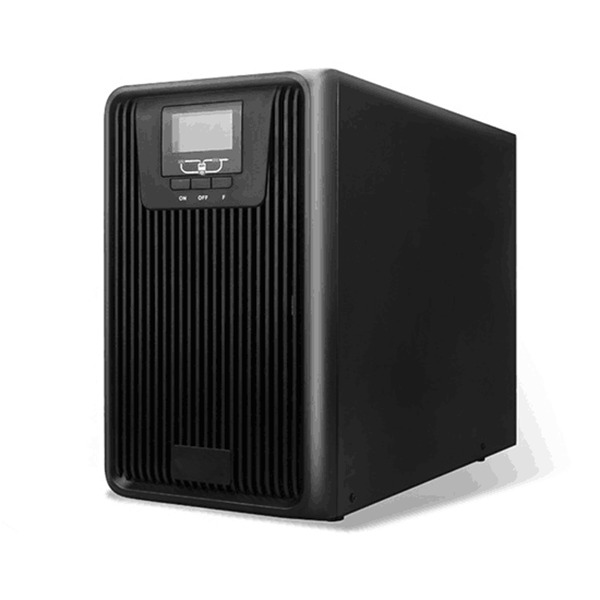
The PowerHome 1000VA UPS. Image: PowerHome.
When a voltage stabilizer is the better fit
Where grid voltage regularly sags or surges, a voltage stabilizer, also called an automatic voltage regulator, holds the output within a narrow band. It has no battery, so it does nothing during a blackout. For 220 to 240 V regions, PowerHome offers a 1 kVA single-phase stabilizer it describes as relay-controlled. According to the company, it accepts 150 to 250 V input, holds a 220 V output within 3 percent and corrects a 10 percent deviation in under a second. PowerHome recommends sizing a stabilizer at 1.5 to 2 times the connected load.
Before buying a separate stabilizer, check what your UPS already does. Some line-interactive units include automatic voltage regulation and online double-conversion units regulate their output by design, but a unit without voltage regulation, like the PowerHome 1000VA, passes mains voltage through without correcting it, so a stabilizer in front of it handles the sags and surges the UPS does not. Without one, a sag-prone supply can also push the UPS onto battery more often than necessary.
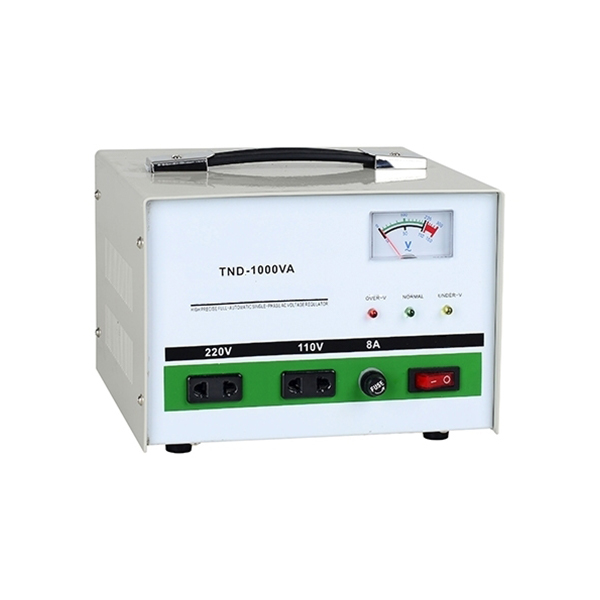
The PowerHome 1 kVA single-phase voltage stabilizer. Image: PowerHome.
Which setup fits your printing
- Occasional short prints at home: power-loss recovery and a surge-protected power strip are usually enough.
- Regular long prints or expensive materials: a UPS sized for the printer’s peak draw bridges short outages and buys time for longer ones.
- Unstable mains voltage: a stabilizer, or a UPS with built-in voltage regulation, addresses the more frequent problem.
- Print farms, labs and service bureaus: add up the combined load, decide which machines need protection first, include the network and any host computers, and involve an electrician for anything beyond plug-in units.
Sponsored. PowerHome paid for this article to appear on 3DPrinting.com. Product specifications are PowerHome’s own; 3DPrinting.com has not tested these products. This article is general information, not electrical installation advice.