
The best budget 3D printer conversation changed character in the last three years. Auto bed leveling, direct-drive extruders, and 250 to 600 mm/s speeds used to be upgrades you paid four figures for; in 2026 they are standard below $300, and the bracket now contains enclosed CoreXY machines, four-color systems, and a 370°C hotend. This page covers what $169 to $399 actually buys, machine by machine, and just as important, what each price point still leaves out. If you searched for a 3D printer under $300, or for the best cheap 3D printer that will not fall apart, this is that list with the marketing filtered out.
A boundary before the picks: if this is your first printer and the question is really "which machine will not fight me while I learn," our best 3D printers for beginners guide is built around exactly that. This page owns the price bracket for everyone: first machines, second machines, fleet additions, and gifts. The wider market, including everything above $400, lives in the main best 3D printers guide.
Jump to menu
Our top budget printer picks at a glance
The picks in detail
Prices below are approximate and move with sales; every figure was re-verified against the maker's own store in mid-August 2026. Where a machine sells solo and as a combo, both are quoted, because in this bracket the combo decision usually is the buying decision.
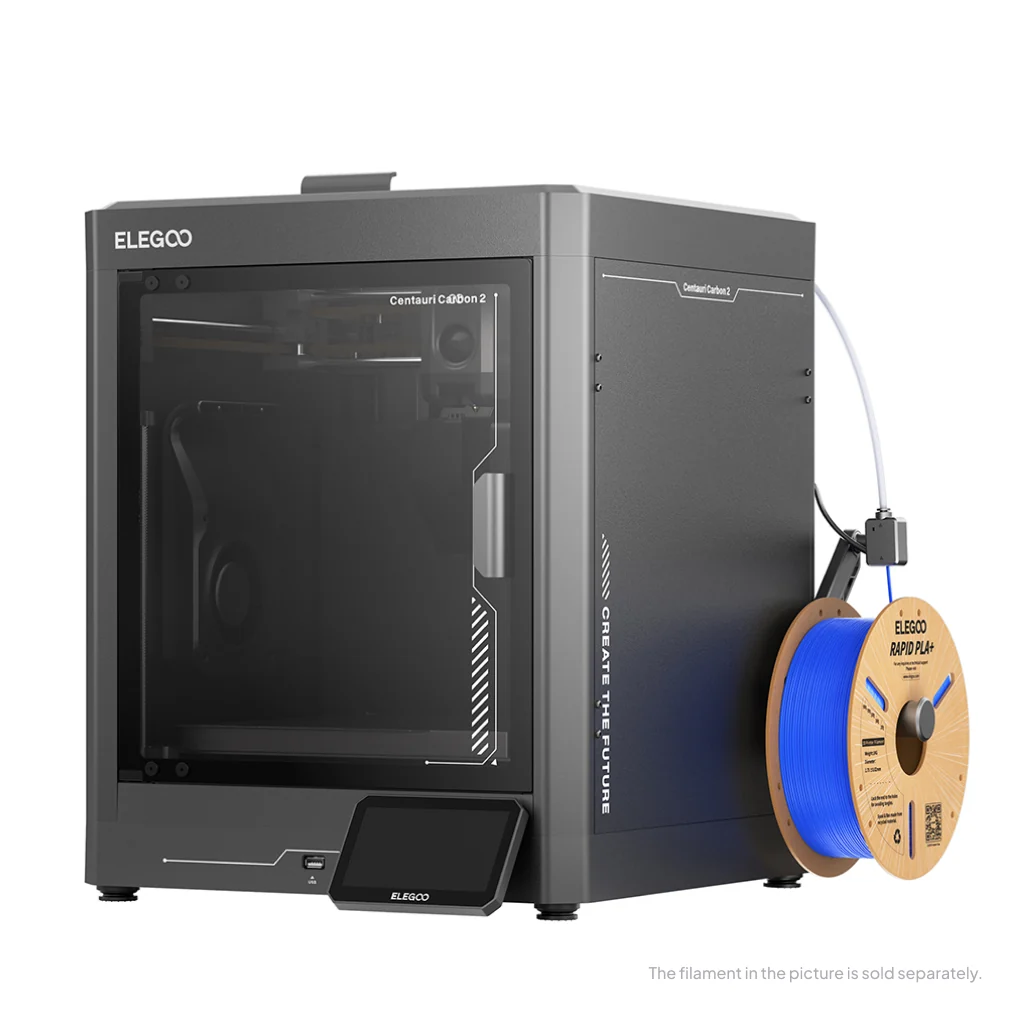
Elegoo Centauri Carbon 2
The machine that moved the goalposts, twice. The original Centauri Carbon made the enclosed CoreXY a sub-$300 product; the Carbon 2 keeps the 256 x 256 x 256 mm cube and 500 mm/s pace, raises the hardened nozzle to 350°C over a 110°C bed, and adds a smart-grille enclosed chamber that manages its own temperature. The Combo bolts on the Canvas multicolor unit with RFID filament detection, which puts four-color printing and an enclosure under $400 in one box. The original Carbon hangs around at run-out pricing near $309 and remains a fine buy, but with the two models this close in price, the newer platform is the one to get.
Price: ~$329 solo, ~$379 to $449 with the Canvas 4-color combo (approximate; varies by bundle, sale period and region, click through for current pricing)
- Enclosed CoreXY with a 350°C nozzle at open-frame money
- Canvas combo adds 4-color printing with RFID detection
- Younger software ecosystem than Bambu, and demand can outrun stock
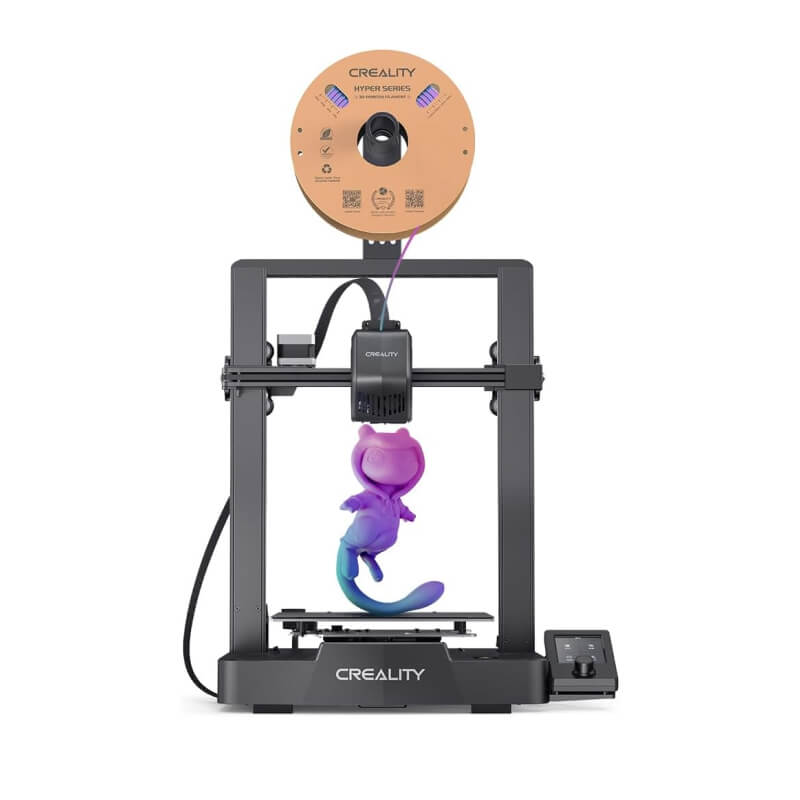
Creality Ender-3 V3 SE
The floor of the dependable market. The V3 SE inherits the Ender name but none of the old tinkering tax: a Sprite direct-drive extruder, full auto bed leveling with automatic Z offset, dual Z screws, and 250 mm/s printing on a 220 x 220 x 250 mm bed. It is the machine we point at anyone who says they want to spend as little as possible without buying a project instead of a printer. What it lacks is everything modern above the basics: no enclosure, no camera, no multicolor path, and a small screen driven by a dial.
Price: ~$169 to $219, refurbished units regularly under $110 (approximate; varies by bundle, sale period and region, click through for current pricing)
- Auto leveling, direct drive, and dual Z at the lowest dependable price
- Enormous parts, mods, and community knowledge base
- No multicolor path and no enclosure, ever
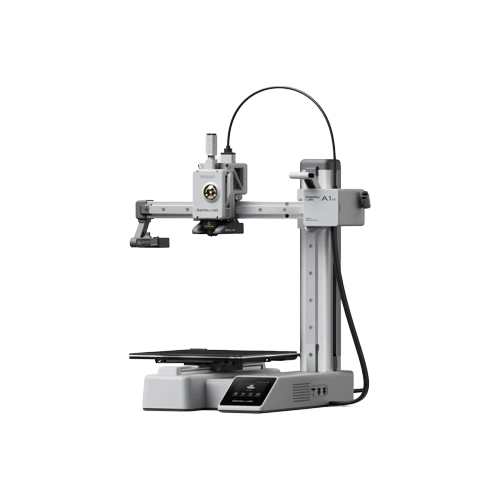
Bambu Lab A1 mini
Nothing here is easier to live with. The A1 mini calibrates itself, watches its own first layer, runs at up to 500 mm/s, and plugs into the most polished app-and-slicer ecosystem in consumer printing. Add the AMS lite and it becomes a four-color machine for barely more than some rivals charge for one color. The trade is the 180 x 180 x 180 mm plate, fine for toys, parts, and most day-to-day printing, cramped the first time a helmet or a big vase comes along, and the frame is open, so it stays a PLA and PETG machine.
Price: ~$199 to $249 solo, ~$299 to $359 with AMS lite (approximate; varies by bundle, sale period and region, click through for current pricing)
- Self-calibrating, quiet, and backed by the best software in the bracket
- AMS lite is the most polished budget route into 4-color
- Small 180 mm cube and no enclosure
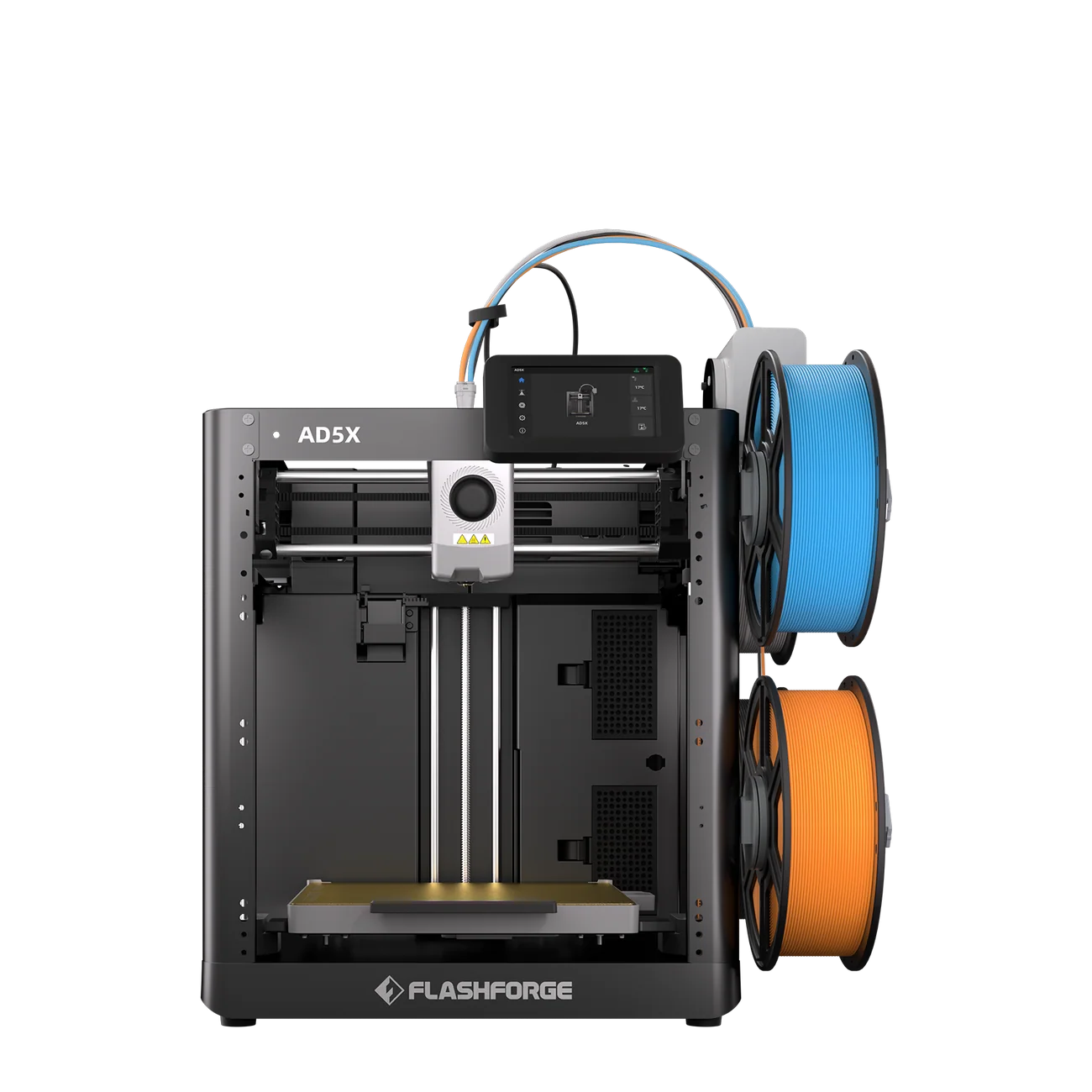
Flashforge Adventurer 5X
Street pricing is the whole story here. The AD5X takes the proven Adventurer 5-series platform, the 220 x 220 x 220 mm cube that made the 5M a beginner favourite, adds a four-spool color system, and sells at a list price under $350 that street deals routinely undercut by $60 to $100. Speed peaks at 600 mm/s with auto leveling handled for you. No rival puts four colors on a desk for less when the deals run, and its weaknesses are the honest kind: an open frame, a smaller ecosystem than Bambu or Creality, and multicolor that works rather than dazzles.
Price: ~$349 list, street deals regularly between $249 and $289 (approximate; varies by bundle, sale period and region, click through for current pricing)
- Cheapest credible 4-color package when street prices dip
- Proven 5-series platform with 600 mm/s headroom
- Open frame and a quieter ecosystem than the giants
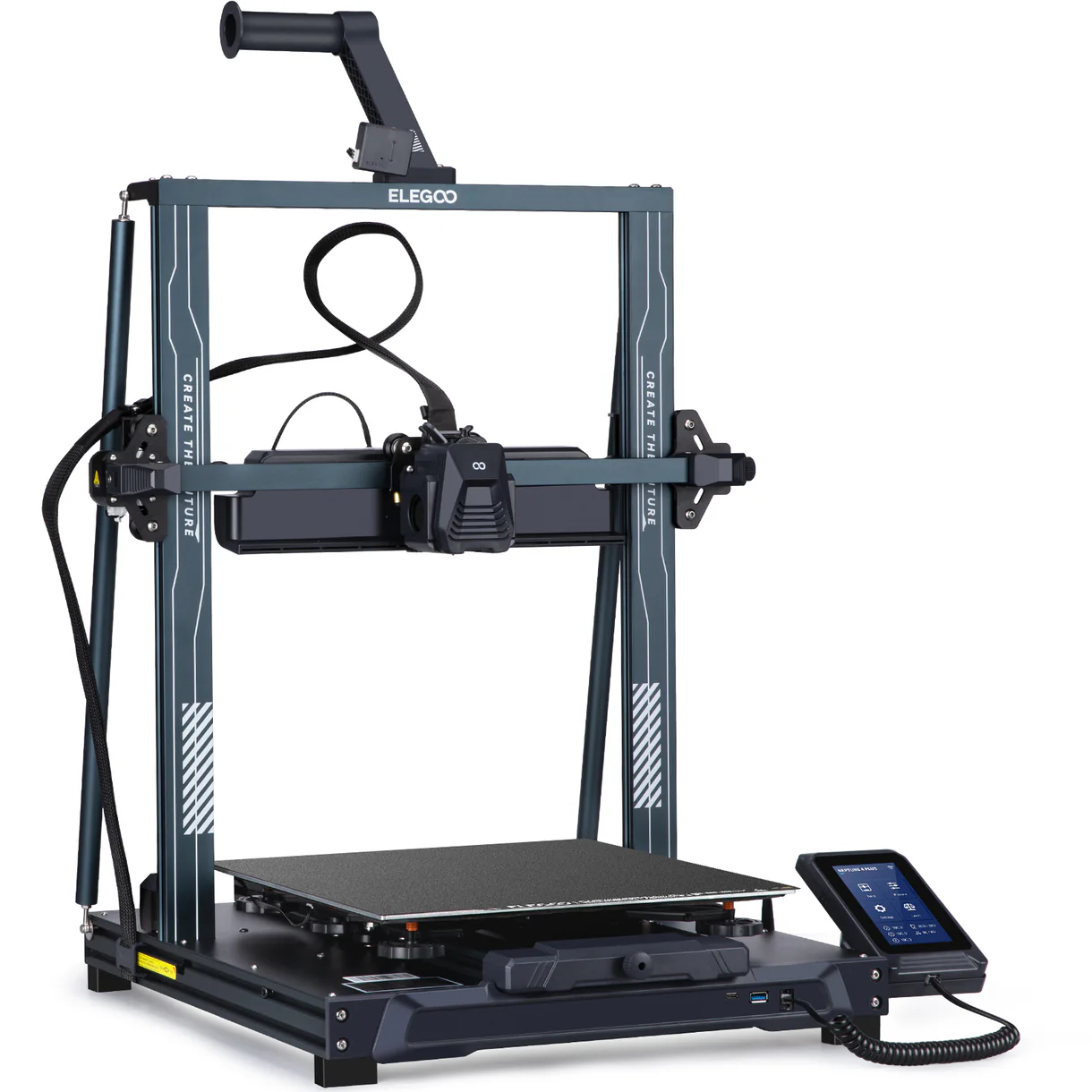
Elegoo Neptune 4 Plus
Bed space is the whole pitch, and nothing near the price has more. The Neptune 4 Plus offers 320 x 320 x 385 mm, comfortably the largest volume in this guide, with Klipper pre-installed, 121-point auto leveling, and a dual-gear direct-drive extruder rated to 500 mm/s. It is a bed-slinger at heart, so the frame is open and tall prints reward patience, but for cosplay armor, helmets, and props in PLA or PETG it replaces machines that cost twice as much. This slot belonged to the Creality Hi until Creality quietly wound that model down; remaining Hi Combo stock and the official refurbs near $223 stay a fine buy while they last.
Price: ~$269 on the current sale, ~$330 and up between sales (approximate; varies by bundle, sale period and region, click through for current pricing)
- 320 x 320 x 385 mm, the largest bed anywhere near this money
- Klipper, 121-point leveling, and dual-gear direct drive included
- Open frame, no multicolor path, and bed-slinger physics on tall prints
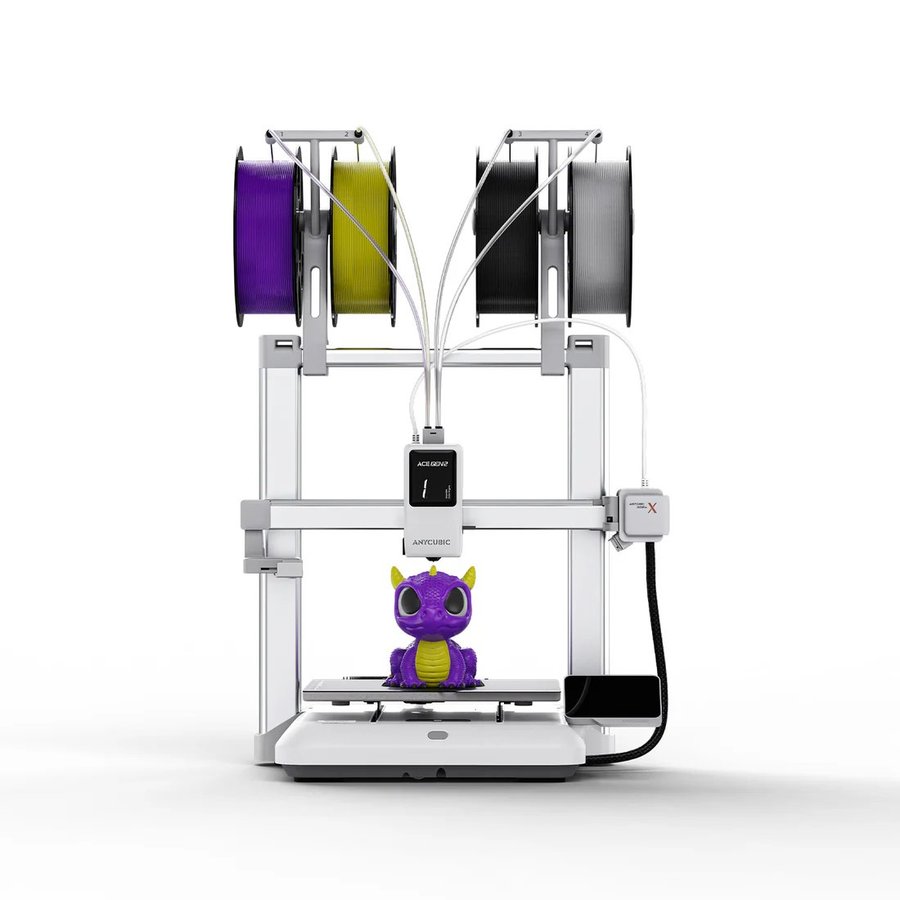
Anycubic Kobra X
The engineering oddball, in a good way. Instead of an external spool box, the Kobra X's ACE Gen 2 system feeds four colors through the toolhead itself, expandable to nineteen, which cuts the purge waste and the desk footprint that box systems carry. Around it sits a serious spec: a 260 x 260 x 260 mm cube, 600 mm/s, and a hardened nozzle. Its launch made headlines at a lower price than it sells for today, and at the current $344 it fights the AD5X on value rather than beating it; pick it for the in-toolhead design and the bigger cube.
Price: ~$344 on the current sale, from a $459 list (approximate; varies by bundle, sale period and region, click through for current pricing)
- In-toolhead 4-color with less purge waste than box systems
- 260 mm cube and hardened nozzle at mid-bracket money
- Current pricing sits above its headline launch deals
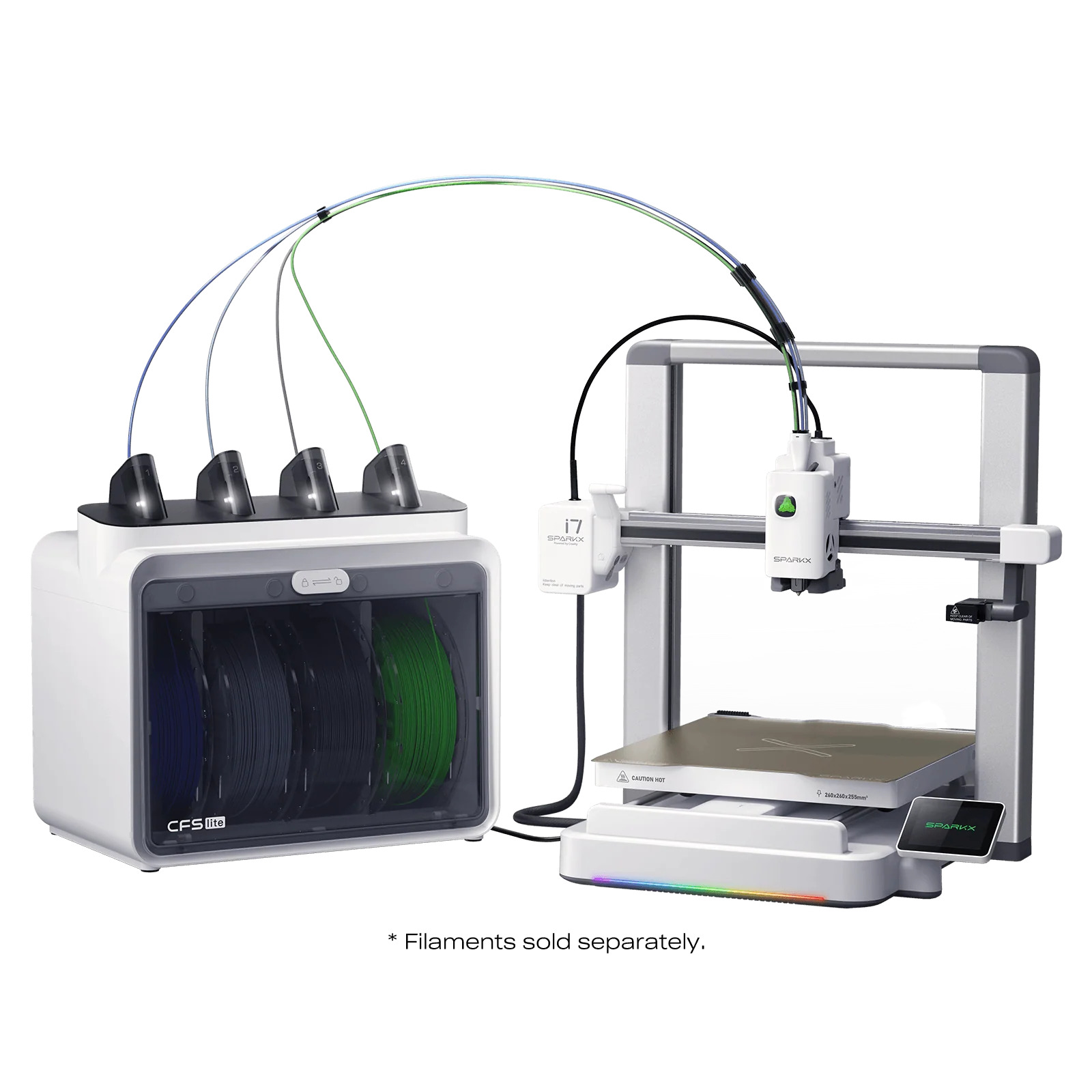
Creality SparkX i7 Combo
Creality built the i7 for someone who has never owned a printer, and CES agreed loudly: the i7 combo took a Best 3D Printer award at CES 2026 for an unbox-to-printing experience that asks almost nothing of a first-time owner. Four-color printing through the low-maintenance CFS Lite system, a quick-swap hotend, and auto leveling do the work. It is not the fastest or most expandable machine here and the sub-brand is young, but as a gift, a family machine, or a first printer that happens to do color, it is the safe yes. Creality's back-to-school event has also introduced a smaller i7 Nano combo under it.
Price: ~$399 to $449 combo; a smaller i7 Nano combo now sits below it (approximate; varies by bundle, sale period and region, click through for current pricing)
- CES 2026 award for ease of use, and it shows
- CFS Lite 4-color with a quick-swap hotend
- Less speed and expandability than the ecosystem leaders
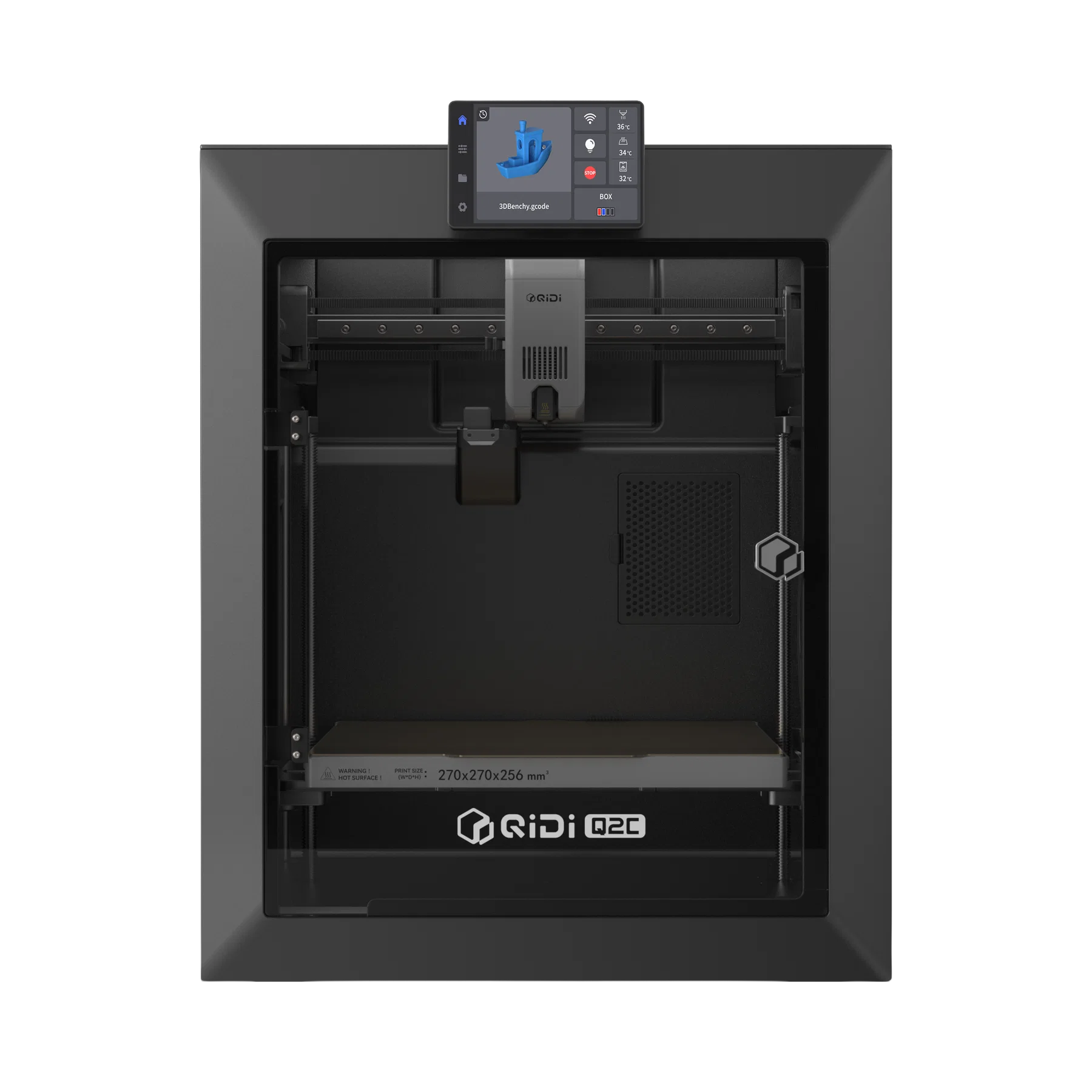
Qidi Q2C
Qidi points the top of this page at materials rather than colors. The Q2C is a 270 x 270 x 256 mm CoreXY running 600 mm/s with a nozzle rated to 370°C over a 120°C bed, numbers the rest of this page does not approach, which brings ABS, ASA, and filled engineering filaments into play at a price that undercuts most plain PLA machines of two years ago. Multicolor arrives via the optional Qidi Box, chainable toward sixteen materials. Pick it when the material matters more than the color; color-first buyers should look one card up.
Price: ~$379 to $399 solo, ~$529 as the Qidi Box combo (approximate; varies by bundle, sale period and region, click through for current pricing)
- 370°C nozzle and 120°C bed, unmatched in the bracket
- 270 mm CoreXY at 600 mm/s for under $400
- Multicolor costs extra, and the Box adds desk space
What you give up under $300
The honest part of a budget guide is not the picks, it is the map of what the money does not buy. Four things separate this bracket from the $500 to $800 tier.
- An enclosure, usually. The Centauri Carbon 2 is the one exception here; everything else here prints in open air, which caps you at PLA, PETG, and TPU. Warp-prone ABS and ASA want walls and a hot chamber.
- Support and polish. Budget lines get shorter warranties, slower ticket queues, and firmware that matures in public. The machines work; the safety net is thinner.
- Resale. A used flagship holds value; a used budget machine competes with its own newer, cheaper successor within eighteen months. Buy to use, not to resell.
- Headroom. When printing turns from hobby into workload, duty cycle and chamber control start to matter. That is the moment to read the mid-range section of the main best 3D printers guide rather than buying a second budget machine.
Budget multicolor, explained in one paragraph
Five of the eight picks on this page print in color, which would have been absurd to write in 2023, and they do it three different ways: an external spool box feeding one nozzle (AMS lite, Canvas, Qidi Box), the Kobra X's in-toolhead switching, and on none of them, a second nozzle. Box systems purge material at every color change, so multicolor costs filament as well as money; in-toolhead designs waste less but carry more complexity at the hot end. If color is the point of the purchase rather than a bonus, the dedicated best multicolor 3D printers guide ranks the whole category, including the machines above $400 that do it best.
A resin aside: if the goal is miniatures, jewellery masters, or anything where surface detail beats mechanical strength, a budget resin machine outperforms every printer on this page, and the Elegoo Mars 5 Ultra sits at $259 in the current sale. Start with the best resin 3D printers guide, and for tabletop work specifically, the best 3D printers for miniatures guide ranks that bracket end to end.
The real first-year cost
The sticker is not the spend. A realistic first year on any machine here adds a few consumable layers: filament at roughly $13 to $20 per kilogram (budget a spool a month if you print regularly, and see the filament guide before stocking up), a spare nozzle or two, a replacement PEI sheet once the first one loses its grip, and glue stick, IPA, and a deburring tool. Call it $150 to $250 on top of the printer at moderate use. Multicolor owners should add purge waste to the math: a four-color figurine can spend a third of its filament in the purge chute, which is why the waste-reducing designs above earn their cards.
Budget 3D printers compared
Printer names link back to their cards above. All prices are approximate mid-August 2026 store pricing; regional stores can differ, and each brand's own site switches region from its storefront menu.
Frequently asked questions
Is a $170 3D printer actually worth buying in 2026?
Yes, with the right expectations. A $170 machine like the Ender-3 V3 SE prints reliably, levels itself, and handles PLA and PETG well; three years ago that sentence cost $500. What it will not do is print engineering filaments, print in color, or hold your hand with cameras and cloud features. If the budget allows $130 more, the enclosed and multicolor options open up.
What is the difference between this page and the beginners guide?
Audience versus price. The beginners guide picks machines for the specific job of teaching a first-time owner, whatever they cost. This page ranks a price bracket, $169 to $399, for any buyer: first machine, second machine, a fleet addition for a workshop, or a gift. Several machines appear in both, for different reasons.
What is the cheapest way to get multicolor 3D printing?
Watch street pricing on the Flashforge AD5X, which regularly dips to $249 to $289 with four-color printing built in, or pair a $199 A1 mini with the AMS lite for about $299 to $359 total with far more polish. The Kobra X and the Centauri Carbon 2 Combo both land near $350 to $379 with their own advantages. Expect purge waste to add a real filament cost to whichever you choose.
Should I buy a used or refurbished 3D printer instead?
Manufacturer refurbished, yes: Creality's official refurb channel sells the V3 SE under $110 with a warranty, and that is the best dollar-per-print in the hobby. Private used purchases are riskier in this bracket than the savings justify, since new prices are already low and a worn budget machine can need a nozzle, belts, and a build sheet on day one, which erases the discount.
What do budget printers give up compared to $500 to $800 machines?
Mostly the enclosure, the materials that need one, support depth, and duty-cycle headroom. Speed and leveling, the old differentiators, no longer separate the tiers. If ABS, ASA, or filled filaments are on the menu, or the machine will run daily for a business, the mid-range tier earns its premium.
When should I spend more than $400?
Three triggers: you need an actively heated chamber for engineering materials beyond what the Q2C's temperatures cover, you need a machine that prints daily without babysitting for income rather than hobby, or you want the largest color ecosystems running at their best. Any one of those is the sign to read the main guide's mid-range section instead of maxing this bracket.
What filament should a budget printer start with?
PLA first: it is forgiving, cheap, and every machine here prints it open-frame without drama. Add PETG when parts need outdoor or mechanical duty, and TPU once the basics feel boring. Skip ABS and ASA unless the printer is enclosed. The filament guide covers brands and the price-per-kilogram math.
Keep going
The whole market, including everything above this bracket, lives in the best 3D printers guide. First-time owners get their own path in the beginners guide, color-first buyers should read the multicolor guide, detail-first buyers the resin guide, and space-first buyers the large format guide. Feed whatever you pick from the filament guide.