
Multicolor went from party trick to default in about two years. Color systems now ship in $299 bundles, toolchangers and multi-nozzle machines have solved the waste problem, and the slicers paint models as easily as a coloring book. But the systems behind the color differ wildly: the wrong choice wastes a third of your filament as purge, and the right one depends on whether you print two-tone logos, sixteen-color display pieces, or multi-material functional parts.
This guide compares the system types on their real costs, swappers, toolchangers, multi-nozzle and dual-nozzle machines, then picks the best of each kind at every budget. One expectation to set first: hobbyist multicolor means discrete filament colors, not the millions of blended shades of industrial full-color machines; the section below explains that split. This page is part of our printer series; for the whole market in one place, start with our flagship best 3D printers guide.
Jump to menu
Our top multicolor printer picks at a glance
Swapper, toolchanger, or dual nozzle: the choice that matters
Every multicolor machine answers one engineering question differently: what happens when the color changes? Swapper systems (Bambu's AMS, Creality's CFS, Anycubic's ACE) feed different filaments through one shared nozzle, which makes them cheap and endlessly expandable, but every change purges the previous color out of the melt zone, and that purged filament lands in a waste pile. Toolchangers (Snapmaker U1, Flashforge Creator 5) park a complete hotend per color and swap heads in seconds: near-zero waste, faster color-heavy prints, but a hard cap on onboard colors. Multi-nozzle machines like Bambu's H2C split the difference with six onboard nozzle stations that switch instead of purging, and dual-nozzle machines (Bambu X2D) do the same with two, ideal for two-color work and dissolvable supports.
The practical rule: occasional color and maximum flexibility favours a swapper; frequent color-heavy printing favours a toolchanger or multi-nozzle machine, because the purge savings compound; and functional multi-material work, supports, TPU inserts, favours the machines with separate nozzles. The comparison table shows the purge cost of every pick, because it is the spec the brochures skip.
Multicolor vs full color: what you can actually buy
A distinction the marketing blurs: the machines on this page print in discrete colors, four to twenty-four separate filaments, with sharp boundaries between them. True full-color printing, photographic gradients and millions of blended shades, is a different technology entirely: industrial inkjet and polyjet systems from the likes of Mimaki and Stratasys, at five-figure prices, used for figurine services and product models. If a print service produced that photorealistic figurine you saw, it came from one of those. For home printing in 2026, the realistic path to rich color is a multicolor machine below, plus paint where gradients matter, and our slicer guide covers the color-painting tools that do the digital half.
The best multicolor 3D printers compared
Prices are approximate and combo configurations vary; they shift with bundles, sale periods and region, so click through for current pricing. One shopping note: some product links open a brand's US store; every brand here also runs regional stores, so if the landing page does not match your region, use the store's own region or country switcher and your cart carries on from there.
The picks
Thirteen machines cover the field: the ecosystem leaders, the toolchangers and multi-nozzle flagship, the dual-nozzle option, and the budget combos that made color mainstream.
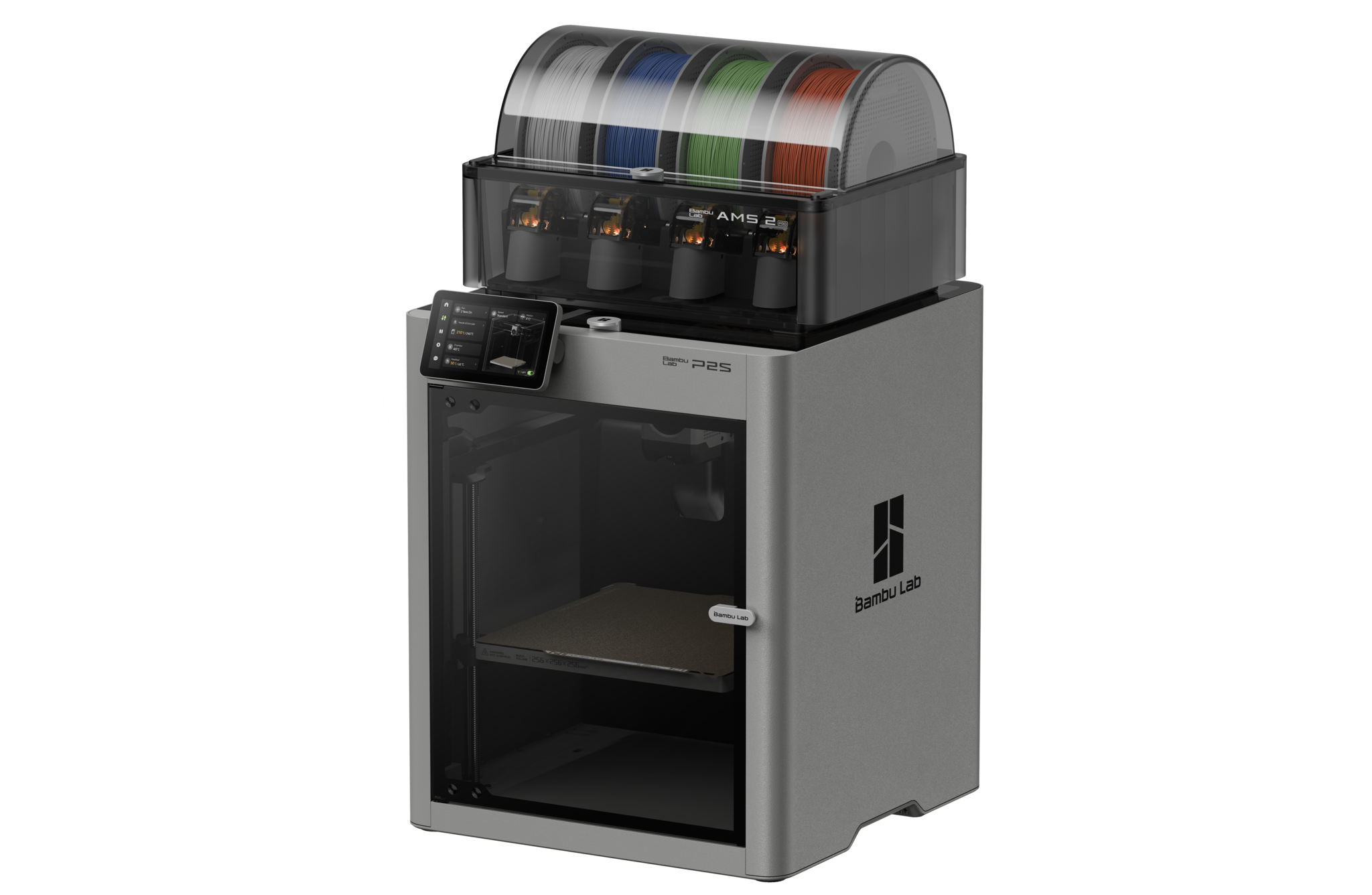
Bambu Lab P2S + AMS 2 Pro
Best for: most people buying multicolor in 2026. The P2S pairs the market’s most refined color ecosystem with real-world speed up to 600 mm/s, and the AMS 2 Pro adds the feature the first generation lacked: active filament drying inside the unit, so spools stay printable in humid rooms. Four colors per AMS, expandable by chaining units, RFID spool recognition, and the slicer’s painting tools make the whole workflow feel finished rather than bolted on. The trade-off of every swapper applies: color changes purge filament, and busy prints leave a pile of it.
Price: ~$750 combo (approximate; varies by bundle, sale period and region, click through for current pricing)
- The most polished multicolor ecosystem, now with in-AMS drying
- 600 mm/s class speed without babysitting
- Purge waste on color changes, like every swapper system
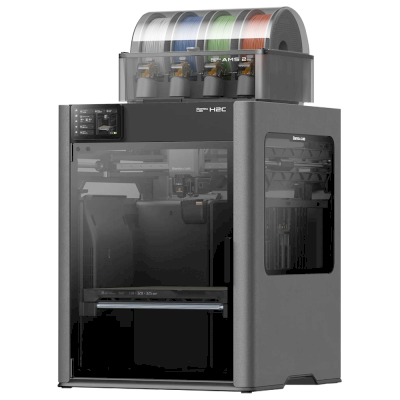
Bambu Lab H2C
Best for: serious color and multi-material work with almost no waste. The H2C is Bambu’s purpose-built color flagship: six onboard nozzle stations, three up and three down, so up to seven materials print in a single run by switching nozzles instead of purging through one. Nozzle offset calibrates to 25 microns automatically, the 330 mm class chamber heats to 65 degrees for engineering materials, and reviewers land in the same place: it saves real plastic, even if it is not quite a full toolchanger. If the budget will not stretch this far, the H2D with chained AMS units scales to a claimed 24 colors the conventional way.
Price: ~$2,399 (approximate; varies by bundle, sale period and region, click through for current pricing)
- Six nozzle stations: up to 7 materials with near-zero purging
- 25-micron automatic nozzle offset calibration, heated chamber
- Extra nozzle stations cost $40 to $70 each; flagship price
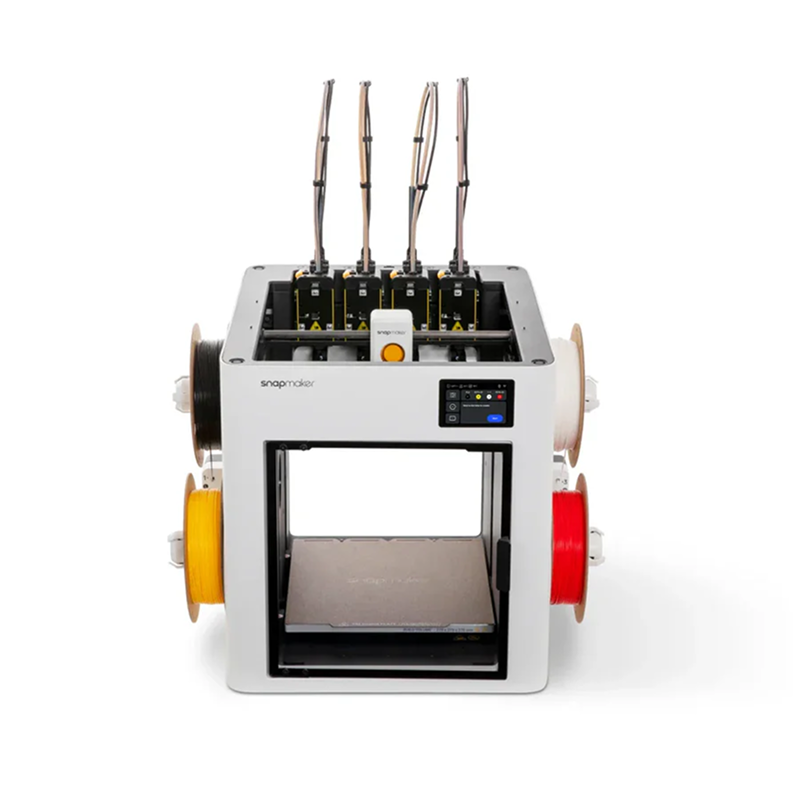
Snapmaker U1
Best for: printing color without printing a waste pile. The U1’s SnapSwap system is a genuine toolchanger: four complete hotends park on the gantry and swap in seconds, so each color keeps its own nozzle and there is almost nothing to purge. On multicolor-heavy models that saves real money in filament and hours in print time versus swapper systems. The ecosystem is younger than Bambu’s and the palette caps at four onboard colors, which is the honest price of the cleverness.
Price: ~$849 (approximate; varies by bundle, sale period and region, click through for current pricing)
- Toolchanger design: near-zero purge waste, fast color swaps
- Four dedicated hotends; no cross-contamination between materials
- Capped at 4 onboard colors; younger software ecosystem
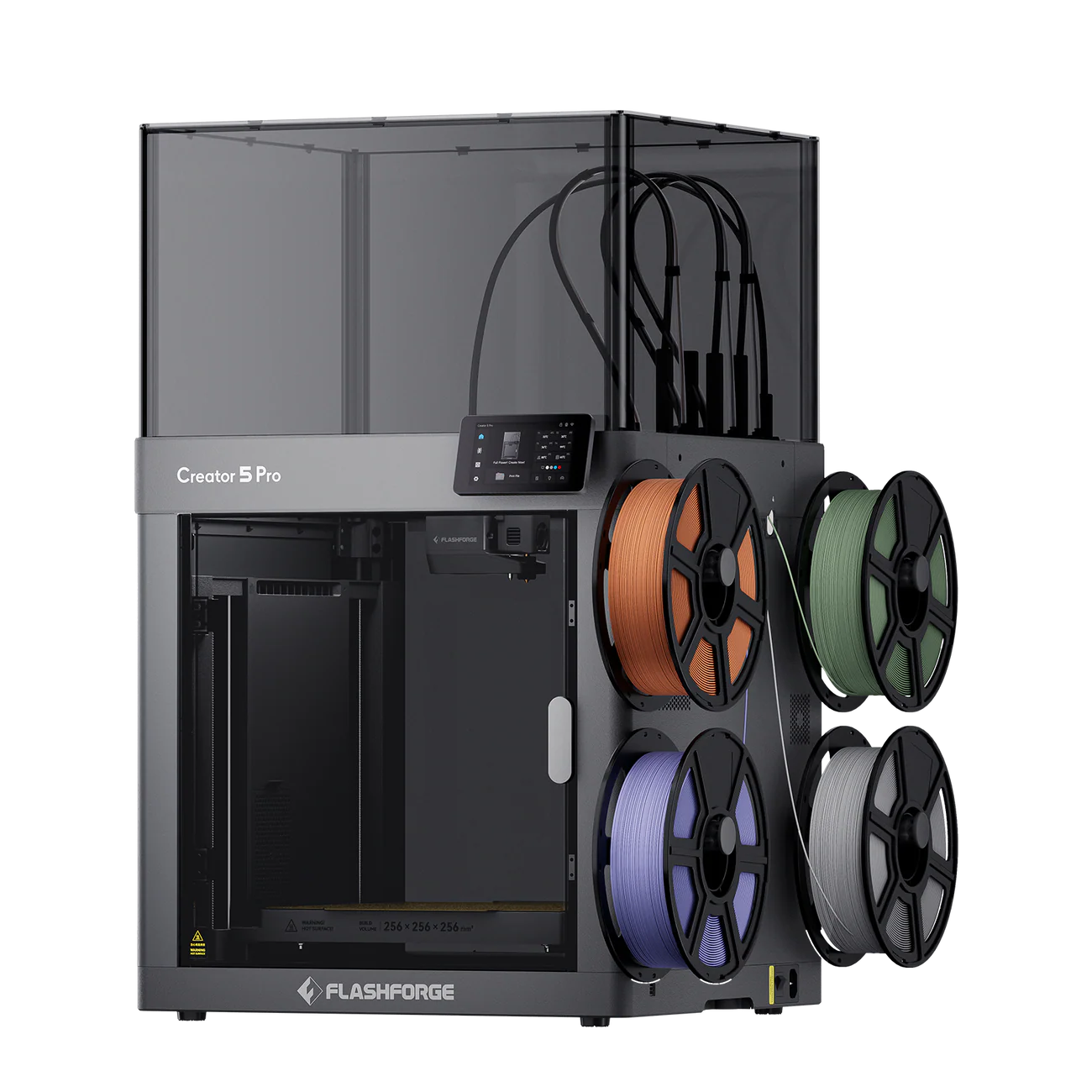
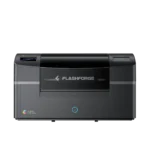
Flashforge Creator 5 Pro
Best for: toolchanger economics without the flagship price. The Creator 5 Pro runs four independent toolheads with the same fundamental advantage as the U1: color changes waste almost nothing, and mixing material types across heads is natural. The Pro adds a 65 degree heated chamber and HEPA filtration, which opens up ABS, ASA and nylon alongside colorful PLA. Flashforge’s slicer and community sit a tier below the market leaders, so expect a little more tinkering. The open-frame Creator 5 is the same machine without the chamber and filter for about $150 less; our Creator 5 vs Creator 5 Pro comparison sets out which one to buy.
Price: ~$849 (list $949 with an automatic $100 cart discount at Flashforge; varies by bundle, sale period and region, click through for current pricing)
- Four independent toolheads: zero-purge color at a mid-range price
- Heated chamber and HEPA filtration for engineering materials
- Software and community a step behind Bambu and Creality
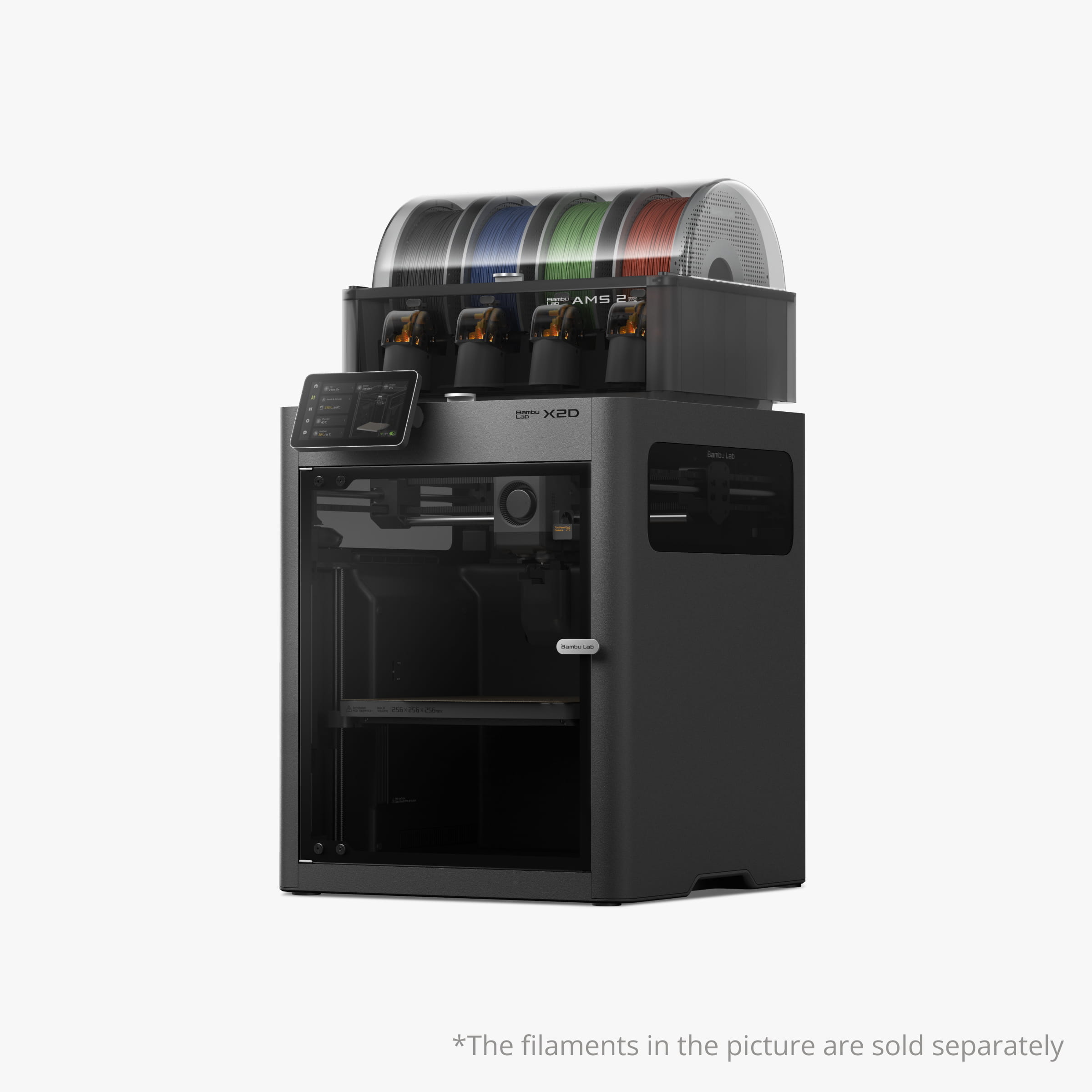
Bambu Lab X2D
Best for: two-color and two-material printing without AMS overhead. The X2D puts two nozzles on a mechanically switching toolhead at a mid-range price, so the everyday jobs, a logo in a second color, dissolvable supports, a soft grip on a rigid part, run with no flushing and no external unit. The second nozzle is Bowden-fed and cannot print flexibles itself, so the TPU goes on the main nozzle. Pair it with an AMS later and the two systems combine. For people whose color needs are mostly two-tone, this is the efficient answer, and our Bambu Lab printer comparison explains where it beats the P2S and where the H2C takes over.
Price: ~$649 base (approximate; varies by bundle, sale period and region, click through for current pricing)
- Dual mechanical-switching nozzles at a mid-range price
- Minimal purge on two-color and support-material jobs
- More than two colors still needs an AMS added
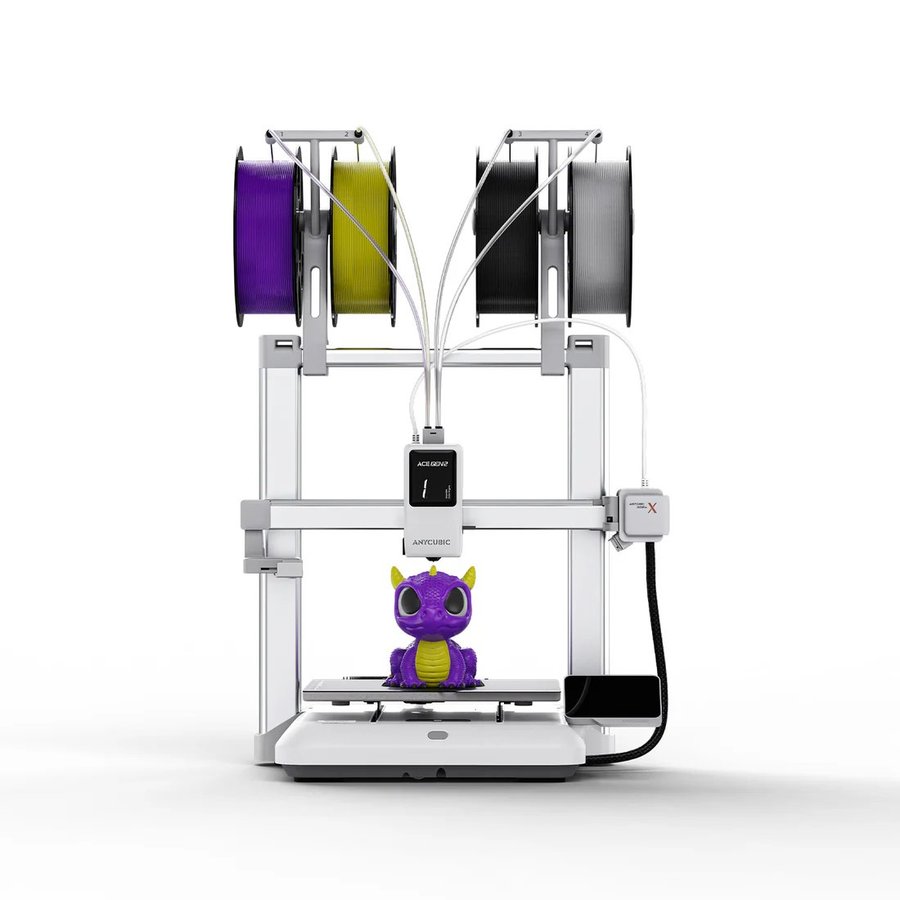
Anycubic Kobra X
Best for: the most multicolor per dollar in 2026. The Kobra X builds its ACE Gen 2 color system directly into the toolhead, a design reviewers have called a hidden AMS, and Anycubic rates the purge reduction at 81 percent against conventional swappers. Four colors native, expandable to 19, 600 mm/s peak speed, and AI spaghetti detection, all at a price that undercuts everything else on this page. It is an open-frame bedslinger, so engineering materials are off the menu; the enclosed Kobra S1 ACE 2 Pro Combo below is the same brand’s answer when ABS matters.
Price: ~$299-349 (approximate; varies by bundle, sale period and region, click through for current pricing)
- ACE Gen 2 inside the toolhead: 81% less purge than typical swappers
- Four colors native, expandable to 19, at the lowest price here
- Open frame; delivery can take weeks at sale pricing
US store →EU store →Global store →
Anycubic ships from regional stores; pick the store that matches your delivery address so pricing, tax and shipping are correct.

Anycubic Kobra 4 Combo
Best for: budget color with a dryer in the box. The Kobra 4 Combo keeps the Kobra X’s 260 mm cube and 600 mm/s ceiling on a bedslinger frame but moves the color system outside the toolhead: the external ACE 2 Pro feeds four spools, chains to eight with a second unit, and dries filament at 65 degrees while the printer runs. A 720p AI camera watches for spaghetti and objects left on the bed, LeviQ 3.0 handles 49-point leveling with flow and vibration calibration, and the hardened steel nozzle, rated to 300 degrees, swaps out quick-release style. It is a conventional swapper, so purging is higher than the Kobra X’s in-head system; the $379 bundle price buys the dryer and the camera in exchange.
Price: ~$379 combo, from a $499 list (approximate; varies by bundle, sale period and region, click through for current pricing)
- ACE 2 Pro included: four colors, eight with a second unit, drying while printing
- 720p AI camera and 49-point leveling at a budget price
- Conventional purge on every color change; open frame, so PLA, PETG and TPU only

Anycubic Kobra S1 ACE 2 Pro Combo
Best for: enclosed color with the most headroom under $600. The Kobra S1 ACE 2 Pro Combo is Anycubic’s fully enclosed CoreXY: a 250 mm cube, a 320 degree hotend and a 120 degree bed, which puts ABS and ASA on the menu next to colorful PLA, PETG and TPU. The ACE 2 Pro ships in the box with four colors and 65 degree drying, and the system chains to 16 colors across four units, the same ceiling as the Creality Hi, in an enclosure. Belt-tension monitoring, a 480p camera and AI spaghetti detection cover the long unattended prints, and the enclosure keeps it at 46 dB. It replaces the original S1 Combo, now on clearance; the difference is the dryer-equipped ACE 2 Pro in place of the first-generation unit.
Price: ~$574 combo (approximate; varies by bundle, sale period and region, click through for current pricing)
- Enclosed CoreXY with a 320 degree hotend: ABS and ASA in color
- ACE 2 Pro included, up to 16 colors with four units
- Conventional swapper purge; 18 kg, so give it a solid shelf
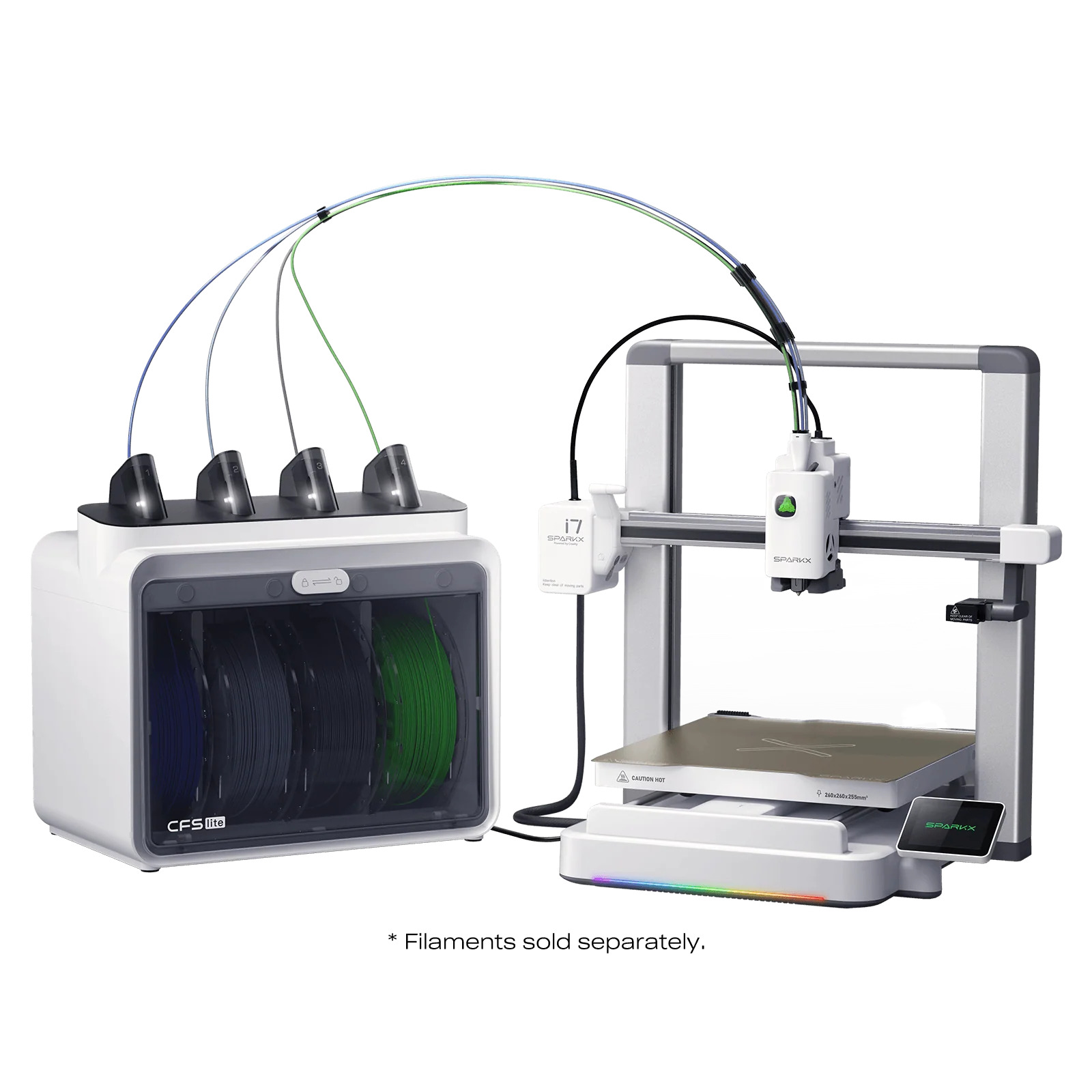
SparkX i7 Combo
Best for: the gentlest introduction multicolor has ever had. The i7 combo pairs four-color printing with a quick-swap hotend, auto leveling, and an unbox-to-printing experience simple enough that it took a Best 3D Printer award at CES 2026, and reviewers found its CFS Lite spool system surprisingly low-maintenance. It is not the fastest or the most expandable machine here, and the brand is younger than the giants, but as a first printer that happens to do color, little matches it.
Price: ~$399-449 combo (approximate; varies by bundle, sale period and region, click through for current pricing)
- Four-color combo with a CES 2026 award for ease of use
- Quick-swap hotend and painless setup
- Slower and less expandable than the ecosystem leaders
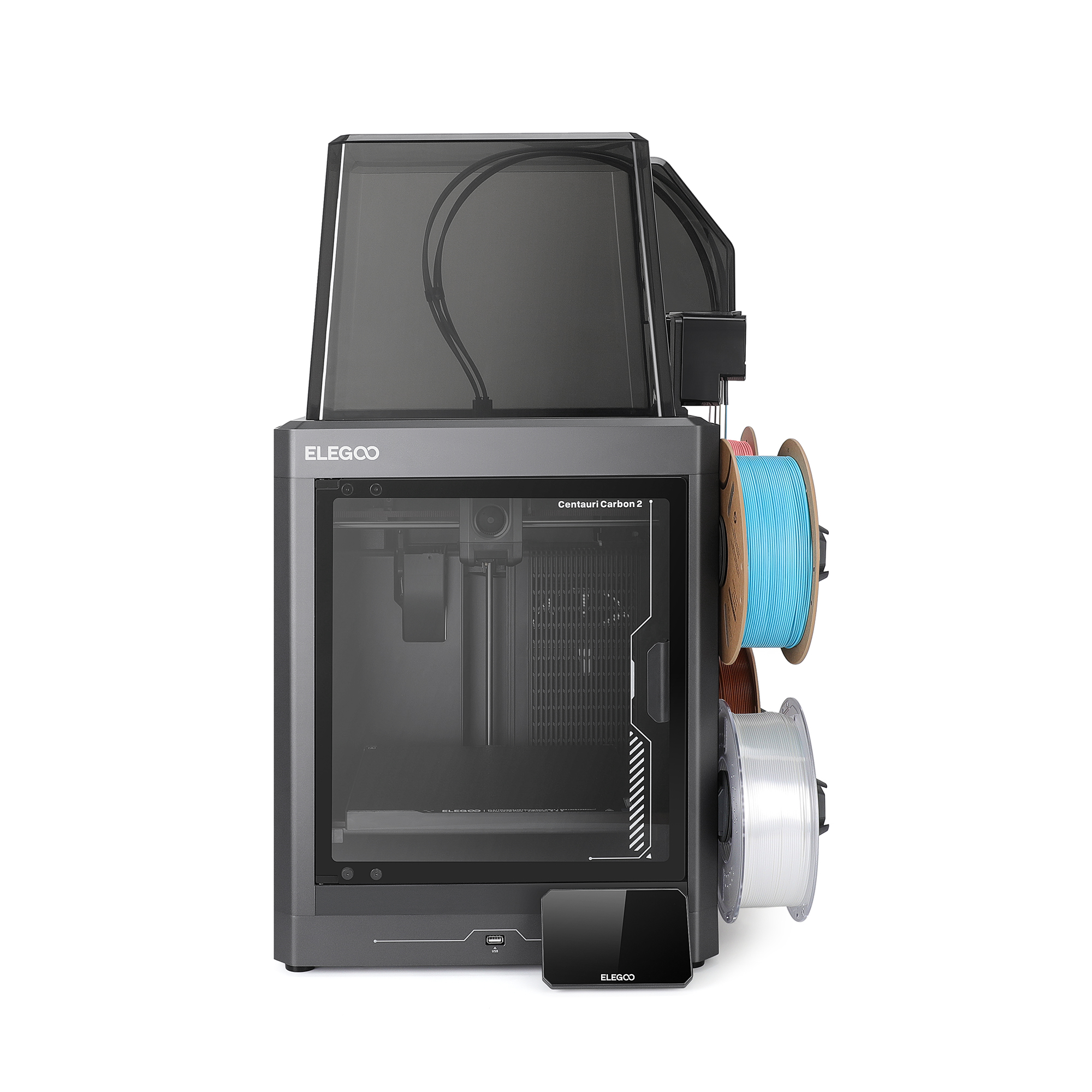
Elegoo Centauri Carbon 2 Combo
Best for: budget color in a proper enclosure. The Centauri Carbon 2 keeps the qualities that made the original the budget disruptor, an enclosed CoreXY frame with carbon-reinforced rails, and adds a four-color feeder for under $450 all-in. The enclosure matters more than it sounds in this class: it unlocks ABS and ASA alongside colorful PLA, which none of the open-frame budget rivals manage.
Price: ~$450 combo (approximate; varies by bundle, sale period and region, click through for current pricing)
- Enclosed CoreXY at a budget price unlocks ABS/ASA in color
- Four-color combo under $450
- Feeder ecosystem simpler than AMS or CFS
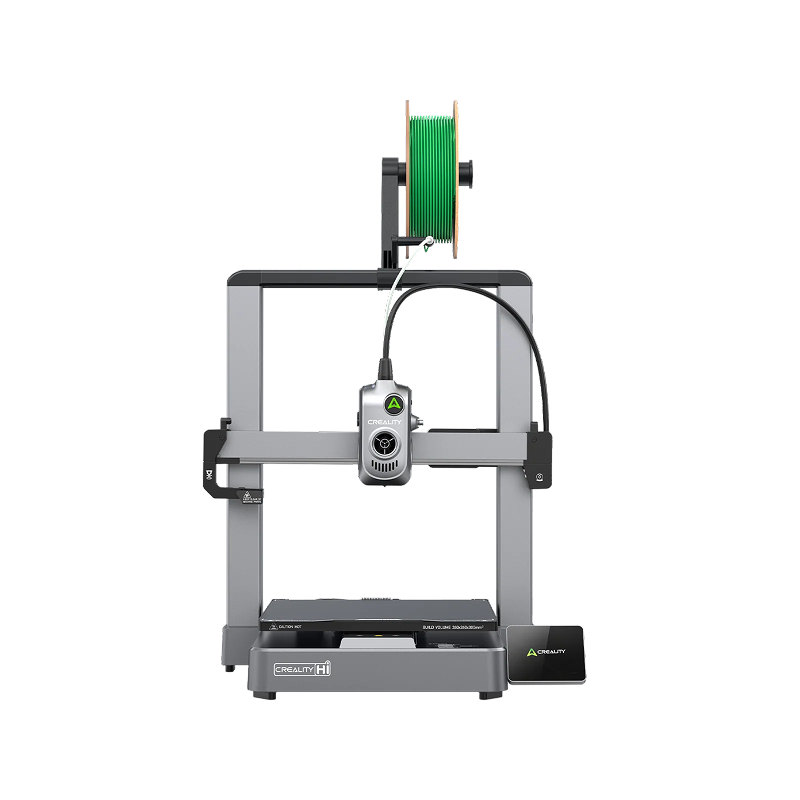
Creality Hi Combo
Best for: maximum palette on minimum budget. The Hi Combo’s party trick is chaining: up to 16 colors by linking CFS units, on a machine that costs $399 with the first unit included. Print quality is solid mainstream Creality, and the CFS handles spool management competently. Sixteen-color prints purge heroically, so treat the ceiling as headroom rather than a daily habit.
Price: ~$399 combo (approximate; varies by bundle, sale period and region, click through for current pricing)
- Chains to 16 colors, the biggest palette anywhere near this price
- Competent CFS spool management, mainstream reliability
- High color counts multiply purge waste
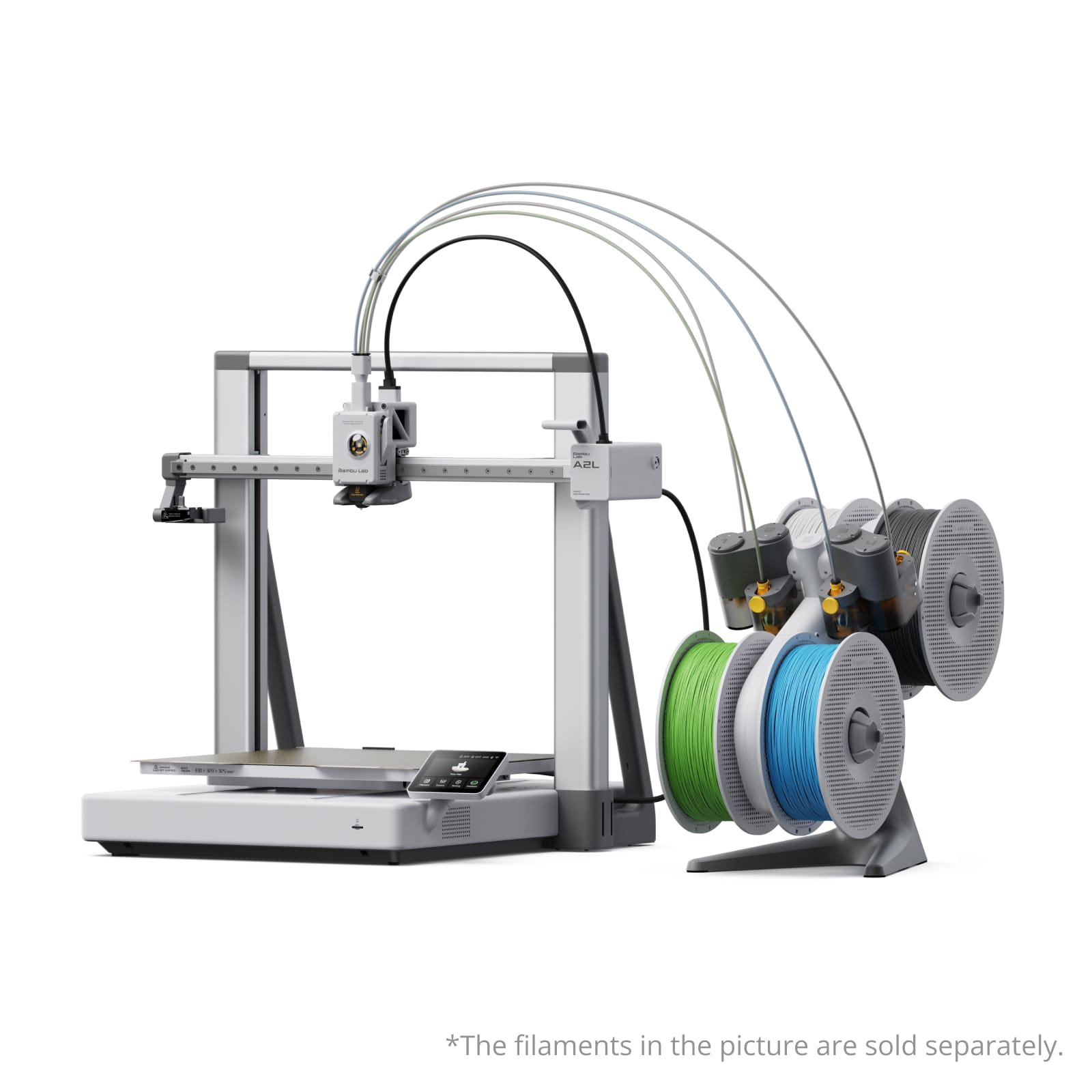
Bambu Lab A2L Combo
Best for: big prints in color without the big-machine price. Launched in June 2026, the A2L Combo bundles a 330 mm class bed, 105 percent more volume than the standard 256 mm machines, with an AMS Lite included for $569 all-in, and it expands to 19 colors with additional units. Servo-monitored extrusion and Bambu’s full sensor suite keep long prints running unsupervised. It is an open-frame machine, so PLA, PETG and TPU only; if large color work needs an enclosure, the K2 Plus below is the step up.
Price: ~$569 combo (approximate; varies by bundle, sale period and region, click through for current pricing)
- 330 mm bed plus AMS Lite included, expandable to 19 colors
- Servo extrusion monitoring keeps long color prints reliable
- Open frame: no ABS, ASA or engineering materials
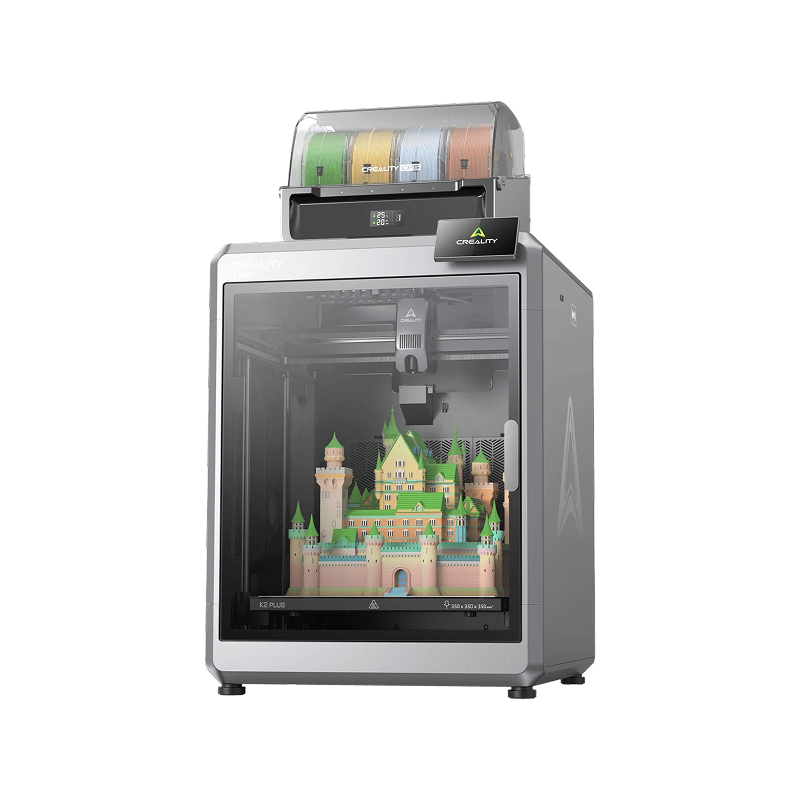
Creality K2 Plus Combo
Best for: big prints in many colors, enclosed. The K2 Plus pairs a 350 mm cube with the CFS system, which is the practical combination for cosplay props, large signage, and batch production where color and volume both matter. It undercuts the comparable Bambu large-format flagships significantly, and the enclosed chamber handles engineering filaments when the color work pauses.
Price: ~$1,199 combo (approximate; varies by bundle, sale period and region, click through for current pricing)
- 350 mm cube plus CFS: color at prop and signage scale
- Enclosed chamber covers engineering materials too
- Large purge towers on busy color prints at this scale
Multicolor in practice: slicing, purge tuning, and material limits
The slicer is where multicolor actually happens, and it is easier than the hardware makes it look. In Bambu Studio, Orca Slicer and Creality Print you paint colors straight onto the model with a brush tool, assign a filament per object for multi-part prints, or set color changes at specific layer heights. Easier still, the big model libraries now host thousands of pre-painted multicolor models: download one from MakerWorld or Printables and the color assignments arrive with the file. Our slicer guide compares the painting tools across the major slicers.
Purge waste is tunable, not fixed. Slicers set a flushing volume for every color pair, and the defaults are conservative: a light-to-dark change needs far less purging than dark-to-light, so tightening the matrix saves real filament. The bigger wins are purge-to-infill and purge-to-object, which dump the transition filament inside the model's hidden infill or into a sacrificial object instead of a waste pile. And the free path into two-tone prints still works on any machine: a pause at a set layer height, swap the spool by hand, resume. Tedious beyond two colors, but it costs nothing.
Materials come with fine print. Soft TPU generally cannot feed through AMS-style swapper units (the FAQ below has the details), so flexible-plus-rigid prints favour the dual-nozzle and toolchanger machines. Material pairing matters too: PLA and PETG barely bond to each other, which ruins a mixed print but makes a clever trick, PETG supports under PLA snap away clean, and dissolvable PVA pairs with PLA for supports that rinse out in water. And because a color system cycles filament in and out of the melt zone constantly, dry filament matters more than on a single-color machine; it is why the AMS 2 Pro and ACE-style units now dry while they feed, and why a filament dryer earns its keep in a multicolor setup.
Last, the nozzle. On swapper systems every color passes through one nozzle, so it wears faster, and hardened steel stops being optional the moment glow-in-the-dark, silk or carbon-filled filament joins the palette. Quick-swap hotends, standard on the SparkX i7 and most current Creality machines, turn the eventual replacement into a two-minute job, and the H2C moves the whole idea up a tier with six swappable nozzle stations. Treat nozzles as consumables in a color workflow and none of this will surprise you.
How to choose a multicolor 3D printer
Four questions settle it.
- How often will you actually print color? Occasionally: any swapper combo. Weekly and color-heavy: a toolchanger or multi-nozzle machine, because purge waste compounds into real money.
- Colors or materials? If dissolvable supports and multi-material parts are the real goal, the dual-nozzle and toolchanger machines do it with the least waste.
- First printer? The beginner combo or the budget enclosed pick, and read our best 3D printers for beginners guide for the wider context.
- Feeding the machine? Multicolor eats filament, purge included; the bulk-buying advice in our 3D printer filament guide matters twice as much here.
And if you are still weighing multicolor against a single-color machine with more speed or volume for the money, our flagship best 3D printers guide puts these picks alongside the whole market.
Explore the printer guides
This guide is part of our printer series. The flagship best 3D printers guide covers the whole market; the sibling guides pick the best printers for beginners, the best budget 3D printers, the best resin 3D printers, the best carbon fiber 3D printers, and the right machines for kids and schools. Printing big? See the best large format 3D printers.
Frequently asked questions
What is the difference between a multicolor and a full-color 3D printer?
Multicolor printers, everything on this page, print with a handful of discrete filament colors, typically 4 to 24. True full-color printing, millions of blended shades in one object, exists only on industrial machines using inkjet or polyjet technology that cost tens of thousands. If you searched for a full-color 3D printer for home use, a multicolor machine plus paint for gradients is the realistic answer in 2026.
How much filament does multicolor printing waste?
On swapper systems (AMS, CFS, ACE), every color change purges the old filament from the shared nozzle, and a busy multicolor print can waste as much filament as it uses, ejected as a pile of purge chunks. Toolchanger, multi-nozzle and dual-nozzle machines keep separate nozzles per color and cut that waste to almost nothing. If you print color-heavy models often, the waste difference pays for the fancier machine surprisingly fast.
Can I add multicolor to the printer I already own?
Often, if your printer's brand sells a feeder for it: Bambu machines take the AMS family, recent Creality models the CFS, Anycubic the ACE Pro, and Prusa's Core One has an eight-material upgrade path. Cross-brand retrofits are unofficial tinkering territory. If your printer has no official option, a new combo machine is usually cheaper than the frustration.
Does multicolor printing take longer?
Yes, on swapper systems, and sometimes dramatically: every color change means a purge-and-swap cycle, so a model with hundreds of layer color changes can take several times longer than the same model in one color. Toolchangers and dual-nozzle machines swap in seconds and shrink the penalty. Slicers show the estimate before you commit, so check it.
How many colors do I actually need?
Fewer than the marketing suggests. Most real prints use two to four colors: a base, an accent, text or a logo, and perhaps supports in a dissolvable material. Sixteen-color setups exist for display pieces and batch work, but every extra color adds purge waste and print time. Buy for four, confirm you use them, then expand; most systems chain extra units later.
Can I print TPU or flexible filament through an AMS?
Usually not. Soft TPU tends to stretch and jam in the long feed paths of AMS-style swapper units, so most brands officially exclude flexibles and tell you to run TPU from the external spool holder in single-material mode. Toolchanger and dual-nozzle machines handle flexibles well, since one head keeps a short, direct path, and some newer in-head systems such as the Kobra X's ACE Gen 2 claim soft-material support. Check the spec sheet for the exact machine before assuming.
What is the cheapest way into multicolor printing?
A budget combo: four-color machines now start around $299 to $399 from several brands, which buys the whole experience rather than a compromise. Below that, single-color printers plus manual filament swaps at layer changes still work for simple two-tone prints, free but tedious. The picks above cover the credible budget options; avoid no-name multicolor kits, since the feeder is exactly where cheap engineering hurts.