
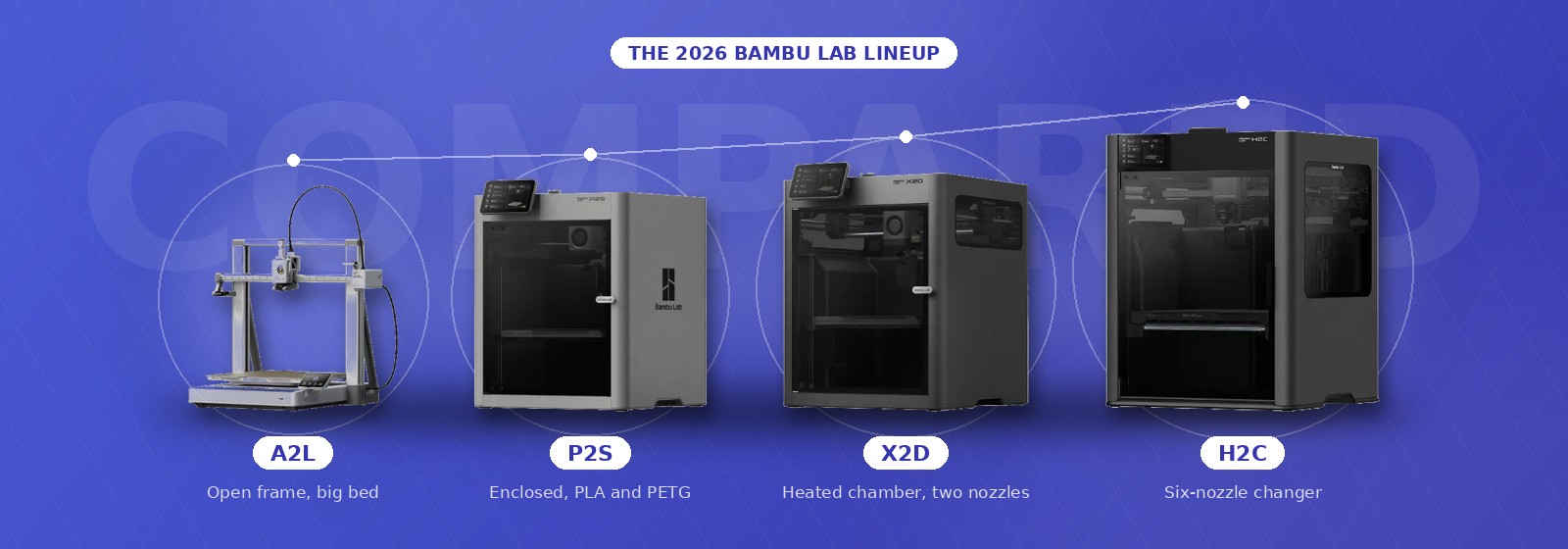
Bambu Lab sells nine printers, and every one of them prints fast, takes an AMS and undercuts the model above it. That has made choosing between them harder, not easier. This guide compares the whole lineup, then goes deep on the four that most buyers actually shortlist: the X2D, H2C, P2S and A2L. We keep it current as prices and models change.
Bambu’s 2026 range runs from the $200 class A1 mini to the $2,199 H2C, and in the middle sit the four machines that most buyers end up choosing between: the A2L, a large open-frame bed slinger from $469; the P2S, the enclosed CoreXY workhorse from $549; the X2D, a dual-nozzle enclosed printer with a heated chamber from $649 ($899 as the US AMS Combo); and the H2C, the multi-material flagship with six nozzle stations, from $2,199. Prices are Bambu’s US list prices on September 28, 2026, before tax, shipping and the sales Bambu runs more or less monthly.
The gaps between them are not where the marketing puts them. Three of the four share a 300 degree nozzle and all four share the AMS ecosystem. What separates them is the chamber, the number of nozzles, and the build volume, and each of those only matters for certain kinds of printing. So rather than crown a winner, this guide answers the question buyers actually have: which Bambu is the right amount of printer for what you print. The lineup table below places all nine; the rest of the page is the four-way decision, followed by the five machines that sit around it. Specifications come from Bambu; the judgments were checked against the long-term hands-on reviews that have put hundreds of hours on each machine, and where those reviewers found the spec sheet flattering, this guide says so.
Our Bambu Lab picks
Every Bambu Lab printer in one table
The whole range in one table, cheapest first. US list prices; the “around” figures are for models Bambu discounts most often, so check the store. The A2L, P2S, X2D and H2C get the full treatment below; the other five have their own section further down.
| Model | Frame and volume | From | Who it is for |
|---|---|---|---|
| A1 mini | Open frame, 180 mm cube | around $220 | A first printer, kids and classrooms |
| A1 | Open frame, 256 mm cube | around $320 | Beginners who want the full 256 mm bed |
| A2L | Open frame, 330 x 320 x 325 mm | $469 | Big PLA and PETG prints on a budget |
| P1S | Enclosed CoreXY, 256 mm cube | around $400 | The value enclosed printer while stock lasts |
| P2S | Enclosed CoreXY, 256 mm cube | $549 | PLA and PETG buyers who want simplicity |
| X2D | Enclosed, heated chamber, two nozzles, 256 mm cube | $649 | Most people buying an enclosed Bambu |
| H2S | Enclosed, heated chamber, one nozzle, 325 x 320 x 325 mm | around $1,249 | Engineering materials without the color |
| H2D | Enclosed, heated chamber, two nozzles, 350 x 320 x 325 mm | $1,549 | Large dual-nozzle work and the laser |
| H2C | Enclosed, heated chamber, six-station nozzle changer, 330 x 320 x 325 mm | $2,199 | Multi-material production |
Not listed: the H2D Pro, a US-market H2D with upgraded cooling and toolhead that sells on the same footprint, and the X1E, the enterprise X1 with a heated chamber and wired networking sold through Bambu’s business channel. The X1 Carbon has been discontinued; the P2S replaced it in everything but name.
Bambu Lab X2D vs H2C vs P2S vs A2L: the four side by side
Specifications from Bambu’s own comparison page and store listings. Build volumes are the totals Bambu quotes; on the dual-nozzle machines the volume available to both nozzles at once is smaller, and the table gives that figure too.
Source: bambulab.com comparison page and store listings, September 28, 2026. Security patches run two years beyond the feature update dates.
The short answer, by what you print
If you print PLA and PETG, in one or two colors, and want the least to think about: the P2S. It is enclosed, it is fast, the AMS 2 Pro dries filament while it feeds it, and nothing in the other three machines will change your results on these materials. It is also $100 cheaper and has one less system to learn.
If you print anything beyond PLA and PETG, models with overhangs you are tired of cleaning up, or parts that pair a rigid body with a soft grip: the X2D. A second nozzle dedicated to support material, or to the second color, is the feature the P2S cannot add later, and the heated chamber comes with it.
If you print big and mostly in PLA, or your budget stops under $500: the A2L. It has the same build volume as the H2C for a fifth of the price. The trade is an open frame, an 80 degree bed and no ABS.
If you print multi-color or multi-material every week and the purge pile annoys you: the H2C. Six nozzle stations mean color changes swap a nozzle instead of flushing one, and 350 degree hotends open up the materials the others cannot touch. It costs more than the other three combined, and most people do not need it.
Bambu Lab P2S: the value pick
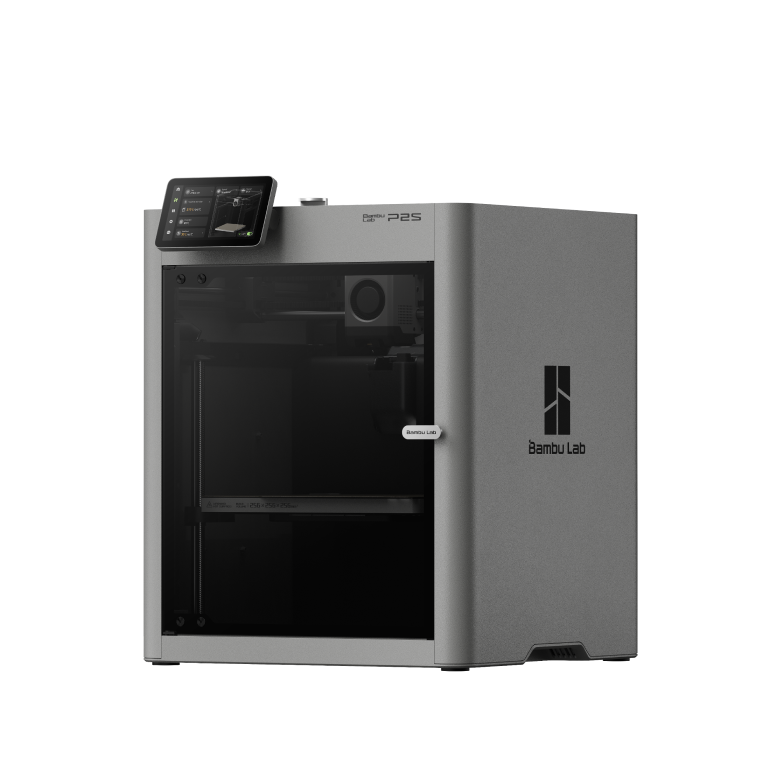
The P2S: a 256 mm cube, enclosed, with the AMS 2 Pro in the combo. Image: Bambu Lab
The P2S replaced the P1S, the most recommended mid-range printer of the last three years, and kept the recipe: a 256 mm cube, an enclosed CoreXY frame, 500 mm/s, and the AMS. What changed is the parts that used to draw complaints. The extruder is now Bambu’s servo-driven DynaSense unit, which holds pressure steady on carbon-filled and flexible filaments where the old stepper clicked and skipped. The nozzle is hardened steel out of the box, the guide rods are steel rather than the P1S’s carbon rods, and speeds are on par with the X1 Carbon, which the P2S has since made redundant. The screen is a 5 inch color touchscreen instead of the P1S’s monochrome afterthought, and the new 1080p camera actually shows you the print, although its spaghetti detection is trigger-happy enough that several long-term users have turned it off. And the AMS 2 Pro that ships in the combo adds active drying, so a spool left in it stays printable through a humid summer.
What it does not have is a chamber heater. The enclosure holds warmth from the bed, which is enough for ABS and ASA on parts of ordinary size, and Bambu lists those along with PA and PC as supported. For large engineering parts that warp, the X2D’s active heating is the real difference, not the price tag. The filter is activated carbon only, without the HEPA stage of the X2D, and it only works in recirculation mode for high-temperature materials; when printing PLA or PETG the P2S vents unfiltered through gaps in the housing, a step back from the X1 Carbon that Bambu now addresses with an optional exhaust filter kit. If the printer lives in a room you sit in, budget for that or look at the X2D.
A year ago the P2S was the machine to measure the others against, and it still anchors our best 3D printers guide. What has changed is the X2D sitting $100 above it. The reviewers who have run both side by side find the P2S hard to justify unless you print PLA and PETG only and value the simpler machine; that is a real audience, and for it the P2S remains the right buy.
Price: $549, about $699 to $750 as the AMS 2 Pro combo (approximate; varies by bundle, sale period and region, click through for current pricing)
Bambu Lab X2D: the $100 upgrade that changes what you can print
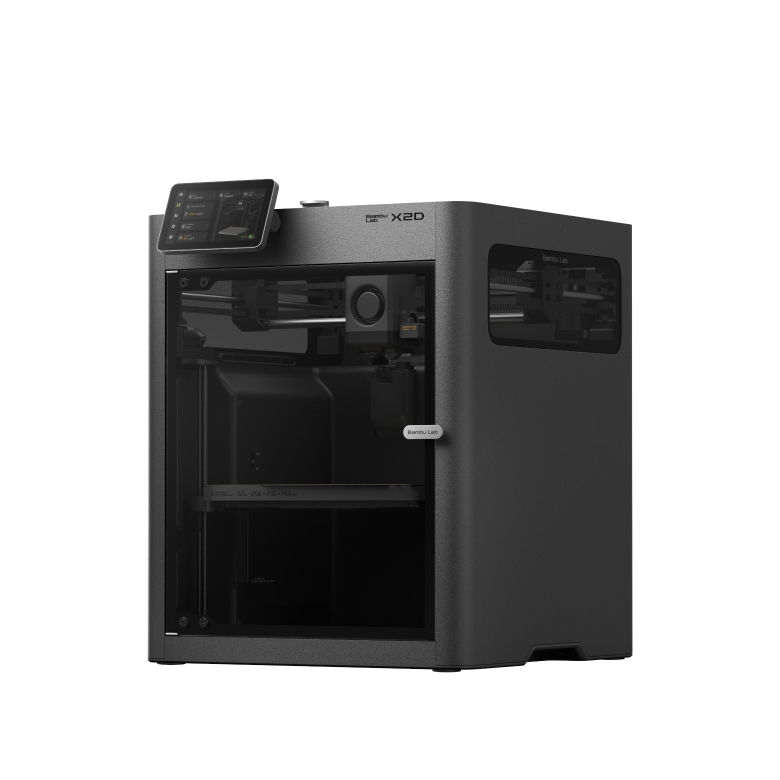
The X2D shares the P2S footprint and adds a heated chamber and a second nozzle. Image: Bambu Lab
The X2D is the P2S’s footprint with two things added: a second nozzle and a 65 degree actively heated chamber. Bambu calls it the dual-nozzle printer for everyone, and for once the tagline describes the pricing accurately. At $649 it sits $100 above the P2S and roughly $900 below the H2D, the machine it borrows the idea from; the US AMS Combo is $899. The chamber takes about 20 minutes to reach 65 degrees, and after a firmware update travel speed matches the H series at 1,000 mm/s.
The dual nozzle is not a toolchanger. The main nozzle does the work and carries the servo extruder; the auxiliary nozzle is fed through a Bowden tube from a stepper extruder bolted to the back of the machine, and is meant for support material, a second color, or a soft material paired with a hard one. Switching is mechanical, a lever and gear train in the toolhead rather than a motor, and Bambu quotes a million switch cycles in testing. The practical result is the one the marketing leads with: dissolvable or breakaway supports from the second nozzle, peeled off clean, with none of the flushing that an AMS incurs every time it changes material through a single nozzle. A small prime tower remains, and dual-nozzle prints still take longer than single-nozzle ones because the nozzles trade places at every change.
Read the small print on that second nozzle, because the Bowden feed is the catch every long-term review lands on. It cannot print flexible filaments at all, Bambu keeps PPA-CF and other abrasive or brittle materials on the main nozzle, and it runs slower: the same model printed entirely on the auxiliary nozzle took roughly 85 percent longer in one side-by-side test, with more stringing and slightly rougher walls. It also has no jam detection of its own. As a support nozzle, or for the second color on a two-color model, none of that matters. As a second engineering nozzle it is not what you are buying. Dual-nozzle mode also trims the usable width to 235.5 mm.
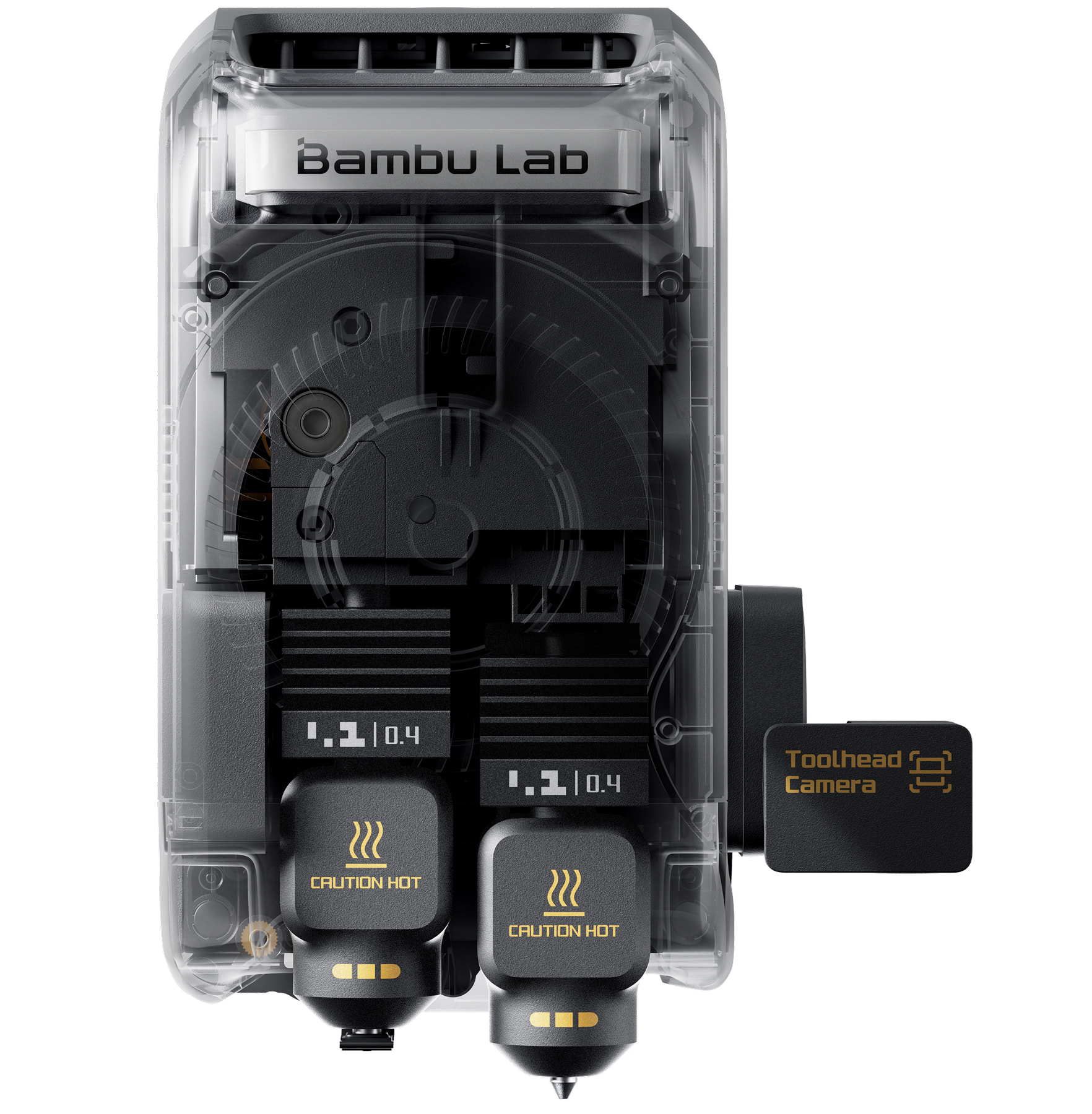
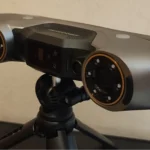
The toolhead: main nozzle on the left with the servo extruder, auxiliary nozzle on the right. Image: Bambu Lab
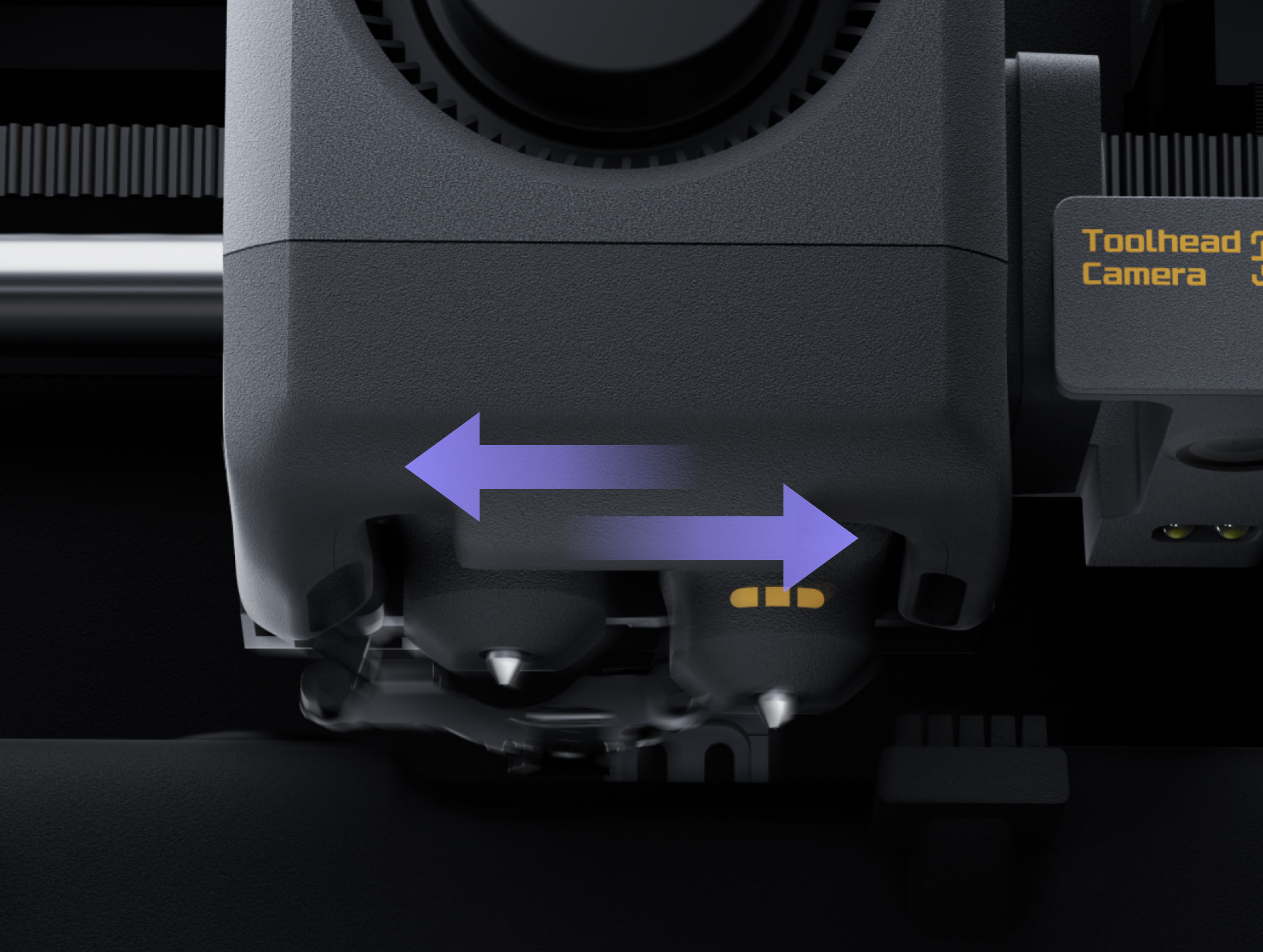
Where the auxiliary extruder actually sits: on the rear panel, feeding the right hotend through a PTFE tube. Image: Bambu Lab
One more thing the product page does not spell out: an AMS has one outlet, so out of the box it feeds one nozzle and the other takes filament from the external spool holder. If you want the AMS to feed both, you need a second AMS or Bambu’s Filament Track Switch accessory, which lets the slicer route each color to whichever nozzle wastes least. With it fitted, a two-color print from a single AMS still swaps filament but never flushes. Neither point is a flaw so much as a description of what the machine is: a P2S with a support nozzle and a heater, not a small H2C.
Two details the spec sheet undersells. The X2D carries the same three-stage filtration as the H series, with an H12 HEPA stage the P2S lacks, and it is UL 2904 certified for indoor air quality with Bambu’s PLA and PETG. And its guaranteed feature updates run to April 2031, six months longer than the P2S. For a machine that will sit in a living space for years, both count. The verdict from reviewers who ran the X2D against the P2S is close to unanimous: for $100 you get the chamber, the filtration, the second nozzle and Bambu’s newest hardware, and unless you are certain you will never use any of them, it is the enclosed Bambu to buy.
Price: $649, $899 as the US AMS Combo, EUR 849 in the EU (approximate; varies by bundle, sale period and region, click through for current pricing)
Bambu Lab A2L: the most volume per dollar Bambu sells
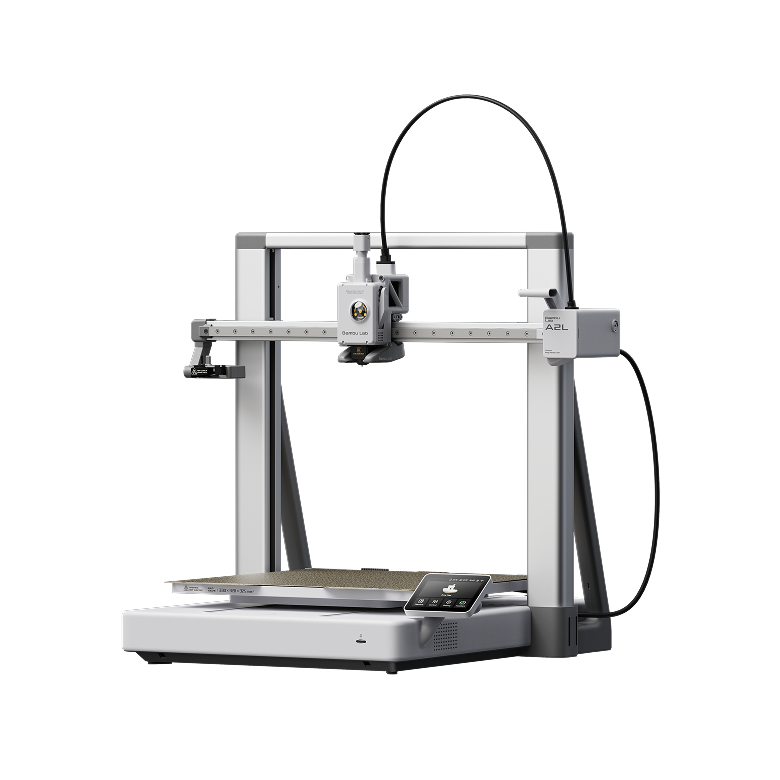
The A2L: H series build volume on an open-frame bed slinger. Image: Bambu Lab
The A2L is the odd one out, and deliberately so. It is a bed slinger, the bed moves back and forth rather than the toolhead moving in two axes, it has no enclosure, and it is the cheapest printer here. It also has a 330 x 320 x 325 mm build volume, the same as the H2C’s, on a $469 machine. For helmets, vases, storage bins, cosplay parts and anything else that outgrows a 256 mm cube, that is the whole argument.
What the price costs you is all on the materials side. The bed tops out at 80 degrees and there is no enclosure, so Bambu lists PLA, PETG, TPU and PVA and stops there; ABS, ASA and nylon are not supported, and fiber-filled PLA and PETG need the optional hardened nozzle because the standard one is stainless. The camera is a low frame-rate unit for timelapses that reviewers rate as the weakest part of the machine, there is no AI spaghetti detection (a mechanical flap catches blobs on the nozzle instead), storage is a microSD card, and the screen is the 3.5 inch panel from the A1. The standard stainless nozzle also has a shorter melt zone than the hardened one, so flow tops out lower and there is no high-flow option. The AMS it pairs with in the combo is the open AMS lite, which holds four spools but does not dry them; unlike the A1, the A2L also accepts the AMS, AMS 2 Pro and AMS HT directly, each with its own power supply, for up to 19 colors. None of this matters for a PLA printer in a workshop. All of it matters if you were hoping for a cheap engineering machine, which this is not.
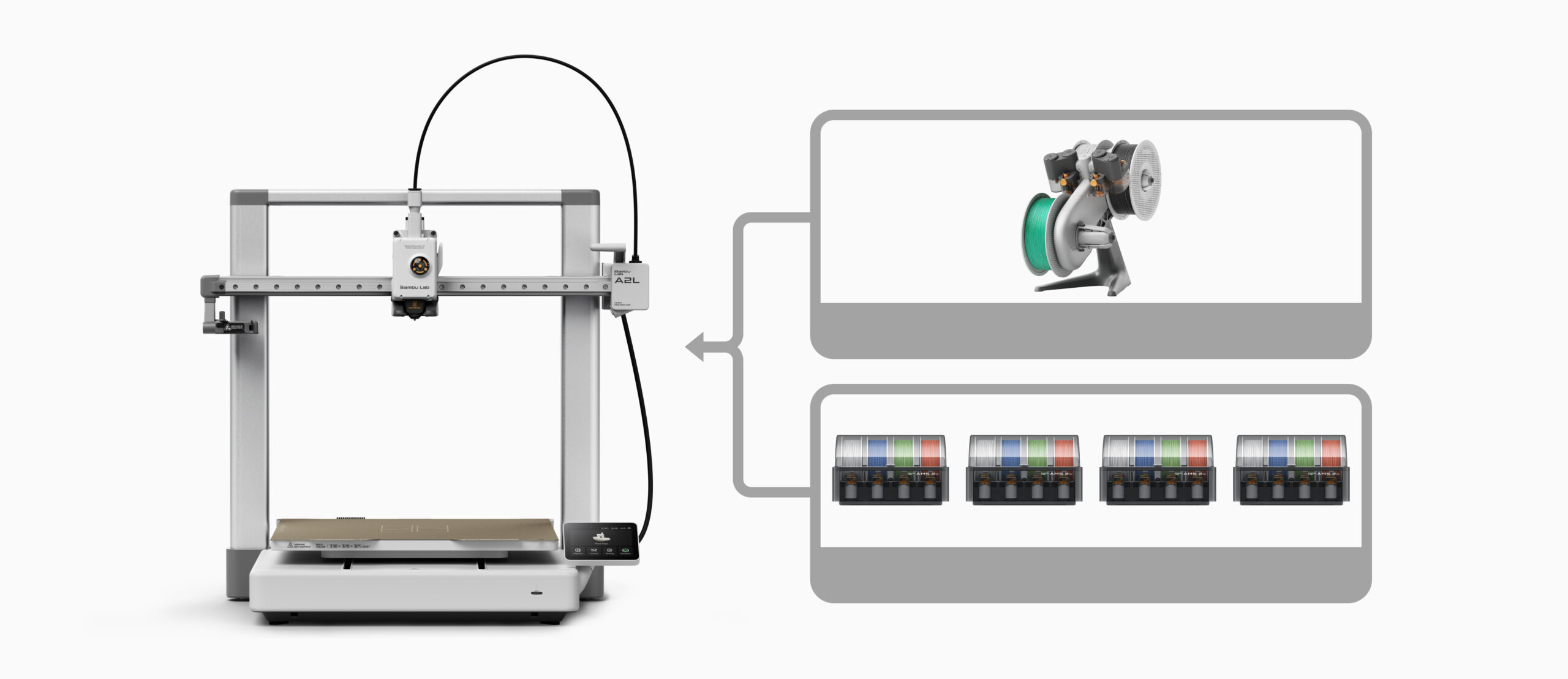
Unlike the A1, the A2L accepts the sealed AMS units directly as well as the AMS lite. Image: Bambu Lab
Where it surprises is in the engineering that keeps a tall print stable on a moving bed: Bambu fits granular dampers in the top brace and vibration compensation that adapts to the model’s mass. Tall, slim parts still flex on a bed that is being flung back and forth, the slicer’s slow-down-at-height setting exists for that reason, and a 400-hour review measured it 10 to 20 percent slower than the H series on the same models. Assembly takes under half an hour and the first calibration about 45 minutes. Measure before you order: the bed travel means it needs roughly 650 to 680 mm of desk depth, more than the spec sheet suggests, and a light workbench will shake with it. Bambu also sells a cutting and pen-plotting module for it, the same one the H series uses, which reviewers rate as the best $70 accessory in the range. If your prints are large and your materials are basic, the A2L is the right amount of printer, a very good large A1, and it is the one we point big-print beginners to in the beginners guide.
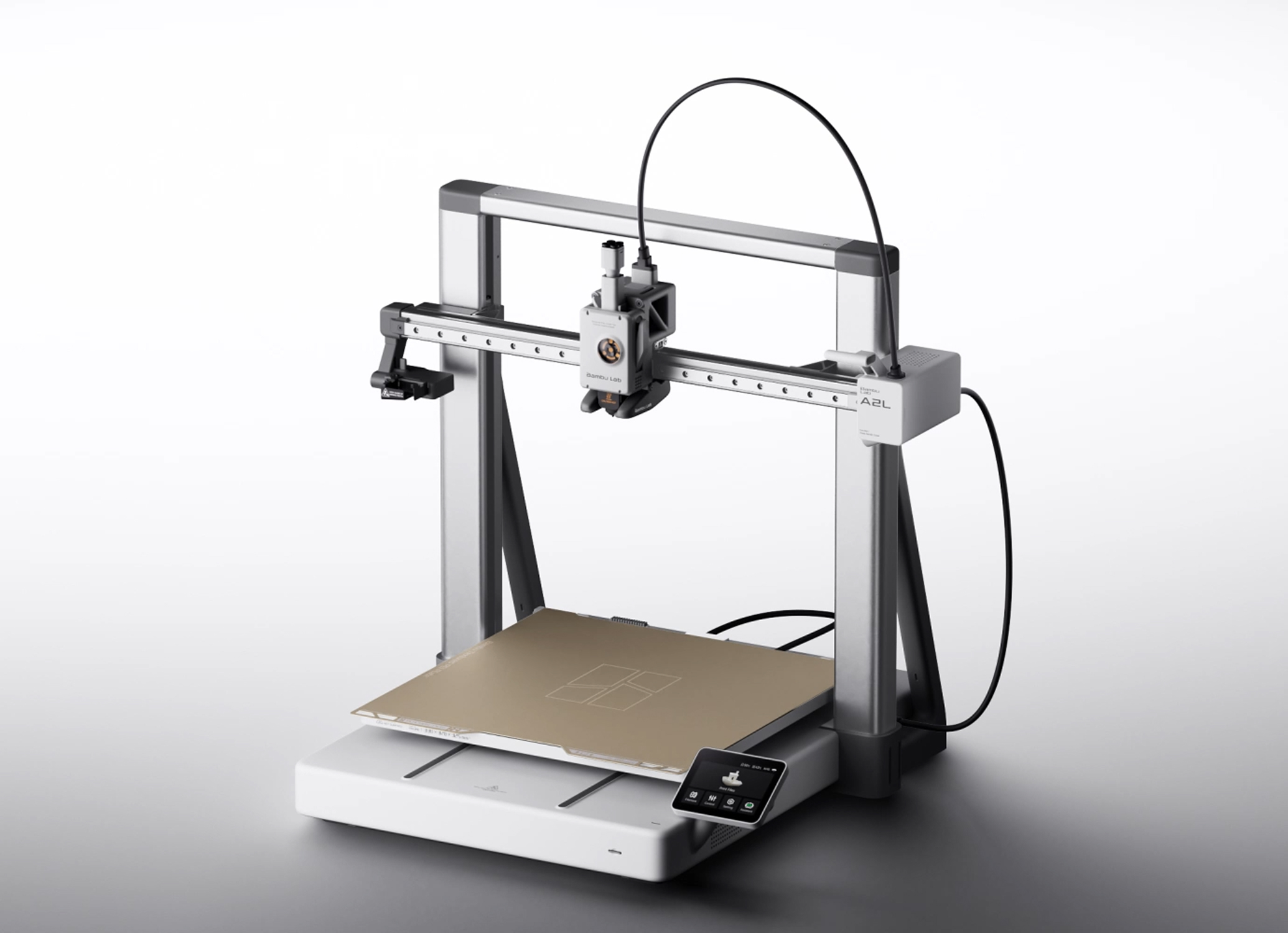
The top brace carries the granular dampers that steady tall prints on the moving bed. Image: Bambu Lab
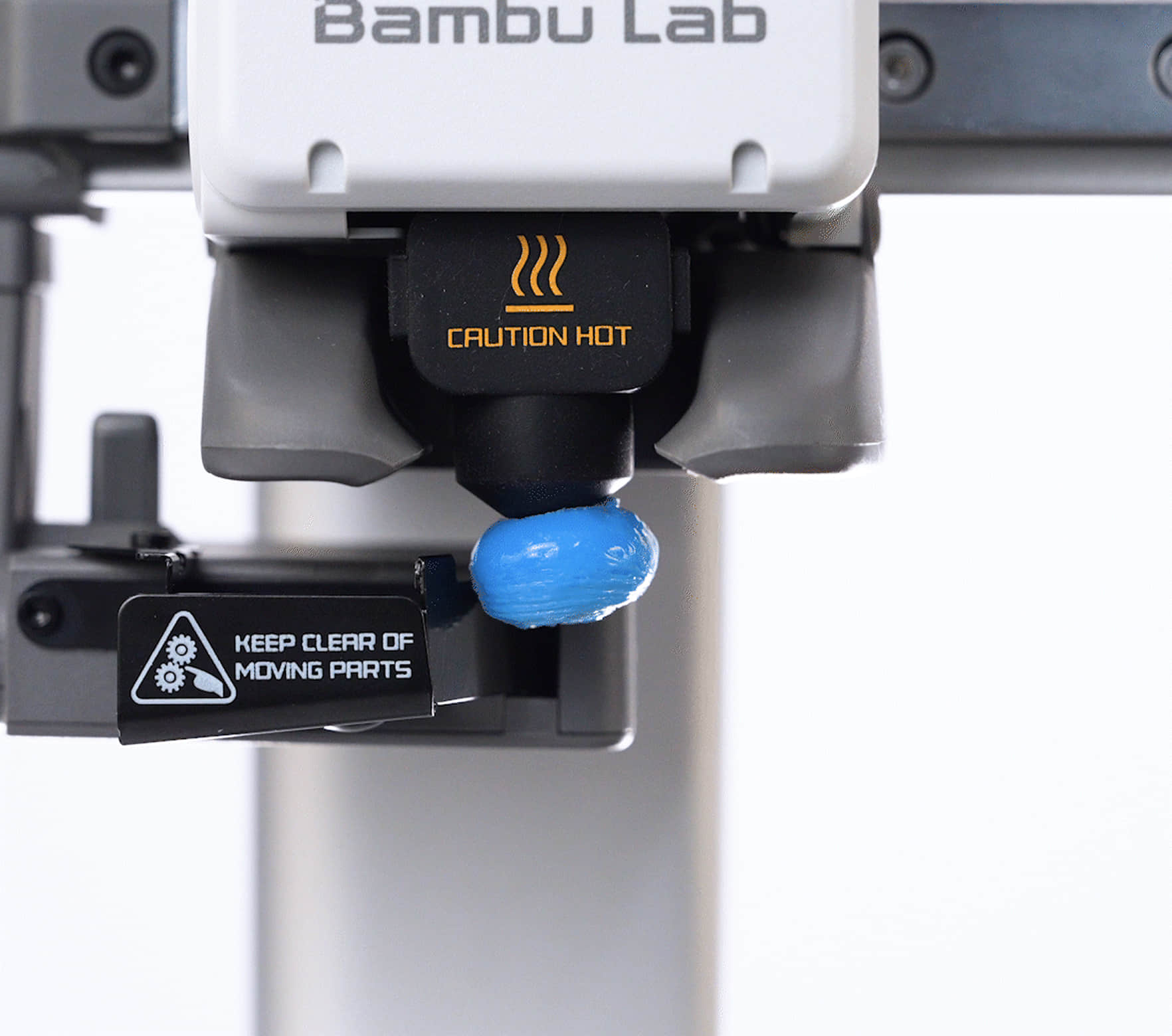
No AI spaghetti detection on the A2L; a mechanical flap catches blobs on the nozzle instead. Image: Bambu Lab
Price: $469, about $569 as the AMS lite combo (approximate; varies by bundle, sale period and region, click through for current pricing)
Bambu Lab H2C: the one that solves purge waste
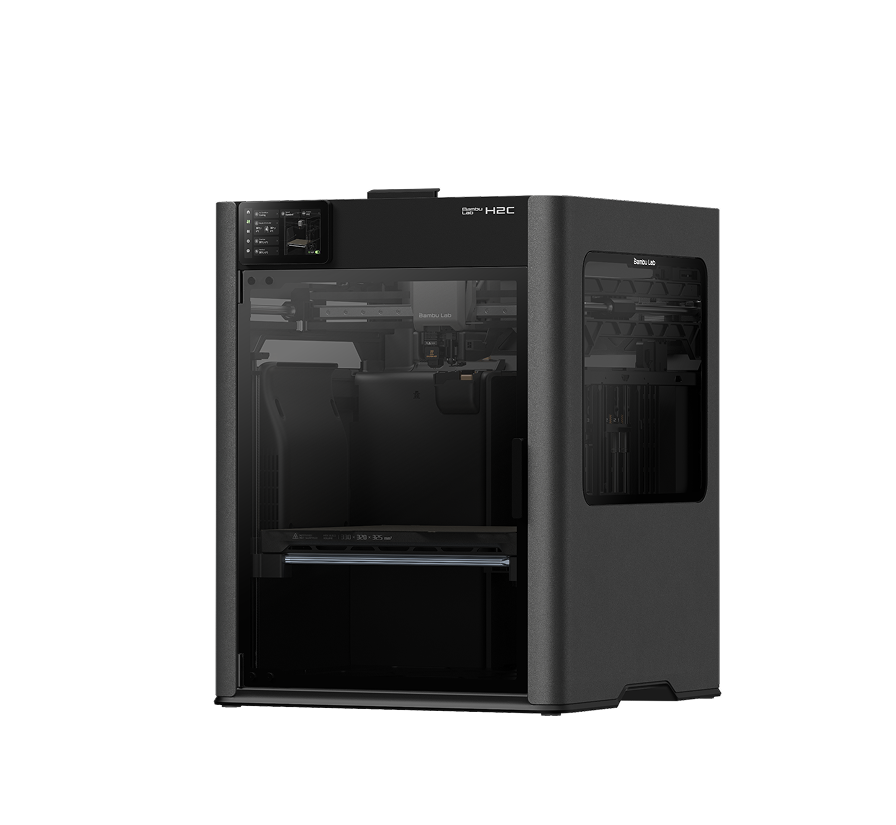
The H2C: the H series flagship with the Vortek nozzle changer. Image: Bambu Lab
Every single-nozzle AMS machine has the same problem: each color change pushes the old filament out through the nozzle and into a bin, and on a busy multi-color model the bin fills faster than the plate. The H2C is Bambu’s answer. Its Vortek system parks six nozzle stations in the chamber, three above and three below, and swaps a nozzle instead of flushing one, with offsets calibrated automatically to 25 microns. Up to seven materials print in one job without flushing, up to 24 if you add AMS units and accept some. It is not waste-free: a prime tower remains, about the size a toolchanger prints, and a nozzle change takes around 40 seconds because the AMS still has to retract one filament and feed the next. Against the eight-fold flushing of a single-nozzle AMS machine, though, the savings are measured in spools, not grams. One 3,600-change, eight-color print finished in half the time of the same model on an X1 Carbon with a seventh of the waste.
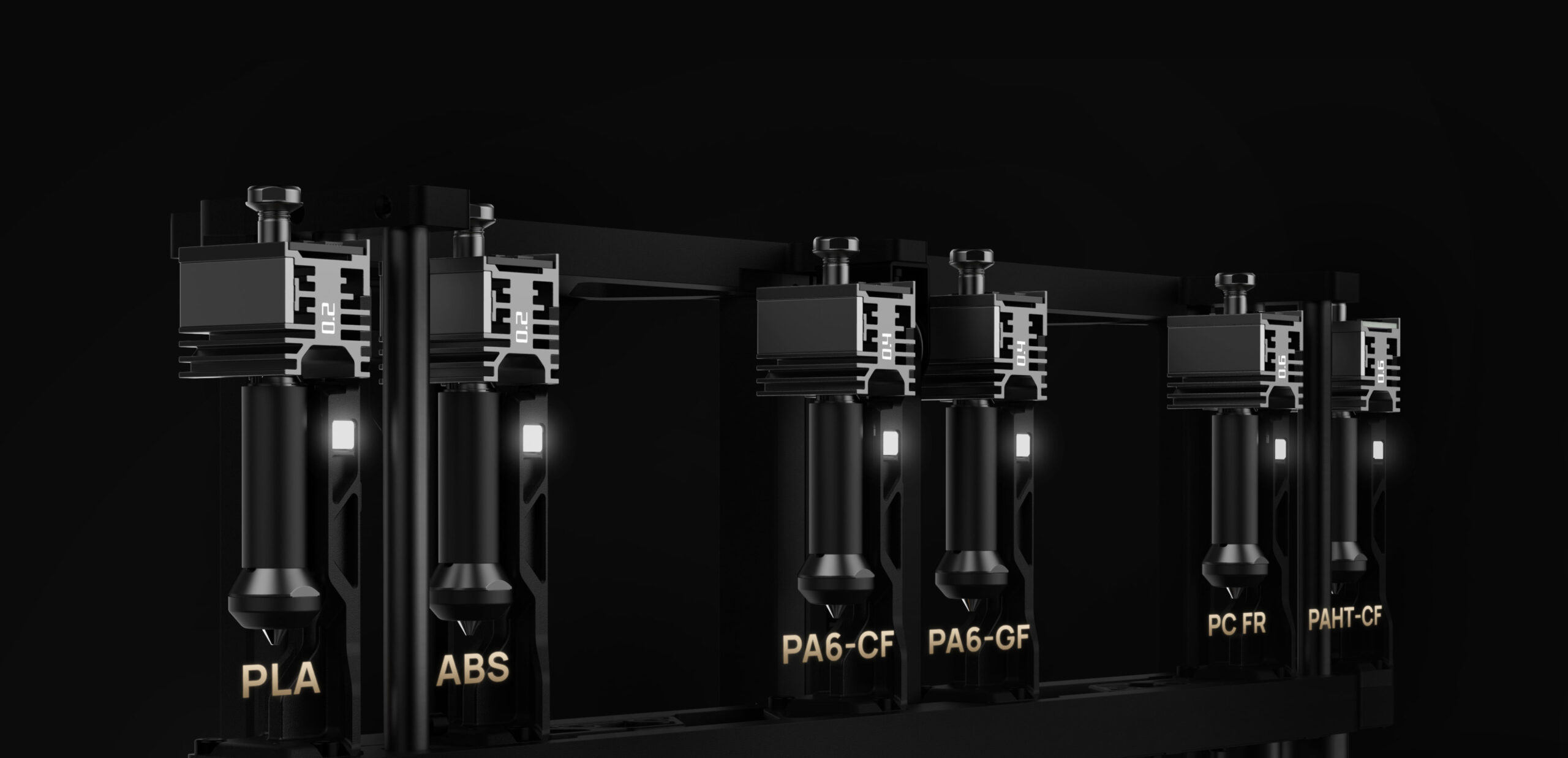
The Vortek rack: six docked induction nozzles plus the fixed left one, so seven materials print without a flush. Image: Bambu Lab
The rest of the machine is the H series flagship: a 330 x 320 x 325 mm volume, a 65 degree heated chamber, 350 degree hotends that reach PPS-CF and PPS-GF, 1,000 mm/s top speed, live view plus nozzle plus toolhead cameras, and an optional 10 W or 40 W laser and cutting module that turns it into the multi-tool the H2D pioneered. The rack costs you 20 mm of width against the H2D and the H2D and H2S plates do not fit. Replacement induction nozzles are $39, or $69 for high flow, and they heat to PLA temperature in under ten seconds. Expect 15 to 20 minutes of calibration before a multi-color print starts unless you switch it off. It launched at $2,399; in the EU Bambu now lists the AMS Combo at EUR 2,149 and the US list price is $2,199.
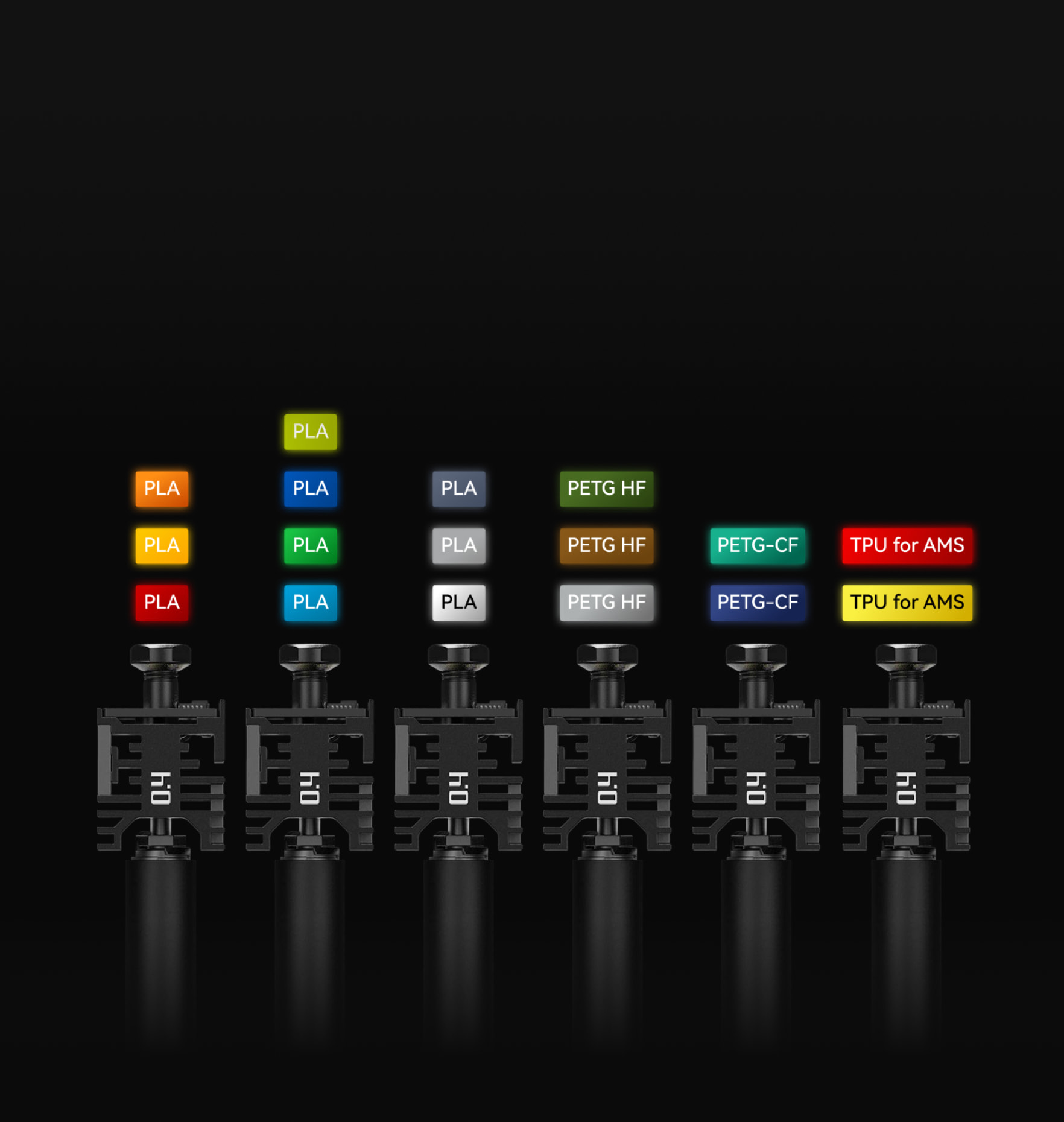
A nozzle parked in its dock. The changeover itself takes under 15 seconds; waiting for the AMS takes the rest. Image: Bambu Lab
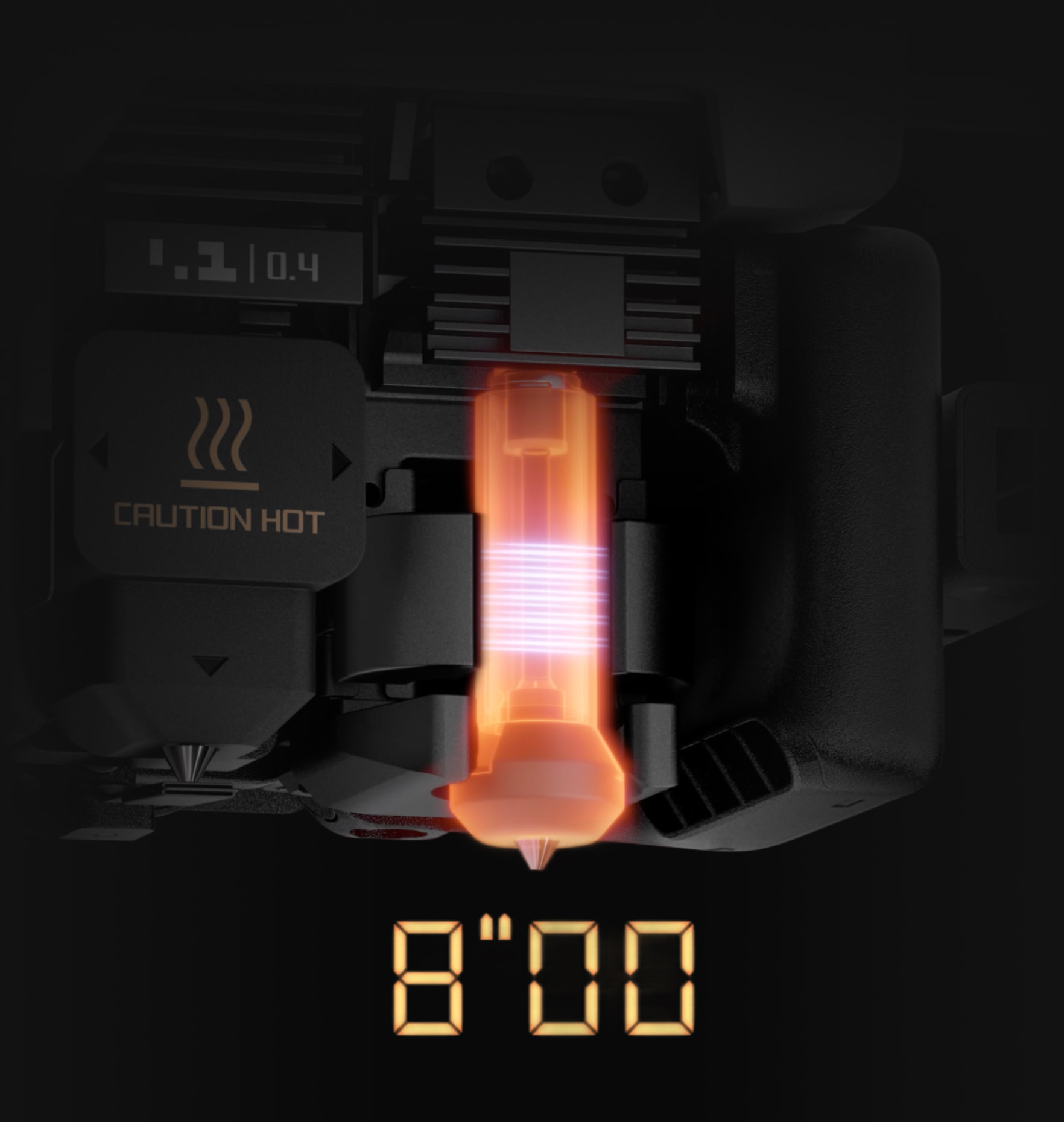
Induction heating brings a cold nozzle to PLA temperature in under ten seconds. Image: Bambu Lab
Who needs it: anyone printing multi-color products for sale, anyone using several engineering materials in one part, and anyone who has done the arithmetic on purge waste at their print volume and winced. Who does not: almost everyone else. The competition matters here too. For multi-color PLA, a true toolchanger swaps in 10 to 15 seconds and prints the same model in roughly half the time for a fraction of the price; the H2C wins where the toolchangers cannot follow, which is a compact heated chamber for engineering materials, dedicated nozzles per material so PPS and PLA never share a melt zone, and the convenience of picking a 0.2 or 0.6 mm nozzle in the slicer. Soft TPU is its weak spot: it runs on the right nozzle only and cannot use the nozzle changer. If the appeal is the heated chamber and the 350 degree hotend rather than the nozzle changer, Bambu’s own H2S gives you both for around $1,249 with a single nozzle. If it is the build volume, the A2L has it for $469. The H2C earns its price only when the purge pile is the problem you are solving, and our multicolor printer guide puts it next to the toolchangers it competes with.
Price: $2,199, EUR 2,149 as the AMS Combo in the EU (approximate; varies by bundle, sale period and region, click through for current pricing)
The three decisions people actually face
P2S or X2D: is $100 worth a second nozzle and a heater?
- Yes for almost everyone who prints more than PLA and PETG. The heated chamber, the HEPA stage and the support nozzle together are the best $100 in Bambu’s range, and the reviewers who ran both machines side by side agree. See the X2D.
- Yes if you print ABS or ASA parts larger than a hand. The heated chamber is the bigger upgrade for that work; the second nozzle is the bonus.
- No if you print PLA and PETG in one or two colors and want the simpler machine. You would be paying for a nozzle you will not use and losing 20 mm of dual-nozzle width. See the P2S.
X2D or H2C: two nozzles or six stations?
- The X2D handles two materials per job without flushing. The H2C handles seven. If your models use three or more colors regularly, the X2D still flushes through the AMS for the extras.
- The H2C adds 350 degree hotends, PPS, a bigger volume and the laser option. If none of those is on your list, the X2D does the two-material job for $1,550 less. See the H2C.
- A common mistake: buying the H2C for its build volume. The A2L has the same volume for $469.
A2L or P2S: volume or enclosure?
- Choose the A2L when the parts are big and the material is PLA, PETG or TPU. Nothing in the P2S improves those prints; the A2L simply fits more of them.
- Choose the P2S when you want ABS, ASA or nylon on the menu, AI failure detection, a proper camera, or a printer that lives in a shared room.
- The bundled AMS is not equal: the A2L combo’s AMS lite is open and does not dry; the P2S combo’s AMS 2 Pro is sealed and does. The A2L can take an AMS 2 Pro too, bought separately.
When none of the four is the answer
- Under $350 and volume does not matter: the A1 mini or A1. Same ecosystem, same slicer, covered below.
- Engineering materials without color: the H2S, covered below.
- Large dual-nozzle prints or the laser: the H2D, covered below. The X2D has taken most of its dual-nozzle audience.
Other pairs people ask about
P1S or P2S?
- Same print quality and volume. The P2S adds the touchscreen, a usable camera, the servo extruder and a hardened nozzle out of the box.
- Gap of $150 or more on the day: buy the P1S for PLA and PETG. Gap under $100: buy the P2S.
- Either way, if you also want a heated chamber, skip both and look at the X2D for $100 over the P2S.
A1 or A1 mini?
- Identical recipe; the only difference that matters is the bed, 256 mm against 180 mm.
- Phone cases, figurines, desk organizers and school projects fit the A1 mini. Helmets, bins and anything you would split into parts want the A1.
- The mini is quieter and smaller on a desk, which matters more in a bedroom than a workshop.
A1 or A2L?
H2S or H2D?
- The H2S is the H series for most people: same chamber, same hotend, the largest usable bed, one nozzle, several hundred dollars less.
- The H2D earns its price only for dual-material work: a dedicated support nozzle for clean undersides, or two engineering materials in one part.
- Multi-color as the main use case is neither of them; that is the H2C’s job.
The rest of the Bambu Lab lineup
Five more machines round out the range. None of them needs a full section, but each has a buyer, and two of them are the right answer more often than their position in the table suggests.
A1 mini, around $220. An open-frame bed slinger with a 180 mm cube, and still the easiest first printer on the market. It shares the A1’s auto-calibration and the AMS lite, so a four-color combo comes in under $400. The limits are the ones you would expect: PLA, PETG and TPU only, and a bed that rules out helmets and bins. For a child, a classroom or a desk, it is the one to buy, and our beginners guide leads with it for that reason. View A1 mini at Bambu Lab →
A1, around $320. The same recipe on a 256 mm cube, which is the size most hobbyists actually need. Between the A1 and the A2L the question is only volume: if you will print anything taller than a 256 mm cube more than occasionally, pay the difference for the A2L; if not, the A1 is quieter on a desk and cheaper to feed with an AMS lite combo. View A1 at Bambu Lab →
P1S, around $400 while stock lasts. The printer the P2S replaced, still sold at a discount and still an excellent enclosed machine: the print quality and capability are the same, and what you give up is the touchscreen, the better camera, the servo extruder and the hardened nozzle. If the price gap to the P2S is $150 or more on the day you look, the P1S is the better deal for PLA and PETG. If it is under $100, buy the P2S. View P1S at Bambu Lab →
H2S, around $1,249. The H series body, heated chamber and 350 degree hotend with a single nozzle and the largest usable bed in the range at 325 x 320 x 325 mm. This is the engineer’s Bambu: nylon, polycarbonate, PPS and their fiber-filled versions, in big parts, without paying for a second nozzle or a nozzle rack you will not use. It takes the laser and cutting modules too. Within the H series the logic is simple, and the long-term reviewers agree on it: the H2S for most people, the H2D when you know you want dual-material, the H2C when multi-color is the point of the machine. View H2S at Bambu Lab →
H2D, $1,549. The original dual-nozzle H series and the machine the X2D borrows its idea from, with two direct-drive nozzles rather than one direct-drive and one Bowden, a 350 x 320 x 325 mm volume, 350 degree hotends and the laser option. Since the X2D launched it is the choice for people who want dual-nozzle printing at H series size and material range, and it is the balanced pick if you are not yet sure whether size or color will matter more to you. The laser edition remains the only Bambu that cuts and engraves out of the box. View H2D at Bambu Lab →
Buying it: combo or bare, when to buy, and what to add
Combo or bare printer. Buy the combo unless you have a reason not to. Every reviewer who has run one of these machines for months says the same, and the arithmetic backs them: the AMS bought later costs more than the uplift the combo charges for it, about $100 on the A2L with the AMS lite, $150 to $200 on the P2S and $250 on the X2D with the AMS 2 Pro, and on the P2S and X2D the AMS 2 Pro is also your filament dryer. The bare printer is the right buy in two cases: a second machine for a farm that already has spare AMS units, or single-material production where color changes never happen. The H2C is sold with the AMS as standard; a nozzle changer without one makes no sense.
When Bambu discounts. Bambu runs sales on a rhythm: an anniversary sale in spring, a back-to-school promotion in late summer, Black Friday and a holiday sale, plus shorter bundle deals in between. The cuts are usually $50 to $100 on the mid-range machines and more on the H series, so if you are within a month of one of those windows and not in a hurry, wait. The store’s sale collection shows what is discounted today.
Refurbished. Bambu sells certified refurbished units through its own stores when returns allow, with the same warranty as new; at the time of writing the EU store had the P1S at roughly 15 percent under the new price, while the US store had nothing refurbished listed. Stock comes and goes, so for a P1S or A1, where the discount is a real share of the price, it is worth a look before buying new.
Upgrading from a P1S or X1 Carbon. If you own a P1S, the P2S is a quality-of-life update and not a capability one; the step that changes what you can print is the X2D, for the chamber and the second nozzle. If you own an X1 Carbon, you already have the hardened nozzle, the camera and the lidar; the X2D gives you the chamber, better filtration and dual-nozzle supports on the same footprint, and the H2S gives you size and the 350 degree hotend. Nobody needs to replace a working P1S or X1C for the P2S alone.
What to buy with it. Less than you think. The printer ships with the tools, a plate and a glue stick; it does not ship with filament. The short list from people who have set up hundreds of these:
- Filament with a spool, not refills, for the first order, and at least one roll of black: Bambu PLA Basic prints with the right profile automatically from the RFID tag, which is worth the small premium while you learn. Add PETG Basic once you print anything that lives outdoors or gets hot.
- If you have an AMS and want to try flexibles, only TPU for AMS feeds through it; ordinary TPU goes on the external spool holder.
- A second build plate, so one cools while the next print starts, and a smooth or engineering plate if you print PETG or nylon often.
- Somewhere dry to keep open spools: sealed bags with desiccant at minimum, or a proper dryer if you live anywhere humid; our filament dryer guide covers both.
- A printed poop chute. Every single-nozzle Bambu ejects purge waste out of the back, and a chute into a bin is the first thing most owners print. Free, from MakerWorld.
That is the whole list. Deburring tools, spare nozzles and enclosures for the open-frame machines can wait until you know you need them.
Three things to know before buying any of them
The AMS generations are not interchangeable in practice. The A2L ships with the open AMS lite but, unlike the A1, also accepts the AMS, AMS 2 Pro and AMS HT directly. The P2S, X2D and H2C use the sealed AMS 2 Pro or the single-spool, high-temperature AMS HT, and Bambu notes that connecting more than two of those needs a four-in-one PTFE adapter. On the dual-nozzle machines remember that one AMS feeds one nozzle unless you add the Filament Track Switch. If you own an original AMS from a P1S or X1C, check Bambu’s compatibility notes for the specific machine before assuming it carries over.
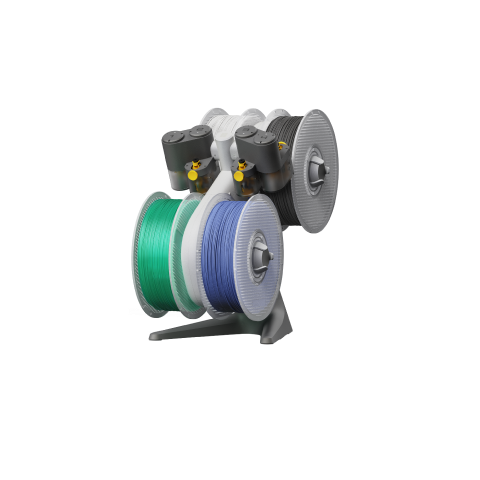
AMS lite: open, four spools, no drying. Bundled with the A2L. Image: Bambu Lab
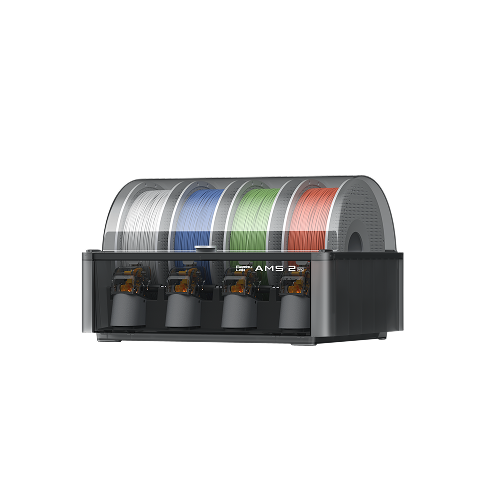
AMS 2 Pro: sealed, four spools, active drying. Bundled with the P2S, X2D and H2C. Image: Bambu Lab
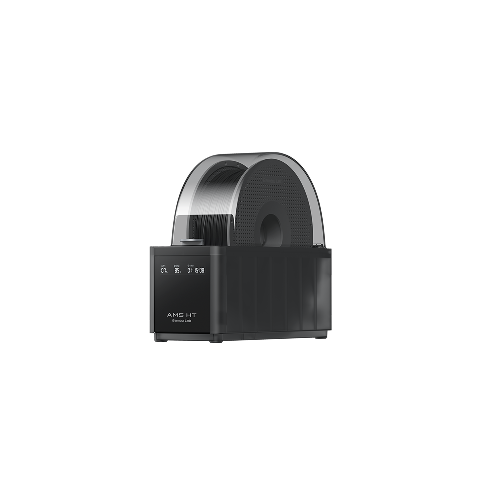
AMS HT: one spool, higher drying temperature, for engineering filaments. Image: Bambu Lab
Bambu publishes update end dates, and they differ. Guaranteed feature updates run to October 2030 for the P2S, November 2030 for the H2C, April 2031 for the X2D and June 2031 for the A2L, each with security patches for two years beyond that. The printers keep working after those dates; the point is that the two cheapest of the four are also the two with the longest supported life, which is unusual in consumer electronics.
The ecosystem is the product. All four print from Bambu Studio and Bambu Handy, all four pull models from MakerWorld, and all four are tied to Bambu’s cloud and authorization model, which has been the subject of a loud and continuing argument about firmware control and third-party software since early 2025. If printing over your own network with third-party tools matters to you, read up on the current state of Bambu’s developer mode and LAN options before choosing; we are preparing a full explainer on where that debate stands. For most buyers the trade is a good one. It is still a trade.
Frequently asked questions
Is the Bambu Lab X2D better than the P2S?
For most buyers, yes. For $100 more the X2D adds a 65 degree heated chamber, HEPA filtration and a second nozzle for supports or a second color, and reviewers who tested both find the P2S hard to justify unless you print PLA and PETG only. For those users the P2S gives the same results on those materials, a simpler machine and a lower price. The X2D’s second nozzle is Bowden-fed, so it is slower and cannot print flexible filament; treat it as a support nozzle, not a second main nozzle.
Does the X2D replace the H2D?
Not entirely. The X2D takes the H2D’s dual-nozzle idea to a 256 mm cube at $649, while the H2D keeps the larger 350 x 320 x 325 mm volume, 350 degree hotends, PPS support and the laser and cutting modules at $1,549. If you wanted the H2D mainly for dual-nozzle supports, the X2D now covers that for less.
Can the Bambu A2L print ABS?
Bambu does not list ABS, ASA or nylon as supported on the A2L. It is an open-frame printer with an 80 degree bed, and those materials need an enclosure and a hotter bed to avoid warping. Its supported list is PLA, PETG, TPU and PVA, plus fiber-filled PLA and PETG with the optional hardened steel nozzle. For ABS, step up to the P2S or X2D.
Is the H2C worth it over the X2D?
Only if you print three or more materials per job regularly, need 350 degree hotends for materials like PPS, or want the larger 330 mm class volume and the laser option in one machine. The H2C’s six nozzle stations replace flushing with a nozzle swap, which cuts multi-color waste to a prime tower and is a real saving at production volume, although each swap still takes around 40 seconds. For occasional two-material work the X2D does the same job for about $1,550 less.
Which AMS works with which Bambu printer?
The A2L ships with the open AMS lite and also accepts the AMS, AMS 2 Pro and AMS HT, each with its own power supply. The P2S, X2D and H2C use the sealed AMS 2 Pro, which also dries filament, and the single-spool AMS HT for high-temperature materials. Connecting more than two AMS 2 Pro or AMS HT units to the X2D or H2C needs Bambu’s four-in-one PTFE adapter, and on those two machines an AMS feeds one nozzle unless you fit the Filament Track Switch. Check Bambu’s compatibility notes before assuming an older AMS carries over.
Which Bambu Lab printer is best for beginners?
The A1 mini for a first printer where size does not matter, the A1 if you want the full 256 mm bed, and the A2L if you know you will print large. All three are open-frame machines for PLA, PETG and TPU with the same auto-calibration and slicer. If you want an enclosure from day one, the P2S is the simplest enclosed Bambu and the X2D adds a heated chamber and a second nozzle for $100 more.
Is the Bambu Lab P1S still worth buying?
Yes, at the right price. The P1S prints as well as the P2S; it lacks the touchscreen, the better camera, the servo extruder and the hardened nozzle. If the gap to the P2S is $150 or more on the day you buy, the P1S is the better value for PLA and PETG. If the gap is under $100, buy the P2S.