
3D Printing

Buyer guides

  • Best 3D printers
  • For beginners
  • Multicolor
  • Resin printers
  • Budget (under $400)
  • For kids and schools
  • For miniatures
  • Large format
All printer guides

Brands and compare

  • Bambu Lab lineup compared
  • Compare printers
  • Full color 3D printers
  • Large scale and industrial

Reviews

  • Elegoo Mars 5 Ultra
  • FLSun T1 Pro
  • QIDI Tech Q1 Pro
All reviews
Best 3D Printers 2026: Buyer’s Guide

Start with the top picks

Best 3D Printers 2026: Buyer’s Guide

Twenty printers tested and ranked, from $169 to the H2D.

See the picks

Filament

  • Best PETG filament
  • Best PLA filament
  • Best TPU filament
  • Best ABS and ASA filament
  • Engineering filaments
  • Composite filaments
  • Flexible filaments
  • Bio filaments
All filament guides

Resin

  • For miniatures
  • Tough and ABS-like
  • Castable resin
  • Water-washable
  • Flexible resin
All resin guides

Accessories

  • Filament dryers
  • Printer enclosures
  • Wash and cure stations
Best Filament Dryers (2026 Guide)

Most-clicked accessory

Best Filament Dryers (2026 Guide)

Wet filament causes most failed prints; the fix costs less than a spool.

Compare dryers

Buyer guides

  • Small objects
  • Medium objects
  • Large objects
  • Professional scanners
  • Scan with your phone
All scanner guides

Software and service

  • 3D scanner software
  • Scanning service vs buying

Reviews

  • Revopoint MetroY Pro
  • Revopoint Inspire 2
  • Revopoint Trackit
All scanner reviews
3D Scanners 2026: The Complete Buying Guide

Find the right scanner

3D Scanners 2026: The Complete Buying Guide

Nineteen scanners from $400 to $40,000, sorted by object size.

Open the guide

Design and AI

  • AI 3D model generators
  • 3D modeling and CAD software

Print prep and control

  • Slicers
  • STL repair tools
  • Printer host and remote control

Reviews

  • Meshy Edit
  • Tripo H3.1
  • Meshy 7.1
All software reviews
Best AI 3D Model Generators for 3D Printing (2026)

Fastest-growing guide

Best AI 3D Model Generators for 3D Printing (2026)

Type a prompt, get a printable model: the tools we tested, free tiers first.

Try the tools

Start here

  • What is 3D printing?
  • How much does it cost?
  • FDM vs resin
  • Best printers for beginners

How it works

  • What is a 3D printer?
  • How does 3D printing work?
  • Types of 3D printing
  • Metal 3D printing

How-tos and glossary

  • 3D printing glossary
  • Food-safe 3D printing
  • Setting up a school program
  • Free 3D printable models
What is 3D Printing?

Start here

What is 3D Printing?

The one-page explainer, then how much it costs and which technology to buy.

Start reading
Black FridayNEW

Latest

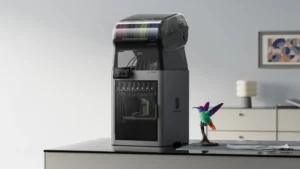
  • Bambu Lab P3C Puts a Seven-Slot Tool Changer on the Desktop for $1,149
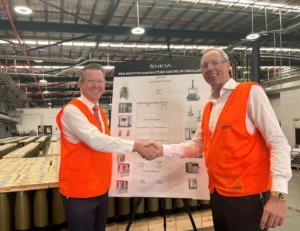
  • Queensland Backs NIOA With A$15 Million for Metal and Ceramic 3D Printing in Maryborough
  • Army Lab and ZYLtech Scale Up Dual-Polymer Filament for 3D Printing
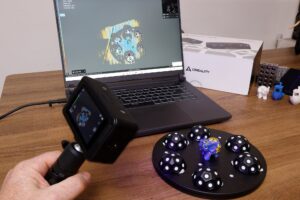
  • Creality Pika review: the pocket 3D scanner that made me stop the car for a mushroom
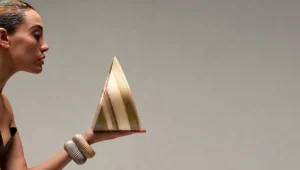
  • Emna Hussein’s 3D Printed Bags Up for Fashion Tech Prize in Doha
All news

Use cases

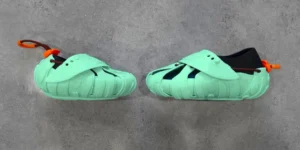
  • Daniel Winter’s Fits Kids’ Shoe Expands Across Five Sizes
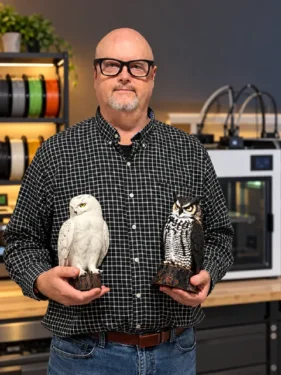
  • Bigshot Tinkers Prints Lifelike Multicolor Wildlife Models
  • Dutch Machine Builder Swaps a Welded Part for One Metal 3D Printed by K3D
  • Prague Firefighters 3D Print Their Own Gear on a Prusa CORE One L
  • OECHSLER Scales Carbon Lattice Production to 40 Printers Running Around the Clock
All use cases

Industry

  • Automotive
  • Aerospace
  • Medical
  • Dental
  • Construction
  • Rapid prototyping
  • Electronics
  • Food
  • Fashion
  • Bioprinting
Bambu Lab P3C Puts a Seven-Slot Tool Changer on the Desktop for $1,149

Latest

Bambu Lab P3C Puts a Seven-Slot Tool Changer on the Desktop for $1,149

Bambu Lab's P3C brings the H3C's Swaptek tool changer to a $1,149 desktop printer with seven slots, five…

Read more
Contact
  • Home
  • Products
  • Videos
  • Newsletter
  • Contact us

Buyer guides

  • Best 3D printers
  • For beginners
  • Multicolor
  • Resin printers
  • Budget (under $400)
  • For kids and schools
  • For miniatures
  • Large format
All printer guides

Brands and compare

  • Bambu Lab lineup compared
  • Compare printers
  • Full color 3D printers
  • Large scale and industrial

Reviews

  • Elegoo Mars 5 Ultra
  • FLSun T1 Pro
  • QIDI Tech Q1 Pro
All reviews

Filament

  • Best PETG filament
  • Best PLA filament
  • Best TPU filament
  • Best ABS and ASA filament
  • Engineering filaments
  • Composite filaments
  • Flexible filaments
  • Bio filaments
All filament guides

Resin

  • For miniatures
  • Tough and ABS-like
  • Castable resin
  • Water-washable
  • Flexible resin
All resin guides

Accessories

  • Filament dryers
  • Printer enclosures
  • Wash and cure stations

Buyer guides

  • Small objects
  • Medium objects
  • Large objects
  • Professional scanners
  • Scan with your phone
All scanner guides

Software and service

  • 3D scanner software
  • Scanning service vs buying

Reviews

  • Revopoint MetroY Pro
  • Revopoint Inspire 2
  • Revopoint Trackit
All scanner reviews

Design and AI

  • AI 3D model generators
  • 3D modeling and CAD software

Print prep and control

  • Slicers
  • STL repair tools
  • Printer host and remote control

Reviews

  • Meshy Edit
  • Tripo H3.1
  • Meshy 7.1
All software reviews

Start here

  • What is 3D printing?
  • How much does it cost?
  • FDM vs resin
  • Best printers for beginners

How it works

  • What is a 3D printer?
  • How does 3D printing work?
  • Types of 3D printing
  • Metal 3D printing

How-tos and glossary

  • 3D printing glossary
  • Food-safe 3D printing
  • Setting up a school program
  • Free 3D printable models
Black FridayNEW

Latest

  • Bambu Lab P3C Puts a Seven-Slot Tool Changer on the Desktop for $1,149
  • Queensland Backs NIOA With A$15 Million for Metal and Ceramic 3D Printing in Maryborough
  • Army Lab and ZYLtech Scale Up Dual-Polymer Filament for 3D Printing
  • Creality Pika review: the pocket 3D scanner that made me stop the car for a mushroom
  • Emna Hussein’s 3D Printed Bags Up for Fashion Tech Prize in Doha
All news

Use cases

  • Daniel Winter’s Fits Kids’ Shoe Expands Across Five Sizes
  • Bigshot Tinkers Prints Lifelike Multicolor Wildlife Models
  • Dutch Machine Builder Swaps a Welded Part for One Metal 3D Printed by K3D
  • Prague Firefighters 3D Print Their Own Gear on a Prusa CORE One L
  • OECHSLER Scales Carbon Lattice Production to 40 Printers Running Around the Clock
All use cases

Industry

  • Automotive
  • Aerospace
  • Medical
  • Dental
  • Construction
  • Rapid prototyping
  • Electronics
  • Food
  • Fashion
  • Bioprinting
Contact
Blog
  • Latest News
  • Use Cases
  • Reviews
  • 3D Printers
  • 3D Printing Metal
Featured Industries
  • Automotive
  • Aerospace
  • Construction
  • Dental
  • Environmental
  • Electronics
  • Medical
  • Military
  • Fashion
  • Art
Company Information
  • What is 3D Printing?
  • Advertise with us
  • Media Kit
  • Nederland 3D Printing
Home / Software Guides / Best 3D Modeling & CAD Software for 3D Printing (2026)
creality header

Best 3D Modeling & CAD Software for 3D Printing (2026)

The best 3D modeling software for 3D printing depends on what you are making and how you like to work. A functional bracket, a tabletop miniature, and a replacement knob each reward a different kind of tool, and the right pick also turns on your budget, your operating system, and how much of a learning curve you can stomach. This guide sorts the 2026 field into the categories that actually matter: parametric CAD for precise mechanical parts, sculpting apps for organic shapes and miniatures, and the fast-rising wave of AI model generators. Each entry lists the current price, the license fine print that catches people out, and who it is genuinely for. Every program here exports geometry a slicer can read; where a tool needs help producing a clean, watertight model, we flag it.

There is no single winner, so we name a best pick for each job. If you only remember one thing: pick a parametric tool when dimensions and fit matter, and a sculpting tool when the shape is organic. Most of our picks have a genuinely free tier, and we weight print readiness (clean STL, 3MF, and STEP export, manifold output), real cost including license terms, learning curve, and platform support.

What makes modeling software good for 3D printing
  • Clean export. The tool should write STL and ideally 3MF and STEP without leaving holes or flipped faces. Solid and parametric modelers do this by construction; mesh and sculpting tools need a manifold check before export.
  • Real units and scale. A model designed at the wrong scale prints at the wrong size. Tools that work in millimetres with reliable dimensions save reprints.
  • The right paradigm for the job. Parametric CAD for parts that must fit together, mesh or sculpting for figures and art. Forcing one to do the other is where beginners stall.
  • Honest licensing. “Free” can mean genuinely free, free with a document cap, or free but every file is public. We spell out which is which.
  • Active development and a community. A tool with recent releases and a searchable user base is one you can actually get unstuck in.
Key terms used on this page
  • Parametric modeling. You build a part from dimensioned sketches and features (extrude, fillet, hole) that stay editable. Change a number and the model updates. The standard approach for mechanical and functional parts.
  • Mesh modeling. You work directly with a surface made of triangles or polygons. Flexible for organic forms, but you have to watch for non-manifold geometry before printing.
  • Sculpting. You push, pull, and carve a high-resolution mesh like digital clay. The route to characters, busts, and miniatures.
  • NURBS and sub-D. Two ways of describing smooth, curved surfaces used in product and concept design (Plasticity and Shapr3D lean on these).
  • STL, 3MF, STEP, OBJ. Common export formats. STL is the universal mesh format, 3MF is the newer replacement that also carries colour and print settings, STEP is the precise format for CAD parts, and OBJ carries texture data for sculpts.
  • Manifold and watertight. A printable mesh with no holes or self-intersections. Slicers need it to tell inside from outside.

Jump to section

Our picks

Best parametric & CAD softwareBest for sculpting & miniaturesAI 3D model generators

Resources

Comparison tableHow to chooseGetting a model print readyFAQ

Best 3D modeling software for 3D printing at a glance

One standout per job. New to this and just want to start? Open Tinkercad in a browser today; step up to Autodesk Fusion (free for personal use) when you outgrow it.

Autodesk Fusion logo
Best overall
Autodesk Fusion
Pro-grade parametric CAD, free for personal use

View details

FreeCAD 1.1 logo
Best free CAD
FreeCAD 1.1
Open-source parametric CAD, offline, no caps

View details

Tinkercad logo
Best for beginners
Tinkercad
Browser-based, drag-and-drop, free, no install

View details

Onshape logo
Best browser CAD
Onshape
Full cloud CAD, free for non-commercial use

View details

Blender logo
Best for miniatures
Blender
Free sculpting and mesh modeling, organic shapes

View details

Nomad Sculpt logo
Best on iPad
Nomad Sculpt
Mobile sculpting, ~$14.99 one-time, iPad and Android

View details

Best parametric & CAD software

Parametric CAD is the right tool whenever dimensions, tolerances, and parts that fit together matter: enclosures, brackets, replacement parts, mechanical assemblies. These seven cover every budget, ordered roughly from gentlest to most advanced. Three are free (Tinkercad, FreeCAD, and Onshape’s non-commercial tier) and Fusion is free for personal use. If you would rather download a model than design one, see our Best Free 3D Model Repositories guide; once your model is ready, our Best 3D Printer Slicers guide covers the next step.
Tinkercad logo
Best for absolute beginners

Tinkercad

Autodesk | Web, iPad | Free

Tinkercad is where an enormous number of people make their first printable object. You combine and subtract primitive shapes in the browser, and because everything is built from solids the output is reliably watertight. It handles the bulk of everyday functional prints, simple enclosures, organizers, replacement clips, and exports straight to STL or 3MF with a one-click handoff to a slicer. The ceiling is real: there are no precise constraints or proper fillets, so once your parts need exact tolerances you will move on. As a first hour in 3D design, nothing is gentler, and the step up to Fusion is natural because Autodesk makes both.

Best for
First models, kids, classrooms, simple parts
Price
Free
Platform
Web browser, iPad app
Type
Solid (block) modeling
Learning curve
Very easy
Export formats
STL, OBJ, 3MF
Biggest catch
No precise constraints or fillets

Best for: complete beginners, classrooms, and quick simple parts.
Visit Tinkercad site

Autodesk Fusion logo
Best overall all-rounder

Autodesk Fusion

Autodesk | Windows, macOS | Free for personal use, ~$760/yr commercial

Autodesk Fusion is the default recommendation for most people who outgrow Tinkercad. It is full parametric CAD with sketches, constraints, assemblies, and built-in CAM and simulation, and the design timeline lets you change an early dimension and watch the whole part rebuild. For 3D printing it exports clean STL, 3MF, and STEP, and because the modeling is solid-based the output is watertight by default. The free Personal license is the part worth understanding before you commit: it comes as a renewable 3-year subscription for users earning under ~$1,000 a year from their work, with limited CAM, single-user data management, and a cap of 10 active editable documents (older files turn read-only until you reactivate them). STL and STEP export both work on the free tier. For hobbyists who can live inside those limits, it is the most capable free CAD you can run.

Best for
Functional parts, mechanical design, makers
Price
Free for personal use; ~$760/yr or ~$60/mo commercial
Platform
Windows, macOS
Type
Parametric solid CAD plus CAM
Learning curve
Moderate
Export formats
STL, 3MF, STEP, OBJ
Biggest catch
Personal license caps 10 active documents

Best for: makers who want pro-grade CAD, and anyone designing parts that must fit.

Visit Fusion site

FreeCAD 1.1 logo
Best free and open-source

FreeCAD 1.1

Open-source | Windows, macOS, Linux | Free

FreeCAD is the strongest fully free, no-strings parametric CAD in 2026, and version 1.1 (March 2026) is the release that finally makes it easy to recommend without an asterisk. The long-standing toponaming problem, where editing an early feature could break later ones, was largely fixed in 1.0 and extended across Part Design and Sketcher in 1.1, alongside interactive fillet and chamfer handles and a reworked CAM tool library. It runs offline with no document caps, no account, and no revenue limit, and it exports STEP, STL, and 3MF with dedicated Mesh and 3D-printing workbenches for checking and repairing geometry. The interface is busier than Fusion’s and the curve is steeper, but nothing else hands you this much real CAD for nothing.

Best for
Free parametric CAD, Linux, privacy
Price
Free, open-source (LGPL)
Platform
Windows, macOS, Linux
Type
Parametric solid CAD
Learning curve
Moderate to steep
Export formats
STEP, STL, 3MF, OBJ
Biggest catch
Busier interface, steeper learning curve

Best for: anyone who wants capable CAD with zero cost or restrictions, and Linux users.

Visit FreeCAD site

Onshape logo
Best browser-based

Onshape

PTC | Web (any OS), iOS, Android | Free for non-commercial, ~$1,500/yr Standard

Onshape is full professional parametric CAD that runs entirely in a browser, with branching, version history, and assemblies that feel closer to software development than traditional CAD. Nothing installs, it works on any operating system including Chromebooks, and the free plan is genuinely capable. The catch is the one most guides skip: on the free plan every document you create is public and visible to anyone, private storage is tightly limited, and commercial use is not permitted. For learning, for hobby projects you do not mind sharing, and for anyone tied to a locked-down or low-powered machine, it is excellent. If you need privacy or commercial rights, that is the paid Standard tier at around $1,500 a year.

Best for
Browser CAD, Chromebooks, collaboration
Price
Free non-commercial; ~$1,500/yr Standard
Platform
Web, iOS, Android
Type
Cloud parametric CAD
Learning curve
Moderate
Export formats
STEP, STL, 3MF, and more
Biggest catch
Free plan makes every document public

Best for: students, browser-only setups, and collaborative learning.
Visit Onshape site

SolidWorks logo
Best budget pro CAD

SolidWorks for Makers

Dassault Systemes | Windows, Web | ~$48/yr

SolidWorks is an industry standard in mechanical engineering, and the Makers license puts the real desktop application, plus the browser-based xDesign, in hobbyist hands for about $48 a year. If you are learning the tool a lot of jobs ask for, or you already know it from work, this is the cheapest legitimate way to run it at home. The terms are clear: personal, non-commercial use for makers earning under ~$2,000 a year from 3D work, 25 GB of cloud storage, and files that are watermarked and only open in another Makers license. It exports STL, STEP, OBJ, and IGES for printing. Overkill for casual users, close to ideal for students and serious hobbyist engineers.

Best for
Learning industry-standard CAD at home
Price
~$48/yr (Makers license)
Platform
Windows, Web (xDesign)
Type
Parametric solid CAD
Learning curve
Moderate to steep
Export formats
STL, STEP, OBJ, IGES
Biggest catch
Watermarked, Makers-only files, non-commercial

Best for: students and engineers who use SolidWorks at work and want it at home.
Visit SolidWorks for Makers

Plasticity logo
Best for concept and hard-surface

Plasticity

Plasticity | Windows, macOS, Linux | ~$175 Indie (perpetual)

Plasticity is a newer hybrid that blends precise NURBS surfacing with sub-D modeling, aimed at product designers, concept artists, and anyone who wants forms that are organic yet exact. It sits in a gap the big CAD packages miss: faster and more fluid than Fusion for free-flowing hard-surface shapes, but more precise than Blender. It is paid but perpetual, with Indie at ~$175 and Studio at ~$299, each including a year of updates, which suits people who dislike subscriptions. It exports STEP and meshes for printing. Not the tool for dimensioned mechanical assemblies; very much the tool for stylish parts and prototypes.

Best for
Concept design, hard-surface forms
Price
~$175 Indie / ~$299 Studio, perpetual
Platform
Windows, macOS, Linux
Type
NURBS plus sub-D hybrid
Learning curve
Moderate
Export formats
STEP, OBJ, mesh
Biggest catch
Not for dimensioned mechanical assemblies

Best for: product and concept designers who want speed plus precision, and subscription-averse buyers.
Visit Plasticity site

Shapr3D logo
Best touch and pen CAD

Shapr3D

Shapr3D | iPad, macOS, Windows | Free (2 designs), ~$300/yr Pro

Shapr3D is parametric CAD built first for the iPad and Apple Pencil, and it is the most pleasant way to model with a pen rather than a mouse. It also runs on Mac and Windows, with designs syncing across devices. Treat the free tier as a trial rather than a permanent home: it caps you at two designs and exports only low-resolution STL and 3MF. Pro, at around $300 a year, unlocks unlimited designs and full STEP, OBJ, DXF, and DWG export. For tablet-first designers and people who think better by sketching, it earns its price; for anyone sitting at a desktop, the free CAD options give more for less.

Best for
iPad and pen-based CAD
Price
Free (2 designs); ~$300/yr Pro
Platform
iPad, macOS, Windows
Type
Parametric CAD
Learning curve
Easy to moderate
Export formats
STL, 3MF, STEP (Pro)
Biggest catch
Free tier limited to 2 designs, low-res export

Best for: iPad-first designers and sketch-led workflows.

Visit Shapr3D site

Also worth knowing

  • Autodesk Inventor. The step up from Fusion for large mechanical assemblies, at roughly $2,800 a year with no maker tier. Most home users do not need it, but it is the natural next tool if your assemblies outgrow Fusion.
  • SketchUp. A push-pull modeler that is popular in architecture and quick concept work. The free web version still exists, with Go at ~$129/yr and Pro at ~$399/yr. It exports to 3D printing through an extension, and you have to watch for non-manifold geometry, so it is a better fit for visualisation than for precise printable parts.
  • OpenSCAD. Free and script-based: you describe a part in code rather than drawing it. Niche, but unbeatable for fully reproducible, parameter-driven parts (think a vented box where you tweak one variable and regenerate). Output is reliably watertight.
↑ Back to top

Best for sculpting, organic models & miniatures

When the shape is organic, a character, a bust, a creature, a tabletop miniature, you want a sculpting tool, not parametric CAD. These work the surface like digital clay, which is exactly wrong for a dimensioned bracket and exactly right for a dragon. All three of our picks export print-ready meshes; the main thing to watch is keeping the model manifold, which each handles in its own way. Printing miniatures usually means resin, so pair these with our Best Resin 3D Printers guide.

Blender logo
Best free for organic and miniatures

Blender

Open-source | Windows, macOS, Linux | Free

Blender is the free powerhouse for organic and artistic models, and the default pick for figurines, busts, and tabletop miniatures when you do not want to pay. It combines mesh modeling, sculpting, and rendering in one package, and the built-in 3D Print Toolbox add-on is the part that matters here: it checks for non-manifold edges, thin walls, and overhangs before you export STL or 3MF. The current stable release is 5.1 (March 2026). The trade-off is breadth: Blender does so much that the interface intimidates newcomers, and because it is mesh-native rather than solid you do run the manifold checks yourself. For organic shapes at zero cost, nothing else comes close.

Best for
Miniatures, organic shapes, art prints
Price
Free, open-source (GPL)
Platform
Windows, macOS, Linux
Type
Mesh modeling plus sculpting
Learning curve
Steep
Export formats
STL, 3MF, OBJ
Biggest catch
Mesh-native, run manifold checks before printing

Best for: anyone making figures, props, or art prints on a budget.

Visit Blender site

ZBrush logo
Best professional sculpting

ZBrush

Maxon | Windows, macOS, iPad | ~$49/mo or ~$399/yr

ZBrush is the professional standard for digital sculpting, the tool behind a large share of commercial character work and high-detail miniatures. Its strength is handling enormous polygon counts, so you can carve fine surface detail that survives on a resin print, while Decimation Master and DynaMesh keep the model watertight and printable on the way out to STL. The shift worth knowing in 2026: ZBrush is subscription-only now, around $49 a month or $399 a year (or bundled into Maxon One), since perpetual licenses ended in late 2023. There is also a capable ZBrush for iPad at roughly $9.99 a month. For serious miniature and character artists it earns its place; hobbyists who balk at the subscription do very well with Blender or Nomad Sculpt.

Best for
Pro character and miniature sculpting
Price
~$49/mo or ~$399/yr; iPad ~$9.99/mo
Platform
Windows, macOS, iPad
Type
High-detail digital sculpting
Learning curve
Steep
Export formats
STL, OBJ
Biggest catch
Subscription only, no perpetual license

Best for: professional sculptors and serious miniature designers.

Visit ZBrush site

Nomad Sculpt logo
Best on iPad and mobile

Nomad Sculpt

Nomad | iPad, iPhone, Android | ~$14.99 one-time

Nomad Sculpt is the value surprise of digital sculpting: a near-complete sculpting app for tablets and phones that costs about $14.99 once, with no subscription. It has become the budget favorite for tabletop miniatures because it pairs real sculpting tools (dynamic remeshing, layers, a voxel merge) with touch and stylus input on an iPad you may already own. STL export is built in. It will not replace ZBrush at the top of a production pipeline, but for hobbyist miniature makers and anyone who likes to sculpt on the couch, the price-to-capability ratio is hard to argue with.

Best for
Tablet sculpting, budget miniatures
Price
~$14.99 one-time (per platform)
Platform
iPad, iPhone, Android
Type
Mobile sculpting
Learning curve
Easy to moderate
Export formats
STL, OBJ
Biggest catch
Mobile-focused, not a full production pipeline

Best for: hobbyist miniature makers and tablet sculptors.

Visit Nomad Sculpt site

A note on Meshmixer

Autodesk’s old mesh-fixing favorite has not had a real update since 2018. It still runs, and you will see it recommended on older lists, but for repairing and editing meshes in 2026 reach for Blender’s 3D Print Toolbox, FreeCAD’s Mesh workbench, or MeshLab instead. A dedicated STL repair and editor guide is on the way in this cluster.

Also worth knowing

3DCoat rolls sculpting, retopology, and texturing into one app (Windows, macOS, Linux; perpetual or subscription pricing). It is a strong choice when a display print needs painted-on texture detail rather than just shape, and a credible middle ground between Blender and ZBrush for artists who also texture.

↑ Back to top

AI 3D model generators

The fastest-moving corner of this space is AI generation: tools that turn a text prompt or a photo into a 3D mesh in seconds. Meshy, Tripo, Sloyd, and Womp lead the consumer end, and the big CAD vendors are adding their own text and image-to-3D features. For 3D printing, the honest 2026 picture is that these are excellent for fast concepts, organic bases you finish by hand, and props where precision does not matter, but the raw output usually needs a manifold cleanup before it slices, and the topology is not yet a substitute for hand-modeling a functional, dimensioned part. They are a real new category and worth watching closely, not yet a replacement for the tools above.

Going deeper on AI? See our dedicated guide to the best AI 3D model generators for 3D printing, comparing text-to-3D and image-to-3D tools on output quality, print-readiness, and price.

Comparison table

Every tool on this page side by side. Prices are approximate 2026 figures and shown with a ~ where they vary by plan or region. Scroll sideways on a phone to see all columns.

Tool
Type
Best for
Platform
Price (~)
Print export

Tinkercad
Block modeling
First models, kids
Web, iPad
Free
STL, 3MF

Autodesk Fusion
Parametric CAD
All-round functional parts
Windows, macOS
Free personal, ~$760/yr
STL, 3MF, STEP

FreeCAD 1.1
Parametric CAD
Free CAD, Linux
Win, macOS, Linux
Free
STEP, STL, 3MF

Onshape
Cloud CAD
Browser, Chromebooks
Web
Free non-comm, ~$1,500/yr
STEP, STL, 3MF

SolidWorks for Makers
Parametric CAD
Learning industry CAD
Windows, Web
~$48/yr
STL, STEP, IGES

Plasticity
NURBS + sub-D
Concept, hard-surface
Win, macOS, Linux
~$175+ perpetual
STEP, OBJ

Shapr3D
Parametric CAD
iPad, pen-based
iPad, macOS, Win
Free (2), ~$300/yr
STL, STEP (Pro)

Blender
Mesh + sculpt
Miniatures, organic
Win, macOS, Linux
Free
STL, 3MF, OBJ

ZBrush
Sculpting
Pro miniatures, characters
Win, macOS, iPad
~$399/yr
STL, OBJ

Nomad Sculpt
Mobile sculpt
Tablet miniatures
iPad, Android
~$14.99 once
STL, OBJ

SketchUp
Push-pull
Architecture, concepts
Web, Win, macOS
Free web, ~$399/yr Pro
STL (via extension)

OpenSCAD
Script-based CAD
Reproducible parametric parts
Win, macOS, Linux
Free
STL, 3MF

↑ Back to top

How to choose: a quick framework

Four questions get most people to the right tool faster than reading every review.

1. What are you making?

This is the big fork. Functional and mechanical parts (enclosures, brackets, gears, replacement parts) want parametric CAD, where dimensions are exact and editable: Fusion, FreeCAD, Onshape, or SolidWorks. Characters, creatures, busts, and tabletop miniatures want a sculpting tool: Blender, ZBrush, or Nomad Sculpt. Quick simple objects with no tight tolerances are fine in Tinkercad. If you pick the wrong side of this fork, the software will fight you the whole way.

2. What is your budget?

You can do everything on this page for free. A complete no-cost stack is Tinkercad to start, FreeCAD for serious parametric work, and Blender for organic models, with Fusion’s free Personal tier as the capable middle option if you fit its terms. Paid tools earn their keep in specific cases: SolidWorks for Makers (~$48/yr) to learn an industry standard, Plasticity (~$175 perpetual) for concept and hard-surface work, ZBrush (~$399/yr) for professional sculpting, and Shapr3D (~$300/yr) for iPad-first CAD. Pay when a tool removes a real bottleneck, not by default.

3. What hardware are you on?

Your machine narrows the field quickly. On a Chromebook or a locked-down work laptop, Onshape and Tinkercad run in the browser with nothing to install. On Linux, FreeCAD, Blender, and Plasticity are all first-class. On an iPad, Nomad Sculpt for organic work and Shapr3D for CAD are the standouts. On an older or low-powered PC, the browser tools and FreeCAD are lighter than Fusion. Check the platform line on each card before you commit.

4. How much learning curve can you take right now?

Be honest about your patience. If you want a result this afternoon, Tinkercad or Nomad Sculpt get you there. If you are ready to invest a few weekends, Fusion and Blender reward it with far more capability. A common and sensible path is to start in Tinkercad, move to Fusion (or FreeCAD) once you hit its ceiling, and add a sculpting tool only when a project actually calls for organic shapes. You do not need to learn everything at once.

Getting your model print ready

The part most software guides skip. A model that looks fine on screen can still refuse to print. A few habits prevent most failures.

Keep the mesh watertight

A printable model has to be manifold: a closed surface with no holes, gaps, or self-intersections, so the slicer can tell inside from outside. Parametric and solid CAD (Fusion, FreeCAD, SolidWorks, Onshape) produces this by construction, which is one reason it is so forgiving for functional parts. Mesh and sculpting tools (Blender, ZBrush, Nomad) can produce non-manifold geometry, so run the check before export: Blender’s 3D Print Toolbox and ZBrush’s DynaMesh are built for exactly this.

Pick the right export format: STL, 3MF, STEP, OBJ

STL is the universal mesh format and works everywhere, but it carries only geometry. 3MF is the modern replacement that also stores colour, units, and print settings, and most 2026 slicers prefer it; export 3MF when your tool offers it. STEP is the precise format for CAD parts, useful when you want to re-edit a model in another CAD package rather than print it directly. OBJ matters mainly for textured sculpts. For a typical print, 3MF first, STL as the safe fallback.

Mind your units and scale

A model designed in the wrong units arrives in the slicer at the wrong size, which is the single most common beginner surprise. Work in millimetres where you can, and sanity-check the bounding-box dimensions in your slicer before you print. Tools that enforce real units (the parametric CAD packages) make this easier than free-form sculpting apps, where it is worth setting a reference cube early.

Repair versus remodel

If a downloaded or generated model has small holes or flipped faces, repair it with Blender’s 3D Print Toolbox, FreeCAD’s Mesh workbench, or MeshLab rather than fighting it in a modeler. If the geometry is badly broken or you need to change its actual shape, remodeling is often faster than repairing. Once the model is clean, our Best 3D Printer Slicers guide covers turning it into a print, and our Best Free 3D Model Repositories guide is where to find models to start from.

↑ Back to top

Frequently asked questions

What is the best 3D modeling software for 3D printing in 2026?

For most people, Autodesk Fusion. It is full parametric CAD, free for personal use, and exports clean STL, 3MF, and STEP. If you want zero restrictions, FreeCAD 1.1 is the best fully free option. For a first model today, open Tinkercad in a browser. For miniatures and organic shapes, Blender is the free standard.

What is the best free 3D modeling software for 3D printing?

FreeCAD 1.1 for parametric and mechanical work, Blender for organic models and miniatures, and Tinkercad for quick beginner projects, all completely free. Onshape’s free plan and Fusion’s free Personal tier are also capable, with the catch that Onshape makes your documents public and Fusion caps active documents.

What is the easiest 3D modeling software for beginners?

Tinkercad. It runs in a browser, uses drag-and-drop blocks, needs no install, and exports straight to STL or 3MF. Most people make their first printable model in it within an hour, then move to Fusion or FreeCAD when they need precise dimensions.

Is Fusion 360 still free in 2026?

Yes, through the free Personal-use license, but with limits. It is a renewable 3-year subscription for users earning under ~$1,000 a year from their work, with limited CAM, single-user data management, and a cap of 10 active editable documents (older files turn read-only until you reactivate them). STL and STEP export both work on the free tier.

What software do I need to make miniatures for resin printing?

A sculpting tool: Blender (free), Nomad Sculpt (~$14.99 on iPad and Android), or ZBrush (~$399/yr, the professional standard). All export print-ready STL. Miniatures print best in resin, so pair your software with a resin machine from our Best Resin 3D Printers guide.

Do I need CAD software or sculpting software?

Use CAD (Fusion, FreeCAD, Onshape) when dimensions and fit matter: enclosures, brackets, replacement parts. Use sculpting (Blender, ZBrush, Nomad) for organic shapes like characters and miniatures. The kind of object you are making decides it, not your skill level.

What file format should I export for 3D printing, STL or 3MF?

Export 3MF when your software offers it. It is the current format and carries units, colour, and print settings that STL cannot, and most 2026 slicers prefer it. Keep STL as the universal fallback that works everywhere. Use STEP only when you want to re-edit a CAD part in another program rather than print it directly.

Can AI generate 3D models I can actually print?

Yes. Tools like Meshy, Tripo, and Sloyd turn text or photos into 3D meshes in seconds, and they are useful for concepts and organic bases. The catch in 2026 is that the raw output often needs a manifold cleanup before it slices, and it is not yet a substitute for hand-modeling a precise functional part. See our AI 3D Model Generators guide for the full rundown.

↑ Back to top

Come and let us know which tool you settled on over on our Facebook, X, and LinkedIn pages, and sign up for our weekly additive manufacturing newsletter to get the latest delivered to your inbox.

About this guide

Every tool here links to its official site, and we do not earn affiliate commissions on these software downloads. Prices are approximate 2026 figures and can change; check the vendor for the current rate. Some links elsewhere on this guide, to printers and accessories, are affiliate links, and we may earn a commission at no extra cost to you. This does not change which tools we recommend. 3DPrinting.com has covered additive manufacturing since 2012, and this guide is updated as tools and licenses change. Last reviewed: May 21, 2026.

About the author

Robert is co-founder of 3DPrinting.com and has worked in the industry since the site launched in 2012. LinkedIn ↗


Share:
WhatsApp Twitter Facebook LinkedIn Buffer Reddit E-mail

Robert Dehue

Robert is co-founder of 3DPrinting.com and has worked in the industry since the site launched in 2012. LinkedIn ↗

Join our newsletter

Our newsletter is free & you can unsubscribe any time.

Latest posts

Bambu Lab P3C Puts a Seven-Slot Tool Changer on the Desktop for $1,149

Bambu Lab's P3C brings the H3C's Swaptek tool changer to a $1,149 desktop printer with seven slots, five PrintTools and 6-second material changes.

3D Printers
Bambu Lab P3C Puts a Seven-Slot Tool Changer on the Desktop for $1,149

Queensland Backs NIOA With A$15 Million for Metal and Ceramic 3D Printing in Maryborough

NIOA gets A$15 million from Queensland to add industrial-scale ceramic and metal 3D printing to its Maryborough munitions plant by late 2028.

News
Queensland Backs NIOA With A$15 Million for Metal and Ceramic 3D Printing in Maryborough

Army Lab and ZYLtech Scale Up Dual-Polymer Filament for 3D Printing

ARL's patented dual-polymer filament doubles interlayer strength, and Houston's ZYLtech now runs pilot production for Army field tests.

Military
Army Lab and ZYLtech Scale Up Dual-Polymer Filament for 3D Printing

Creality Pika review: the pocket 3D scanner that made me stop the car for a mushroom

Hands-On Review Creality says the Pika should make 3D scanning feel like taking a photo: a 260 g scanner you carry in a... read more »

News
Creality Pika review: the pocket 3D scanner that made me stop the car for a mushroom

Emna Hussein’s 3D Printed Bags Up for Fashion Tech Prize in Doha

Tunisian-Italian designer Emna Hussein prints sculptural bags in corn-based PLA and pine or oyster-shell composites, then finishes each one by hand.

Fashion
Emna Hussein’s 3D Printed Bags Up for Fashion Tech Prize in Doha

Formnext 2026 Recap: What We Saw in Frankfurt

Formnext 2026 drew as many visitors as last year with fewer exhibitors and one hall less. Our recap covers the numbers, the desktop... read more »

Events
Formnext 2026 Recap: What We Saw in Frankfurt

Daniel Winter’s Fits Kids’ Shoe Expands Across Five Sizes

Fits uses linked perimeter segments that flex open as a child's foot grows, so one 3D printed shoe covers five full sizes.

News
Daniel Winter’s Fits Kids’ Shoe Expands Across Five Sizes

Bigshot Tinkers Prints Lifelike Multicolor Wildlife Models

Jason Black of Bigshot Tinkers in Meridian, Idaho, designs lifelike multicolor wildlife models and shares tested print profiles for other makers.

News
Bigshot Tinkers Prints Lifelike Multicolor Wildlife Models

HKUST Researchers 3D Print a Titanium Alloy That Keeps Hardening Under Strain

Molybdenum waves printed into Ti-6Al-4V give each region its own deformation mechanism, more than doubling the usual strain-hardening limit.

3D Printing Metal
HKUST Researchers 3D Print a Titanium Alloy That Keeps Hardening Under Strain

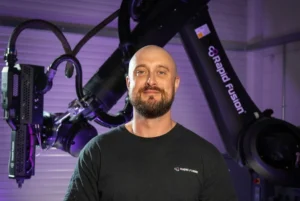
Rapid Fusion to Launch Prometheus 3D Printing Cell with LEAM Layer Adhesion Technology

Rapid Fusion will launch Prometheus in early 2027, a large-format robot cell built with LEAM's layer adhesion nozzle to print PEEK and PEI.

News
Rapid Fusion to Launch Prometheus 3D Printing Cell with LEAM Layer Adhesion Technology

Social

  • Facebook Facebook 3D Printing
  • Linkedin Linkedin 3D Printing
longer
Join our newsletter

Our newsletter is free & you can unsubscribe any time.

revopoint bf sidebar

Tripo

Free to $110/mo
  • 60% off Tripo Pro with code 3DPRINTING.
Tripo
View at Tripo tripo3d.ai

Creality K3

~$849 (pre-order)
  • Creality's first toolchanger using the KliTek system to dock and swap complete nozzle a…
Creality K3
Buy Now creality.com

3DMakerpro Moose Lite

~$399
  • Entry-level NIR medium crossover scanner with AI visual tracking at 0.05mm accuracy and…
3DMakerpro Moose Lite
Buy Now store.3dmakerpro.com

H3C Station Bundles

$2,799
  • The H3C Combo with Filament Starter Pack plus the Bambu Station L stand, available in a…
H3C Station Bundles
Buy Now bambulab.com

Creality CR-Scan Ferret Pro

~$359
  • Wireless Wi-Fi 6 version of the Ferret with anti-shake technology, ability to scan blac…
Creality CR-Scan Ferret Pro
Buy Now store.creality.com

Prusament PETG

~$35 to 45/kg
  • Tightest diameter tolerance in the consumer PETG category at +/-0.02mm with per-batch Q…
Prusament PETG
Buy Now prusa3d.com

Anycubic Kobra 3 Max Combo

~$700
  • Offers the most build volume per dollar in 2026 with a 420 x 420 x 500 mm envelope, 600…
Anycubic Kobra 3 Max Combo
Buy Now anycubic.com

Anycubic Kobra S1 ACE 2 Pro Combo

~$599
  • Anycubic's answer to the P1S and P2S combos: fully enclosed CoreXY with a 320C hotend,…
Anycubic Kobra S1 ACE 2 Pro Combo
Buy Now anycubic.com

Site footer

The 3DPrinting.com newsletter

The week’s best reviews, buyer’s guides and deals. One email every Friday, no spam.

By subscribing you agree to our privacy policy. Unsubscribe anytime.

3D PRINTING.COM

Independent reviews, buyer’s guides and news about 3D printers, materials, scanners and software.

Reviews

  • All reviews
  • 3D printers
  • Filament & materials
  • 3D scanners
  • Software
  • Compare products

Buyer's guides

  • Best 3D printers
  • Best resin 3D printers
  • 3D printers for beginners
  • Best PLA filament
  • Best slicers
  • Best pro 3D scanners

Learn & news

  • Latest news
  • Deals
  • What is 3D printing?
  • FDM vs resin
  • Use cases by industry
  • Glossary

Company

  • About us
  • Contact us
  • Advertise with us
  • Media kit
  • Nederland 3D Printing

© 2026 3DPrinting.com · Strikwerda en Dehue

  • Privacy policy
  • Terms of use
  • Affiliate disclosure
  • RSS