
A full color 3D printer prints an object with photographic shading and millions of blended tones in a single job, the way a photo printer does on paper. Until this year that meant an industrial material jetting machine at a five- or six-figure price, a print service, or a short-lived desktop inkjet-on-filament experiment like the 2017 da Vinci Color. In 2026 two things changed: the slicers learned to blend a handful of translucent filaments into intermediate shades on ordinary multicolor printers, and the first desktop material jetting machine arrived under $5,000, the Flashforge CJ270, with the HeyGears G1X due in December. Three routes get you there in 2026, from a free slicer update to a $3,999 machine, and the right one depends on whether you need photographic faces or shaded signage. Each route below comes with what it costs per print.
One distinction first. The four-color and sixteen-color machines in our best multicolor 3D printers guide print discrete colors with sharp edges between them: a red roof, a white wall, a black window. Full color means continuous tone, and it is a different technology with different materials, speeds and costs. If you want a multicolor FDM printer, that guide is the one to read; this page is for the step beyond it.
Jump to menu
Three routes to a full color 3D printer in 2026
Route 1: color mixing on the FDM printer you already own
An FDM printer cannot mix two filaments inside one nozzle, so the trick is optical. Print alternating thin layers of semi-translucent cyan, magenta, yellow, black and white, and from normal viewing distance the eye blends them, the way a halftone print blends ink dots. Three slicers shipped this in 2026, two of them with a filament bundle tuned for it. The hardware is any multi-filament machine from our multicolor guide; the cost is a software update and a set of spools. What you give up: each blended shade is a filament change, so swapper systems pay in purge waste and time, there are no gradients inside a single layer, and the stripes are visible up close. For signage, figurines viewed at arm's length and prototypes it works; for a photographic face it does not.
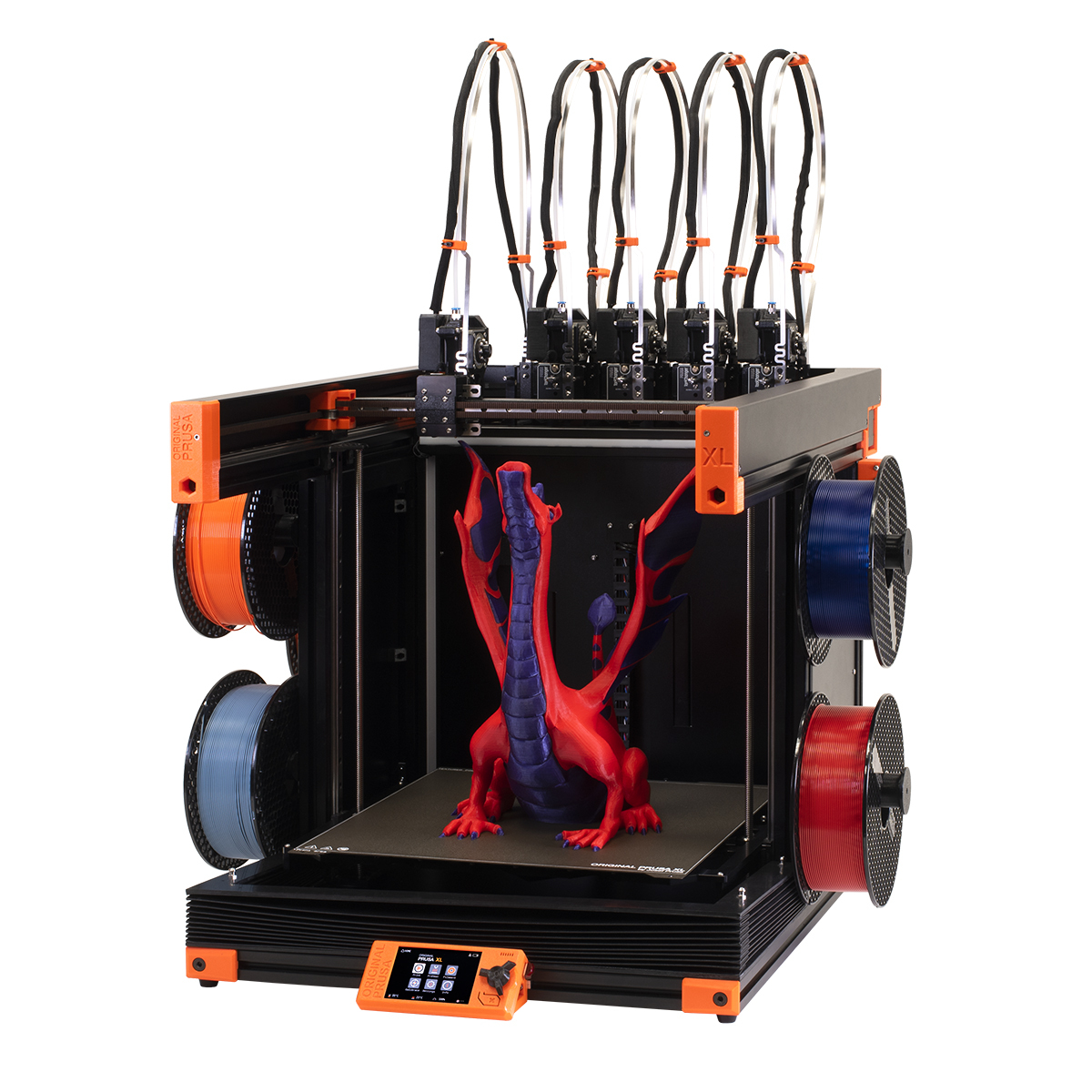
Prusa ColorMix (PrusaSlicer 2.9.6) and the Prusament ColorMix bundle
Prusa released ColorMix as an open-source halftone model in PrusaSlicer 2.9.6 in May 2026, and followed it in September with a seven-spool Prusament PLA bundle: cyan, magenta, yellow, black and white plus two glitter shades, semi-translucent so the layers blend. Prusa quotes 45 shades from the five mixing colors and 105 combinations with all seven spools; the slicer interleaves them at 1:1, 1:3 or 3:1 layer ratios. It is built for the XL and the CORE One with the INDX eight-tool head, where the changes are cheap, but it runs on an MK4S with the MMU3 and on the Bambu X1C. Because the model is open, other slicers can adopt it.
Software free; bundle ~$194 (seven 1 kg spools at Prusa's US store; the model works with any semi-translucent filament)
- Open-source model, about 105 shades from seven spools
- Best on the XL and CORE One INDX, where tool changes need almost no purge
- On a single-nozzle printer every shade change purges
Bambu Color Mixer Studio (Bambu Studio 2.5.3)
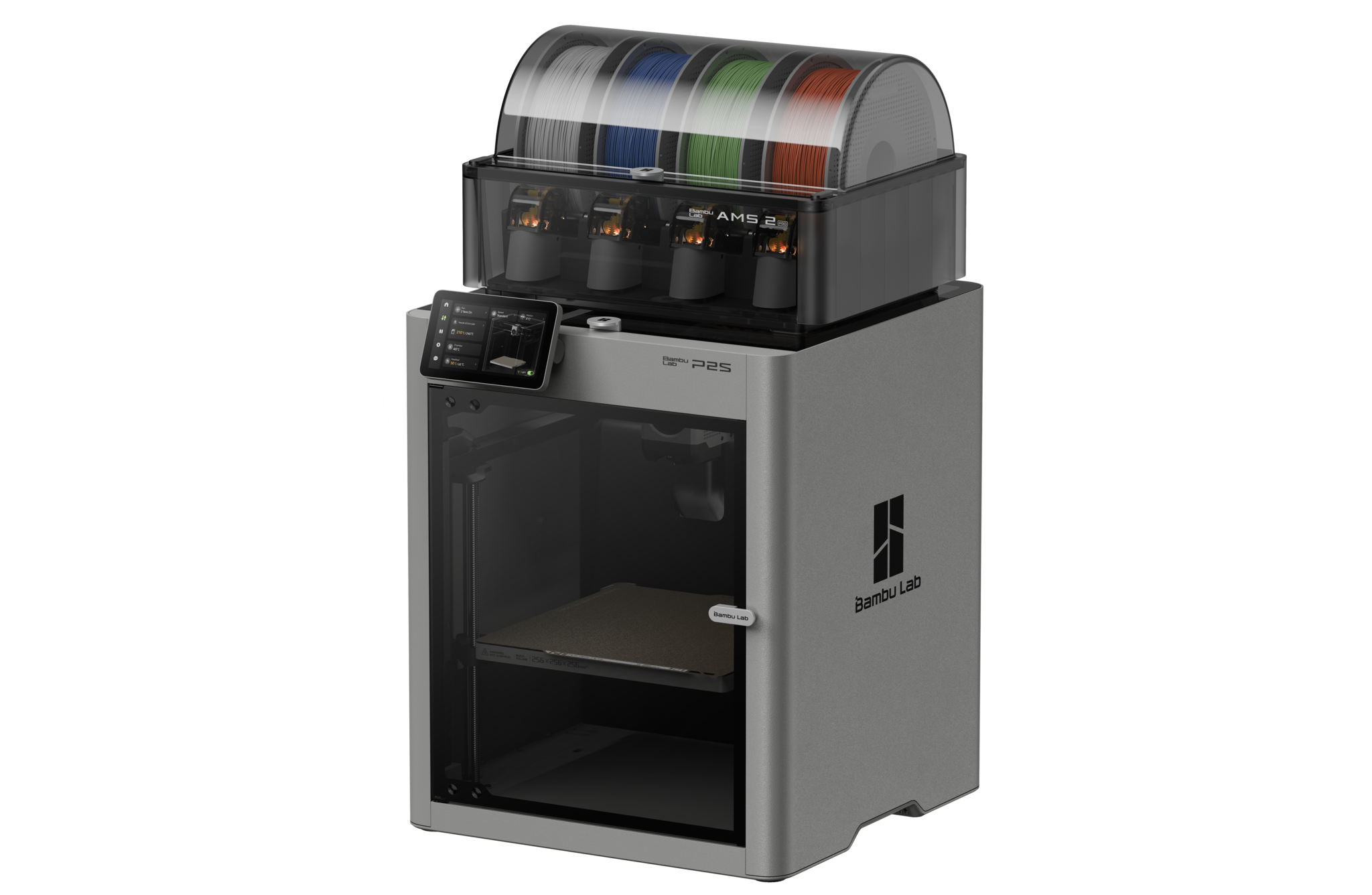
Bambu added Color Mixer Studio to Bambu Studio in April 2026. It blends two or three filaments into a new shade or a gradient by interleaving layers, with a recommended 0.12 mm base layer and 0.2 mm mixed layers on a 0.4 mm nozzle, and Bambu first credited the open OrcaSlicer-FullSpectrum fork, then clarified that the shipped version uses its own RGB mixing model. It works on every AMS machine, but Bambu itself discourages it on single-nozzle printers because of purge waste; the X2D, with two nozzles, and the H2C, which mixes up to seven colors without purge, are where it makes sense. Bambu sells a matching PLA CMYK set, and any semi-translucent PLA in the primaries works too.
Software free; PLA CMYK set sold separately (at Bambu Lab's US store; any semi-translucent PLA in the primaries also works)
- Free update for every AMS-equipped Bambu printer
- Two- or three-filament blends and gradients
- Purge-heavy on single-nozzle machines; best on the X2D and H2C
View the PLA CMYK set at Bambu Lab →Bambu X2D in our multicolor guide →
Snapmaker Full Spectrum (Snapmaker Orca 2.3.6) and the PLA Full Spectrum bundle
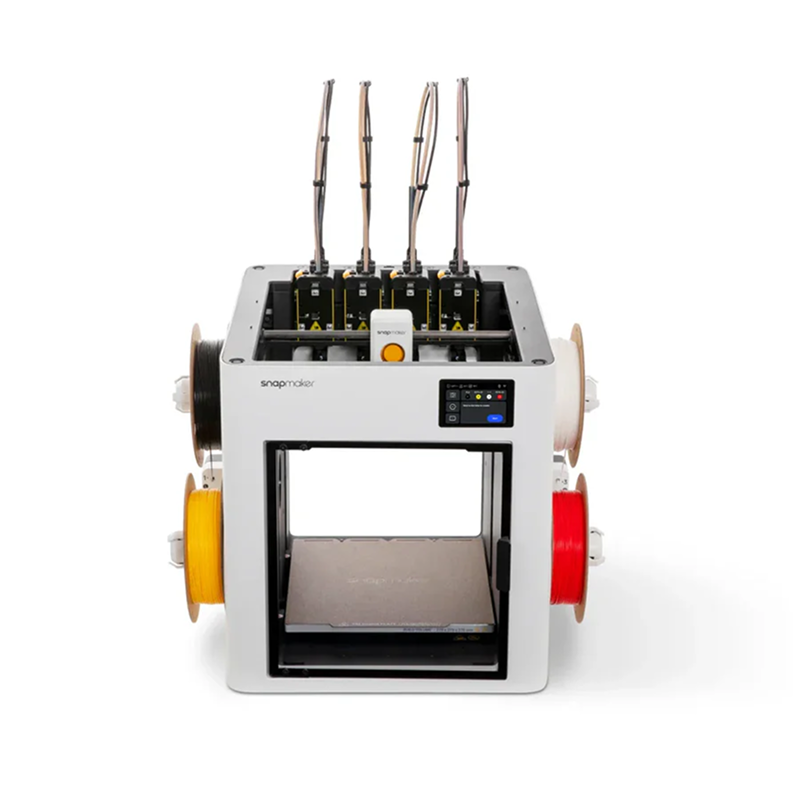
Snapmaker's version arrived in September 2026 with the U1 in mind: because the U1 swaps whole toolheads instead of purging through one nozzle, the frequent layer-by-layer changes that color mixing needs cost almost nothing in filament. The $89 bundle is four 1 kg spools, cyan, magenta, yellow and gray rather than black, with white and lithophane variants of the fourth spool, and Snapmaker Orca 2.3.6 does the interleaving. It is the cheapest bundle on this page and, on a toolchanger, the least wasteful.
Software free; bundle ~$89 (four 1 kg spools at Snapmaker's US store)
- Four-spool CMYG bundle for $89
- Toolchanger swaps make the constant changes nearly free
- Four spools limit the palette compared with the seven-spool Prusa set
View the YMCK bundle at Snapmaker →YMCK with white →YMCK lithophane →View the U1 at Snapmaker →
Other CMYK filament. The slicer models are filament-agnostic, so any semi-translucent set in the primaries works; Anycubic sells a PLA CMYK set for its ACE-equipped printers, Elegoo a PLA CMYK set for the Centauri line, and lithophane-grade translucent PLA from any brand blends well.
Route 2: desktop material jetting
Material jetting is how the industrial full color machines work: rows of inkjet printheads deposit droplets of UV-curable resin in cyan, magenta, yellow, black, white and clear, a lamp cures each layer, and a water-soluble support resin fills the overhangs. Layers are 7 to 20 microns, so the surface is smooth enough to paint on, and the color is mixed in the droplet, not in the layer stack. The CJ270, G1X and QC2A keep the process and shrink the price by using fewer printheads and smaller build volumes; Lynxel's LC1 is listed here because it targets the same buyer, with a membrane-based process the company has not yet explained. Four trade-offs: prints take hours, the printheads are consumables with their own warranty clocks, the resins are proprietary or close to it, and the parts are rigid photopolymer, better for figurines, product models and prototypes than for anything that flexes or takes a load.
Flashforge CJ270
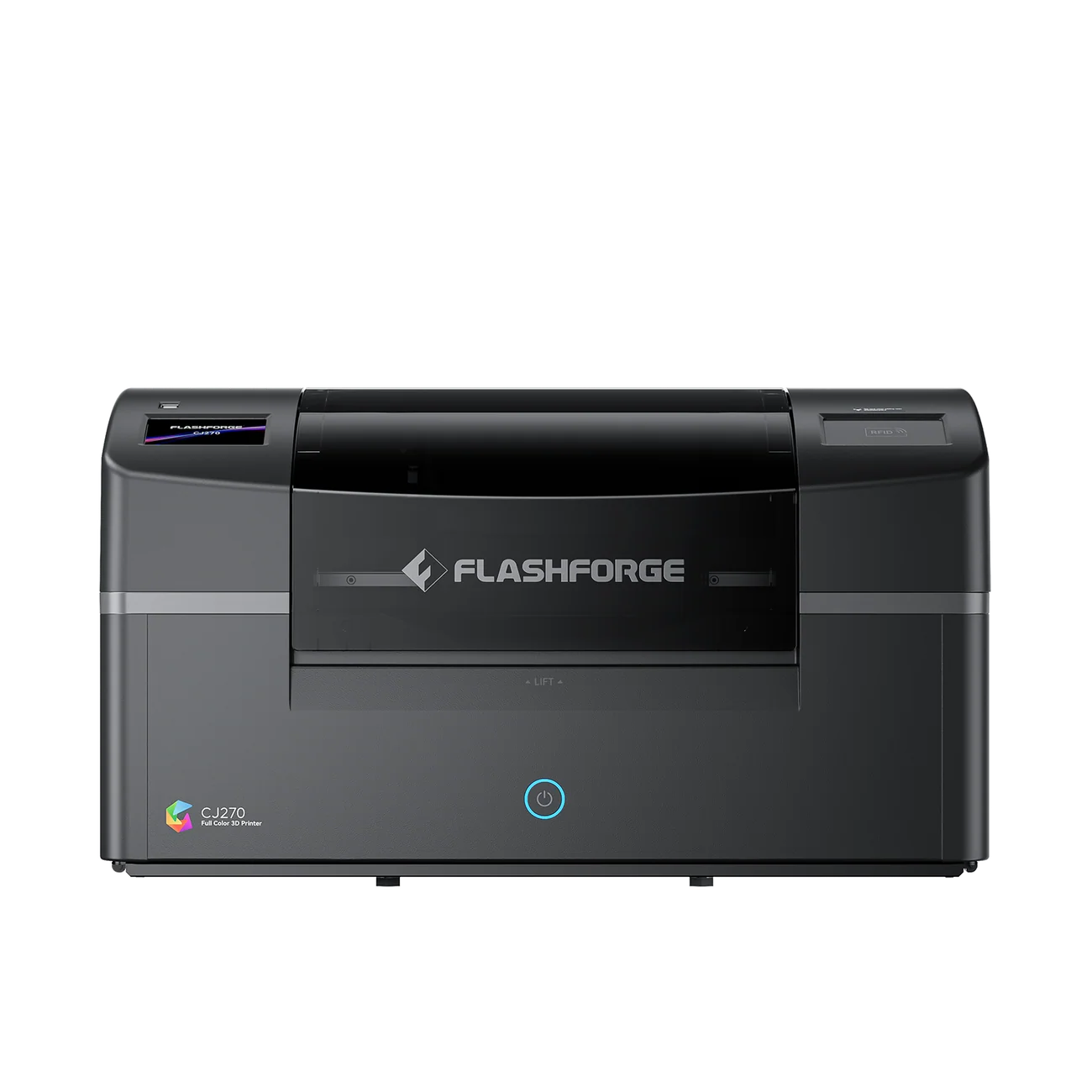
The first desktop material jetting printer under $5,000 and the only one shipping as of October 2026; the first 100 units left by air on October 15, with about a week in transit to US addresses and two to Europe, and later orders ship in sequence. Seven industrial inkjet printheads lay down six build resins (cyan, magenta, yellow, black, white and clear) plus a water-soluble support at 7 micron layers, for a claimed 10 million colors, across a 180 x 120 x 100 mm volume; that Z height is the limit to plan around, since a standing figure taller than 10 cm has to be printed lying down or in pieces. The printheads are individually replaceable, rated to 2,000 hours and carry a three-month warranty against the printer's one year. ColorPrint handles slicing on Windows and Mac. Resin runs $69.90 per kilogram, or $499 for 10 kg, in 100 g cartridges; our own estimate for a 10 cm figure is $7 to $14 in resin, with an optional ultrasonic cleaner cutting support removal from about ten hours of soaking to one or two. Our CJ270 explainer goes through the specs, limits and the discount code.
$3,999 launch price ($4,499 list; code BOOSTCJ270 takes a further $100 off and stacks with the launch price, both running through the 2026 Black Friday period; regional prices on the CJ270 page)
- First desktop material jetting printer under $5,000
- 7 micron layers, six resins plus soluble support, 10 million colors claimed
- 100 mm Z height, consumable printheads, rigid photopolymer parts
HeyGears G1X
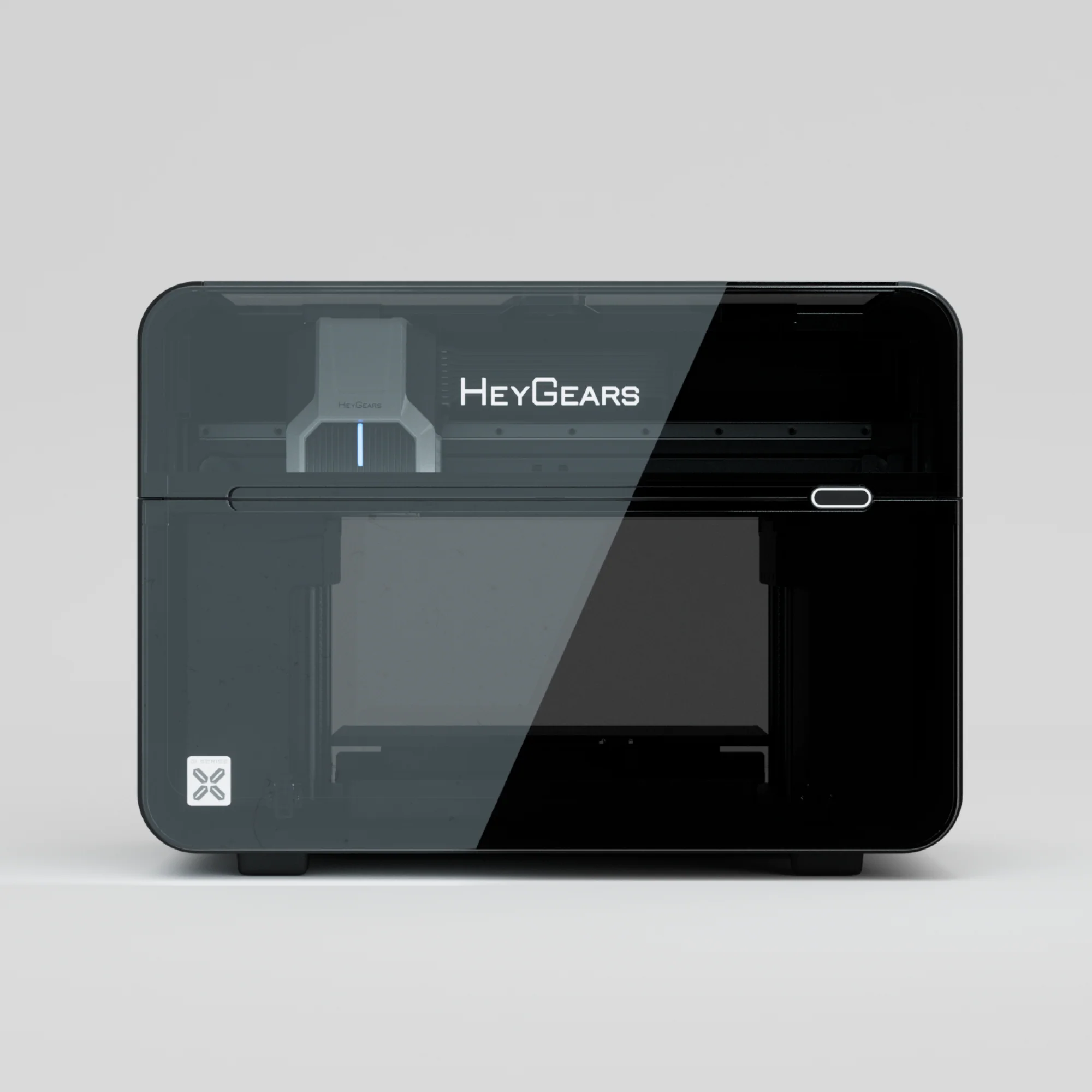
HeyGears, better known for its UltraCraft Reflex resin printers, took the G1 series to Kickstarter in July 2026 and closed on September 11 at $17.7 million from nearly 4,000 backers. The G1X is a flatbed UV inkjet built around an Epson i3200 eight-channel head at 1440 x 2400 dpi and 10 to 20 micron layers. HeyGears specifies three jobs: full color 3D printing with water-soluble support up to 150 mm tall on the enclosed 130 x 330 mm bed, raised texture printing up to 5 mm, and plain UV printing on flat objects. Only the Full-3D Pack prints 3D parts; the cheaper G1X Starter is UV-only. The campaign promises first deliveries in December; nothing has shipped and no independent prints exist. The HeyGears store lists the G1X at retail pricing that differs from the Kickstarter tiers, so treat retail pricing as unconfirmed until units ship.
Full-3D Pack $5,499 MSRP (the $3,599 Kickstarter early bird closed on September 11; G1X Starter $3,299 / $4,999 is UV-only; December is the campaign's promised date, retail price unconfirmed)
- Eight-channel Epson head, 1440 x 2400 dpi, 10 to 20 micron layers
- Full color 3D, raised texture and flat UV printing claimed from one machine
- Nothing shipped yet, December promised; only the Full-3D Pack does 3D parts
Lynxel LynChrom LC1
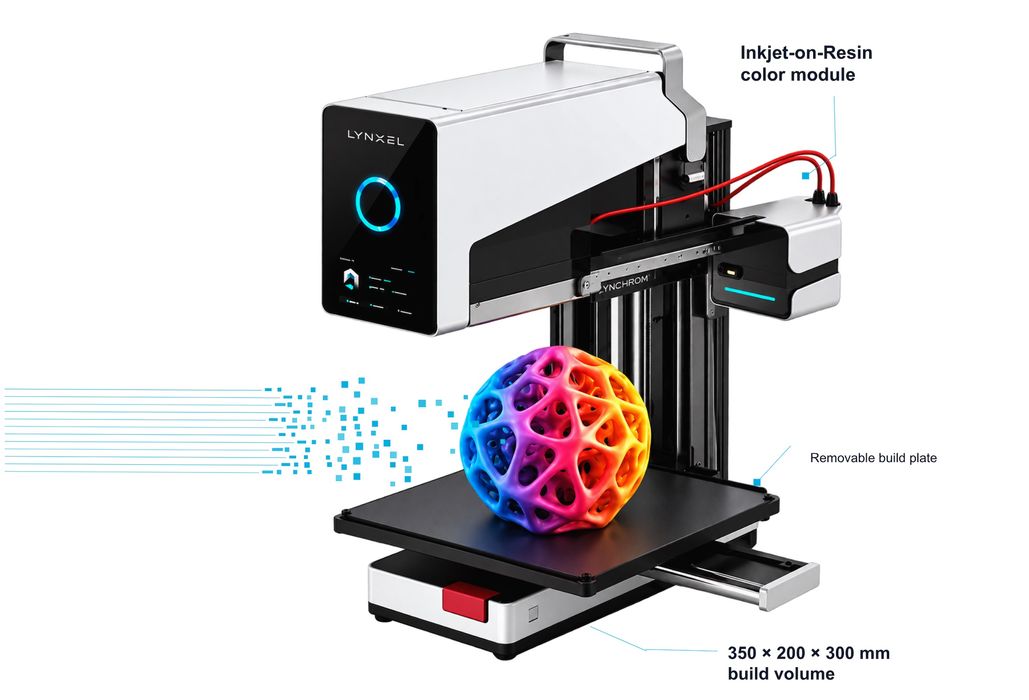
Lynxel3D is a new Chinese entrant, reportedly angel-funded to about $10 million, with a process it calls Layered Membrane Stereolithography, which it has described only in outline; details and independent prints are still to come. The company claims 600 dpi, about 0.04 mm, and 10 million colors on the LynChrom LC1 with a 350 x 200 x 300 mm volume, the largest on this page by a wide margin, and a monochrome LynBeam LB1 at 400 x 200 x 300 mm. As of mid-October the website is a coming-soon page that promises a full launch in late October and a Kickstarter after that. No price has been announced; one trade report guessed around $5,000, and nothing from the company supports a figure yet.
Price not announced (no orders yet; Kickstarter planned)
- Largest claimed volume of the desktop full color machines, 350 x 200 x 300 mm
- Membrane-based process, details unpublished
- No price, no ship date, no independent prints seen yet
iNEW3D QC2A
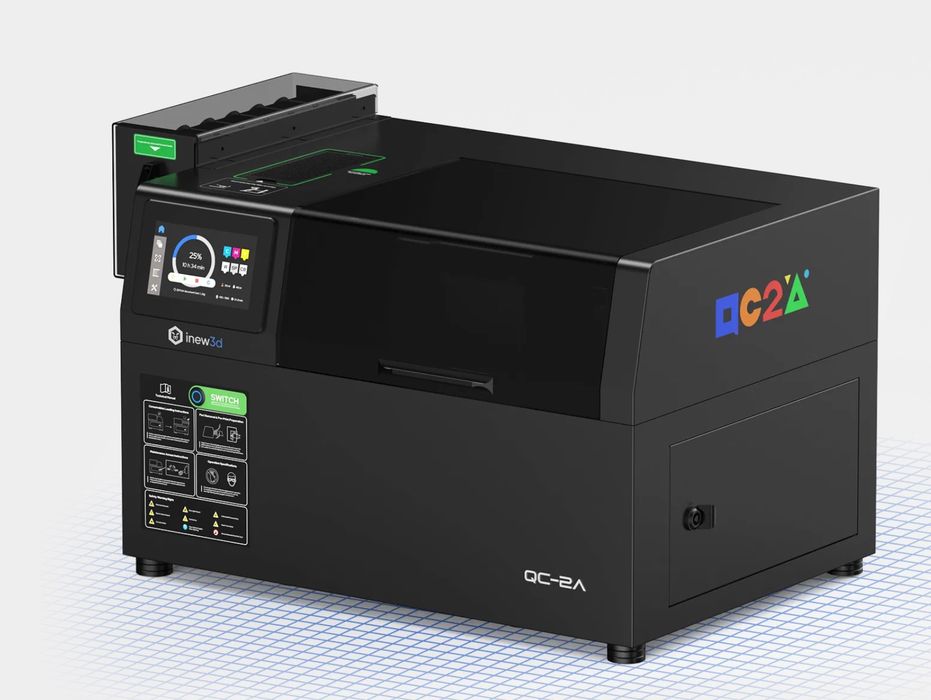
The QC2A from SIMBA 3D in Dongguan ran on Kickstarter from March to April 2026 and raised $1.43 million from 226 backers. The campaign describes photopolymer color jetting with six channels including soluble support, but no black, which limits the darkest tones, on a 200 x 160 x 80 mm bed at 0.03 mm layers. It is the most expensive machine here and the one with the least public information since the campaign ended; its estimated delivery of June 2026 has passed without public confirmation that units shipped.
From $7,199 (Kickstarter pledge; $9,999 MSRP for the Starter Edition; shipping unconfirmed)
- Six-channel jetting on a 200 x 160 x 80 mm bed
- No black channel; 80 mm Z height
- Highest price of the desktop group, shipping unconfirmed
Also on the horizon. FA3D, a Chinese startup, is taking deposits for the DIO X, which it describes as a dual-carriage FDM printer with a swappable six-channel UV inkjet head that would paint and cure color onto the outer shell of a filament print rather than mixing it; pre-launch pricing is $1,399 for the full color version against a $2,399 list, with a Kickstarter planned for late 2026. It is the one design that would bring real ink to FDM, and also the least proven. We will add a card for it here when there is a campaign page and a shipping date.
Route 3: print services
If you need a handful of full color parts a year, the industrial route is still the best quality per part and the only one with no hardware to own: a service bureau prints them on a Stratasys PolyJet, a Mimaki 3DUJ or a full color binder-jet sandstone machine and ships them. Expect a few days of lead time and prices from roughly $20 for a small figurine to several hundred dollars for a hand-sized model, depending on volume and material. The break-even against a $3,999 desktop machine is a few hundred small prints in total once resin is counted, and more with printheads and your time; below that, a service wins on everything except turnaround and the ability to iterate overnight.
Cost per print compared
Rough numbers for a 10 cm figurine, our estimates from manufacturer material prices and typical model volumes; the real figure depends on infill, supports and failed prints.
How to choose
- You own a multicolor printer and want more shades. Install the slicer update, buy the matching bundle, and accept visible layering up close. On a toolchanger (Prusa XL, CORE One INDX, Snapmaker U1) or a multi-nozzle machine (X2D, H2C) it costs almost nothing; on a single-nozzle swapper, budget for purge.
- You want photographic figurines or color prototypes every week. The CJ270 is the only desktop machine shipping; the G1X is worth waiting for if texture and flat UV printing matter to you and you can wait for December deliveries and independent tests.
- You need a few parts a year. A service bureau, every time.
- You want functional color parts. None of the jetting machines; their photopolymer is rigid, not engineering-grade. Stay with multicolor FDM and our multicolor guide.
Explore the printer guides
The flagship best 3D printers guide covers the whole market; the sibling guides pick the best multicolor 3D printers, the best resin 3D printers, the best printers for beginners and the best large format 3D printers. For the CJ270 in detail, read the Flashforge CJ270 explainer.
Frequently asked questions
Is there a full color 3D printer for home use?
Yes. In October 2026 the first desktop material jetting machine under $5,000 started shipping: the Flashforge CJ270, at a $3,999 launch price ($4,499 list), which prints in millions of blended colors at 7 micron layers, and the HeyGears G1X is promised to Kickstarter backers for December. Both are resin-based, slow, and aimed at figurines and models rather than functional parts. For colored parts that need to be tough, a multicolor FDM printer is still the answer.
Can an FDM printer print full color?
Not true full color, but closer than before. In 2026 PrusaSlicer, Bambu Studio and Snapmaker Orca all added color mixing: they interleave thin layers of translucent cyan, magenta, yellow, black or gray, and white filament so the eye blends them into intermediate shades. It gives around 45 shades from five mixing colors and 105 with all seven spools of the Prusa bundle, fewer from a four-spool set, with visible layering up close and no gradients within a single layer. It works best on toolchangers and multi-nozzle printers, where the constant filament changes do not waste purge.
What is the difference between a multicolor and a full color 3D printer?
A multicolor printer loads a handful of filaments, typically four to sixteen, and prints each region of a model in one of them with a sharp boundary. A full color printer mixes color continuously, usually by jetting droplets of cyan, magenta, yellow, black and white resin, so it can reproduce a photograph or a painted texture. Multicolor machines start around $300; desktop full color starts at $3,999 at launch ($4,499 list).
How much does a full color 3D print cost?
On the Flashforge CJ270, resin is $69.90 per kilogram, which works out to roughly $7 to $14 of resin for a 10 cm figurine by our estimate, before printhead wear. A print service charges about $20 for a small figurine and several hundred dollars for a hand-sized model. Color mixing on an FDM printer costs $1 to $3 in filament for the same figure, plus purge waste on single-nozzle machines.
Flashforge CJ270 or HeyGears G1X?
The CJ270 is shipping and prints 180 x 120 x 100 mm with seven printheads; the G1X is promised for December and is specified to print up to 150 mm tall on a 130 x 330 mm bed with one eight-channel Epson head, plus raised texture and flat UV printing. If you want a machine this year, the CJ270 is the only one shipping; if you can wait for independent tests and want the UV flatbed features, the G1X is the one to watch.
Will full color 3D printers get cheaper?
Almost certainly. The CJ270 at $3,999 and the G1X at $5,499 MSRP ($3,599 for its closed early bird) are a fraction of what the smallest industrial material jetting machines cost in 2025. FA3D has shown a cheaper approach and Lynxel a larger one, though neither has shipped, and printhead and resin prices should fall as volumes grow. The first machines also carry the risks of a first generation: short printhead warranties, proprietary resins and no long-term reliability data. If you do not need one this year, waiting a generation is reasonable.