Creality’s K3 is now shipping in the United States at $849. It keeps four filaments loaded on four separate nozzles and swaps the nozzle assembly in about five seconds rather than flushing one nozzle between colors, which Creality says removes the purge between colors and leaves only a prime tower. With extra nozzle assemblies in other sizes, sold separately, it can also mix nozzle diameters in a single print.
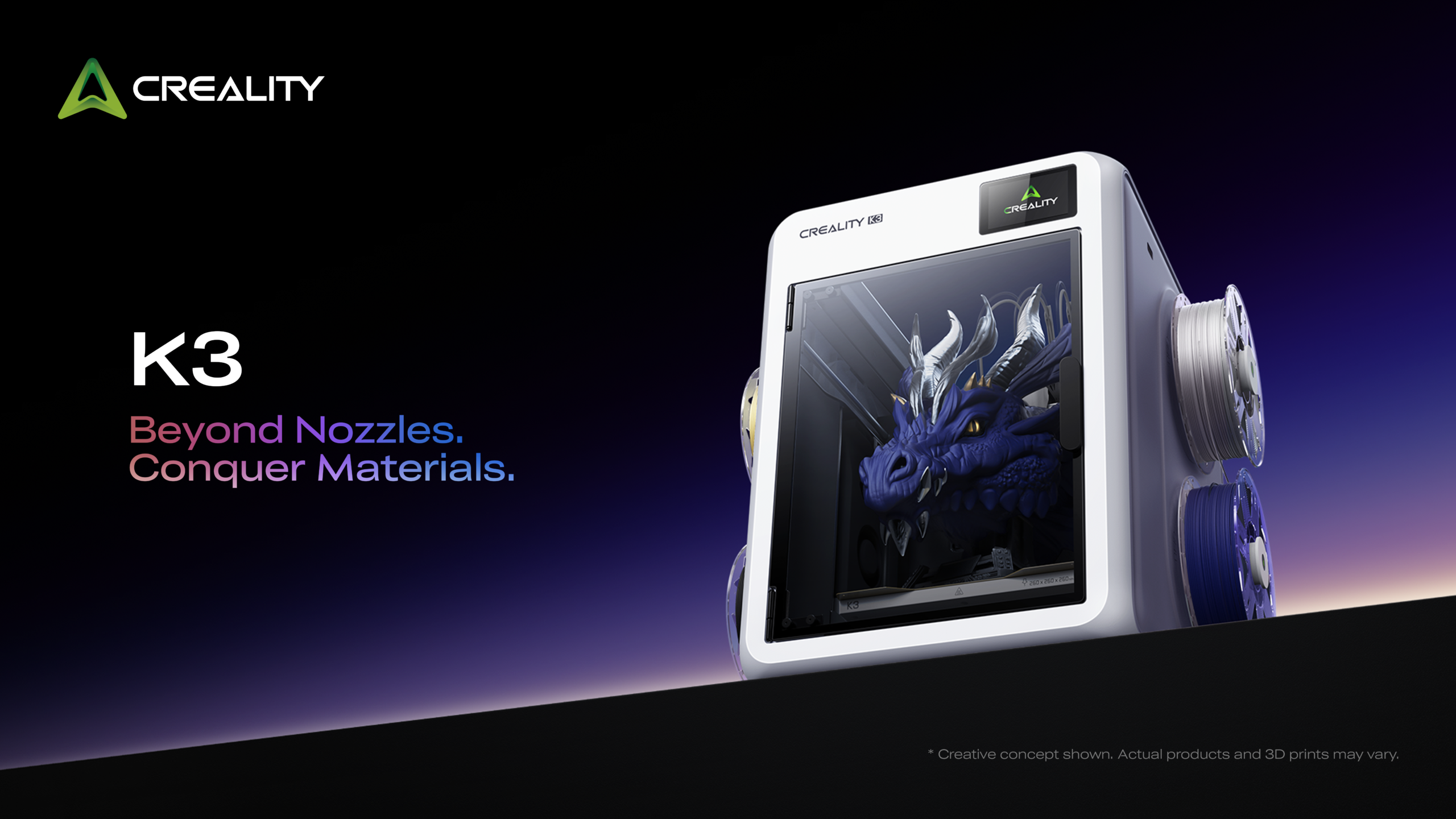
The Creality K3 with its four external spools. The built-in CFS nano unit feeds four filament paths to four quick-swap nozzle assemblies.
Anyone who has run a multicolor print on a single-nozzle machine knows the arithmetic. Every color change means unloading one filament, loading the next and purging until the old color is gone, and the purged plastic ends up in a pile beside the printer. On a long multicolor job the pile can run to kilograms; Creality’s own comparison prints below put it at 1.6 to 2.6 kg. Tool changers avoid the purge by carrying a complete toolhead per material, extruder motor included, at the cost of a heavier and more complex motion system.
The Creality K3 takes a third route. Four filaments sit in four independent paths, each ending in its own compact nozzle assembly, and the printer changes the nozzle rather than the filament. Creality calls the architecture KliTek and positions the K3 as its sub-$1,000 productivity machine. One thing to say before the detail: we have not had a K3 on the bench yet. Every figure below is Creality’s own, most of it from its lab, and the company itself notes that real results depend on the model, the material and the settings.
Creality K3: on sale now at $849
Available in the United States from Creality’s official store and TikTok Shop, with four hardened steel 0.4 mm nozzles in the box. Launch orders come with four free 1 kg spools of Hyper PLA and a 90-day replacement period instead of the standard 30 days; Creality’s store shows the current terms.
Affiliate link: we may earn a commission at no extra cost to you.
The numbers that matter
All figures come from Creality’s launch documentation and the specification sheet it supplied.
The two figures that define the machine are the swap time and the waste. Creality quotes around five seconds for a nozzle change and 15 seconds or less for a material change, which also covers wiping and getting the new filament to extrude steadily, with no color purge, only a prime tower, because the previous color never passes through the new nozzle. Its headline claims of up to 80 percent less print time, which is the same figure expressed as up to five times faster, and up to 85 percent less filament waste both follow from that one design choice. The 500 mm/s top speed is a peak figure; a multicolor print spends much of its time on swaps and travel, which is why the lab times below, not the top speed, are the number to watch.
Four nozzles, one extruder drive

Creality launch graphic. The time and filament figures on it are Creality’s claims; its own lab comparison follows below.
The K3 is not a tool changer in the sense the term usually carries. A tool changer parks and picks up complete toolheads, extruder motor included. The K3 shares one direct-drive extruder with hardened steel gears and a step-servo motor across all four paths, and swaps only the lightweight nozzle and hotend module at the end. That is what makes a change fast and, according to Creality, what keeps the replacement part cheap: a nozzle assembly costs about $20, sits on a USB-C style latching connector, and is the part you replace when something wears out, rather than the whole toolhead. Creality puts the maintenance saving at about a third and adds a lower risk of color contamination, since no two colors ever share a nozzle.
Each nozzle has to come back to exactly the same spot every time, or the colors stop lining up. Creality says the K3 carries 37 sensors in total, 12 of them dedicated to the nozzle change, watching latch engagement, homing alignment, positional offset and locking status, and that in its own testing of more than 800,000 high-speed changes the drift along all three axes stayed under 25 microns. The K3 also runs the calibration routines and checks buyers now expect at this price, from nozzle offset and flow calibration to clog, spaghetti and run-out detection; the full list is in the specification table below. A 720p camera with lighting handles remote monitoring. At 420 by 482 by 536 mm and 22 kg, with four spools hanging off the sides, it also wants a proper bench rather than a shelf.
What the lab comparison claims
Creality supplied three lab comparisons, each run on the K3 and on what it describes as a conventional single-channel, single-nozzle multicolor printer. These are the manufacturer’s numbers, but they show the scale of the claim.
For the first two models the K3 figures cover supports and the prime tower; for the Wolf Bust, the prime tower only. The single-nozzle figures add the purge in each case. Two things stand out. In these three runs the K3 saved 67 to 75 percent of the print time and 90 to 92 percent of the waste, so Creality’s own data beats its waste headline and falls short of the 80 percent time headline; how much time a model saves depends on how many color changes it needs per layer. And the Wolf Bust row needs reading with care: the K3 ran it with 0.4 and 0.8 mm nozzles together, so its time saving mixes two advantages, the absent purge and the wider nozzle. That second advantage is the K3’s own.
Mixed nozzle sizes in one print
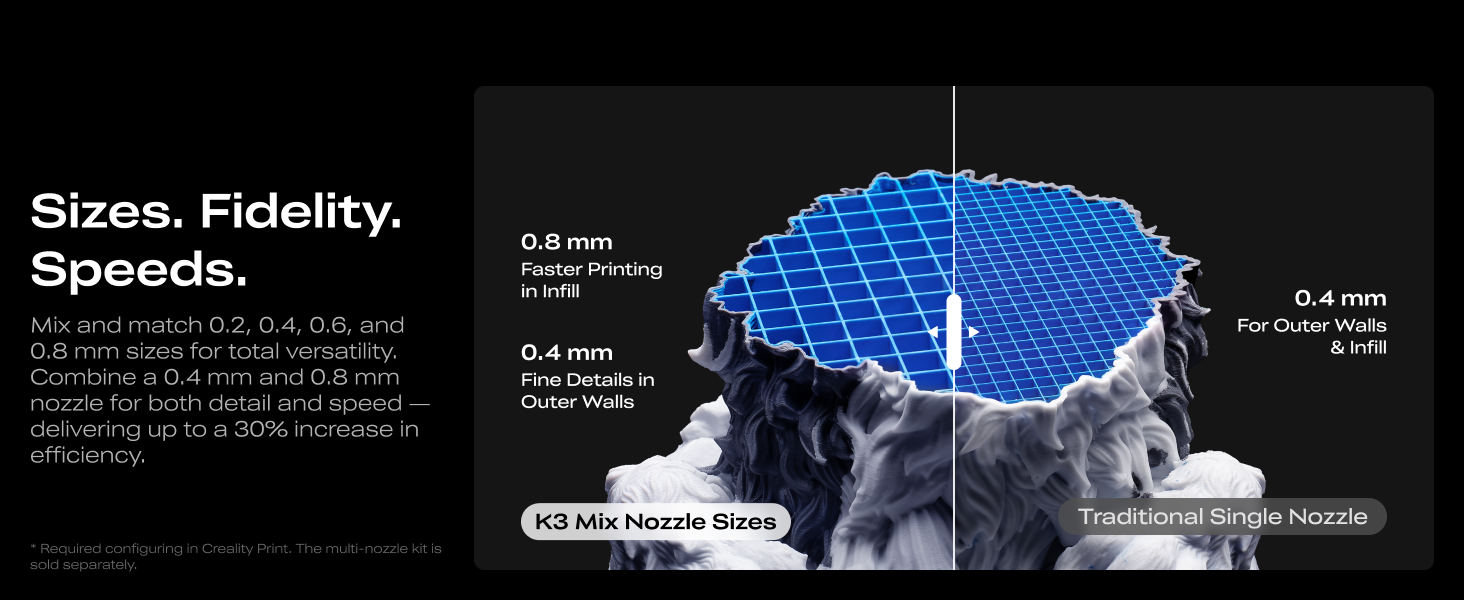
Because every nozzle assembly is interchangeable, the K3 can carry different diameters at the same time, and Creality Print can assign them to different regions of one model. A fine nozzle handles the outer walls and detailed surfaces while a wide one fills the interior and the large areas. The slicer coordinates line width, flow, speed and layer strategy for each region and the transitions between them, and it can generate interlocking structures or cavity anchors where two nozzle sizes or two materials meet.
Creality’s recommended pairing is 0.4 and 0.8 mm, with presets already in the software, and it quotes up to 30 percent higher overall print efficiency from the combination. Two caveats from Creality itself: the 0.2 and 0.8 mm nozzles cannot be used together in the same print, and the feature needs extra nozzle assemblies in 0.2, 0.6 or 0.8 mm, which Creality sells individually rather than as a kit.
CMYK color mixing
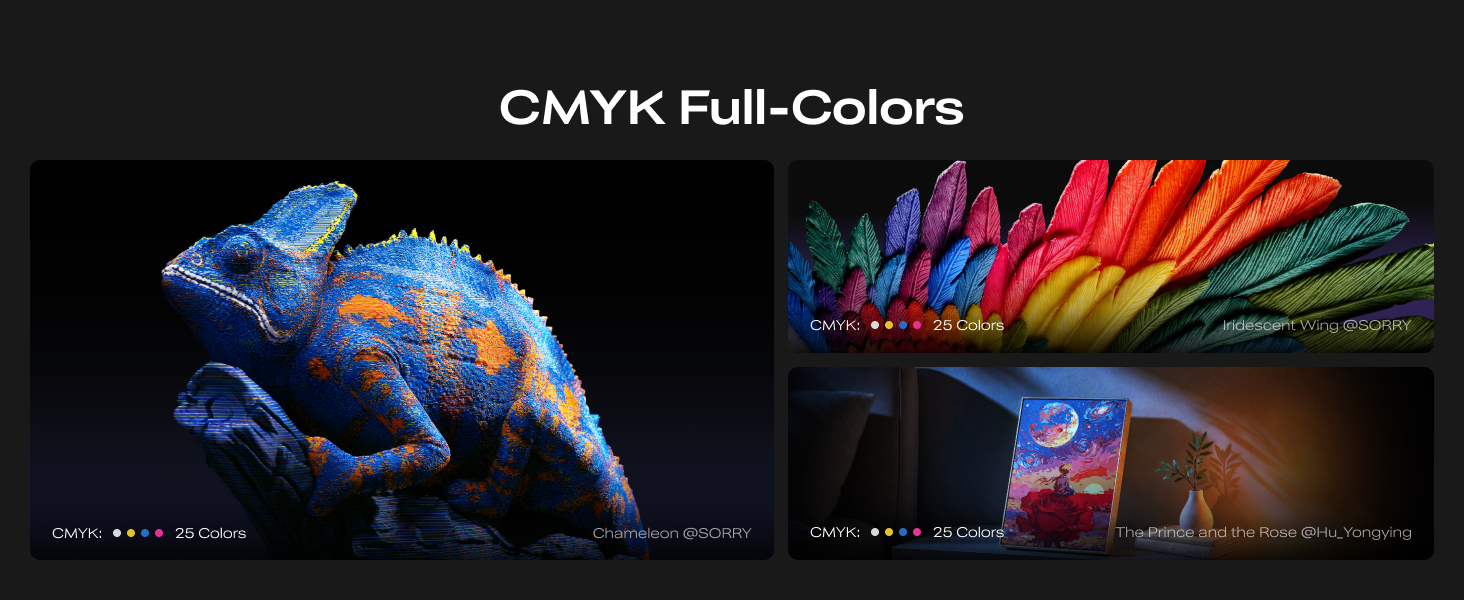
The second new idea is physical color blending. With calibrated translucent cyan, magenta, yellow and black filaments in the four slots, Creality Print controls layer thickness and stacking order so that light passes through several colors at once and they blend, much like overlapping translucent inks, rather than sitting next to each other as solid blocks. Creality says this gives a broader color spectrum than the four loaded colors alone. It is the feature we most want to see in person, because the results will depend heavily on the filaments and on the calibration behind them, and the calibrated CMYK filaments are not on sale yet. Creality says the feature is already in Creality Print and that it will sell the filaments itself, with a date still to be confirmed.
Materials, and the kits that widen them
Out of the box the K3 prints PLA, PETG, PET, PCTG, TPU 95A and the carbon and glass-filled PLA and PETG variants, with a 300 °C nozzle, a 100 °C bed and a PEI spring steel plate. Two optional accessories extend the range, and neither has a price or a launch date yet.
- Top Cover: closes the chamber for quieter printing, retains chamber heat or, with the fan, assists cooling, and adds a composite HEPA and activated carbon filter for odors and VOCs. Creality lists ABS, ASA, ASA-CF, PP, PC, PA, PA-CF and PP-CF/GF for the covered machine.
- TPU Kit: four dry boxes, a CFS FLX feed unit, four high-flow nozzles and Creality’s S-Drive dual-drive extruder, which is built to grip 85A to 95A TPU; paired with the kit’s high-flow nozzles and tuned Creality Print profiles, the company claims up to seven times the flow rate of a conventional printer on soft materials, plus support for BVOH, PVA and TPE.
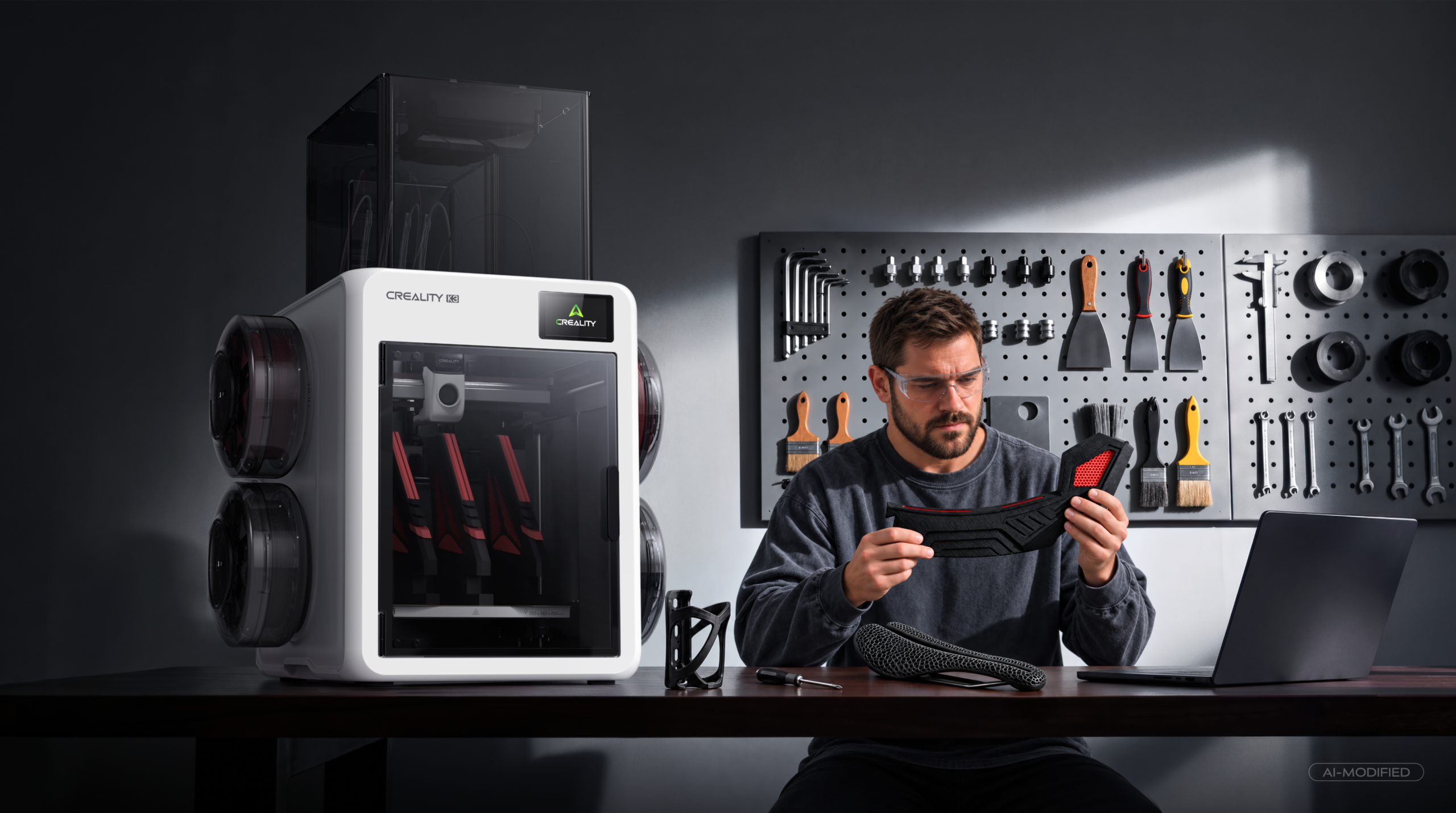
The K3 in a workshop setting. Creality positions it for engineering parts as well as multicolor models.
The K3 slices in Creality Print 7.0 or newer, takes G-code and 3MF, and syncs across Creality Print, Creality Cloud and the mobile app. Creality also makes a point of open root access, so owners who want to go beyond the stock firmware can.
Price, availability and the launch offer
Pre-orders opened on October 12 and shipping started on November 2, in the United States only, through Creality’s official store and TikTok Shop. The standalone K3 costs $849 and ships with the built-in CFS nano unit and four 0.4 mm nozzles. Creality says the K3 launches in Europe on December 8, and that availability, timing and pricing may vary by market.
Two launch bonuses apply during each region’s launch period: four free 1 kg spools of Hyper PLA, and a replacement period of 90 days after delivery instead of the standard 30. Creality stresses that this extends the replacement window, not the warranty. In Europe, orders placed from December 8 to January 7 qualify for the longer replacement period; for US orders, Creality’s store shows the current terms.
Creality K3 at the Creality store
$849, with four free spools of Hyper PLA on launch orders.
Affiliate link: we may earn a commission at no extra cost to you.
Creality K3 full specifications
Show the full specification table
Where the K3 fits
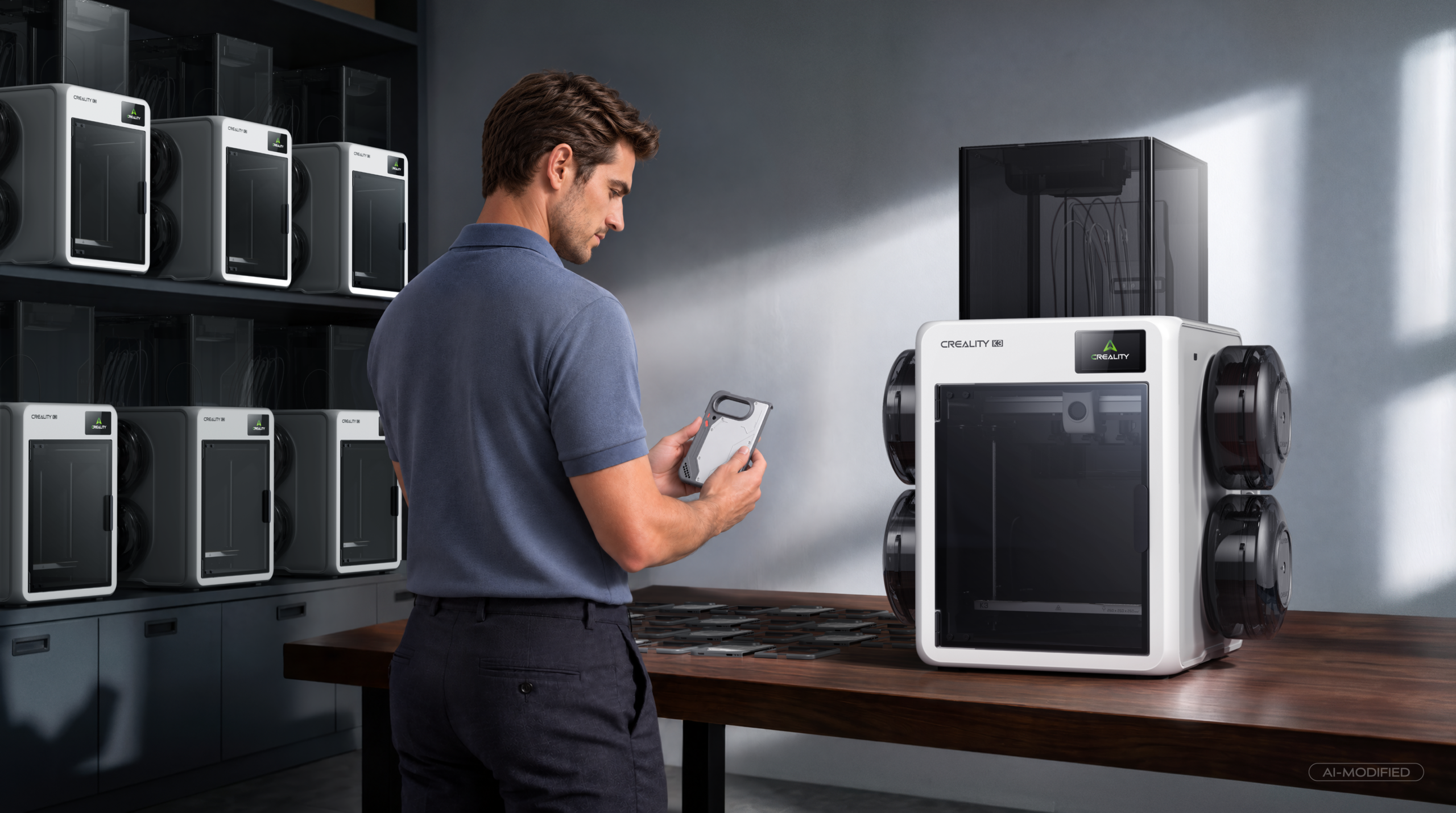
Creality also pitches the K3 at small print farms.
On paper the K3 lands in a gap. It stays under the $1,000 line Creality has drawn for it, and mixed nozzle sizes in one print is something no filament-changer printer in our guide offers today. Whether the five-second swap and the sub-25-micron repeatability hold up over months of real use is exactly what we test for, and the K3 is on our list.
If you are weighing it against a single-nozzle printer with a filament changer, the question is how many colors you actually print and how much purge you are prepared to pay for. Our guide to the best multicolor 3D printers puts the K3 and the alternatives side by side.
Disclosure
This article is sponsored by Creality, and 3DPrinting.com received compensation for its placement. We have not had a K3 in our hands; every figure here is Creality’s own data, supplied by them and subject to change, and all images were supplied by Creality. Prices and launch offers are as published by Creality for the United States on November 9, 2026 and can change, so check the product page for current details. The article contains affiliate links, which means we may earn a commission if you buy through them, at no extra cost to you. Last reviewed: November 9, 2026.