
Creality has shrunk a dual-mode 3D scanner to the size of a compact camera, given it a touchscreen and two swappable batteries, and aimed it at makers who want to scan an object and print it the same afternoon. It is priced at 699 USD in the US and 719 EUR in Europe.
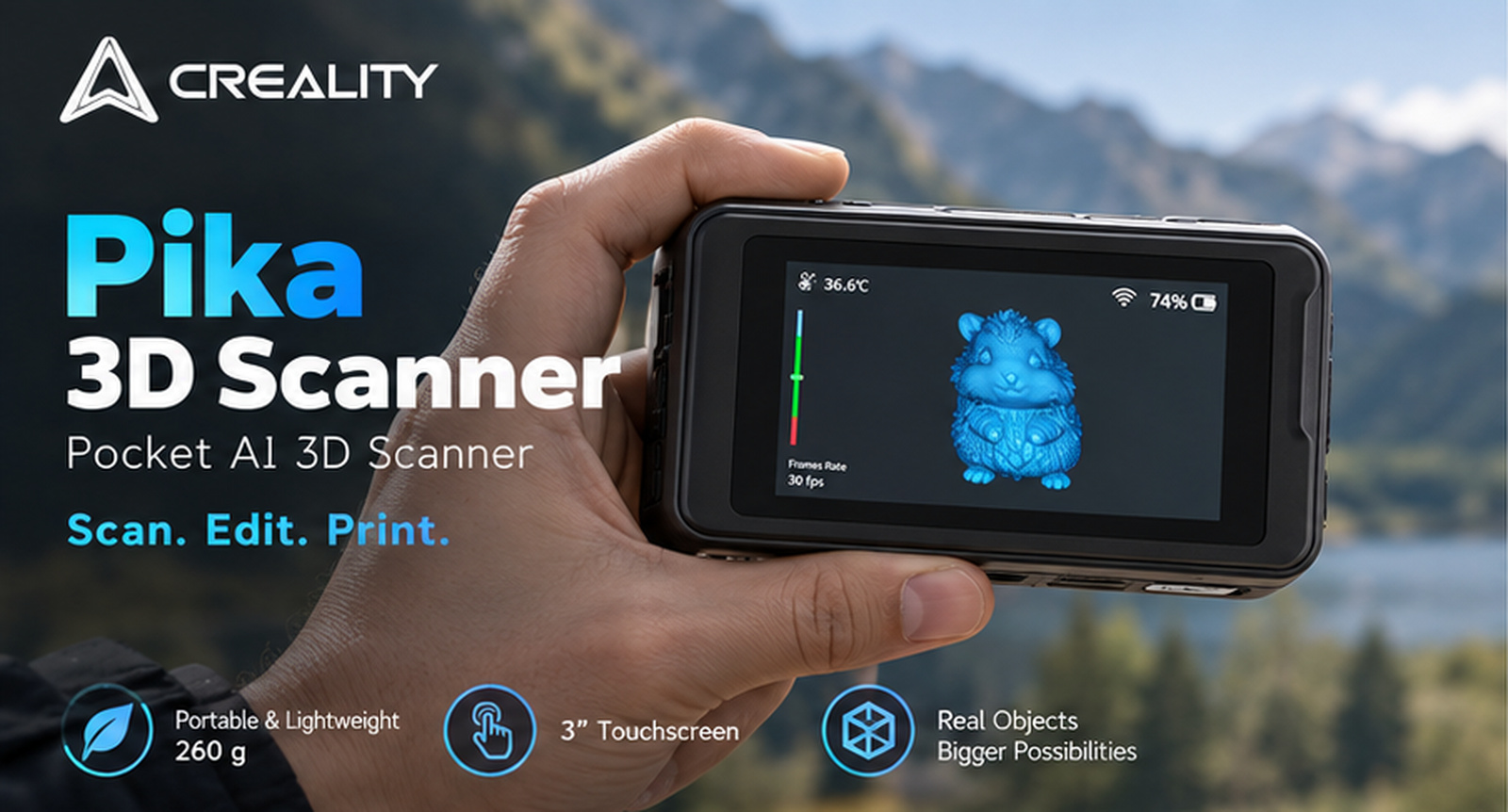
The Creality Pika, with the 3-inch touchscreen showing a live preview. Image: Creality.
Creality’s brief for the Creality Pika fits in one sentence. It wants 3D scanning to feel the way photography feels on a phone: something you carry without thinking about it, pick up when an object catches your eye, and turn into a file you can edit or print without a course in metrology first. The hardware that goes with that idea weighs 260 g, measures 100 x 60 x 35 mm, and launched on July 22, 2026 at 699 USD. We have not had a Pika in our hands. What follows is Creality’s own data, from its resource kit, product pages and launch release, with the company’s own clarifications where we asked for them, plus a few observations from early independent testers.
Small enough to forget it is in the bag
Where many handheld scanners are sized to sit next to a laptop, the Pika is designed to be pocketed. At 260 g with a battery fitted, it weighs about as much as a large smartphone, and the 100 x 60 x 35 mm body is closer to a compact camera than to a pistol-grip scanner. The 3-inch touchscreen shows a live preview while you scan, along with settings and device status, so you are not looking across the room at a laptop to see whether the tracking has held.
Power comes from a removable 3,350 mAh battery, and Creality supplies two of them in the box: one in the scanner and one as a spare. Only one is in use at a time. Creality rates a battery for up to 70 minutes, so on that figure the pair gives up to about 140 minutes of scanning through a swap rather than a hunt for a wall outlet. The scanner is rated for -10 to 40 C and connects over Wi-Fi 6 or USB 3.0. That second detail is what makes the carry-anywhere idea practical, because the phone in your other pocket does the computing.
Pick it up and scan
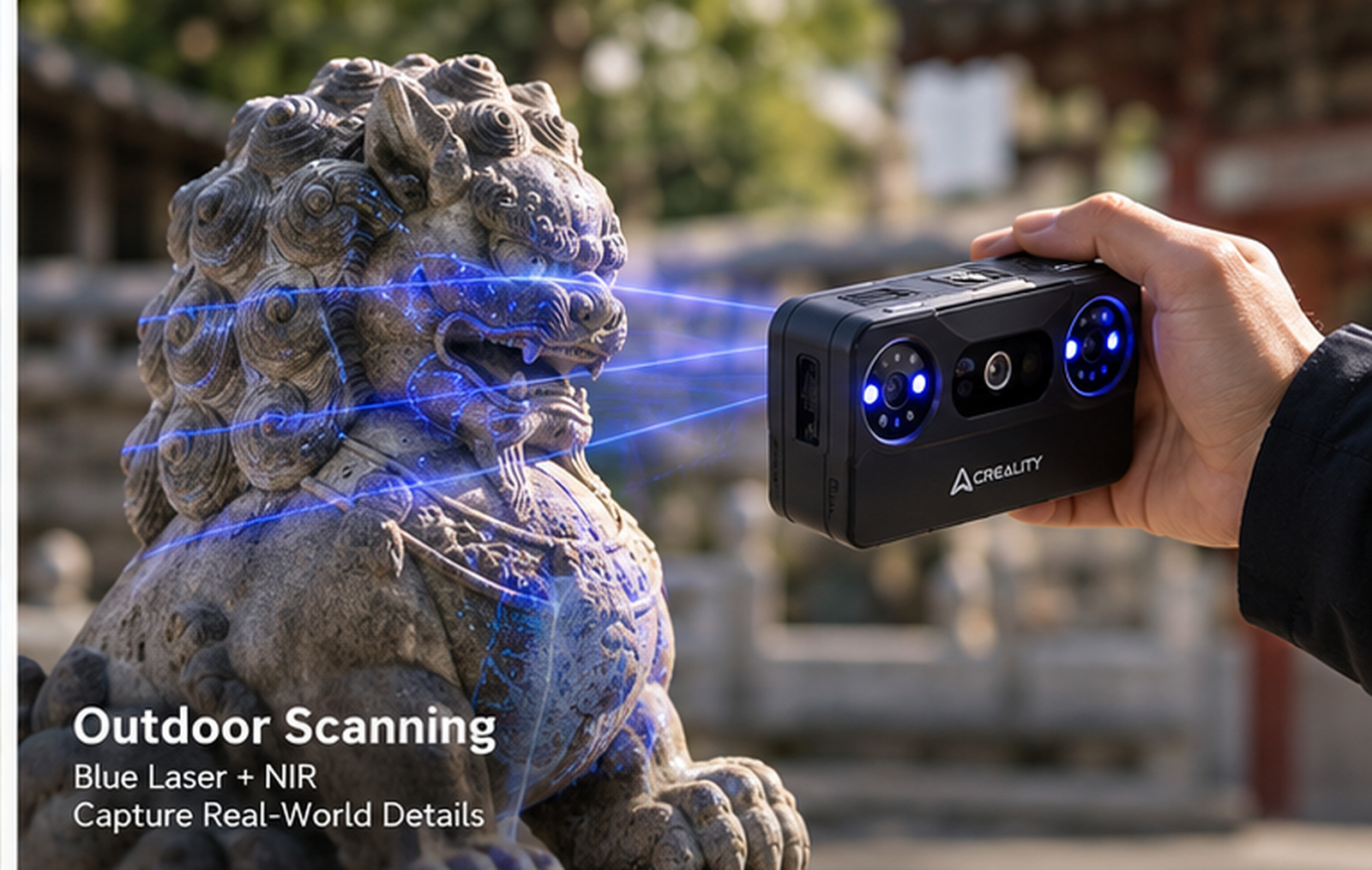
Scanning a stone lion outdoors in blue laser mode. Image: Creality.
Creality’s second promise is that the Pika asks less of you before the first usable scan. When connected to a PC, the Pika’s blue line-laser mode supports marker-free tracking, so covering everything in reflective dots becomes optional. Creality is clear that results depend on the object and on the operator’s scanning technique, and that markers may still improve tracking on objects with limited geometric features or repetitive surfaces, which is why the box still holds a sheet of them. Creality also lists a global shutter and what it calls smart anti-shake, features that on other scanners exist to forgive a hand that is not perfectly steady, and the company quotes up to 110 frames per second when the scanner is driven from a PC and up to 40 from a phone.
One point to be clear about: the Pika is not a standalone scanner. Creality confirms it must be connected to a smartphone, tablet or computer during scanning. The built-in touchscreen gives you a live preview and access to settings, device status and controls, but the connected host runs the scanning and processing workflow. The practical reading is that the scanner is self-contained in your hand, and the heavy lifting happens on whatever it is paired with.
The host matters more than the size of the scanner suggests. Creality’s recommended phone is an Android 10 or newer device with a Snapdragon 8 Gen 4 or above and at least 12 GB of RAM, or an iPhone with an A17 chip or newer and at least 8 GB, connected over Wi-Fi since wired iPhone use is not supported. For PC use, Creality’s recommended machine is a 13th-generation Core i7 or better with an RTX 3060 and 32 GB of RAM, or an M3 or newer Mac with 32 GB.
Those recommendations are worth taking seriously. One early reviewer running a mid-range Android phone saw the app flag it as not recommended and NIR scanning drop to about one frame per second, then found the scanner worked well from a desktop with an RTX 5060 Ti. Whether a given phone keeps up depends on its processor, memory and compatibility rather than its age, so check it against the list in the specification table before you count on a phone-only workflow.
Two ways of seeing: blue laser and near-infrared
The Pika carries two scanning systems in one body. The 7-line parallel blue laser is the precision mode. Creality quotes up to 0.03 mm accuracy, a minimum scan volume of 10 x 10 x 10 mm and a working distance of 160 to 400 mm, which suits small mechanical parts and anything you intend to reverse engineer. The near-infrared structured-light mode is the large-object mode, with up to 0.1 mm accuracy, a 50 mm minimum object size and a working distance out to 1 m. It runs at a lower frame rate than the laser, up to 30 fps on a PC, but each frame covers far more area. Creality quotes a maximum scan size of 2 m on each side in Blue Laser Mode.
Both accuracy figures come with Creality’s own footnote that they are measured in laboratory conditions and real results depend on vibration, temperature and the environment, and no test standard is named, so treat them as a ceiling. Resolution is quoted at 0.1 to 2 mm for the laser and 0.15 to 2 mm for NIR. Creality says both scanning modes can capture certain black and metallic surfaces without scanning spray, although results depend on the object’s material, reflectivity, geometry and scanning environment. One early tester found the NIR mode left holes in a black plastic part until it was dusted, while the blue laser produced cleaner geometry on the same object, which fits Creality’s framing that not every dark or shiny object will scan clean without help.
Outdoors is where the two modes separate most clearly. The blue laser is rated to 110,000 lux, roughly direct sunlight, and the NIR mode to 80,000 lux with the supplied filter fitted. That is the specification behind Creality’s claim that the Pika can scan on a driveway or at a trade show as readily as in a studio.
From a scan to something you can make
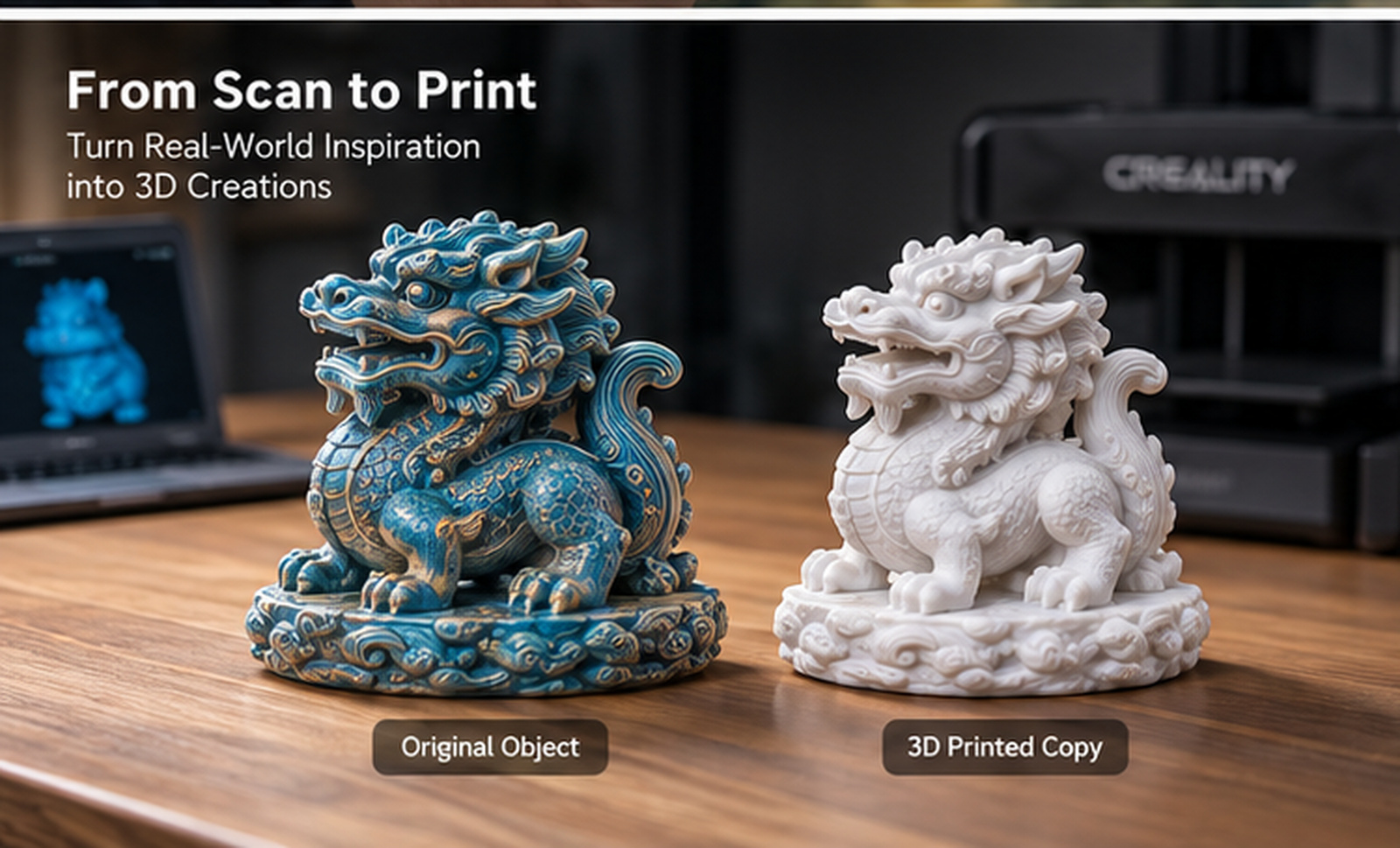
The original figure and its 3D-printed copy from a Pika scan. Image: Creality.
A scan is only useful once it is a printable file, and this is the part of the package Creality is leaning on hardest. Creality Scan covers the whole scan-to-model workflow, from scanning through model optimization and editing to export, and it writes STL, OBJ, PLY and ASC, so the mesh drops straight into a slicer, a reverse-engineering package or a modeling tool. Three AI-assisted tools are available now in the PC version of Creality Scan, so a phone-only workflow will not include them.
- AI Retexturing. Import high-resolution photos taken with a smartphone or DSLR, and the software maps the real-image textures onto the scanned model for finer, more lifelike surface detail.
- AI Body Completion. Combines a facial scan with body photos to generate a complete full-body model without a full-body scan. Creality quotes up to 10 times the modeling efficiency and a complete model in as little as 10 seconds.
- AI Hole Filling. A beginner-friendly optimization tool that fills gaps in incomplete scans to produce a more complete model.
Software is where earlier Creality scanners drew the most criticism from reviewers, which makes these tools the part of the package to watch.
Creality bundles the Pika with its K2 printer as a scan-to-print combo, and the company’s own scan-optimize-edit-print-share sequence is aimed squarely at the person who wants to copy a broken bracket, resize a figurine or digitize a worn tool. Software updates arrive over the air. Gaussian Splatting output, which turns a capture into a photoreal scene instead of a mesh, is available now, and like the AI tools it is currently supported in the PC version of Creality Scan only.
What is in the box
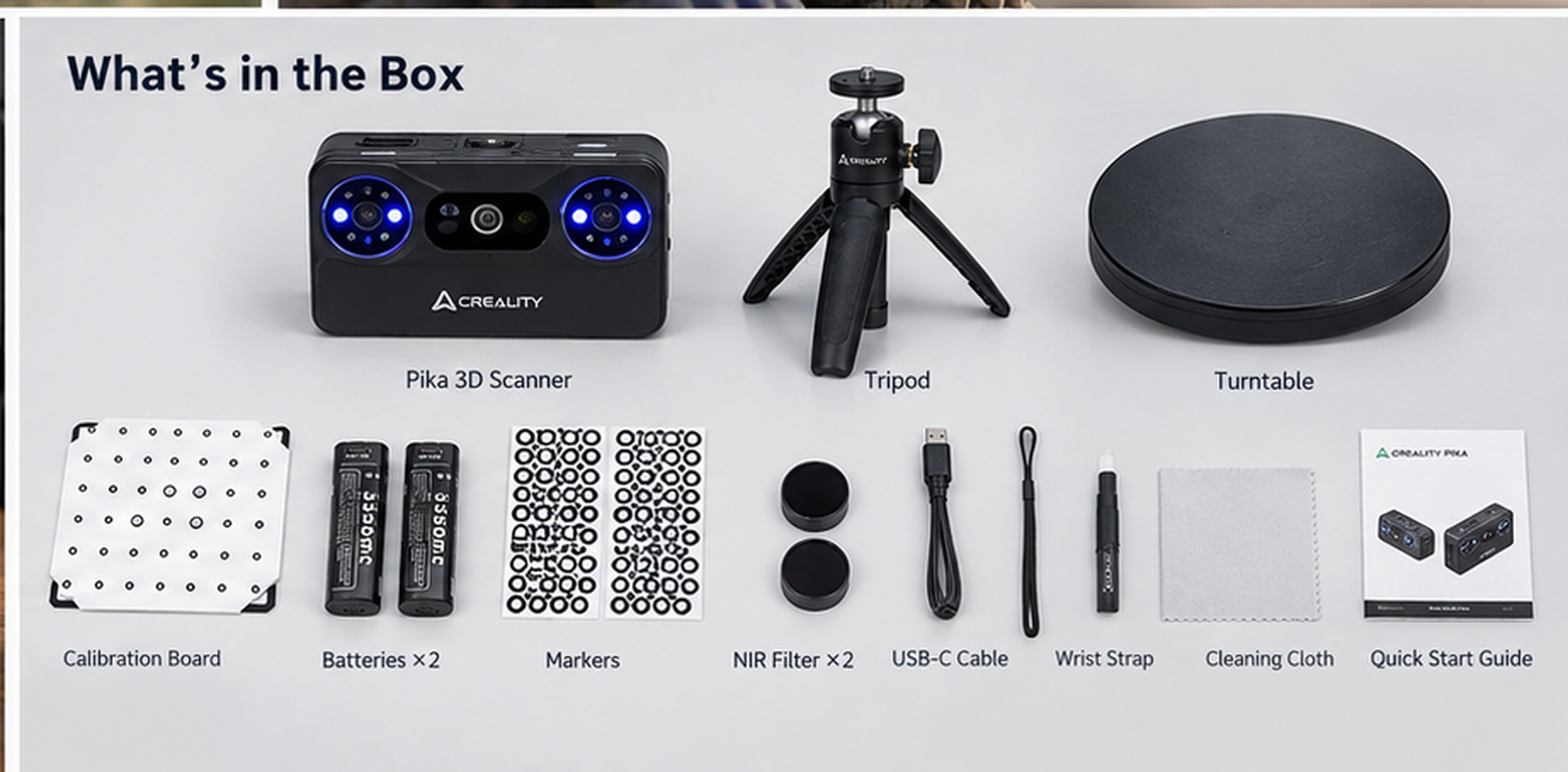
Everything in the box, turntable and tripod included. Image: Creality.
The accessories are in the box rather than sold separately. Along with the scanner, it holds a turntable, a tripod, a glass calibration board, a USB-C cable, both batteries, reflective markers plus a marker tower for the cases where markers still help, the NIR filter for outdoor use, a lanyard, a cleaning cloth and the paperwork.
Creality recommends connecting the Pika to a computer when performing calibration, so keep the cable in the bag even if you normally scan over Wi-Fi.
Price and availability
The Pika sells for 699 USD through Creality’s official store in the US and for 719 EUR through the Creality EU store. The K2 3D printer and Pika scan-to-print combo is listed at 1,199 USD and 1,218 EUR. A launch discount of 10 percent ran for the first 20 days after the July 22 release and has ended.
The Pika comes with a 12-month standard warranty in the US and a 24-month warranty in EU member states, Switzerland, Iceland and Norway. Customers in both regions may apply for a return within 14 calendar days from the day after receipt, subject to Creality’s applicable return conditions, and eligible exchanges are available within 30 calendar days. Scanner wear parts carry a shorter warranty, six months in the EU and three in the US, and some accessories and consumables are not separately covered, so read the regional policy before you buy.
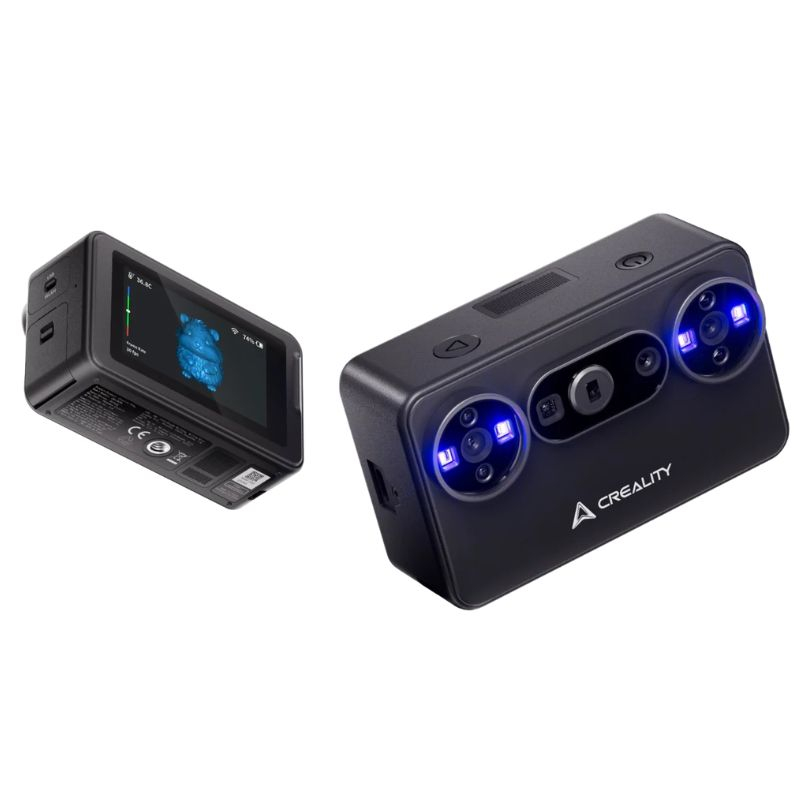
Creality Pika 3D Scanner
Price: 699 USD / 719 EUR K2 printer combo 1,199 USD / 1,218 EUR.
- Blue laser mode up to 0.03 mm accuracy; scan range 10 mm to 2 m per side
- Marker-free laser tracking on PC, 3-inch touchscreen, Wi-Fi 6 and USB 3.0
- 260 g with battery, spare battery included, up to 70 minutes each (per Creality)
- Turntable, tripod, calibration board, markers and NIR filter in the box
- Exports STL, OBJ, PLY and ASC; AI tools and Gaussian Splatting on PC
These are affiliate links. 3DPrinting.com earns a commission on purchases made through them, at no extra cost to you.
Full specification
Figures are Creality’s own, from its resource kit, product pages and written clarifications as of September 18, 2026.
Show the full specification table▾
If a scanner you can carry in a jacket pocket is the point, the Pika bundles more on Creality’s spec sheet, turntable and tripod included, than we would expect at this price, provided the phone or PC behind it is up to the job. For how it sits against the other compact options, see our guide to the best small format 3D scanners.
About Creality
Creality, based in Shenzhen, is one of the largest makers of desktop 3D printers and has built a scanner range alongside them, from the CR-Scan Ferret through the Otter to the Raptor series. Creality bills the Pika as the world’s first smartphone-like portable AI scanner, a claim we have not tested against the market. More at store.creality.com.
Creality Pika 3D Scanner
699 USD or 719 EUR on the official Creality store. Turntable, tripod, two batteries, markers and NIR filter included.
These are affiliate links. 3DPrinting.com earns a commission on purchases made through them, at no extra cost to you.
Creality paid for this article to appear on 3DPrinting.com. Editorial direction was led by 3DPrinting.com, which has not tested the Pika. Specifications and images: Creality. Store links are affiliate links. Last reviewed September 18, 2026.