
3D Printing

Buyer guides

  • Best 3D printers
  • For beginners
  • Multicolor
  • Resin printers
  • Budget (under $400)
  • For kids and schools
  • For miniatures
  • Large format
All printer guides

Brands and compare

  • Bambu Lab lineup compared
  • Compare printers
  • Full color 3D printers
  • Large scale and industrial

Reviews

  • Elegoo Mars 5 Ultra
  • FLSun T1 Pro
  • QIDI Tech Q1 Pro
All reviews
Best 3D Printers 2026: Buyer’s Guide

Start with the top picks

Best 3D Printers 2026: Buyer’s Guide

Twenty printers tested and ranked, from $169 to the H2D.

See the picks

Filament

  • Best PETG filament
  • Best PLA filament
  • Best TPU filament
  • Best ABS and ASA filament
  • Engineering filaments
  • Composite filaments
  • Flexible filaments
  • Bio filaments
All filament guides

Resin

  • For miniatures
  • Tough and ABS-like
  • Castable resin
  • Water-washable
  • Flexible resin
All resin guides

Accessories

  • Filament dryers
  • Printer enclosures
  • Wash and cure stations
Best Filament Dryers (2026 Guide)

Most-clicked accessory

Best Filament Dryers (2026 Guide)

Wet filament causes most failed prints; the fix costs less than a spool.

Compare dryers

Buyer guides

  • Small objects
  • Medium objects
  • Large objects
  • Professional scanners
  • Scan with your phone
All scanner guides

Software and service

  • 3D scanner software
  • Scanning service vs buying

Reviews

  • Revopoint MetroY Pro
  • Revopoint Inspire 2
  • Revopoint Trackit
All scanner reviews
3D Scanners 2026: The Complete Buying Guide

Find the right scanner

3D Scanners 2026: The Complete Buying Guide

Nineteen scanners from $400 to $40,000, sorted by object size.

Open the guide

Design and AI

  • AI 3D model generators
  • 3D modeling and CAD software

Print prep and control

  • Slicers
  • STL repair tools
  • Printer host and remote control

Reviews

  • Meshy Edit
  • Tripo H3.1
  • Meshy 7.1
All software reviews
Best AI 3D Model Generators for 3D Printing (2026)

Fastest-growing guide

Best AI 3D Model Generators for 3D Printing (2026)

Type a prompt, get a printable model: the tools we tested, free tiers first.

Try the tools

Start here

  • What is 3D printing?
  • How much does it cost?
  • FDM vs resin
  • Best printers for beginners

How it works

  • What is a 3D printer?
  • How does 3D printing work?
  • Types of 3D printing
  • Metal 3D printing

How-tos and glossary

  • 3D printing glossary
  • Food-safe 3D printing
  • Setting up a school program
  • Free 3D printable models
What is 3D Printing?

Start here

What is 3D Printing?

The one-page explainer, then how much it costs and which technology to buy.

Start reading
Black FridayNEW

Latest

  • EINSTAR EZ GO Launches as a Wireless Laser and Infrared 3D Scanner for Phone, Tablet and PC
  • Dyndrite and Xact Metal Let XM200G Metal 3D Printers Trace Curves as Arcs, Not Straight Lines
  • MIT and Northeastern Researchers 3D Print Nature-Inspired Metamaterials That Hold Up Better Against Impacts
  • SINTX Completes 3D Printing Facility Buildout for SiN/PEEK Platform, Targets Initial Product Availability in 2027
  • University of Tennessee and Army Research Laboratory Extend 3D Printing and Advanced Materials Collaboration
All news

Use cases

  • Prague Firefighters 3D Print Their Own Gear on a Prusa CORE One L
  • OECHSLER Scales Carbon Lattice Production to 40 Printers Running Around the Clock
  • Reverse Engineering Without CAD Data: How the MetroY Ultra Turns Physical Parts into Digital Designs
  • Michigan State Engineers 3D Printed Helmet Inserts to Help Quarterbacks Tackle Crowd Noise
  • 3D Printed Quiet Pickleball Unveiled
All use cases

Industry

  • Automotive
  • Aerospace
  • Medical
  • Dental
  • Construction
  • Rapid prototyping
  • Electronics
  • Food
  • Fashion
  • Bioprinting
EINSTAR EZ GO Launches as a Wireless Laser and Infrared 3D Scanner for Phone, Tablet and PC

Latest

EINSTAR EZ GO Launches as a Wireless Laser and Infrared 3D Scanner for Phone, Tablet and PC

EINSTAR's EZ GO splits a 3D scanner into two parts, a compact scanning unit and a battery grip,…

Read more
Contact
  • Home
  • Products
  • Videos
  • Newsletter
  • Contact us

Buyer guides

  • Best 3D printers
  • For beginners
  • Multicolor
  • Resin printers
  • Budget (under $400)
  • For kids and schools
  • For miniatures
  • Large format
All printer guides

Brands and compare

  • Bambu Lab lineup compared
  • Compare printers
  • Full color 3D printers
  • Large scale and industrial

Reviews

  • Elegoo Mars 5 Ultra
  • FLSun T1 Pro
  • QIDI Tech Q1 Pro
All reviews

Filament

  • Best PETG filament
  • Best PLA filament
  • Best TPU filament
  • Best ABS and ASA filament
  • Engineering filaments
  • Composite filaments
  • Flexible filaments
  • Bio filaments
All filament guides

Resin

  • For miniatures
  • Tough and ABS-like
  • Castable resin
  • Water-washable
  • Flexible resin
All resin guides

Accessories

  • Filament dryers
  • Printer enclosures
  • Wash and cure stations

Buyer guides

  • Small objects
  • Medium objects
  • Large objects
  • Professional scanners
  • Scan with your phone
All scanner guides

Software and service

  • 3D scanner software
  • Scanning service vs buying

Reviews

  • Revopoint MetroY Pro
  • Revopoint Inspire 2
  • Revopoint Trackit
All scanner reviews

Design and AI

  • AI 3D model generators
  • 3D modeling and CAD software

Print prep and control

  • Slicers
  • STL repair tools
  • Printer host and remote control

Reviews

  • Meshy Edit
  • Tripo H3.1
  • Meshy 7.1
All software reviews

Start here

  • What is 3D printing?
  • How much does it cost?
  • FDM vs resin
  • Best printers for beginners

How it works

  • What is a 3D printer?
  • How does 3D printing work?
  • Types of 3D printing
  • Metal 3D printing

How-tos and glossary

  • 3D printing glossary
  • Food-safe 3D printing
  • Setting up a school program
  • Free 3D printable models
Black FridayNEW

Latest

  • EINSTAR EZ GO Launches as a Wireless Laser and Infrared 3D Scanner for Phone, Tablet and PC
  • Dyndrite and Xact Metal Let XM200G Metal 3D Printers Trace Curves as Arcs, Not Straight Lines
  • MIT and Northeastern Researchers 3D Print Nature-Inspired Metamaterials That Hold Up Better Against Impacts
  • SINTX Completes 3D Printing Facility Buildout for SiN/PEEK Platform, Targets Initial Product Availability in 2027
  • University of Tennessee and Army Research Laboratory Extend 3D Printing and Advanced Materials Collaboration
All news

Use cases

  • Prague Firefighters 3D Print Their Own Gear on a Prusa CORE One L
  • OECHSLER Scales Carbon Lattice Production to 40 Printers Running Around the Clock
  • Reverse Engineering Without CAD Data: How the MetroY Ultra Turns Physical Parts into Digital Designs
  • Michigan State Engineers 3D Printed Helmet Inserts to Help Quarterbacks Tackle Crowd Noise
  • 3D Printed Quiet Pickleball Unveiled
All use cases

Industry

  • Automotive
  • Aerospace
  • Medical
  • Dental
  • Construction
  • Rapid prototyping
  • Electronics
  • Food
  • Fashion
  • Bioprinting
Contact
Blog
  • Latest News
  • Use Cases
  • Reviews
  • 3D Printers
  • 3D Printing Metal
Featured Industries
  • Automotive
  • Aerospace
  • Construction
  • Dental
  • Environmental
  • Electronics
  • Medical
  • Military
  • Fashion
  • Art
Company Information
  • What is 3D Printing?
  • Advertise with us
  • Media Kit
  • Nederland 3D Printing
Home / News / EINSTAR EZ GO Launches as a Wireless Laser and Infrared 3D Scanner for Phone, Tablet and PC
creality header

EINSTAR EZ GO Launches as a Wireless Laser and Infrared 3D Scanner for Phone, Tablet and PC

November 12, 2026

EINSTAR’s EZ GO splits a 3D scanner into two parts, a compact scanning unit and a battery grip, and runs the pair from a phone, a tablet or a PC. It scans with blue laser lines or infrared light, captures color, and sends scans to the cloud for 3D Gaussian Splatting. It launched on November 11, 2026 at 999 USD, with a launch price of 899 USD until December 11.
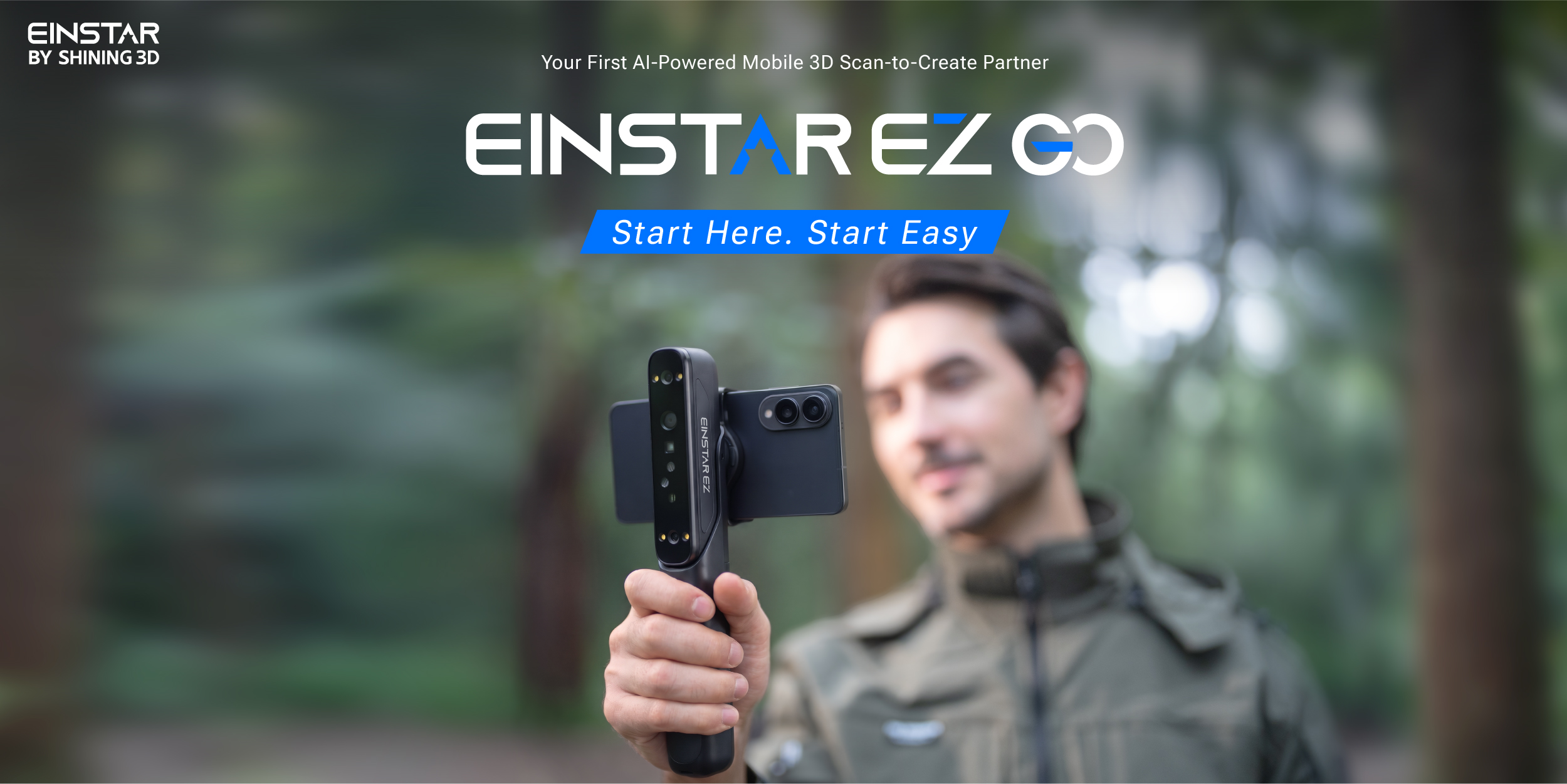
EINSTAR EZ GO 3D scanner on its handheld grip with a smartphone mounted on top

The EZ GO scanner on its grip, with a phone mounted on top as the screen. Image: EINSTAR.

The EINSTAR EZ GO is a handheld 3D scanner built to be taken out of a bag and used on the spot. EINSTAR, a SHINING 3D brand, aims it at makers, 3D printing enthusiasts and everyday creators, for uses from product design and game, AR and VR content to digital preservation, STEM education and 3D printing. The setup reflects that audience: the scanner talks to a phone over Wi-Fi, the phone becomes the screen, and EINSTAR says a new owner can go from unboxing to a first scan in about three minutes. The EZ GO launched on November 11, 2026, after being shown at SEMA in Las Vegas, and appears at Formnext in Frankfurt from November 17 to 20.

We have not had an EZ GO in our hands yet. Everything below is EINSTAR’s own information, and we will test a unit for a separate hands-on review.

Two parts: the EZ and the GO
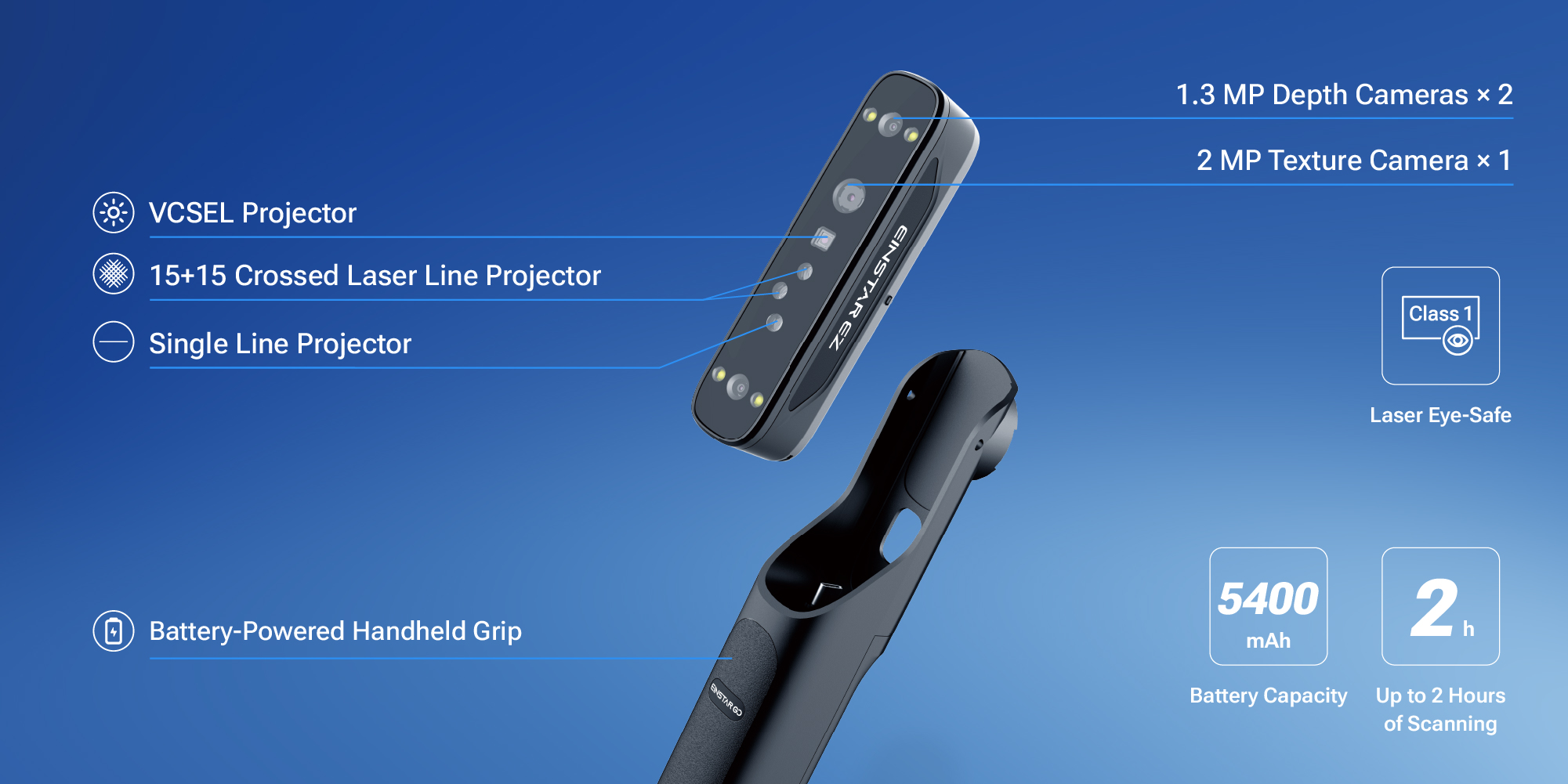
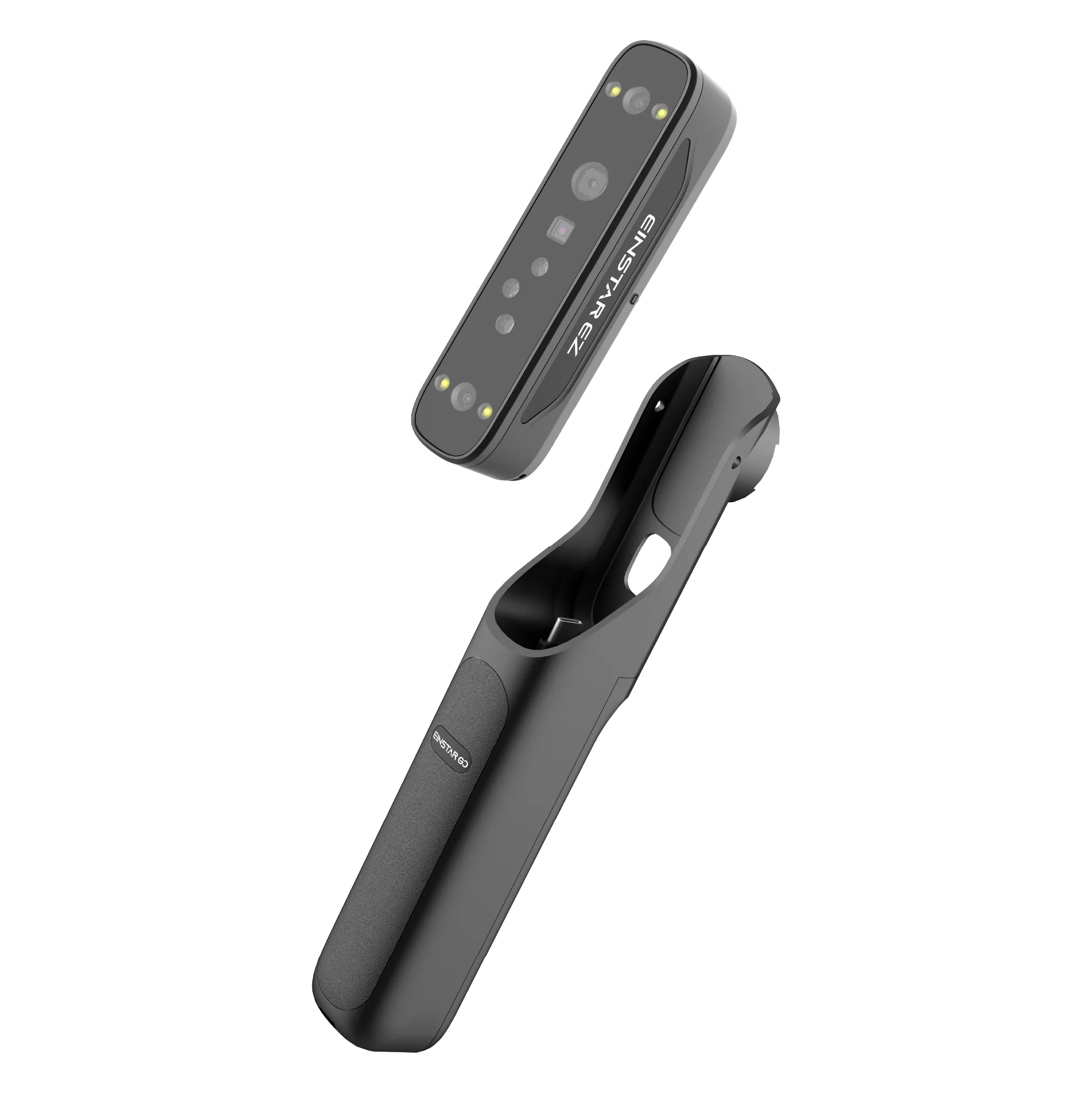
EINSTAR EZ GO scanner unit with its depth cameras, laser and VCSEL projectors, and the battery-powered GO grip

The EZ scanning unit and the battery-powered GO grip. Image: EINSTAR.

EZ is the scanning unit: 126 x 30 x 37 mm and 125 g, holding two 1.3 MP depth cameras, a 2 MP texture camera for color, a blue laser projector that casts 15 + 15 crossed lines, a separate single-line laser, and an infrared VCSEL projector. The lasers are Class 1, which EINSTAR describes as eye-safe.

GO is the handheld grip. It carries a 5,400 mAh battery that EINSTAR rates for up to two hours of scanning, so the scanner has its own power supply, and it measures 204 x 33 x 44 mm at 163 g. EINSTAR’s spec sheet puts the two parts together at 288 g before you add a phone.

Phone, tablet or PC
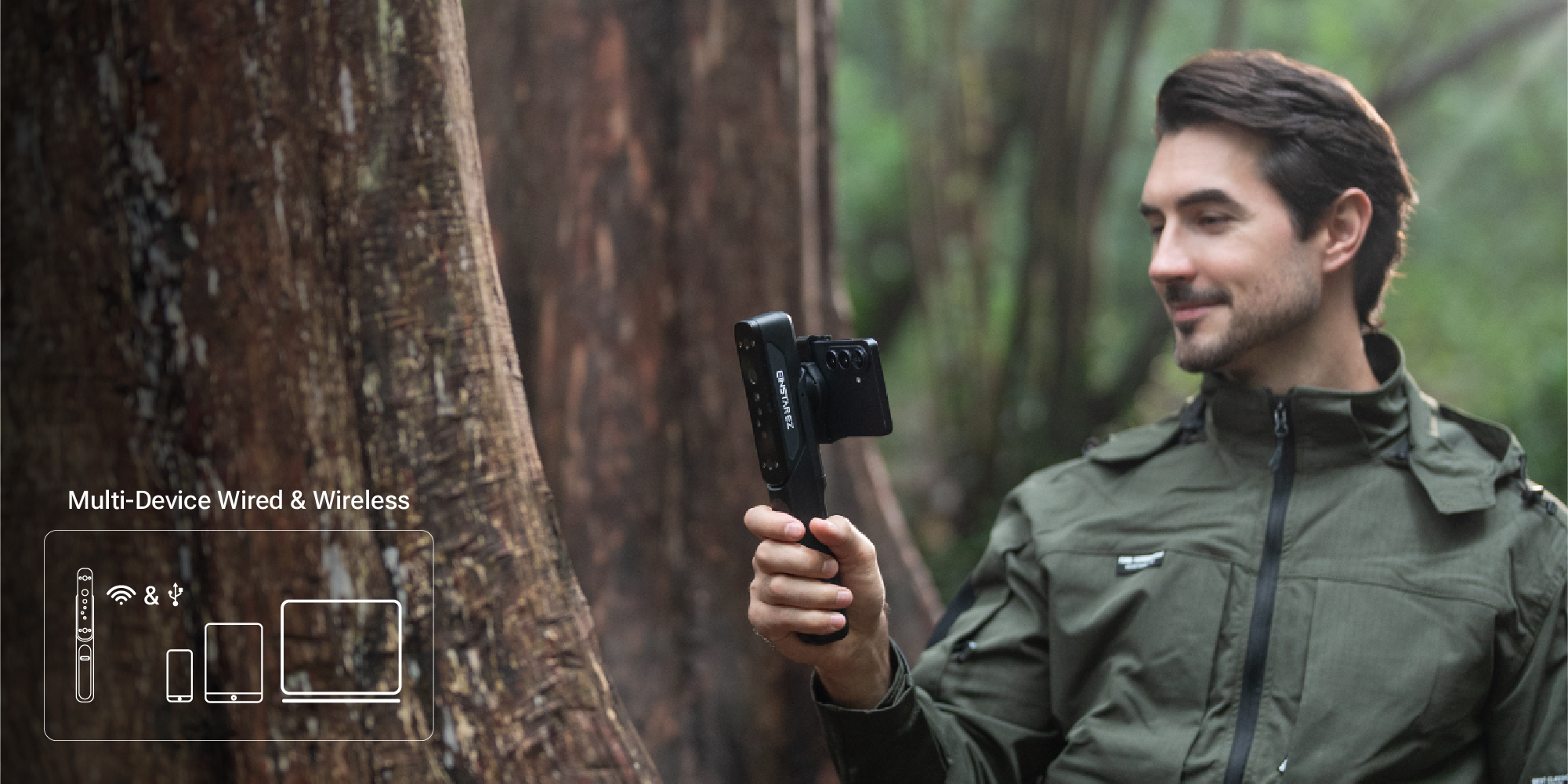
EINSTAR EZ GO held in one hand with a phone mounted, with icons for wired and wireless use with phone, tablet and laptop

The EZ GO works wired or wireless with a phone, tablet or PC. Image: EINSTAR.

The EZ unit has Wi-Fi 6 and a USB-C port, and the grip has two USB-C ports. On a phone or tablet you scan through the EXStar Mobile app for Android and iOS; on a PC, EXStar Hub does the same job. EINSTAR says the scanner remembers its connection after the first setup, so the network configuration does not have to be repeated. Scanning runs at up to 60 fps on mobile devices and on PCs, and EINSTAR offers a wired PC connection for users who want more performance than Wi-Fi gives.

EINSTAR’s device requirements are demanding on Android and Windows. The minimum Android phone has a Snapdragon 8 Gen 2, 8 GB of RAM and Android 15, and EINSTAR recommends a Snapdragon 8 Gen 4 with 12 GB. A Windows laptop needs at least an RTX 3060 Laptop GPU with 6 GB of video memory, an Intel Core i7-13700H, a USB 3.0 port and 32 GB of dual-channel DDR5, with 64 GB recommended, which is gaming-laptop territory.

Apple users have more room. The minimum iPhone has an A15 chip and 6 GB of RAM, which the iPhone 13 Pro and iPhone 14 meet, and EINSTAR recommends an A17 Pro with 8 GB, both on iOS 26 or later. Macs need at least an M1 Pro or M2 Pro, or any M3, M4 or M5 chip, with 16 GB and macOS Tahoe 26.2.

Laser HD and IR Rapid
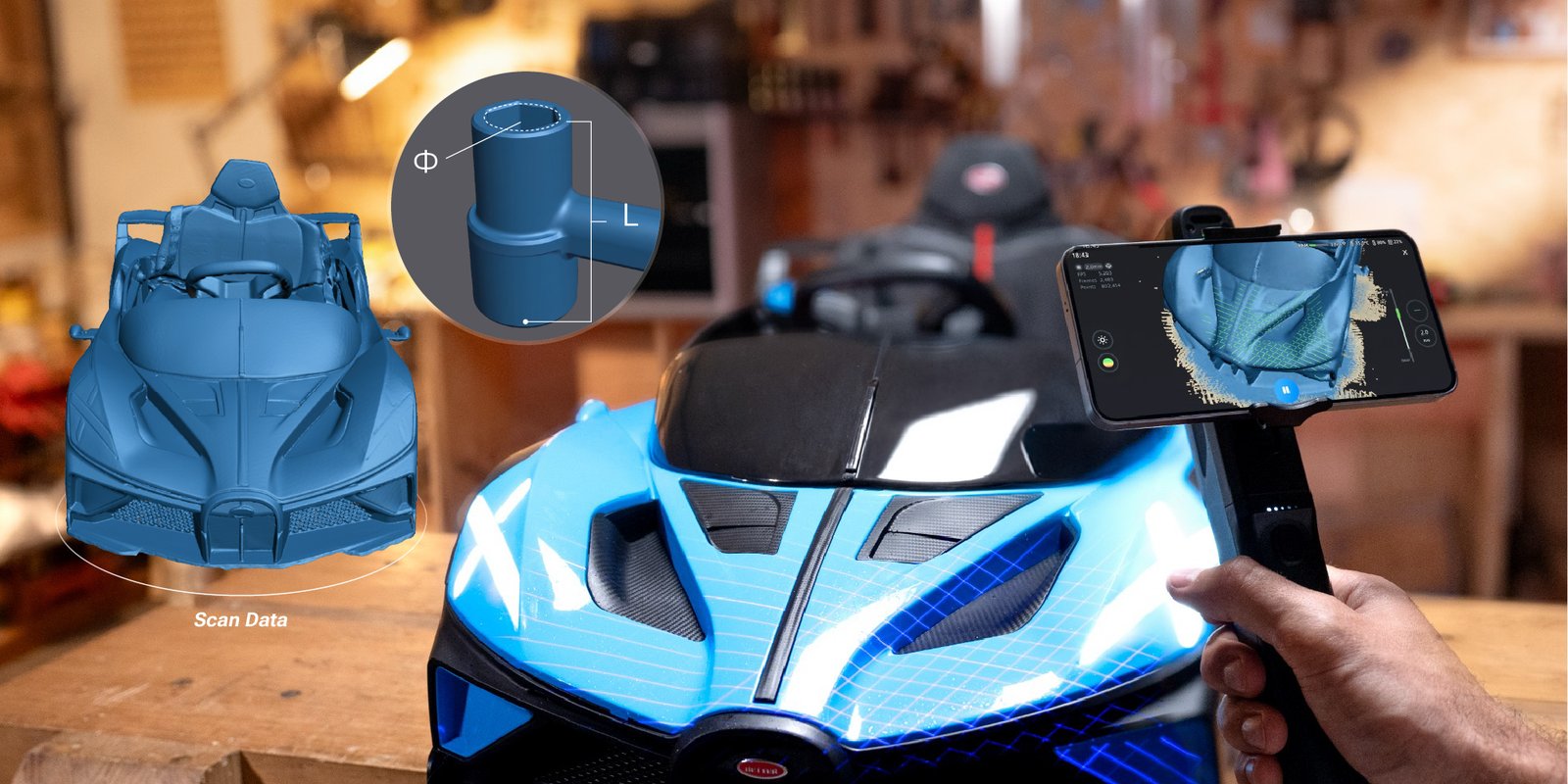
Scanning a ride-on toy car with the EINSTAR EZ GO, with the resulting mesh and a single-line laser detail of a recess

Laser scanning a ride-on toy car, with the single-line laser picking up a recess. Image: EINSTAR.

The EZ GO has two scanning modes. Laser HD uses the 30 crossed blue laser lines to cover larger surfaces at up to 1,150,000 points per second, while the single line reaches deeper into holes, grooves and other hard-to-reach areas. EINSTAR quotes a resolution of 0.05 to 10 mm, a working distance of 160 to 550 mm and a field of view of up to 450 x 500 mm at the far end.

IR Rapid uses the VCSEL infrared projector for faster, broader capture of people, sculpture and cultural heritage objects, at a coarser resolution than Laser HD. EINSTAR quotes 6,550,000 points per second, with a resolution of 0.2 to 10 mm, a working distance of 160 to 800 mm and a field of view of up to 610 x 660 mm. In this mode a feature EINSTAR calls Real-Time Target Extraction separates the object from its surroundings while you scan, which EINSTAR says cuts manual editing afterward.

EINSTAR says both modes can scan marker-free on suitable objects. Both can also align on markers, features, a hybrid of the two, or a global marker frame; IR Rapid adds texture alignment. EINSTAR’s AI tracking algorithm adjusts how it recognizes and follows features as the object and your hand move, which the company says reduces tracking loss and drift.

The EZ GO is rated for outdoor scanning in ambient light up to 80,000 lux and for temperatures from -10 to 40 C. Its IP50 rating means it is protected against dust only, with no protection against water.

Full color and Gaussian Splatting
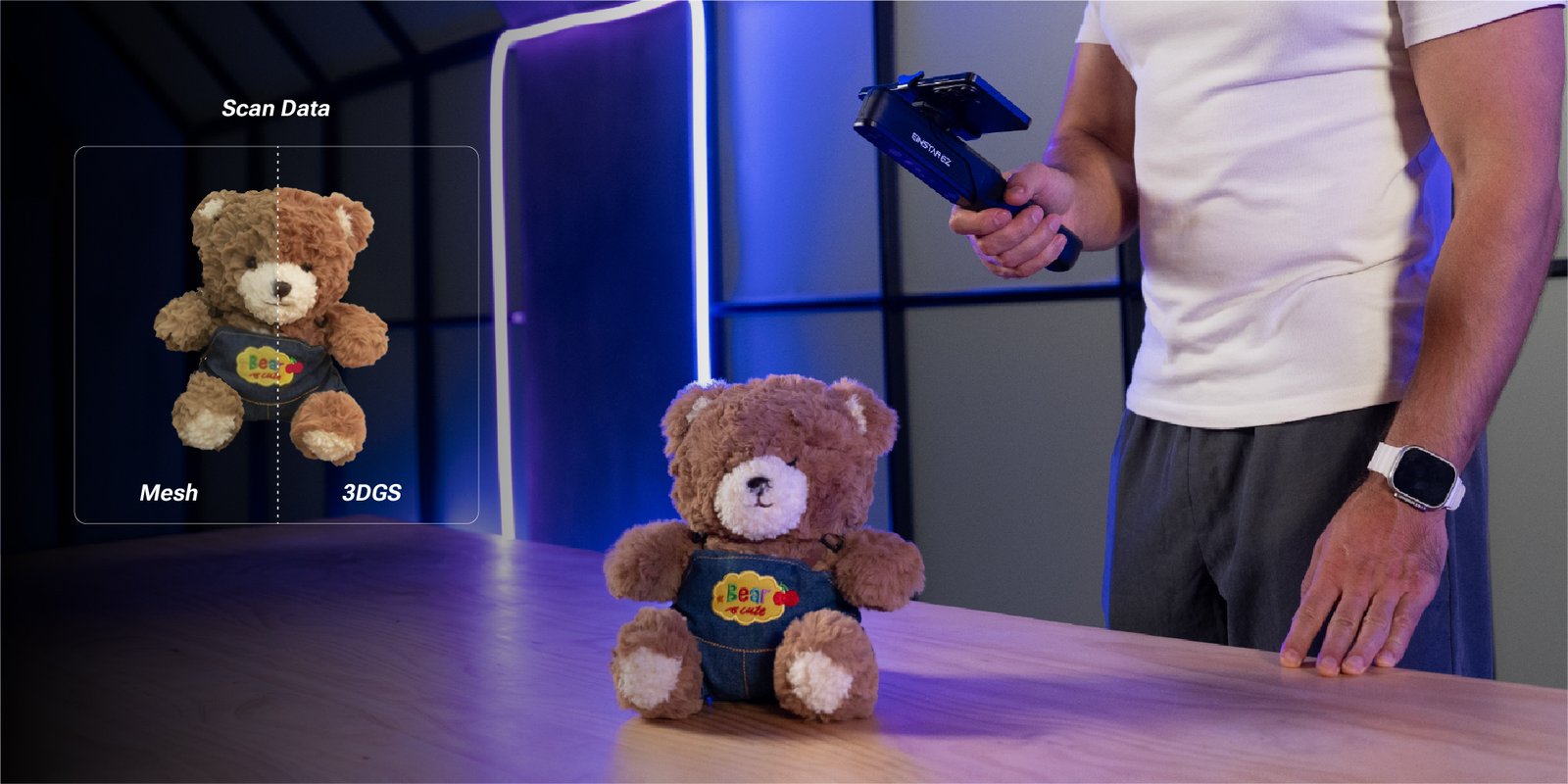
A teddy bear scanned with the EINSTAR EZ GO, shown as a mesh and as a 3D Gaussian Splatting model

The same scan as a mesh (left) and as a Gaussian Splatting model (right). Image: EINSTAR.

The 2 MP texture camera records color as you scan, and the phone shows a real-time color preview. From there, the scan can be processed in the cloud with 3D Gaussian Splatting, or 3DGS. A splat represents an object as a cloud of soft, colored, semi-transparent shapes, a format used for photorealistic viewing; EINSTAR says it adds richer color, material detail and realism. Processing in the cloud also takes that load off the phone.

For 3D printing or measuring you use the mesh, and the EZ GO exports STL, OBJ, PLY, 3MF and ASC. At launch the cloud handles 3DGS processing only, and EINSTAR says more cloud features will follow. Cloud 3DGS processing is currently free of charge, with no account or usage limits, and comes with 5 GB of private cloud storage; EINSTAR says any future change to that policy will be announced. On phones and tablets, EINSTAR’s product page lists 3DGS as available on Android only for now.

The software around it
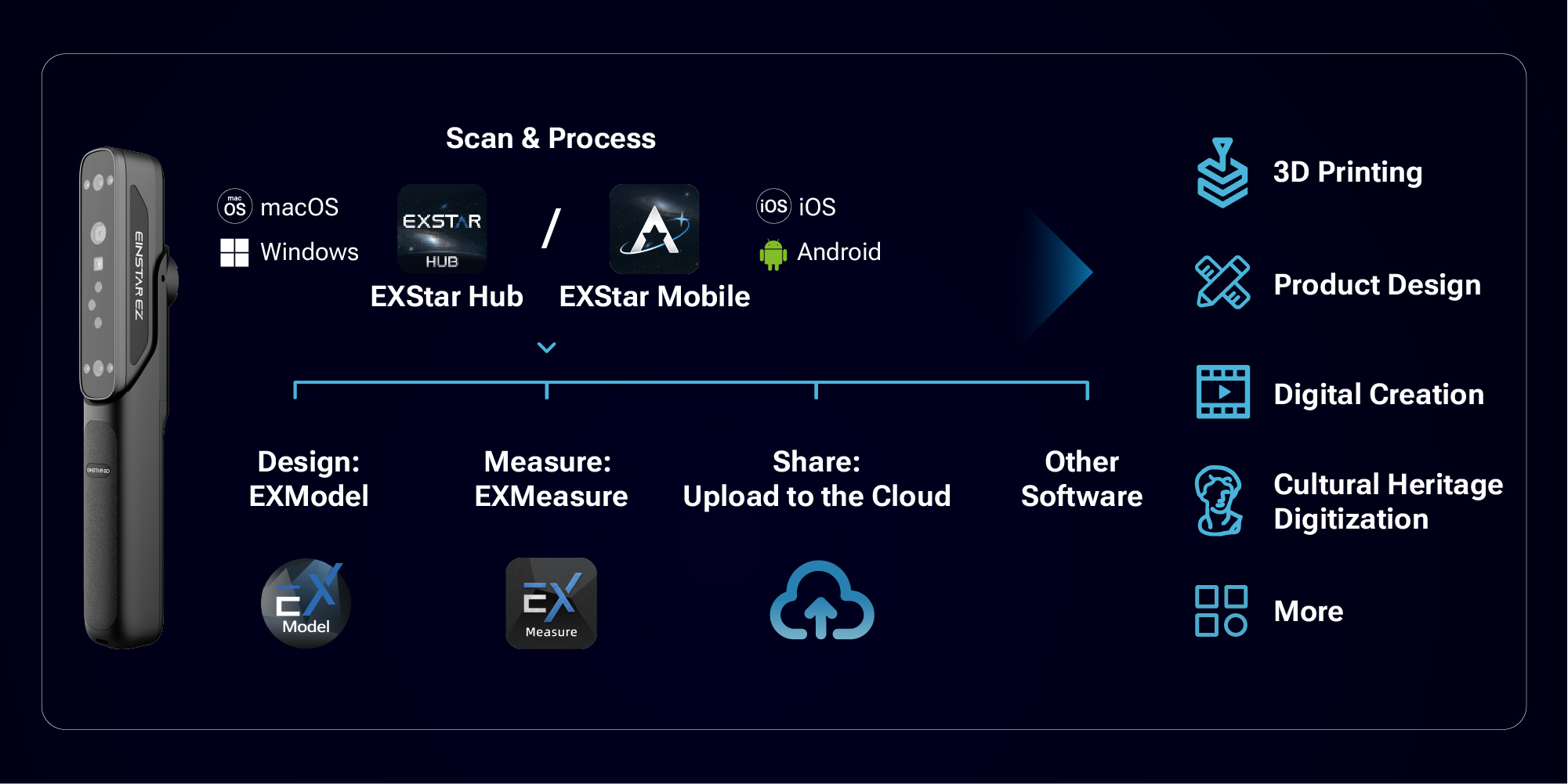
EINSTAR EZ GO software workflow: EXStar Hub for macOS and Windows, EXStar Mobile for iOS and Android, EXModel, EXMeasure and cloud sharing

EXStar Mobile and EXStar Hub feed into EXModel, EXMeasure and cloud sharing. Image: EINSTAR.

EINSTAR connects the EZ GO to the rest of SHINING 3D’s software. EXStar Mobile and EXStar Hub handle scanning and data processing. EXModel, SHINING 3D’s modeling and reverse-engineering package, and EXMeasure, its measurement software, are separate products and are not included with the EZ GO. Finished scans can be stored, viewed and shared through ShiningSpace, SHINING 3D’s platform for storing, managing and sharing 3D data. Under optimal conditions, EINSTAR says, the whole process from opening the software to a captured point cloud takes less than a minute.

Price and availability

The EZ GO launched on November 11, 2026, through EINSTAR’s regional online stores. It is priced at 999 USD in the US, with a launch price of 899 USD until December 11, 2026. EINSTAR’s EU store lists it at 1,199 EUR including VAT, with a launch price of 1,079 EUR for the same period; before VAT those are 999 and 899 EUR. EINSTAR lists the scanner as in stock, shipping within one to two business days.

There are two packages, the EZ GO on its own and the EZ GO with an electronic turntable.

Visitors to Formnext in Frankfurt, November 17 to 20, can see the EZ GO on stand E01 in Hall 12.0.
EINSTAR EZ GO 3D scanner
Wireless 3D scanner

EINSTAR EZ GO

Price: 999 USD / 1,199 EUR incl. VAT Launch price 899 USD / 1,079 EUR until December 11, 2026. In stock, per EINSTAR.

  • Two-part design: EZ scanner and GO battery grip, up to 2 hours per charge (per EINSTAR)
  • Laser HD: 15 + 15 crossed blue lines plus single line, resolution from 0.05 mm
  • IR Rapid: VCSEL infrared, up to 6,550,000 points per second
  • Wi-Fi 6 to phone, tablet or PC; wired USB-C for PC
  • Cloud 3D Gaussian Splatting; exports STL, OBJ, PLY, 3MF, ASC

Shop the EZ GO

This is an affiliate link. 3DPrinting.com earns a commission on purchases made through this link, at no extra cost to you.

Full specification

Figures are EINSTAR’s own, from its launch brief, product page and written clarifications as of November 12, 2026.

Show the full specification and device requirements▾
Specification
Laser HD
IR Rapid
Light source
Laser HDBlue laser, 15 + 15 crossed lines; single line
IR RapidInfrared VCSEL
Resolution
Laser HD0.05 to 10 mm
IR Rapid0.2 to 10 mm
Scanning speed
Laser HD1,150,000 points/s
IR Rapid6,550,000 points/s
Working distance
Laser HD160 to 550 mm
IR Rapid160 to 800 mm
Field of view
Laser HD140 x 110 mm at 160 mm; 450 x 500 mm at 550 mm
IR Rapid140 x 110 mm at 160 mm; 610 x 660 mm at 800 mm
Alignment
Laser HDMarker, feature, hybrid, global markers
IR RapidMarker, feature, hybrid, texture, global markers
Laser class
Laser HDClass 1
IR RapidN/A
Specification
EINSTAR figure
Cameras
EINSTAR figure2 x 1.3 MP depth cameras, 1 x 2 MP texture camera
Frame rate
EINSTAR figureUp to 60 fps on mobile devices and PCs
Output formats
EINSTAR figureSTL, OBJ, PLY, 3MF, ASC
Software
EINSTAR figureEXStar Mobile (Android, iOS) and EXStar Hub (PC). EXModel and EXMeasure are separate products, not included
Cloud processing
EINSTAR figure3D Gaussian Splatting, currently free, with 5 GB of private cloud storage
Ambient light
EINSTAR figureUp to 80,000 lux
Operating temperature
EINSTAR figure-10 to 40 C
Battery
EINSTAR figure5,400 mAh in the GO grip, up to 2 hours of scanning
Interfaces
EINSTAR figureEZ scanner: Wi-Fi 6, 1 x USB-C; GO grip: 2 x USB-C
Dimensions
EINSTAR figureEZ scanner: 126 x 30 x 37 mm; GO grip: 204 x 33 x 44 mm
Weight
EINSTAR figureEZ scanner: 125 g; GO grip: 163 g
Certification
EINSTAR figureCE, FCC, RoHS, WEEE, FDA, SRRC, IP50
In the box
EINSTAR figureEZ scanner, GO grip, cables and accessories; optional electronic turntable package
Price
EINSTAR figure999 USD, or 1,199 EUR including VAT; launch price 899 USD or 1,079 EUR until December 11, 2026
Device
Requirement
Android phone or tablet
RequirementMin: Snapdragon 8 Gen 2, 8 GB RAM, Android 15. Recommended: Snapdragon 8 Gen 4, 12 GB RAM
iPhone
RequirementMin: A15, 6 GB RAM, iOS 26. Recommended: A17 Pro, 8 GB RAM
iPad
RequirementMin: iPad A16, iPad mini A17 Pro or iPad Air/Pro M1, 6 GB RAM, iOS 26. Recommended: iPad Air/Pro M2, 8 GB RAM
Windows laptop
RequirementWindows 11 64-bit, RTX 3060 Laptop GPU with 6 GB or better, Core i7-13700H or better, USB 3.0; 32 GB dual-channel DDR5 minimum, 64 GB recommended
Mac
RequirementmacOS Tahoe 26.2, 16 GB RAM. Min: M1 Pro, M2 Pro, M3, M4 or M5. Recommended: M1/M2 Max or Ultra, M3 Pro/Max/Ultra, M4 Pro/Max or M5

Where the EZ GO fits

The EZ GO pairs a portable two-part design with a laser mode that can reach small recesses and an infrared mode for people and larger objects, and it leaves the heavy 3DGS processing to the cloud. How it performs in practice is a question for our hands-on review. For the wider field, see our guide to the best 3D scanners for medium-sized items.

About EINSTAR

EINSTAR is a brand of SHINING 3D, the Hangzhou company that has made 3D scanners since 2004, including the EinScan range. The first EINSTAR scanner launched in 2022.

EINSTAR, a SHINING 3D brand, paid for this article to appear on 3DPrinting.com. 3DPrinting.com has not yet tested the EZ GO and will review it independently. Specifications and images: EINSTAR. Store links are affiliate links. Last reviewed November 12, 2026.
Share:
WhatsApp Twitter Facebook LinkedIn Buffer Reddit E-mail

Robert Dehue

Robert is co-founder of 3DPrinting.com and has worked in the industry since the site launched in 2012. LinkedIn ↗

Join our newsletter

Our newsletter is free & you can unsubscribe any time.

Latest posts

Dyndrite and Xact Metal Let XM200G Metal 3D Printers Trace Curves as Arcs, Not Straight Lines

With Dyndrite software, Xact Metal's XM200G and XM200G µHD metal 3D printers can now trace curves as single arcs instead of chains of... read more »

3D Printing Metal
Dyndrite and Xact Metal Let XM200G Metal 3D Printers Trace Curves as Arcs, Not Straight Lines

MIT and Northeastern Researchers 3D Print Nature-Inspired Metamaterials That Hold Up Better Against Impacts

Using ideas from network science, MIT and Northeastern researchers designed web-like metamaterials that held up better in impact tests.

News
MIT and Northeastern Researchers 3D Print Nature-Inspired Metamaterials That Hold Up Better Against Impacts

SINTX Completes 3D Printing Facility Buildout for SiN/PEEK Platform, Targets Initial Product Availability in 2027

SINTX has completed its 3D printing facility for its SiN/PEEK platform and targets initial product availability in 2027 as it pursues FDA 510(k)... read more »

Medical
SINTX Completes 3D Printing Facility Buildout for SiN/PEEK Platform, Targets Initial Product Availability in 2027

University of Tennessee and Army Research Laboratory Extend 3D Printing and Advanced Materials Collaboration

UT's DARC will receive up to $27 million from the Army Research Laboratory through 2030 to move its 3D printing and super materials... read more »

Military
University of Tennessee and Army Research Laboratory Extend 3D Printing and Advanced Materials Collaboration

Formnext 2026 Preview: What to See in Frankfurt

Formnext 2026 opens in Frankfurt on Tuesday 17 November. Most of the show is industrial, but there is plenty for desktop and prosumer... read more »

Events
Formnext 2026 Preview: What to See in Frankfurt

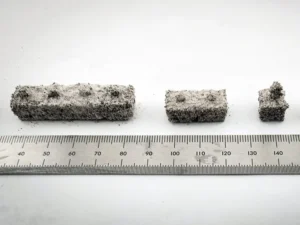
University of Arkansas Researchers 3D Print LEGO-Like Bricks From Lunar Regolith Simulant Without a Binder

University of Arkansas researchers laser sintered lunar regolith simulant into LEGO-like interlocking bricks without a binder.

News
University of Arkansas Researchers 3D Print LEGO-Like Bricks From Lunar Regolith Simulant Without a Binder

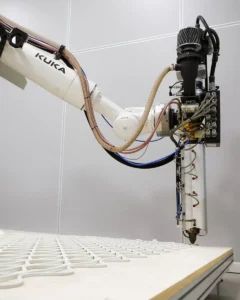
Aectual Partners With Caracol to 3D Print Circular Architectural Products Locally, Starting in the US

Aectual is partnering with Caracol to 3D print its circular architectural products near clients, starting with production in Austin.

News
Aectual Partners With Caracol to 3D Print Circular Architectural Products Locally, Starting in the US

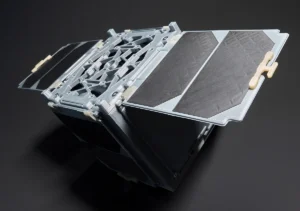
Fraunhofer IAP 3D Prints Shape Memory Polymer Hinges for Deploying Satellite Solar Panels

Fraunhofer IAP has 3D printed shape memory polymer hinges for satellite solar panels that weigh about 1.4 grams and unfold when heated.

Materials
Fraunhofer IAP 3D Prints Shape Memory Polymer Hinges for Deploying Satellite Solar Panels

Prusa Launches Prusament PETG ESD, a Carbon-Filled 3D Printing Filament for Electronics

Prusament PETG ESD is a carbon-filled, electrostatic-dissipative 3D printing filament made for parts that touch sensitive electronics.

Filament
Prusa Launches Prusament PETG ESD, a Carbon-Filled 3D Printing Filament for Electronics

Raise3D Closes $15 Million Round and Introduces T450 and T700 Large-Format 3D Printers

Raise3D closed a $15 million C2+ round and introduced the T450 and T700 large-format FFF 3D printers, priced at $4,999 and $15,999.

3D Printers
Raise3D Closes $15 Million Round and Introduces T450 and T700 Large-Format 3D Printers

Social

  • Facebook Facebook 3D Printing
  • Linkedin Linkedin 3D Printing
Join our newsletter

Our newsletter is free & you can unsubscribe any time.

revopoint bf sidebar

Tripo

Free to $110/mo
  • 60% off Tripo Pro with code 3DPRINTING.
Tripo
View at Tripo tripo3d.ai

eSUN ABS+

~$20 to 24/kg
  • Toughened ABS formulation with additives that reduce warping and improve surface finish…
eSUN ABS+
Buy Now amazon.com

Creality K2 Plus

~$1,299
  • An enclosed CoreXY with 350 × 350 × 350 mm build volume, 600 mm/s speed, 4-color CFS…
Creality K2 Plus
Buy Now creality.com

Prusament PETG

~$35 to 45/kg
  • Tightest diameter tolerance in the consumer PETG category at +/-0.02mm with per-batch Q…
Prusament PETG
Buy Now prusa3d.com

Phrozen Sonic Mini 8K S

~$270
  • The long-running miniatures favorite with 22-micron precision and broad third-party sli…
Phrozen Sonic Mini 8K S
Buy Now phrozen3d.com

Prusa CORE One+

~$1,199
  • Prusa's first CoreXY with a 55°C actively heated chamber, open-source firmware, full o…
Prusa CORE One+
Buy Now prusa3d.com

Creality K2 Pro Combo

~$1,049
  • A 60°C actively heated enclosed CoreXY with 4-color CFS printing and Klipper-based fir…
Creality K2 Pro Combo
Buy Now creality.com

Polymaker PolyMax PC

  • Most cited polycarbonate filament for mid-range enclosed printers, running at 260 to 28…
Polymaker PolyMax PC
Buy Now polymaker.com

Site footer

The 3DPrinting.com newsletter

The week’s best reviews, buyer’s guides and deals. One email every Friday, no spam.

By subscribing you agree to our privacy policy. Unsubscribe anytime.

3D PRINTING.COM

Independent reviews, buyer’s guides and news about 3D printers, materials, scanners and software.

Reviews

  • All reviews
  • 3D printers
  • Filament & materials
  • 3D scanners
  • Software
  • Compare products

Buyer's guides

  • Best 3D printers
  • Best resin 3D printers
  • 3D printers for beginners
  • Best PLA filament
  • Best slicers
  • Best pro 3D scanners

Learn & news

  • Latest news
  • Deals
  • What is 3D printing?
  • FDM vs resin
  • Use cases by industry
  • Glossary

Company

  • About us
  • Contact us
  • Advertise with us
  • Media kit
  • Nederland 3D Printing

© 2026 3DPrinting.com · Strikwerda en Dehue

  • Privacy policy
  • Terms of use
  • Affiliate disclosure
  • RSS